```
2.2 **component.ts**
```typescript
import { Component } from '@angular/core';
import { CodeSnippet } from 'projects/ngb-card/src/public-api';
@Component({
selector: 'app-root',
templateUrl: './app.component.html',
styleUrls: ['./app.component.scss'],
})
export class AppComponent {
public snippetCodeVariable: CodeSnippet = {
html: `// HTML snippet code
Card Header
...
`,
ts: `// typescript snippet code
@Component({
selector: 'app-root',
templateUrl: './app.component.html',
styleUrls: ['./app.component.scss'],
})`,
css: `// CSS code
#demo-code{
color: blue;
}
.demo-code{
background-color: white;
}
`,
scss: `// SCSS code
#demo-code, .demo-code{
color: blue;
background-color: white;
}
`,
json: `// json snippet code
{
"user_id": "234",
"name": “Mk Hollida
"email": “mock.holliday@example.com",
"birthdate": "1971-08-01T00:00:00+00:00”
}`,
service: `// Angular service snippet code
import { Injectable } from '@angular/core';
@Injectable({
providedIn: 'root',
})
export class HeroService {
constructor() { }
}`,
module: `// Angular module snippet code
@NgModule({
declarations: [
AppComponent
],
imports: [
BrowserModule,
AppRoutingModule,
NgbCardModule
],
providers: [],
bootstrap: [AppComponent]
})
`,
};
}
```
2.3 **Output** :
## API
| Selector | Type | property | Discription |
| ------------ | ---------- | ------------- | ------------- |
| `ngb-card` | selector | element | ngb-card component |
| `cardClass` | Input | class | Use cardClass input property to add class to card. |
| `headerClass`| Input | class | Use headerClass input property to add class to card header. |
| `bodyClass` | Input | class | Use bodyClass input property to add class to card body. |
| `footerClass`| Input | class | Use footerClass input property to add class to card footer |
| `codeSnippet`| `CodeSnippet` | object | Create HTML \| TS \| SCSS \| CSS \| JSON \| SERVICE \| MODULE code snippets with tabs by passing html \| ts \| scss\| \| css \| json \| service \| module as key value pair to the `snippetCode` input Property. |
## Supported browsers
We support the same browsers and versions supported by both Bootstrap 4 and Angular, whichever is _more_ restrictive. See [Angular browser support](https://angular.io/guide/browser-support) and [Bootstrap browser support](https://getbootstrap.com/docs/4.4/getting-started/browsers-devices/#supported-browsers) for more details.
Our code is automatically tested on all supported browsers.
## Getting help
Please, do not open issues for the general support questions as we want to keep GitHub issues for bug reports and feature requests. You've got much better chances of getting your question answered on [StackOverflow](http://stackoverflow.com/questions/tagged/ng-bootstrap) where maintainers are looking at questions tagged with `ngb-card` or you can directly chat with us [chat icon at bottom right corner] at https://innovthemes.com/.
StackOverflow is a much better place to ask questions since:
* there are hundreds of people willing to help on StackOverflow
* questions and answers stay available for public viewing so your question / answer might help someone else
* SO voting system assures that the best answers are prominently visible.
To save your and our time we will be systematically closing all the issues that are requests for general support and redirecting people to StackOverflow.
## You think you've found a bug?
We want to fix it ASAP! But before fixing a bug we need to reproduce and confirm it.
We ask you to respect two things:
* fill the GitHub issue template by providing the bug description and appropriate versions of Angular, ng-bootstrap and TypeScript.
* provide a use-case that fails with a **minimal reproduction scenario** using [StackBlitz](https://stackblitz.com) (you can start by forking one from our [github page](https://github.com/innovThemes/ngb-card))
A minimal reproduction scenario allows us to quickly confirm a bug (or point out a coding problem) as well as confirm that we are fixing the right problem.
---
_Source: https://npm.io/package/ngb-card · Machine-readable twin of the npm.io package page. Health data is recomputed on every publish._

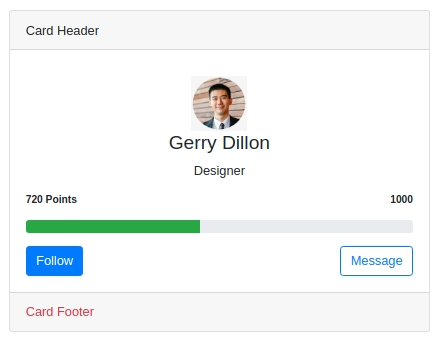 2. Advance Card
2.1 **component.html**
```html
2. Advance Card
2.1 **component.html**
```html
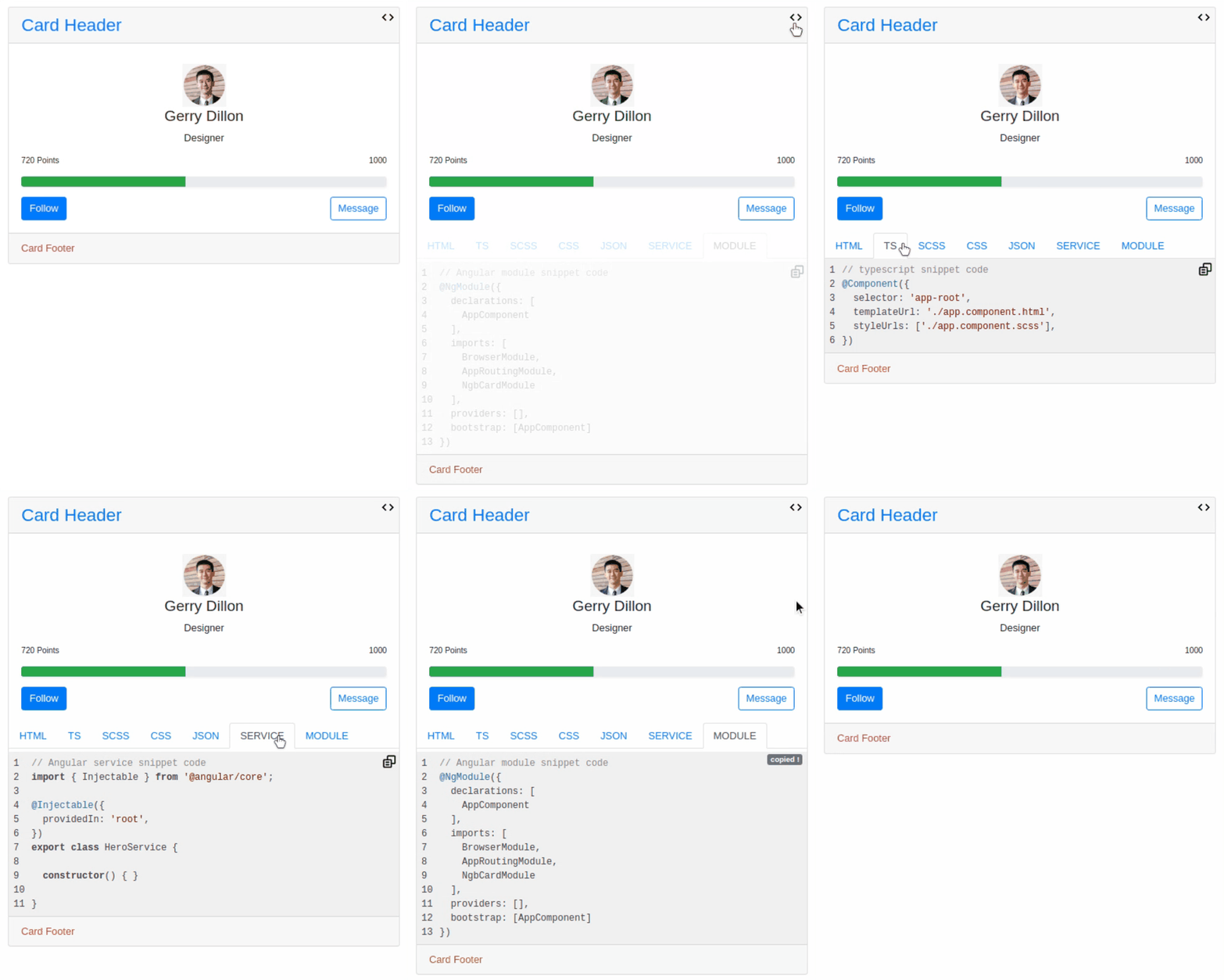 ## API
| Selector | Type | property | Discription |
| ------------ | ---------- | ------------- | ------------- |
| `ngb-card` | selector | element | ngb-card component |
| `cardClass` | Input | class | Use cardClass input property to add class to card. |
| `headerClass`| Input | class | Use headerClass input property to add class to card header. |
| `bodyClass` | Input | class | Use bodyClass input property to add class to card body. |
| `footerClass`| Input | class | Use footerClass input property to add class to card footer |
| `codeSnippet`| `CodeSnippet` | object | Create HTML \| TS \| SCSS \| CSS \| JSON \| SERVICE \| MODULE code snippets with tabs by passing html \| ts \| scss\| \| css \| json \| service \| module as key value pair to the `snippetCode` input Property. |
## Supported browsers
We support the same browsers and versions supported by both Bootstrap 4 and Angular, whichever is _more_ restrictive. See [Angular browser support](https://angular.io/guide/browser-support) and [Bootstrap browser support](https://getbootstrap.com/docs/4.4/getting-started/browsers-devices/#supported-browsers) for more details.
Our code is automatically tested on all supported browsers.
## Getting help
Please, do not open issues for the general support questions as we want to keep GitHub issues for bug reports and feature requests. You've got much better chances of getting your question answered on [StackOverflow](http://stackoverflow.com/questions/tagged/ng-bootstrap) where maintainers are looking at questions tagged with `ngb-card` or you can directly chat with us [chat icon at bottom right corner] at https://innovthemes.com/.
StackOverflow is a much better place to ask questions since:
* there are hundreds of people willing to help on StackOverflow
* questions and answers stay available for public viewing so your question / answer might help someone else
* SO voting system assures that the best answers are prominently visible.
To save your and our time we will be systematically closing all the issues that are requests for general support and redirecting people to StackOverflow.
## You think you've found a bug?
We want to fix it ASAP! But before fixing a bug we need to reproduce and confirm it.
We ask you to respect two things:
* fill the GitHub issue template by providing the bug description and appropriate versions of Angular, ng-bootstrap and TypeScript.
* provide a use-case that fails with a **minimal reproduction scenario** using [StackBlitz](https://stackblitz.com) (you can start by forking one from our [github page](https://github.com/innovThemes/ngb-card))
A minimal reproduction scenario allows us to quickly confirm a bug (or point out a coding problem) as well as confirm that we are fixing the right problem.
---
_Source: https://npm.io/package/ngb-card · Machine-readable twin of the npm.io package page. Health data is recomputed on every publish._
## API
| Selector | Type | property | Discription |
| ------------ | ---------- | ------------- | ------------- |
| `ngb-card` | selector | element | ngb-card component |
| `cardClass` | Input | class | Use cardClass input property to add class to card. |
| `headerClass`| Input | class | Use headerClass input property to add class to card header. |
| `bodyClass` | Input | class | Use bodyClass input property to add class to card body. |
| `footerClass`| Input | class | Use footerClass input property to add class to card footer |
| `codeSnippet`| `CodeSnippet` | object | Create HTML \| TS \| SCSS \| CSS \| JSON \| SERVICE \| MODULE code snippets with tabs by passing html \| ts \| scss\| \| css \| json \| service \| module as key value pair to the `snippetCode` input Property. |
## Supported browsers
We support the same browsers and versions supported by both Bootstrap 4 and Angular, whichever is _more_ restrictive. See [Angular browser support](https://angular.io/guide/browser-support) and [Bootstrap browser support](https://getbootstrap.com/docs/4.4/getting-started/browsers-devices/#supported-browsers) for more details.
Our code is automatically tested on all supported browsers.
## Getting help
Please, do not open issues for the general support questions as we want to keep GitHub issues for bug reports and feature requests. You've got much better chances of getting your question answered on [StackOverflow](http://stackoverflow.com/questions/tagged/ng-bootstrap) where maintainers are looking at questions tagged with `ngb-card` or you can directly chat with us [chat icon at bottom right corner] at https://innovthemes.com/.
StackOverflow is a much better place to ask questions since:
* there are hundreds of people willing to help on StackOverflow
* questions and answers stay available for public viewing so your question / answer might help someone else
* SO voting system assures that the best answers are prominently visible.
To save your and our time we will be systematically closing all the issues that are requests for general support and redirecting people to StackOverflow.
## You think you've found a bug?
We want to fix it ASAP! But before fixing a bug we need to reproduce and confirm it.
We ask you to respect two things:
* fill the GitHub issue template by providing the bug description and appropriate versions of Angular, ng-bootstrap and TypeScript.
* provide a use-case that fails with a **minimal reproduction scenario** using [StackBlitz](https://stackblitz.com) (you can start by forking one from our [github page](https://github.com/innovThemes/ngb-card))
A minimal reproduction scenario allows us to quickly confirm a bug (or point out a coding problem) as well as confirm that we are fixing the right problem.
---
_Source: https://npm.io/package/ngb-card · Machine-readable twin of the npm.io package page. Health data is recomputed on every publish._