# ngx-y2-player
> [](http://badge.fury.io/js/ngx-y2-player)
Latest version **3.0.1** (published 2019-08-20) · 0 weekly downloads
## Install
```sh
npm install ngx-y2-player
pnpm add ngx-y2-player
yarn add ngx-y2-player
bun add ngx-y2-player
```
## Health
**Score 25/100 (F)** — status: abandoned.
Positive: has types; esm support; no vulnerabilities.
Warnings: low downloads.
Negative: abandoned; low maintenance score.
## Facts
| | |
|---|---|
| Version | 3.0.1 |
| Published | 2019-08-20 |
| First published | 2018-01-04 |
| Weekly downloads | 0 |
| TypeScript types | bundled |
| Module format | ESM + CommonJS |
| Dependencies | 4 |
| Unpacked size | 269.4 KB |
| Known vulnerabilities | 0 |
| Install scripts | no |
| Maintainers | alanzou |
## Links
- npm: https://www.npmjs.com/package/ngx-y2-player
- npm.io page: https://npm.io/package/ngx-y2-player
## Dependencies (4)
- [tslib](https://npm.io/package/tslib.md) ^1.9.0
- [hammerjs](https://npm.io/package/hammerjs.md) ^2.0.8
- [@types/youtube](https://npm.io/package/@types/youtube.md) 0.0.38
- [resize-observer-polyfill](https://npm.io/package/resize-observer-polyfill.md) ^1.5.1
## Recent versions
- 3.0.1 (latest) — 2019-08-20
- 3.0.0 — 2019-08-19
- 2.1.1 — 2019-02-08
- 2.1.0 — 2018-12-14
- 2.0.0 — 2018-12-01
- 1.4.2 — 2018-11-06
- 1.4.0 — 2018-10-25
- 1.3.0 — 2018-07-31
- 1.2.0 — 2018-06-06
- 1.1.1-beta.2 — 2018-06-06
- 1.1.1-beta.1 — 2018-06-06
- 1.1.1 — 2018-06-06
- 1.1.0 — 2018-03-28
- 1.1.0-bate.2 — 2018-03-27
- 1.1.0-beta.1 — 2018-03-27
- … 7 more at https://npm.io/package/ngx-y2-player/versions
## README
[](http://badge.fury.io/js/ngx-y2-player)
# ngx-y2-player
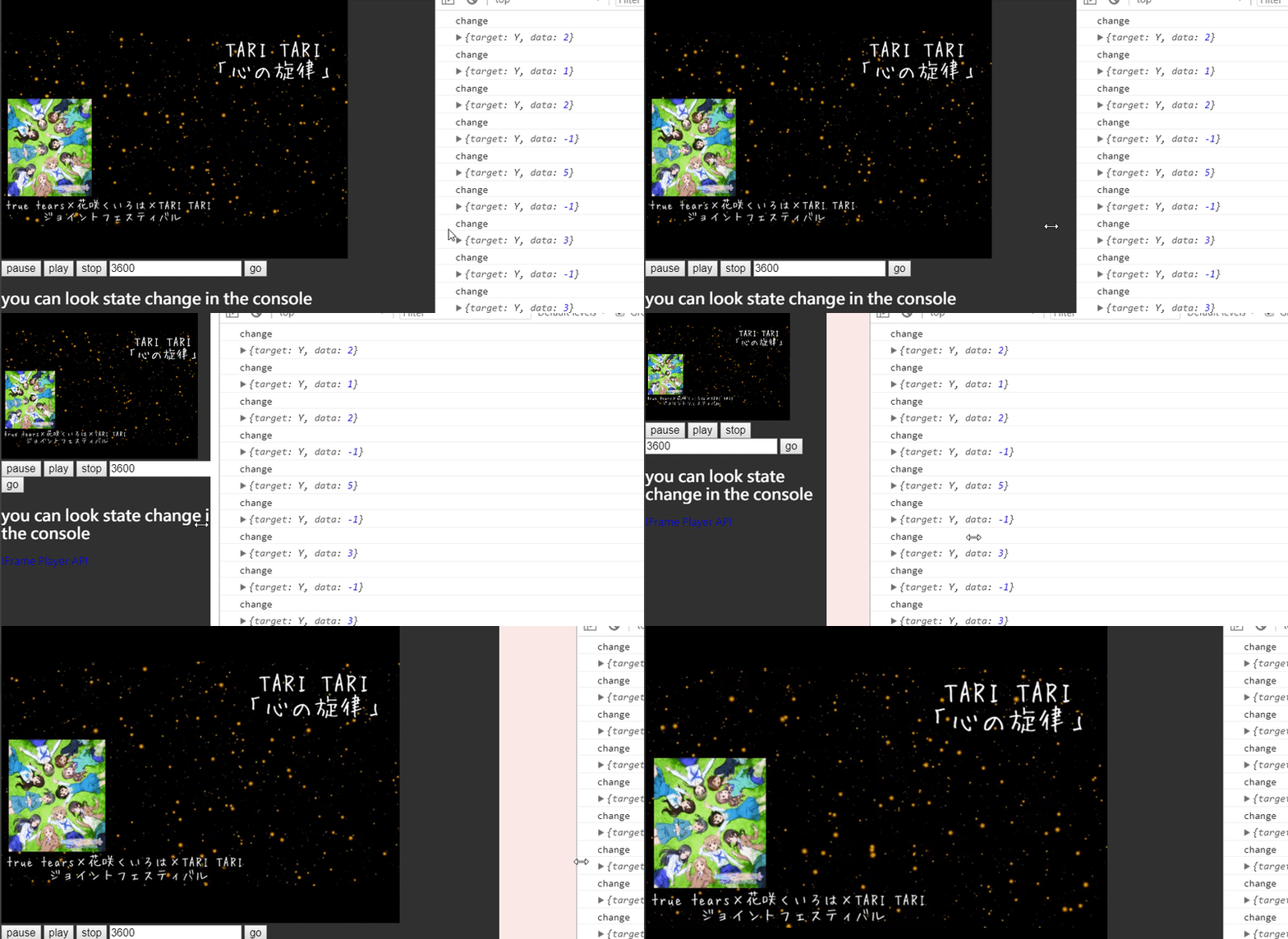
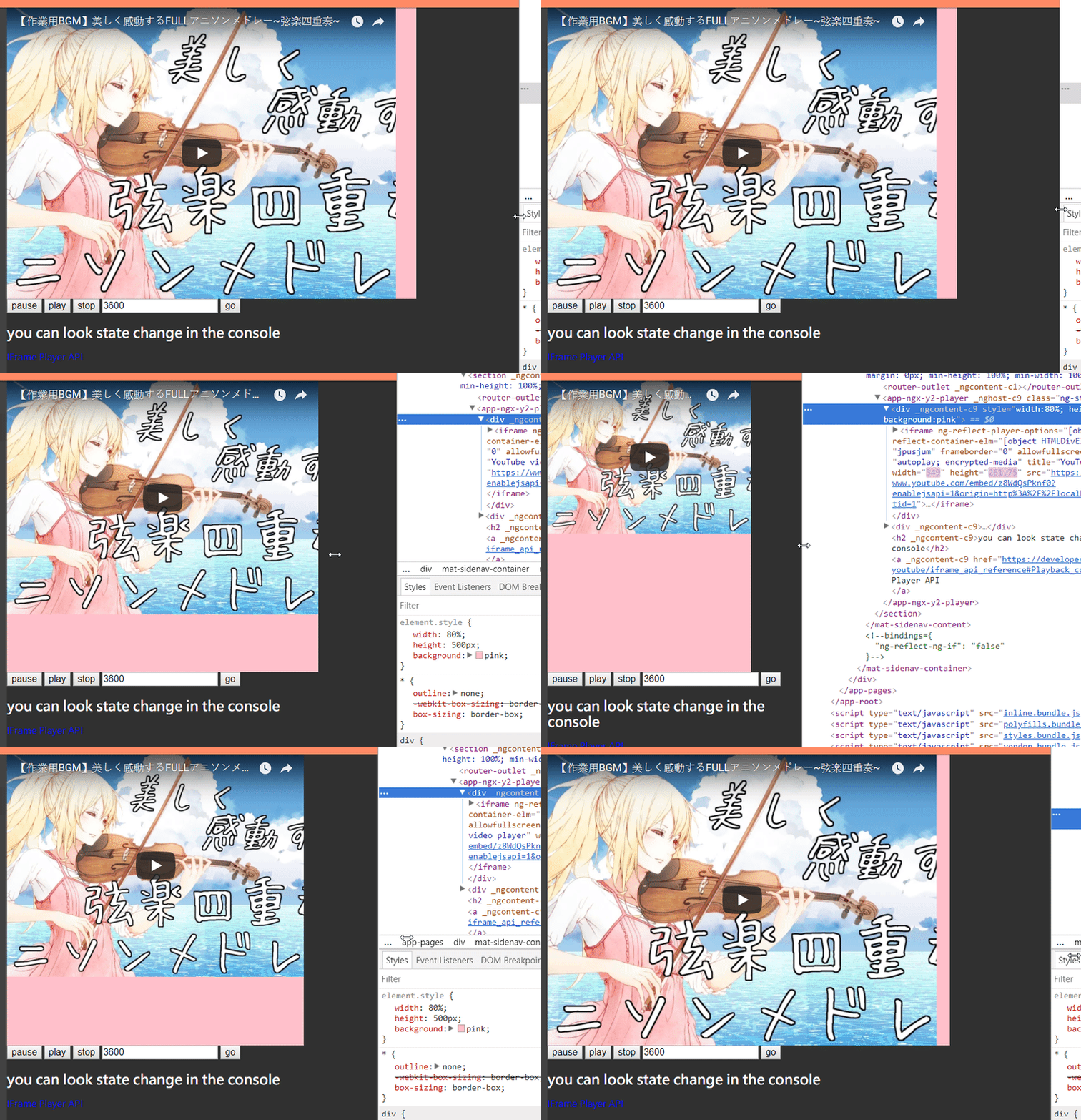
Angular 8+ youtube player can auto resize with container, and full controll with [Youtube IFrame Player API](https://developers.google.com/youtube/iframe_api_reference) support SSR with preview image.
## Description
Youtube player with with [Youtube IFrame Player API](https://developers.google.com/youtube/iframe_api_reference), complete response with device, provide an sample way for use youbute player.
## Example
[https://alanzouhome.firebaseapp.com/package/NgxY2Player](https://alanzouhome.firebaseapp.com/package/NgxY2Player)
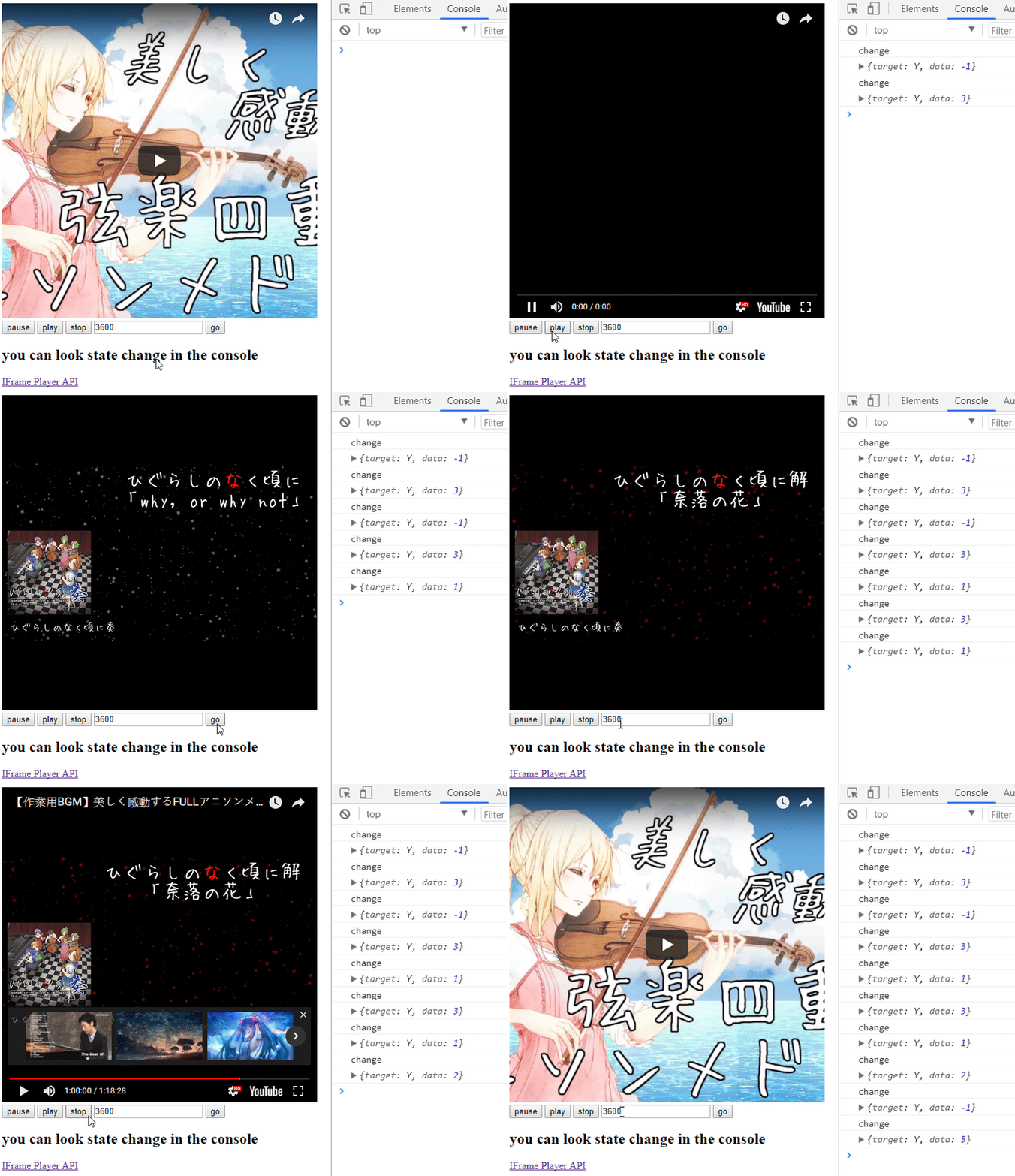
### Auto resize with container, not outdistance of container with height
## Install
```ts
npm install ngx-y2-player
```
+ Import `NgxY2PlayerModule` into your main AppModule or the module where you want use.
1. Module
```ts
import { NgxY2PlayerModule } from 'ngx-y2-player';
@NgModule({
declarations: [ ...something... ],
imports: [ ...something... , NgxY2PlayerModule],
providers: [ ...something... ],
bootstrap: [ ...something... ]
})
export class AppModule {
}
```
2. HTML
```html
```
2. TS
```typescript
import { Component, ViewChild } from '@angular/core';
import { NgxY2PlayerComponent, NgxY2PlayerOptions } from 'ngx-y2-player';
@Component({
selector: 'app-root',
templateUrl: './app.component.html',
styleUrls: ['./app.component.css']
})
export class AppComponent {
@ViewChild('video') video: NgxY2PlayerComponent;
videoId: 'z8WdQsPknf0'; // string or string array;
playerOptions: NgxY2PlayerOptions = {
height: 500, // you can set 'auto', it will use container width to set size
width: 500,
// when container resize, it will call resize function, you can custom this by set resizeDebounceTime, default is 200
resizeDebounceTime: 0,
playerVars: {
autoplay: 1,
},
// aspectRatio: (3 / 4), // you can set ratio of aspect ratio to auto resize with
};
constructor() { }
pause() {
this.video.videoPlayer.pauseVideo();
}
play() {
this.video.videoPlayer.playVideo();
}
stop() {
this.video.videoPlayer.stopVideo();
}
go(second) {
this.video.videoPlayer.seekTo(second, true);
}
onReady(event) {
console.log('ready');
console.log(event);
}
onStateChange(event) {
console.log('change');
console.log(event);
}
}
```
## Attribute
| Attribute | necessary | type | description |
| --------- | --------- | ---- | -------- |
| `[videoId],[videoUrl]` | yes | Input(`string` or `string[]`) | video id or url with player, accept with string or string array, change this input will change player video. |
| `[playerOptions]` | yes | Input(NgxY2PlayerOptions) | NgxY2PlayerOptions with [Youtube IFrame Player API](https://developers.google.com/youtube/iframe_api_reference) |
| `[container]` | no | Input(Template Element) | when set width or height 'auto', it will use this element to set player size auto |
| `(ready)` | no | Output(function($event)) | when video ready emit value |
| `(stateChange)` | no | Output(function($event)) | when video state change emit value |
| `(playbackQualityChange)` | no | Output(function($event)) | Event fired when the playback quality of the player changes |
| `(playbackRateChange)` | no | Output(function($event)) | Event fired when the playback rate of the player changes |
| `(error)` | no | Output(function($event)) | Event fired when an error in the player occurs |
| `(apiChange)` | no | Output(function($event)) | Event fired to indicate thath the player has loaded, or unloaded, a module with exposed API methods. This currently only occurs for closed captioning. |
### NgxY2PlayerOptions
```ts
export interface NgxY2PlayerOptions {
width?: number | 'auto';
height?: number | 'auto';
playerVars?: YT.PlayerVars;
host?: string;
thumbnail?: THUMBNAIL_TYPE;
resizeDebounceTime?: number;
aspectRatio?: number;
}
```
You can see all playerVars in the https://developers.google.com/youtube/player_parameters#Parameters
### THUMBNAIL_TYPE
```ts
type THUMBNAIL_TYPE =
'0.jpg' |
'1.jpg' |
'2.jpg' |
'3.jpg' |
'default.jpg' |
'hqdefault.jpg' |
'mqdefault.jpg' |
'sddefault.jpg' |
'maxresdefault.jpg';
```
implement with
https://gist.github.com/protrolium/8831763
---
_Source: https://npm.io/package/ngx-y2-player · Machine-readable twin of the npm.io package page. Health data is recomputed on every publish._