# nightlyweb
> Give your website dark-mode using NightlyWeb library.
Latest version **1.0.1** (published 2023-12-04) · MIT license · 0 weekly downloads
## Install
```sh
npm install nightlyweb
pnpm add nightlyweb
yarn add nightlyweb
bun add nightlyweb
```
## Health
**Score 15/100 (F)** — status: abandoned.
Positive: no vulnerabilities.
Warnings: low downloads; no types; no esm support.
Negative: abandoned; low maintenance score.
## Facts
| | |
|---|---|
| Version | 1.0.1 |
| Published | 2023-12-04 |
| First published | 2023-12-04 |
| Weekly downloads | 0 |
| License | MIT |
| TypeScript types | none |
| Module format | CommonJS |
| Dependencies | 0 |
| Unpacked size | 16.2 KB |
| Known vulnerabilities | 0 |
| Install scripts | no |
| GitHub stars | 2 |
| Author | Maruf OVi |
| Maintainers | iamovi |
| Keywords | Darkmode, darkweb, darkwebsite, nightlyweb, nightlify |
## Links
- npm: https://www.npmjs.com/package/nightlyweb
- Repository: https://github.com/iamovi/NightlyWeb
- Homepage: https://github.com/iamovi/NightlyWeb#readme
- Issues: https://github.com/iamovi/NightlyWeb/issues
- npm.io page: https://npm.io/package/nightlyweb
## Recent versions
- 1.0.1 (latest) — 2023-12-04
- 1.0.0 — 2023-12-04
## README
# 🌙 NightlyWeb
NightlyWEb is a lightweight and customizable CSS and JavaScript library for adding dark mode functionality to your website. With just a few lines of code, you can enhance user experience by providing a visually comfortable dark mode option.
## Features
✨ **Easy Integration**: Simple integration with NightlyWeb CDN.
🌈 **Customizable**: Tailor the dark mode to match your website's design.
🕶️ **User-Friendly**: Enhance user experience by providing a visually friendly dark mode.
🚀 **Lightweight**: Minimal impact on page load times.
## Getting Started
### Installation
Include the CSS and JS in your HTML file:
```html
```
```html
```
## Usage
Initialize NightlyWeb by adding the following code:
```html
```
- add this few lines of code to anywhere in your html body tag.
That's it! NightlyWEb will now toggle between light and dark modes.
- you can the toggle button on the top right corner of your web page.
## Customization
If you want to change the position or size of the toggle button then >
```CSS
/* Toggle switch styles */
.NightlyWeb {
z-index: 999999999;
position: fixed;
top: 10px;
right: 10px;
cursor: pointer;
user-select: none;
}
```
- simply add this code to your .css file and customize as your desired position and size.
---
## Example
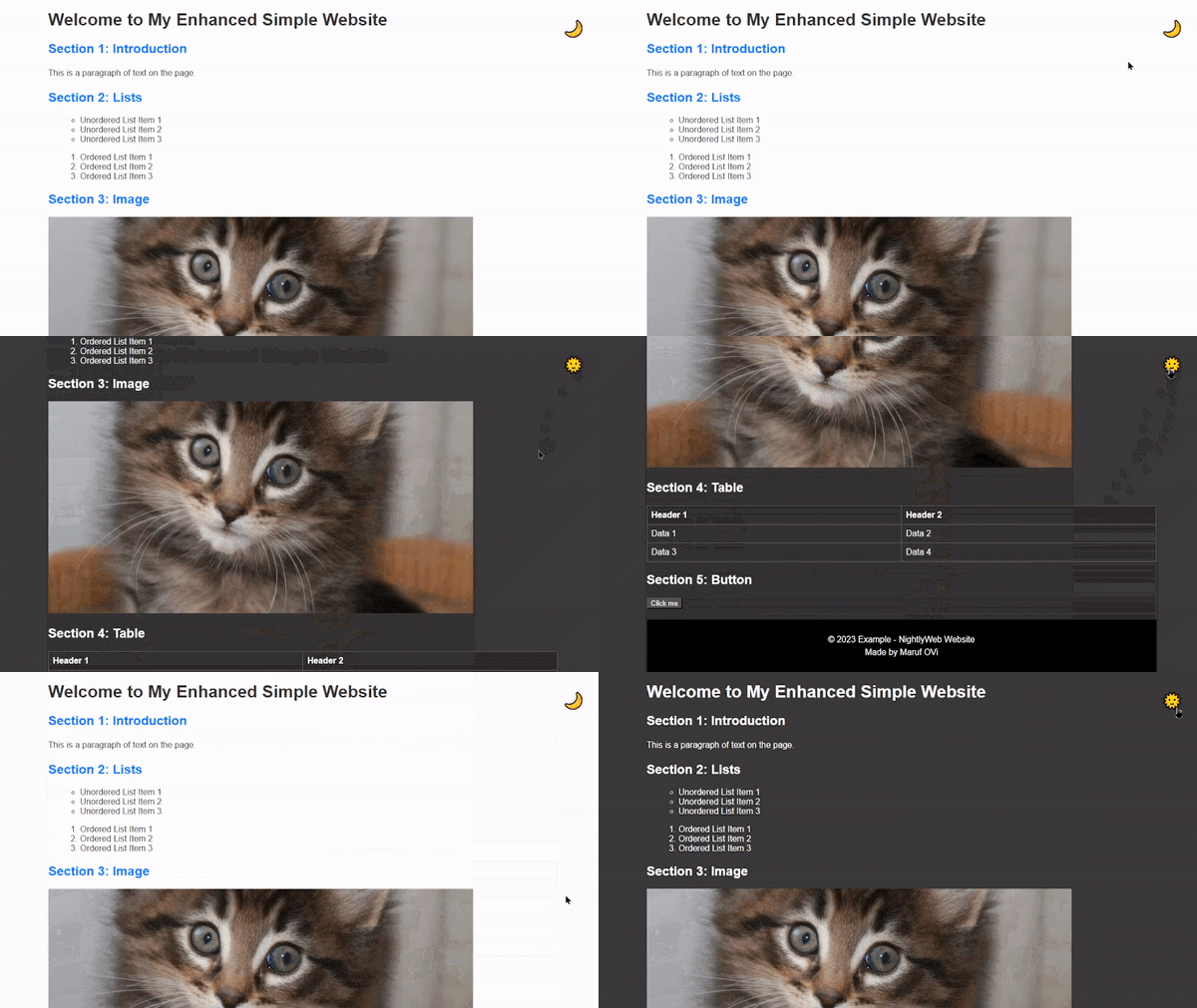
```html
Example - NightlyWeb
Welcome to My Enhanced Simple Website
Section 1: Introduction
This is a paragraph of text on the page.
Section 2: Lists
Unordered List Item 1
Unordered List Item 2
Unordered List Item 3
Ordered List Item 1
Ordered List Item 2
Ordered List Item 3
Section 3: Image
Section 4: Table
Header 1
Header 2
Data 1
Data 2
Data 3
Data 4
Section 5: Button
```
## Missed Tag
If you notice any html tag or your custom is missed then >
```CSS
body.dark-mode [add_missed_tag] {
background-color: #333333;
}
```
- simply replace the `[add_missed_tag]` with the `actual missed` tag.
---
## License
NightlyWeb is licensed under the [MIT License](LICENSE).
🚀 Happy coding with NightlyWeb! 🌙
---
_Source: https://npm.io/package/nightlyweb · Machine-readable twin of the npm.io package page. Health data is recomputed on every publish._