# preact-markup
> Render HTML/XML using VDOM, with Custom Elements mapped to Components.
Latest version **2.1.1** (published 2021-02-04) · MIT license · 0 weekly downloads
## Install
```sh
npm install preact-markup
pnpm add preact-markup
yarn add preact-markup
bun add preact-markup
```
## Health
**Score 30/100 (F)** — status: abandoned.
Positive: has types; esm support; no vulnerabilities; high quality score.
Warnings: low downloads.
Negative: abandoned; low maintenance score.
## Facts
| | |
|---|---|
| Version | 2.1.1 |
| Published | 2021-02-04 |
| First published | 2016-01-25 |
| Weekly downloads | 0 |
| License | MIT |
| TypeScript types | bundled |
| Module format | ESM + CommonJS |
| Dependencies | 0 |
| Unpacked size | 73.2 KB |
| Known vulnerabilities | 0 |
| Install scripts | no |
| GitHub stars | 207 |
| Author | Jason Miller |
| Maintainers | developit |
| Keywords | preact, markup, html, virtual dom, html parser |
## Links
- npm: https://www.npmjs.com/package/preact-markup
- Repository: https://github.com/developit/preact-markup
- Issues: https://github.com/developit/preact-markup/issues
- npm.io page: https://npm.io/package/preact-markup
## Alternatives
- [@tsparticles/shape-image](https://npm.io/package/@tsparticles/shape-image.md) — 303.7K weekly downloads
- [@tsparticles/shape-line](https://npm.io/package/@tsparticles/shape-line.md) — 233.7K weekly downloads
- [stringify-attributes](https://npm.io/package/stringify-attributes.md) — 58.6K weekly downloads
- [mobile-drag-drop](https://npm.io/package/mobile-drag-drop.md) — 46.3K weekly downloads
- [@comunica/actor-rdf-parse-html](https://npm.io/package/@comunica/actor-rdf-parse-html.md) — 29.2K weekly downloads
## Recent versions
- 2.1.1 (latest) — 2021-02-04
- 2.0.0 (next) — 2019-07-15
- 2.1.0 — 2021-02-04
- 1.6.0 — 2016-09-28
- 1.5.2 — 2016-09-14
- 1.5.1 — 2016-09-14
- 1.5.0 — 2016-09-14
- 1.4.0 — 2016-05-25
- 1.3.1 — 2016-04-06
- 1.3.0 — 2016-03-29
- 1.2.0 — 2016-02-25
- 1.1.0 — 2016-01-25
- 1.0.2 — 2016-01-25
- 1.0.1 — 2016-01-25
- 1.0.0 — 2016-01-25
## README
# preact-markup [](https://www.npmjs.com/package/preact-markup) [](https://travis-ci.org/developit/preact-markup)
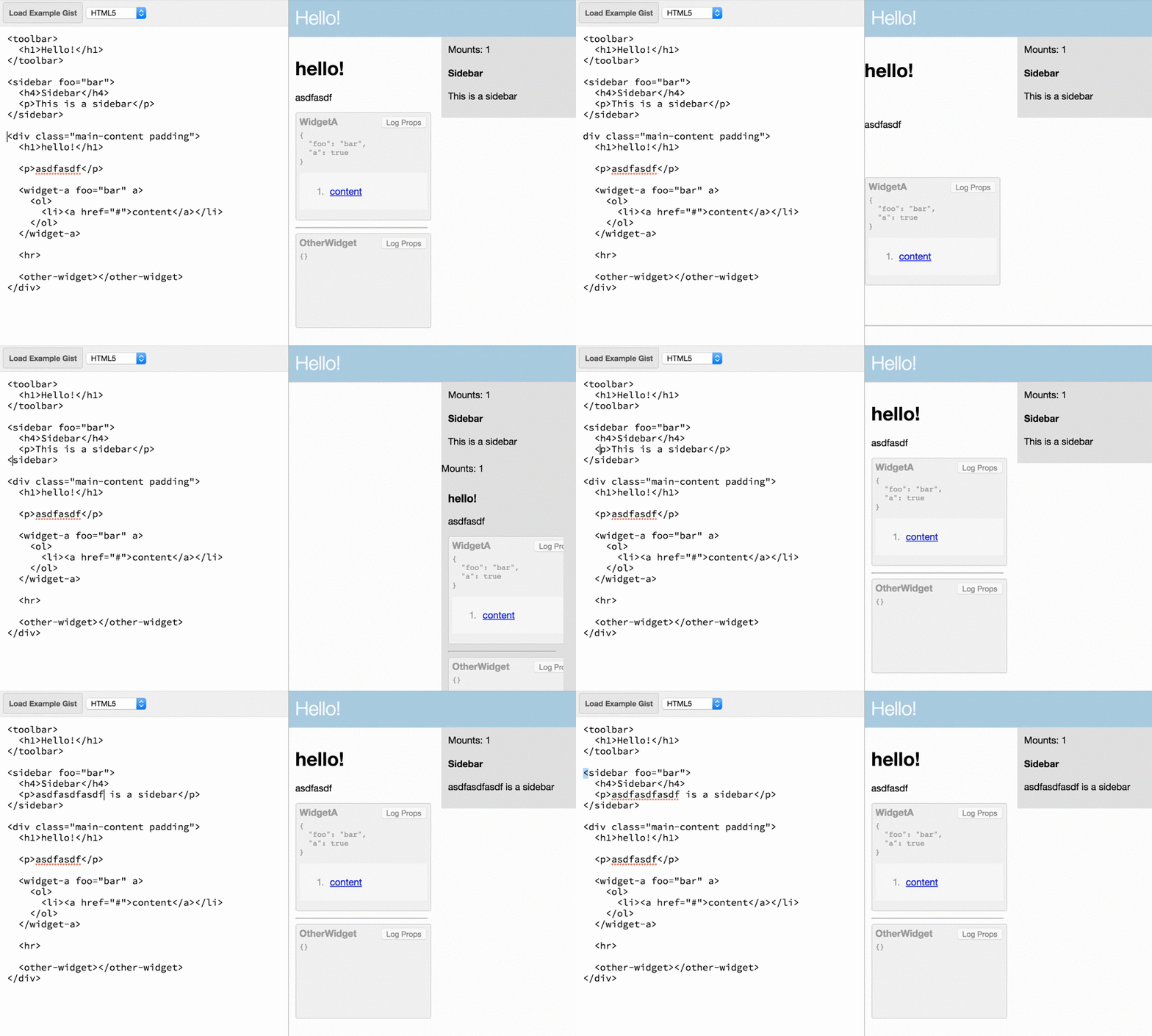
A `` component that renders HTML (or XML) using Virtual DOM, mapping a set of element names to Components. Works beautifully with [Preact].
> **Think of this like an HTML5 renderer where Web Components are implemented as [Preact] Components**.
### :zap: **[JSFiddle Demo](https://jsfiddle.net/developit/narb8qmo/)** :zap:
 ## Use Cases
- Rendering Markdown in VDOM - see [preact-markdown](https://github.com/laggingreflex/preact-markdown)
- Component-base app design and/or layout via HTML
- Define app structure using a standard HTML CMS
- Support arbitrary component extensions by allowing safe HTML
- Build using Custom Elements, implemented using React's API
---
### Overview
The `` component takes some `markup`, an optional mapping of custom element names to `components`, and an optional `type` of either `xml` or `html`.
In it's simplest form, `` is just a diffing XML/HTML renderer. It only re-renders when you change the `markup` prop.
```js
import Markup from 'preact-markup';
let html = `
hello
Testing 1 2 3...
`;
render(, document.body);
```
> **Note:** by default, content is parsed as XML, which may be too strict for your content but is the fastest option. Pass `type="html"` to parse as HTML.
### Custom Elements via Components
The real value of `` is seen when passing a `components` prop. This prop is an Object that lets us map any HTML/XML element name to a preact Component. The mapped component is injected and rendered as if it had been referenced from within JSX. HTML attributes defined on the custom element in `markup` get passed to the mapped Component as `props`.
```js
import Markup from 'preact-markup';
const Sidebar = ({ title, children }) => (
);
let html = `
Hello, World
Sidebar contents.
`;
render(, document.body);
```
When `render()` is invoked, Our `` component is substituted for the `` element, which means it gets mounted and rendered like a normal Preact Component. The result is this HTML DOM:
```html
Hello, World
```
Subsequent `render()`s diff against that DOM just like a normal JSX rendering flow would.
### Optional properties
`type` - By default, content is parsed as XML. Pass `type="html"` to use an HTML parser.
`trim` - Trimming tries to emulate HTML semantics by default, but these differ from JSX semantics. Pass `false` to retain all whitespace, or `all` to omit all whitespace.
`onError` - Suppress XML/HTML parse errors and instead pass them to this function.
`allow-scripts` - By default, preact-markup sanitizes the rendered HTML by removing script tags. The `allow-scripts` property re-enables script tags, _executing any JavaScript code within them_.
> ##### Example
>
> ```js
> let markup = `hello!asdflkj
`;
> render(, document.body);
> ```
---
### License
[MIT]
[Preact]: https://github.com/developit/preact
[MIT]: http://choosealicense.com/licenses/mit/
---
_Source: https://npm.io/package/preact-markup · Machine-readable twin of the npm.io package page. Health data is recomputed on every publish._