# pro-image
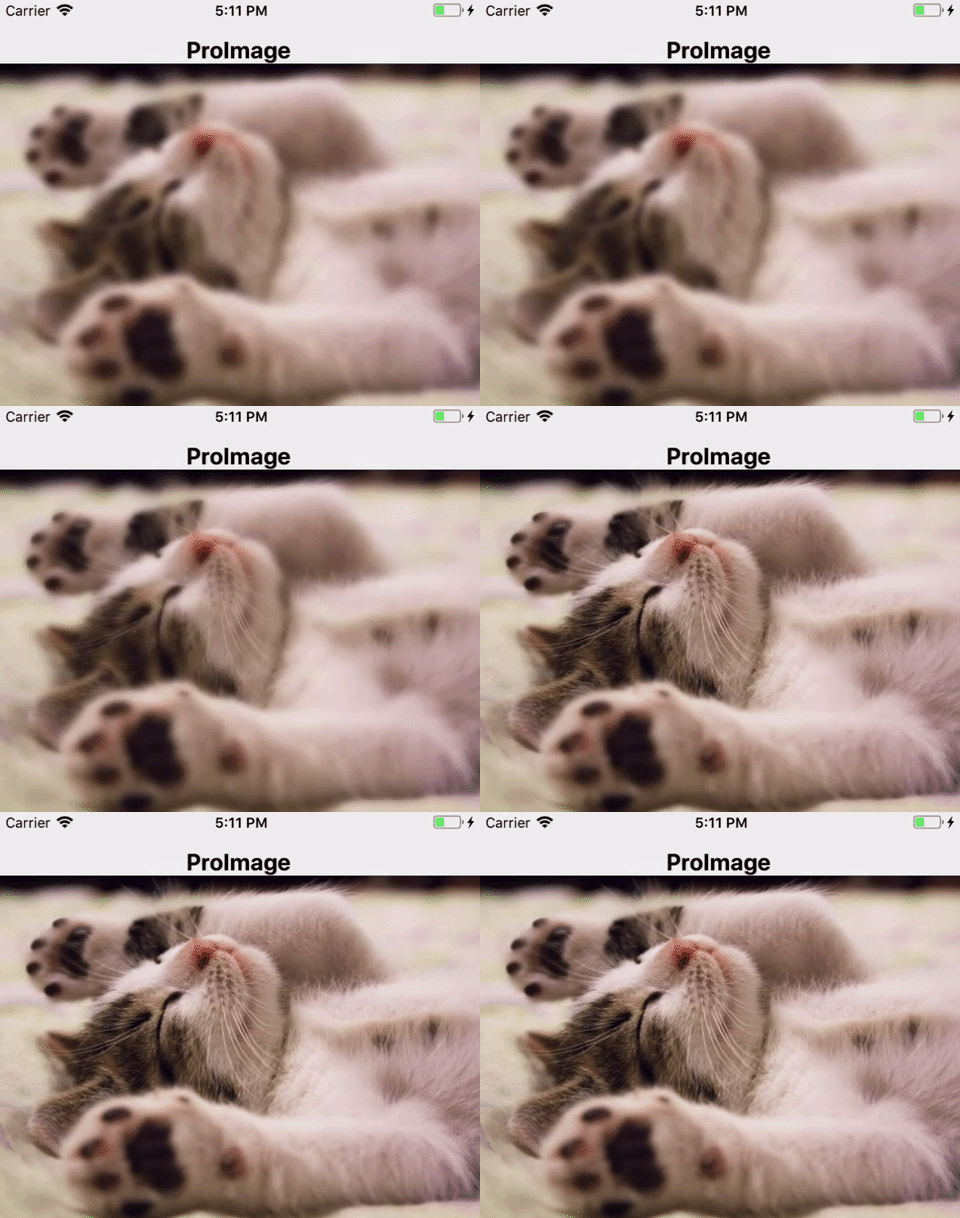
> React native image component with blurred progressive loading
Latest version **0.0.3** (published 2017-11-19) · MIT license · 0 weekly downloads
## Install
```sh
npm install pro-image
pnpm add pro-image
yarn add pro-image
bun add pro-image
```
## Health
**Score 15/100 (F)** — status: abandoned.
Positive: no vulnerabilities.
Warnings: low downloads; no types; no esm support; pre 1.0.
Negative: abandoned; low maintenance score.
## Facts
| | |
|---|---|
| Version | 0.0.3 |
| Published | 2017-11-19 |
| First published | 2017-11-18 |
| Weekly downloads | 0 |
| License | MIT |
| TypeScript types | none |
| Module format | CommonJS |
| Dependencies | 0 |
| Known vulnerabilities | 0 |
| Install scripts | no |
| GitHub stars | 6 |
| Author | Martin Carrera |
| Maintainers | mcarrera |
## Links
- npm: https://www.npmjs.com/package/pro-image
- Repository: https://github.com/martincarrera/pro-image
- Issues: https://github.com/martincarrera/pro-image/issues
- npm.io page: https://npm.io/package/pro-image
## Recent versions
- 0.0.3 (latest) — 2017-11-19
- 0.0.2 — 2017-11-18
- 0.0.1 — 2017-11-18
## README
# ProImage
React native progressive image component.
## Install
``` bash
$ npm i pro-image
or
$ yarn add pro-image
```
## Usage
Simple example:
``` javascript
import ProImage from 'pro-image';
const MyImageComponent = () =>
```
### Properties
|Property|Is optional?|Default|Description|
|:---:|:---:|:---:|:---:|
|image|no|-|Image to render.|
|thumbnail|yes|null|The image to render with the same aspect ratio and the smallest resollution possible.|
|placeholder|yes|null|Placeholder image to render while the image is loading.
(Note: placeholder will not show if there's a thumbnail)|
|resizeMode|yes|cover|[Image resize mode.](https://facebook.github.io/react-native/docs/image.html#resizemode)|
|style|yes|{}|Styles for the image.|
|containerStyle|yes|{}|Styles for the image container (View).|
|duration|yes|1000 (ms)|Time in milliseconds that the fade effects lasts.|
Full example:
``` javascript
import ProImage from 'pro-image';
import placeholder from './path/to/placeholder.png';
const MyImageComponent = () =>
```
## Global properties
Set global values to all the images in your app.
### Properties
|Property|Defalut|Description|
|:---:|:---:|:---:|
|duration|1000 (ms)|Time in milliseconds that the fade effects lasts.|
|placeholder|null|Placeholder image.|
|blur|1|[Blur radius](https://facebook.github.io/react-native/docs/image.html#blurradius) for the thumbnail.|
### Usage
Customize all options:
``` javascript
import ProImage from 'pro-image';
import placeholder from './path/to/placeholder.png';
ProImage.setDefaultConfig({
duration: 500,
placeholder,
blur: 2
});
```
Changing just one value:
``` javascript
import ProImage from 'pro-image';
ProImage.setDefaultConfig({ duration: 750 });
```
---
_Source: https://npm.io/package/pro-image · Machine-readable twin of the npm.io package page. Health data is recomputed on every publish._