# pure-react-native
> Pure React Native UI components
Latest version **0.0.4** (published 2016-11-05) · MIT license · 0 weekly downloads
## Install
```sh
npm install pure-react-native
pnpm add pure-react-native
yarn add pure-react-native
bun add pure-react-native
```
## Health
**Score 15/100 (F)** — status: abandoned.
Positive: no vulnerabilities.
Warnings: low downloads; no types; no esm support; pre 1.0.
Negative: abandoned; low maintenance score.
## Facts
| | |
|---|---|
| Version | 0.0.4 |
| Published | 2016-11-05 |
| First published | 2016-11-03 |
| Weekly downloads | 0 |
| License | MIT |
| TypeScript types | none |
| Module format | CommonJS |
| Dependencies | 1 |
| Known vulnerabilities | 0 |
| Install scripts | no |
| GitHub stars | 2 |
| Author | Yuguo |
| Maintainers | yuguo |
| Keywords | react-native, reactjs, reactnative |
## Links
- npm: https://www.npmjs.com/package/pure-react-native
- Repository: https://github.com/yuguo/Pure-React-Native
- Homepage: https://github.com/yuguo/Pure-React-Native#readme
- Issues: https://github.com/yuguo/Pure-React-Native/issues
- npm.io page: https://npm.io/package/pure-react-native
## Dependencies (1)
- [color](https://npm.io/package/color.md) ^0.11.3
## Recent versions
- 0.0.4 (latest) — 2016-11-05
- 0.0.3 — 2016-11-03
- 0.0.2 — 2016-11-03
## README
## Pure React Native Components

### 安装和使用(TL;DR;)
Step 1:
```
npm install pure-react-native --save
```
Step 2:
```js
import {Button} from pure-react-native;
```
Step 3:
That's it!
### 为什么使用Pure Components(Why Pure Components)
**无状态的组件又被叫做“纯粹的组件”**,或者“白痴组件”,这是指这样的一些组件:React组件中有一些被声明为函数(而不是继承自Component的class),它们没有`state`,只要给定同样的`props`,就会返回同样的标签块。
这种类型的组件出人意料的成为构建大型应用程序的常用方法,所以,自从React 0.14开始支持使用函数的方式来创建这种无状态组件,所以也被叫做“函数式无状态组件”。
无状态组件渲染效率更高,编写和组合更加简单,我在整理自己的UI库的时候发现,这是一种很好的方法,所以我尽量使用无状态的方式来构建所有这些UI组件。
这就是为什么这个库叫做`Pure React Native`,它足够简单,你可以马上在项目中开始使用。
**Stateless components may also be referred to as Pure Components**, or even Dumb Components, and are meant to represent any React Component declared as a function that has no state and returns the same markup given the same props.
These types of components surprisingly compose a large majority of our applications and, as a result, React 0.14 introduces the ability to write these stateless components as functions, also known as functional stateless components.
So these are some of the UI elements that I summarize from Tencent work.
They are simple enough that you can grab and put it into your project now.
### Buttons
```js
import { Button } from 'react-native-elements'
disabled
/>
```
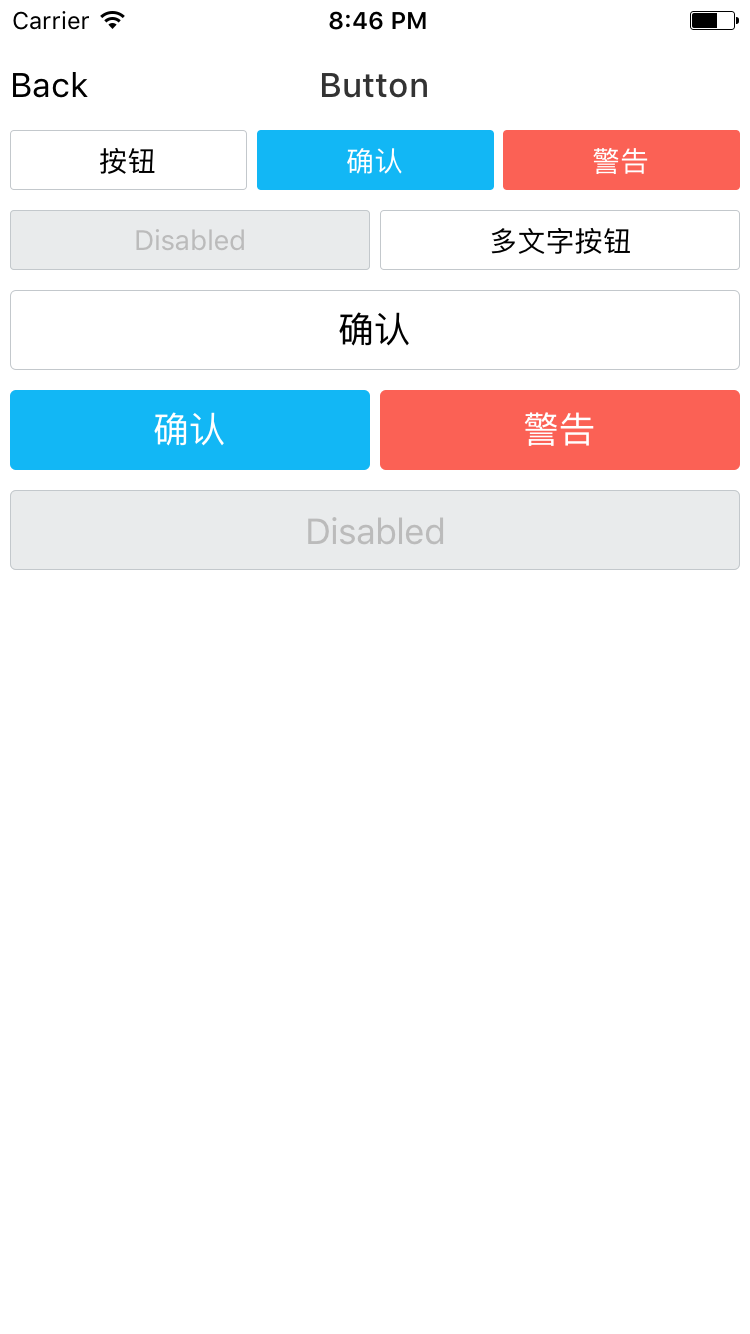
#### Button API
| prop | default | type | description |
| ---- | ---- | ----| ---- |
| onPress | none | function | press event handler |
| onLongPress | none | function | long press event handler |
| disabled | false | boolean | disable a button(both style and functional) |
| large | false | boolean | a quick way to change button style to large |
| text | none | string | text inside the button |
| style | none | object | custom the button container style |
| textStyle | none | object | custom the text style |
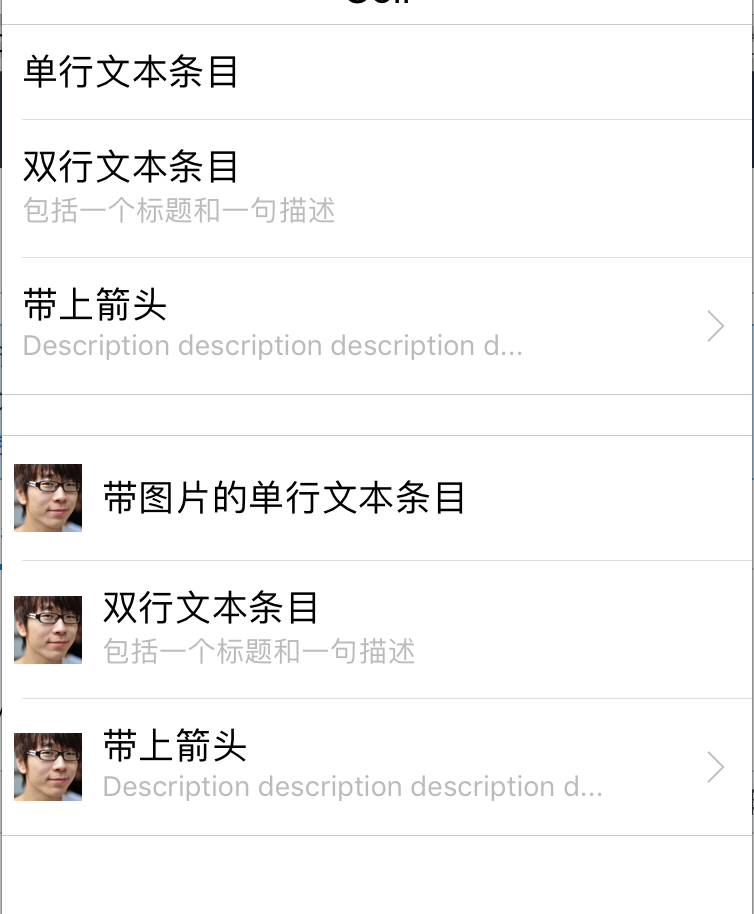
### List Cell
### Toast
## Roadmap
**I AM SORRY THAT I DON'T HAVE ENOUGH TIME TO POLISH IT, AND HERE IS THE PLAN:**
- [x] Button
- [x] List Cell
- [x] Toast
- [x] TabNav
- [ ] Search
- [ ] Dialog
- [ ] Menu
- [ ] Actionsheet
- [ ] Share
- [ ] Polish the API
---
_Source: https://npm.io/package/pure-react-native · Machine-readable twin of the npm.io package page. Health data is recomputed on every publish._