# react-awesome-date
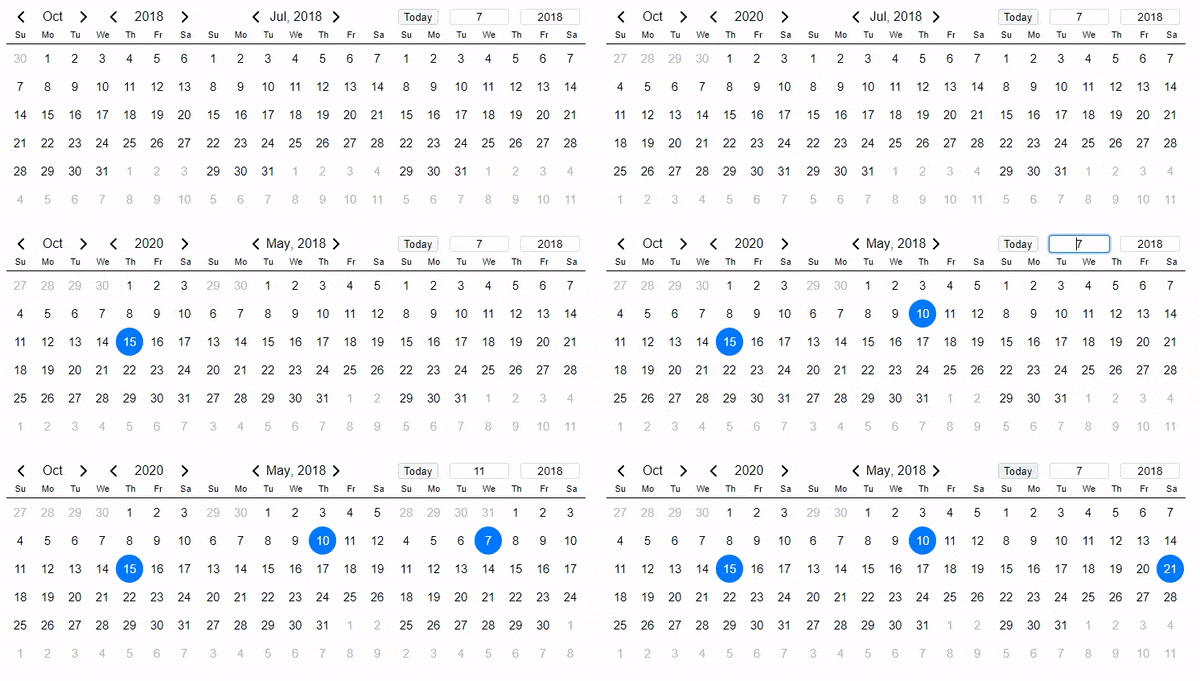
> 
Latest version **2.1.0** (published 2018-08-29) · ISC license · 0 weekly downloads
## Install
```sh
npm install react-awesome-date
pnpm add react-awesome-date
yarn add react-awesome-date
bun add react-awesome-date
```
## Health
**Score 15/100 (F)** — status: abandoned.
Positive: no vulnerabilities.
Warnings: low downloads; no types; no esm support.
Negative: abandoned; low maintenance score.
## Facts
| | |
|---|---|
| Version | 2.1.0 |
| Published | 2018-08-29 |
| First published | 2018-08-19 |
| Weekly downloads | 0 |
| License | ISC |
| TypeScript types | none |
| Module format | CommonJS |
| Dependencies | 3 |
| Unpacked size | 23.7 KB |
| Known vulnerabilities | 0 |
| Install scripts | no |
| GitHub stars | 0 |
| Maintainers | vaheqelyan |
## Links
- npm: https://www.npmjs.com/package/react-awesome-date
- Repository: https://github.com/vaheqelyan/react-awesome-date
- Homepage: https://github.com/vaheqelyan/react-awesome-date#readme
- Issues: https://github.com/vaheqelyan/react-awesome-date/issues
- npm.io page: https://npm.io/package/react-awesome-date
## Dependencies (3)
- [react](https://npm.io/package/react.md) ^16.4.2
- [classcat](https://npm.io/package/classcat.md) ^3.1.2
- [react-awesome-popover](https://npm.io/package/react-awesome-popover.md) ^2.0.6
## Recent versions
- 2.1.0 (latest) — 2018-08-29
- 2.0.0 — 2018-08-27
- 1.0.1 — 2018-08-19
- 1.0.0 — 2018-08-19
## README
## React-awesome-date

### Installation
---
**via NPM**
```code
npm i react-awesome-date
```
**via Yarn**
```code
yarn add react-awesome-date
```
**via CDN (unpkg)**
```code
https://unpkg.com/react-awesome-date@latest/dest/react-awesome-date.js
```
Be sure to include the style sheet. It is located in the /styles folder.
You must use two css files. One for calendar styles, and one for the styles user interface
```jsx
import "react-awesome-date/styles/index.css"
import "react-awesome-date/styles/ui_default.css"
```
Or
```html
```
### Usage
```jsx
import Date from 'react-awesome-date';
```
By default, the date will be inserted for the current month and year
```jsx
```
#### Event
Get the selected date using onSelect
```jsx
function onSelect(date){
// ...
}
```
value
date
Current selected day of the month
day
Current selected day of the week
month
Returns the month
year
Returns the year
### Custom render
Organize your own rendering or use ready-made samples
```jsx
import {headerRenderer as input} from 'react-awesome-date/ui/input';
import "react-awesome-date/styles/ui_input.css";
```
The result is 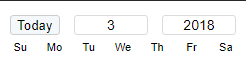
```jsx
import {headerRenderer as onlymonth} from 'react-awesome-date/ui/onlymonth';
import "react-awesome-date/styles/ui_onlymonth.css";
```
The result is 
[Make your custom renderer](https://github.com/vaheqelyan/react-awesome-date/blob/master/CUSTOM_RENDERER.md)
---
_Source: https://npm.io/package/react-awesome-date · Machine-readable twin of the npm.io package page. Health data is recomputed on every publish._