# react-barcodes

> React hooks to generate Barcode.

Latest version **1.2.0** (published 2021-09-14) · MIT license · 0 weekly downloads

> **Deprecated.** This package is deprecated.

## Install

```sh
npm install react-barcodes
pnpm add react-barcodes
yarn add react-barcodes
bun add react-barcodes
```

## Health

**Score 10/100 (F)** — status: deprecated.

Negative: deprecated.

## Facts

| | |
|---|---|
| Version | 1.2.0 |
| Published | 2021-09-14 |
| First published | 2020-07-26 |
| Weekly downloads | 0 |
| License | MIT |
| TypeScript types | bundled |
| Module format | ESM + CommonJS |
| Node | >=8 |
| Dependencies | 1 |
| Unpacked size | 144.7 KB |
| Known vulnerabilities | 0 |
| Install scripts | no |
| GitHub stars | 62 |
| Author | Bunlong |
| Maintainers | bunlong, create-next-app |
| Keywords | react, reactjs, barcodes, react-barcodes, barcode, react-barcode, hooks, react-hooks, components, react-components, typescript, javascript |

## Links

- npm: https://www.npmjs.com/package/react-barcodes
- Repository: https://github.com/Bunlong/react-barcodes
- Homepage: https://github.com/Bunlong/react-barcodes#readme
- Issues: https://github.com/Bunlong/react-barcodes.git/issues
- npm.io page: https://npm.io/package/react-barcodes

## Dependencies (1)

- [jsbarcode](https://npm.io/package/jsbarcode.md) ^3.11.3

## Alternatives

- [mobx-react](https://npm.io/package/mobx-react.md) — 2.8M weekly downloads
- [rc-tree](https://npm.io/package/rc-tree.md) — 2.6M weekly downloads
- [@react-oauth/google](https://npm.io/package/@react-oauth/google.md) — 1.3M weekly downloads
- [@wagmi/connectors](https://npm.io/package/@wagmi/connectors.md) — 877.0K weekly downloads
- [vee-validate](https://npm.io/package/vee-validate.md) — 836.4K weekly downloads

## Recent versions

- 1.2.0 (latest) — 2021-09-14
- 1.1.0 — 2021-02-26
- 1.0.3 — 2020-07-30
- 1.0.2 — 2020-07-29
- 1.0.1 — 2020-07-28
- 0.0.0 — 2020-07-26

## README

<p align="center">
  <img src="https://raw.githubusercontent.com/bunlong/react-barcodes/master/README/logo.png" alt="react-barcodes" />
  <br/><br/>
  <a href="https://www.npmjs.com/package/react-barcodes"><img src="https://img.shields.io/npm/v/react-barcodes.svg" /></a>
  <a href="https://www.npmjs.com/package/react-barcodes"><img src="https://img.shields.io/npm/dm/react-barcodes.svg?style=flat-square" /></a>
  <a href="https://standardjs.com"><img src="https://img.shields.io/badge/code_style-standard-brightgreen.svg" /></a>
</p>

# react-barcodes

React hooks for generating Barcodes.

[Live demo](https://p30pk.csb.app)

## 🎁 Features

* Compatible with both JavaScript and TypeScript
* Generate as SVG, Canvas and Image
* Support multiple barcodes type

### Barcodes Type

* [CODE128](https://github.com/Bunlong/react-barcodes/wiki/CODE128)
  * CODE128 (automatic mode switching)
  * CODE128 A/B/C (force mode)
* [EAN](https://github.com/Bunlong/react-barcodes/wiki/EAN)
  * EAN-13
  * EAN-8
  * EAN-5
  * EAN-2
  * UPC (A)
  * UPC (E)
* [CODE39](https://github.com/Bunlong/react-barcodes/wiki/CODE39)
* [ITF](https://github.com/Bunlong/react-barcodes/wiki/ITF-14)
  * ITF
  * ITF-14
* [MSI](https://github.com/Bunlong/react-barcodes/wiki/MSI)
  * MSI10
  * MSI11
  * MSI1010
  * MSI1110
* [Pharmacode](https://github.com/Bunlong/react-barcodes/wiki/pharmacode)
* [Codabar](https://github.com/Bunlong/react-barcodes/wiki/codabar)

## 🔧 Install

react-barcodes is available on npm. It can be installed with the following command:

```
npm install react-barcodes --save
```

react-barcodes is available on yarn as well. It can be installed with the following command:

```
yarn add react-barcodes
```

## 💡 Usage

### SVG

```js
import React from 'react';
import { useBarcode } from 'react-barcodes';

function App() {
  const { inputRef } = useBarcode({
    value: 'react-barcodes',
    options: {
      background: '#ccffff',
    }
  });
  
  return <svg ref={inputRef} />;
};

export default App;
```
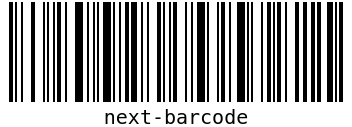
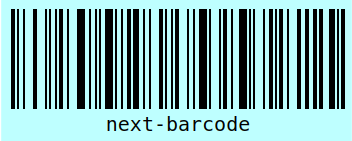
<img src="https://raw.githubusercontent.com/bunlong/react-barcodes/master/README/svg.png" alt="react-barcodes svg" />

### Canvas

```js
import React from 'react';
import { useBarcode } from 'react-barcodes';

function App() {
  const { inputRef } = useBarcode({
    value: 'react-barcodes',
    options: {
      displayValue: false,
      background: '#ffc0cb',
    }
  });
  
  return <canvas ref={inputRef} />;
};

export default App;
```

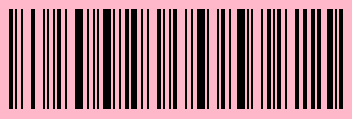
<img src="https://raw.githubusercontent.com/bunlong/react-barcodes/master/README/canvas.png" alt="react-barcodes canvas" />

### Image

```js
import React from 'react';
import { useBarcode } from 'react-barcodes';

function App() {
  const { inputRef } = useBarcode({
    value: 'react-barcodes',
    options: {
      background: '#ffff00',
    }
  });
  
  return <img ref={inputRef} />;
};

export default App;
```

<img src="https://raw.githubusercontent.com/bunlong/react-barcodes/master/README/img.png" alt="react-barcodes image" />

## Parameters

<table>
  <thead>
    <tr>
      <th>Prop</th>
      <th>Type</th>
      <th>Require</th>
      <th>Description</th>
    </tr>
  <thead>
  <tbody>
    <tr>
      <td>value</td>
      <td>string</td>
      <td>✔️</td>
      <td>Text to generate.</td>
    </tr>
    <tr>
      <td>options</td>
      <td>options</td>
      <td>❌</td>
      <td>Barcode options.</td>
    </tr>
  </tbody>
</table>

## Options

<table>
  <thead>
    <tr>
      <th>Option</th>
      <th>Type</th>
      <th>Default</th>
      <th>Require</th>
      <th>Description</th>
    </tr>
  <thead>
  <tbody>
    <tr>
      <td>format</td>
      <td>string?</td>
      <td><code>auto</code></td>
      <td>❌</td>
      <td>Select which barcode type to use. Please check the <a href="https://github.com/Bunlong/react-barcodes/wiki">wikipage</a> of the different barcode types for more information.</td>
    </tr>
    <tr>
      <td>width</td>
      <td>number?</td>
      <td><code>2</code></td>
      <td>❌</td>
      <td>The width option is the width of a single bar.</td>
    </tr>
    <tr>
      <td>height</td>
      <td>number?</td>
      <td><code>100</code></td>
      <td>❌</td>
      <td>The height of the barcode.</td>
    </tr>
    <tr>
      <td>displayValue</td>
      <td>boolean?</td>
      <td><code>true</code></td>
      <td>❌</td>
      <td></td>
    </tr>
    <tr>
      <td>text</td>
      <td>string?</td>
      <td><code>undefined</code></td>
      <td>❌</td>
      <td>Overide the text that is diplayed</td>
    </tr>
    <tr>
      <td>fontOptions</td>
      <td>string?</td>
      <td><code>""</code></td>
      <td>❌</td>
      <td>With fontOptions you can add bold or italic text to the barcode.</td>
    </tr>
    <tr>
      <td>font</td>
      <td>string?</td>
      <td><code>"monospace"</code></td>
      <td>❌</td>
      <td>Define the font used for the text in the generated barcode. This can be any default font or a font defined by a @font-face rule.</td>
    </tr>
    <tr>
      <td>textAlign</td>
      <td>string?</td>
      <td><code>"center"</code></td>
      <td>❌</td>
      <td>Set the horizontal alignment of the text. Can be <code>left</code> / <code>center</code> / <code>right</code>.</td>
    </tr>
    <tr>
      <td>textPosition</td>
      <td>string?</td>
      <td><code>"bottom"</code></td>
      <td>❌</td>
      <td>Set the vertical position of the text. Can be <code>bottom</code> / <code>top</code>.</td>
    </tr>
    <tr>
      <td>textMargin</td>
      <td>number?</td>
      <td><code>2</code></td>
      <td>❌</td>
      <td>Set the vertical position of the text. Can be <code>bottom</code> / <code>top</code>.</td>
    </tr>
    <tr>
      <td>fontSize</td>
      <td>number?</td>
      <td><code>20</code></td>
      <td>❌</td>
      <td>Set the size of the text.</td>
    </tr>
    <tr>
      <td>background</td>
      <td>string?</td>
      <td><code>"#ffffff"</code></td>
      <td>❌</td>
      <td>Set the background of the barcode.</td>
    </tr>
    <tr>
      <td>lineColor</td>
      <td>string?</td>
      <td><code>"#000000"</code></td>
      <td>❌</td>
      <td>Set the color of the bars and the text.</td>
    </tr>
    <tr>
      <td>margin</td>
      <td>number?</td>
      <td><code>10</code></td>
      <td>❌</td>
      <td>Set the space margin around the barcode. If nothing else is set, all side will inherit the margins property but can be replaced if you want to set them separably.</td>
    </tr>
    <tr>
      <td>marginTop</td>
      <td>number?</td>
      <td><code>undefined</code></td>
      <td>❌</td>
      <td></td>
    </tr>
    <tr>
      <td>marginBottom</td>
      <td>number?</td>
      <td><code>undefined</code></td>
      <td>❌</td>
      <td></td>
    </tr>
    <tr>
      <td>marginLeft</td>
      <td>number?</td>
      <td><code>undefined</code></td>
      <td>❌</td>
      <td></td>
    </tr>
    <tr>
      <td>marginRight</td>
      <td>number?</td>
      <td><code>undefined</code></td>
      <td>❌</td>
      <td></td>
    </tr>
    <tr>
      <td>flat</td>
      <td>boolean?</td>
      <td><code>false</code></td>
      <td>❌</td>
      <td>Only for <code>EAN8</code> / <code>EAN13</code></td>
    </tr>
  </tbody>
</table>

## 💖 Wrap Up

If you think any of the `react-barcodes` can be improved, please do open a PR with any updates and submit any issues. Also, I will continue to improve this, so you might want to watch/star this repository to revisit.

## 🌟 Contribution

We'd love to have your helping hand on contributions to `react-barcodes` by forking and sending a pull request!

Your contributions are heartily ♡ welcome, recognized and appreciated. (✿◠‿◠)

How to contribute:

- Open pull request with improvements
- Discuss ideas in issues
- Spread the word
- Reach out with any feedback

## ⚖️ License

The MIT License [![License: MIT](https://img.shields.io/badge/License-MIT-yellow.svg)](https://opensource.org/licenses/MIT)

<!-- https://raw.githubusercontent.com/bunlong/react-barcodes/master/README/logo.png -->

---
_Source: https://npm.io/package/react-barcodes · Machine-readable twin of the npm.io package page. Health data is recomputed on every publish._