# react-beautiful-color
> Ultra-lightweight, beautiful color picker for React with compound components - minimal and extremely customizable
Latest version **2.1.0** (published 2025-10-25) · MIT license · 0 weekly downloads
## Install
```sh
npm install react-beautiful-color
pnpm add react-beautiful-color
yarn add react-beautiful-color
bun add react-beautiful-color
```
## Health
**Score 60/100 (C)** — status: stable.
Positive: has types; esm support; no vulnerabilities; high quality score.
Warnings: low downloads.
## Facts
| | |
|---|---|
| Version | 2.1.0 |
| Published | 2025-10-25 |
| First published | 2025-08-23 |
| Weekly downloads | 0 |
| License | MIT |
| TypeScript types | bundled |
| Module format | ESM + CommonJS |
| Dependencies | 3 |
| Unpacked size | 609 KB |
| Known vulnerabilities | 0 |
| Install scripts | no |
| GitHub stars | 81 |
| Author | ozergokalpsezer |
| Maintainers | ozergklp |
| Keywords | react, color-picker, compound-components, beautiful, typescript, lightweight, customizable, minimal, color, hex, rgb, hsl, hsv |
## Links
- npm: https://www.npmjs.com/package/react-beautiful-color
- Repository: https://github.com/ddoemonn/react-beautiful-color
- Homepage: https://www.react-beautiful-color.dev
- Issues: https://github.com/ddoemonn/react-beautiful-color/issues
- npm.io page: https://npm.io/package/react-beautiful-color
## Dependencies (3)
- [clsx](https://npm.io/package/clsx.md) ^2.1.1
- [tailwind-merge](https://npm.io/package/tailwind-merge.md) ^3.3.1
- [prettier-plugin-tailwindcss](https://npm.io/package/prettier-plugin-tailwindcss.md) ^0.6.8
## Alternatives
- [postcss-color-hex-alpha](https://npm.io/package/postcss-color-hex-alpha.md) — 6.4M weekly downloads
- [randomcolor](https://npm.io/package/randomcolor.md) — 348.0K weekly downloads
- [bows](https://npm.io/package/bows.md) — 1.3K weekly downloads
- [ep_prefer_color_scheme](https://npm.io/package/ep_prefer_color_scheme.md) — 260 weekly downloads
- [coc-yank](https://npm.io/package/coc-yank.md) — 61 weekly downloads
## Recent versions
- 2.1.0 (latest) — 2025-10-25
- 2.0.4 — 2025-09-12
- 2.0.2 — 2025-09-01
- 2.0.0 — 2025-08-31
- 1.9.7 — 2025-08-31
- 1.9.6 — 2025-08-30
- 1.9.5 — 2025-08-30
- 1.9.4 — 2025-08-30
- 1.9.3 — 2025-08-29
- 1.9.2 — 2025-08-27
- 1.9.0 — 2025-08-26
- 1.8.2 — 2025-08-26
- 1.8.1 — 2025-08-26
- 1.8.0 — 2025-08-26
- 1.0.6 — 2025-08-24
- … 5 more at https://npm.io/package/react-beautiful-color/versions
## README
# react-beautiful-color
[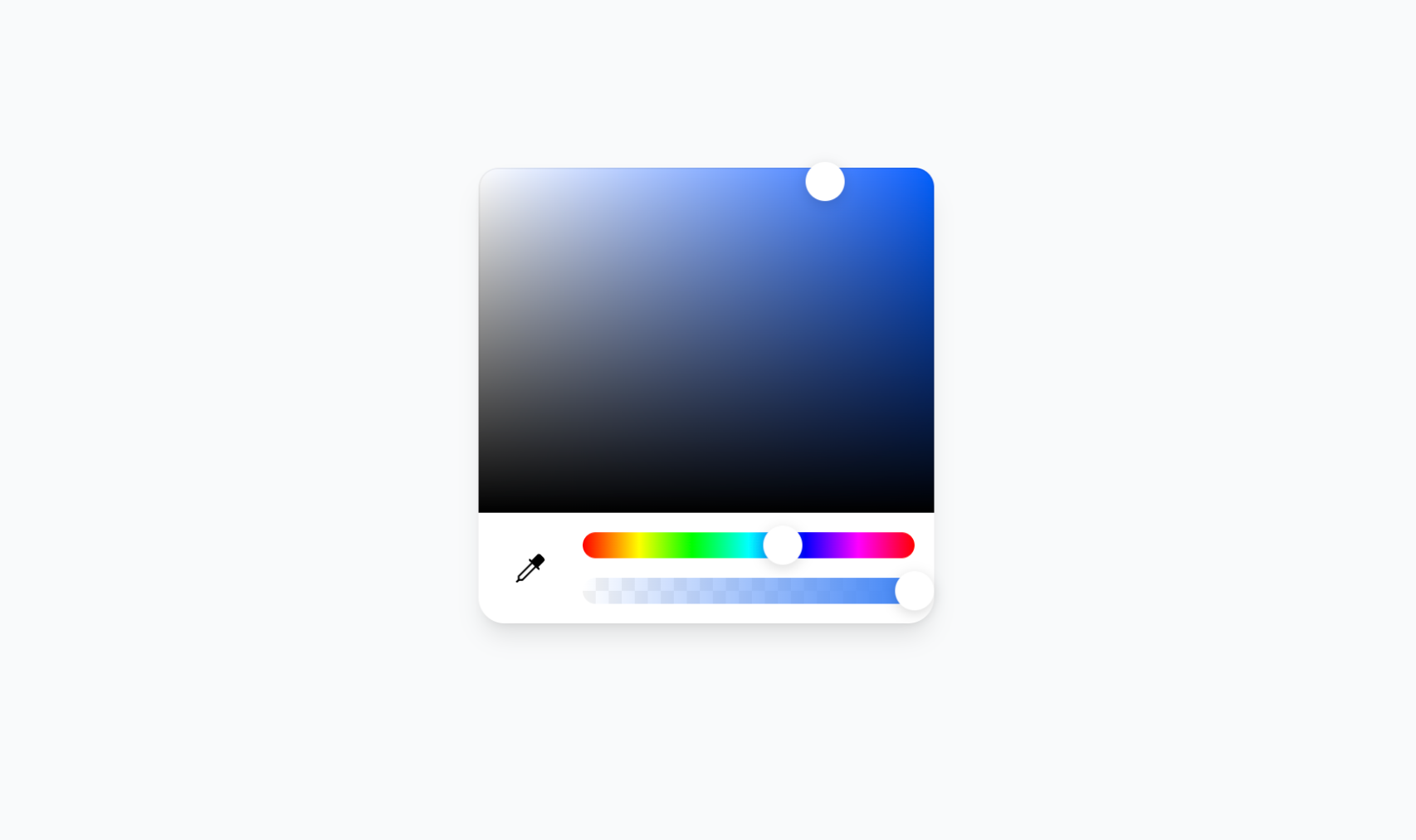](https://hizliresim.com/5o05ik8)
The most flexible and beautiful color picker for React. Built with compound components for maximum customization.
## Why Choose This Over Others?
- **🧩 Compound Components** - Compose your own layout, unlike rigid alternatives
- **🎨 Beautiful Design** - Clean, modern UI that fits any design system
- **⚡ Smart Hook** - `useColorState` preserves your input format while providing all color formats instantly
- **🛡️ Type-Safe API** - Full TypeScript support with comprehensive type definitions
- **👁️ Eye Dropper Support** - Built-in screen color picker (where browser supports it)
- **🎯 Format Preservation** - Maintains your original color format throughout interactions
- **🌈 Universal Format Support** - Hex, RGB/RGBA, HSL/HSLA, HSV/HSVA with alpha channel
- **🪶 Lightweight** - Pure Tailwind CSS, no external dependencies
- **🛠️ Fully Customizable** - Style and arrange components however you want
- **🔧 Rich Utilities** - Comprehensive color conversion and manipulation utilities
## Installation
```bash
bun add react-beautiful-color
```
📖 **[View Full Documentation →](https://react-beautiful-color.vercel.app)**
## Quick Start
**1. Add CSS to your layout file:**
```tsx
// app/layout.tsx (Next.js) or pages/_app.tsx or index.tsx
import 'react-beautiful-color/dist/react-beautiful-color.css';
```
**2. Use the component:**
```tsx
import { ColorPicker, useColorState } from 'react-beautiful-color';
import { Pipette } from 'lucide-react';
function App() {
const [{ colorInput, colorState }, setColor] = useColorState({ type: 'hex', value: '#3b82f6' });
return (
);
}
```
## Components
### 🎨 ColorPicker
Compose your own layout with these sub-components:
- **`ColorPicker.Saturation`** - Saturation and brightness selection area
- **`ColorPicker.Hue`** - Hue selection slider
- **`ColorPicker.Alpha`** - Alpha/transparency slider
- **`ColorPicker.EyeDropper`** - Eye dropper tool (browser-dependent)
[📖 Learn more about ColorPicker →](https://react-beautiful-color.vercel.app/docs/components/color-picker)
### ⚡ useColorState Hook
Intelligent state management with format preservation:
```tsx
const [{ colorInput, colorState }, setColor] = useColorState({
type: 'hsva',
h: 334, s: 100, v: 100, a: 0.5
});
// colorInput preserves your format - always HSVA!
console.log(colorInput); // { type: 'hsva', h: 334, s: 100, v: 100, a: 0.5 }
// colorState provides ALL formats instantly
console.log(colorState.hex); // "#ff6b9d"
console.log(colorState.rgb); // { r: 255, g: 107, b: 157 }
console.log(colorState.hsl); // { h: 334, s: 100, l: 71 }
console.log(colorState.alpha); // 0.5
```
[📖 Learn more about useColorState →](https://react-beautiful-color.vercel.app/docs/hooks/use-color-state)
## Utilities
Powerful color conversion and manipulation utilities:
```tsx
import { hexToRgb, rgbToHex, hexToHsl, hslToHex } from 'react-beautiful-color';
// Color conversions
const rgb = hexToRgb('#ff6b9d'); // { r: 255, g: 107, b: 157 }
const hex = rgbToHex(255, 107, 157); // "#ff6b9d"
const hsl = hexToHsl('#ff6b9d'); // { h: 334, s: 100, l: 71 }
```
[📖 View all utility functions →](https://react-beautiful-color.vercel.app/docs/utils)
## Advanced Usage
### Multiple Format Support
Set colors in any format with complete type safety:
```tsx
setColor({ type: 'hex', value: '#ff0000' });
setColor({ type: 'rgb', r: 255, g: 0, b: 0 });
setColor({ type: 'hsl', h: 0, s: 100, l: 50 });
setColor({ type: 'rgba', r: 255, g: 0, b: 0, a: 0.5 });
setColor({ type: 'hsla', h: 0, s: 100, l: 50, a: 0.8 });
setColor({ type: 'hsva', h: 0, s: 100, v: 100, a: 0.9 });
```
### Alternative without Hook
Use the `Color` class directly for more control:
```tsx
import { useState } from 'react';
import { ColorPicker, Color } from 'react-beautiful-color';
function App() {
const [color, setColor] = useState(new Color({ type: 'hex', value: '#3b82f6' }));
// Access color properties
const rgba = color.getRgba();
const hex = color.getHex();
const hsl = color.getHsl();
return (
);
}
```
## Documentation
📖 **[View Full Documentation →](https://react-beautiful-color.vercel.app)**
- **[Getting Started](https://react-beautiful-color.vercel.app/docs)** - Installation and basic setup
- **[ColorPicker Component](https://react-beautiful-color.vercel.app/docs/components/color-picker)** - Main component API
- **[useColorState Hook](https://react-beautiful-color.vercel.app/docs/hooks/use-color-state)** - Intelligent state management
- **[Individual Components](https://react-beautiful-color.vercel.app/docs/components/saturation)** - Saturation, Hue, Alpha components
- **[Utility Functions](https://react-beautiful-color.vercel.app/docs/utils)** - Color conversion utilities
## Support
 ---
_Source: https://npm.io/package/react-beautiful-color · Machine-readable twin of the npm.io package page. Health data is recomputed on every publish._
---
_Source: https://npm.io/package/react-beautiful-color · Machine-readable twin of the npm.io package page. Health data is recomputed on every publish._