# react-ezy-form
> Easy form generator
Latest version **1.0.1** (published 2022-07-18) · MIT license · 0 weekly downloads
## Install
```sh
npm install react-ezy-form
pnpm add react-ezy-form
yarn add react-ezy-form
bun add react-ezy-form
```
## Health
**Score 30/100 (F)** — status: abandoned.
Positive: has types; esm support; no vulnerabilities; high quality score.
Warnings: low downloads.
Negative: abandoned; low maintenance score.
## Facts
| | |
|---|---|
| Version | 1.0.1 |
| Published | 2022-07-18 |
| First published | 2022-07-18 |
| Weekly downloads | 0 |
| License | MIT |
| TypeScript types | bundled |
| Module format | ESM + CommonJS |
| Dependencies | 0 |
| Unpacked size | 91.1 KB |
| Known vulnerabilities | 0 |
| Install scripts | no |
| GitHub stars | 1 |
| Author | Barzin Assa |
| Maintainers | barzin |
| Keywords | React-ezy-from, React, Form, Form Generator, Component, React Component, UI |
## Links
- npm: https://www.npmjs.com/package/react-ezy-form
- Repository: https://github.com/barzin144/react-ezy-form
- Homepage: https://github.com/barzin144/react-ezy-form#readme
- Issues: https://github.com/barzin144/react-ezy-form/issues
- npm.io page: https://npm.io/package/react-ezy-form
## Alternatives
- [mobx-react](https://npm.io/package/mobx-react.md) — 2.8M weekly downloads
- [rc-tree](https://npm.io/package/rc-tree.md) — 2.6M weekly downloads
- [@react-oauth/google](https://npm.io/package/@react-oauth/google.md) — 1.3M weekly downloads
- [@wagmi/connectors](https://npm.io/package/@wagmi/connectors.md) — 877.0K weekly downloads
- [vee-validate](https://npm.io/package/vee-validate.md) — 836.4K weekly downloads
## Recent versions
- 1.0.1 (latest) — 2022-07-18
- 1.0.0 — 2022-07-18
## README
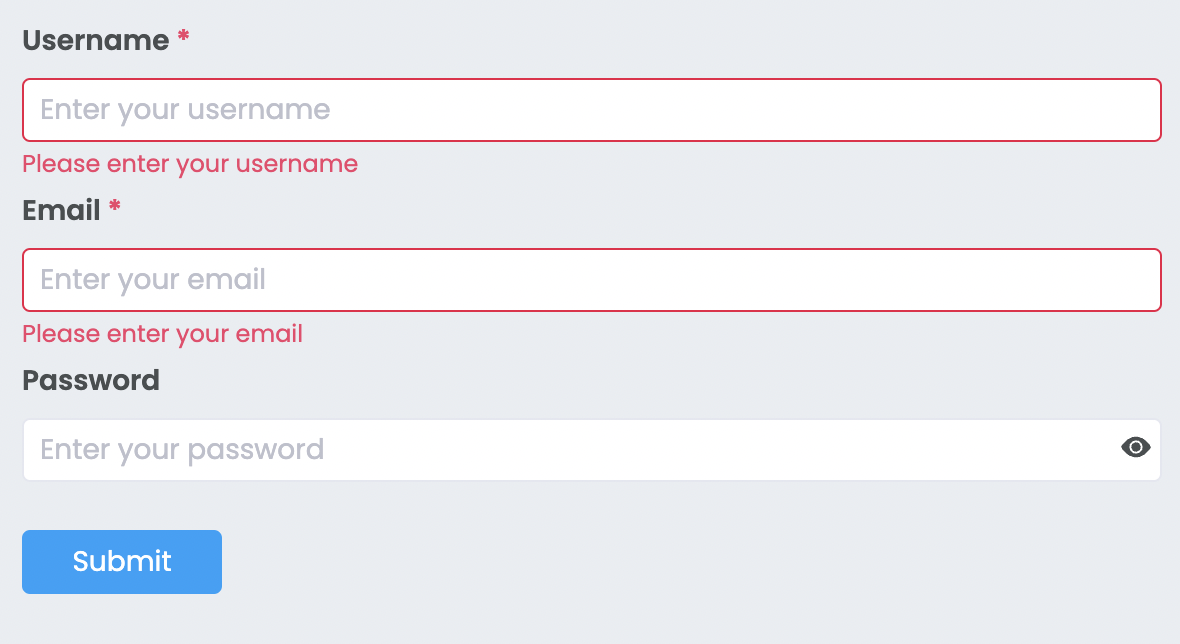
### This component will suitable for you if
## You want
> a form generator ?
> a form with validation ?
## Run component in storybook
First clone the source then run
```bash
npm start
```
## Install via NPM:
```bash
npm install --save react-ezy-form
```
## Usage
Inside the form tag you should add at least one FormItem and one button with type="submit"
```javascript
import { Form, FormItem, Input, PasswordInput, ValidationType } from 'react-ezy-form';
//inside the form tag you should add at least one FormItem and one button with type="submit"
;
```
## Form Options
| Option | Type | Description |
| :--------: | :------------------: | :-------------------------------------------------------------------: |
| onSubmit\* | (formValues) => void | when submit button has been clicked, onSubmit callback will be called |
| horizontal | boolean | render the form horizental |
## FormItem Options
Inside the FormItem tag, you should use a component that accepts these props
```
id:string
name:string
value:FormValueType
onChange: (name: string, value: FormValueType) => void
```
### FormItem child example
```javascript
const Input = ({ onChange, name, id, value = '' }: InputProps): JSX.Element => {
const inputOnChange = (event: FormEvent): void => {
const value: string = event.currentTarget.value.trim();
//call onChange from FormItem
onChange(name, value);
};
return (
);
};
```
| Option | Type | Description |
| :-----------: | :-----------: | :----------------------------------------------------------------------------------------: |
| name\* | string | this name is used for creating formValue object that will be returned to onSubmit callback |
| valuePropName | string | the key of value that will be sent to your component inside the formItem(Default is Value) |
| style | CSSProperties | custom style for FormItem |
| rules | Rule[] | array of rules for validate the formItem |
## Rule
```javascript
interface Rule {
type: ValidationType; // "required" or "regex" or "custom"
message: string;
regexPattern?: RegExp; // only for ValidationType.regex
validationFunction?: (formValue: FormValues) => boolean; // only for ValidationType.custom
}
```
---
_Source: https://npm.io/package/react-ezy-form · Machine-readable twin of the npm.io package page. Health data is recomputed on every publish._