# react-filepond
> A handy FilePond adapter component for React
Latest version **7.1.3** (published 2024-12-16) · MIT license · 0 weekly downloads
## Install
```sh
npm install react-filepond
pnpm add react-filepond
yarn add react-filepond
bun add react-filepond
```
## Health
**Score 45/100 (D)** — status: stable.
Positive: has types; esm support; no vulnerabilities.
Warnings: low downloads.
Negative: stale.
## Facts
| | |
|---|---|
| Version | 7.1.3 |
| Published | 2024-12-16 |
| First published | 2018-03-08 |
| Weekly downloads | 0 |
| License | MIT |
| TypeScript types | bundled |
| Module format | ESM + CommonJS |
| Dependencies | 0 |
| Unpacked size | 25 KB |
| Known vulnerabilities | 0 |
| Install scripts | no |
| GitHub stars | 1989 |
| Author | PQINA |
| Maintainers | pqina |
| Keywords | react, reactjs, filepond, file, upload, drag, drop, browse, image, preview |
## Links
- npm: https://www.npmjs.com/package/react-filepond
- Repository: https://github.com/pqina/react-filepond
- Homepage: https://pqina.nl/filepond
- Issues: https://github.com/pqina/react-filepond/issues
- npm.io page: https://npm.io/package/react-filepond
## Alternatives
- [mobx-react](https://npm.io/package/mobx-react.md) — 2.8M weekly downloads
- [rc-tree](https://npm.io/package/rc-tree.md) — 2.6M weekly downloads
- [@react-oauth/google](https://npm.io/package/@react-oauth/google.md) — 1.3M weekly downloads
- [@wagmi/connectors](https://npm.io/package/@wagmi/connectors.md) — 877.0K weekly downloads
- [vee-validate](https://npm.io/package/vee-validate.md) — 836.4K weekly downloads
## Recent versions
- 7.1.3 (latest) — 2024-12-16
- 7.1.2 — 2022-05-12
- 7.1.1 — 2021-02-11
- 7.1.0 — 2020-09-09
- 7.0.1 — 2019-02-05
- 7.0.0 — 2019-02-05
- 6.0.1 — 2019-01-28
- 6.0.0 — 2019-01-28
- 5.0.0 — 2018-10-10
- 4.0.0 — 2018-10-04
- 3.0.1 — 2018-09-06
- 3.0.0 — 2018-08-13
- 2.0.8 — 2018-07-10
- 2.0.7 — 2018-06-22
- 2.0.6 — 2018-04-27
- … 13 more at https://npm.io/package/react-filepond/versions
## README
# React FilePond
React FilePond is a handy wrapper component for [FilePond](https://github.com/pqina/filepond), a JavaScript library that can upload anything you throw at it, optimizes images for faster uploads, and offers a great, accessible, silky smooth user experience.
[](https://github.com/pqina/react-filepond/blob/master/LICENSE)
[](https://www.npmjs.com/package/react-filepond)

---
[ ](https://www.buymeacoffee.com/rikschennink/)
[Buy me a Coffee](https://www.buymeacoffee.com/rikschennink/) / [Use FilePond with Pintura](https://pqina.nl/pintura/?ref=github-filepond) / [Dev updates on Twitter](https://twitter.com/rikschennink/)
---
### Core Features
* Accepts **directories**, **files**, blobs, local URLs, **remote URLs** and Data URIs.
* **Drop files**, select on filesystem, **copy and paste files**, or add files using the API.
* **Async uploading** with AJAX, or encode files as base64 data and send along form post.
* **Accessible**, tested with AT software like VoiceOver and JAWS, **navigable by Keyboard**.
* **Image optimization**, automatic image resizing, **cropping**, and **fixes EXIF orientation**.
* **Responsive**, automatically scales to available space, is functional on both **mobile and desktop devices**.
[Learn more about FilePond](https://pqina.nl/filepond/)
 ---
### Also need Image Editing?
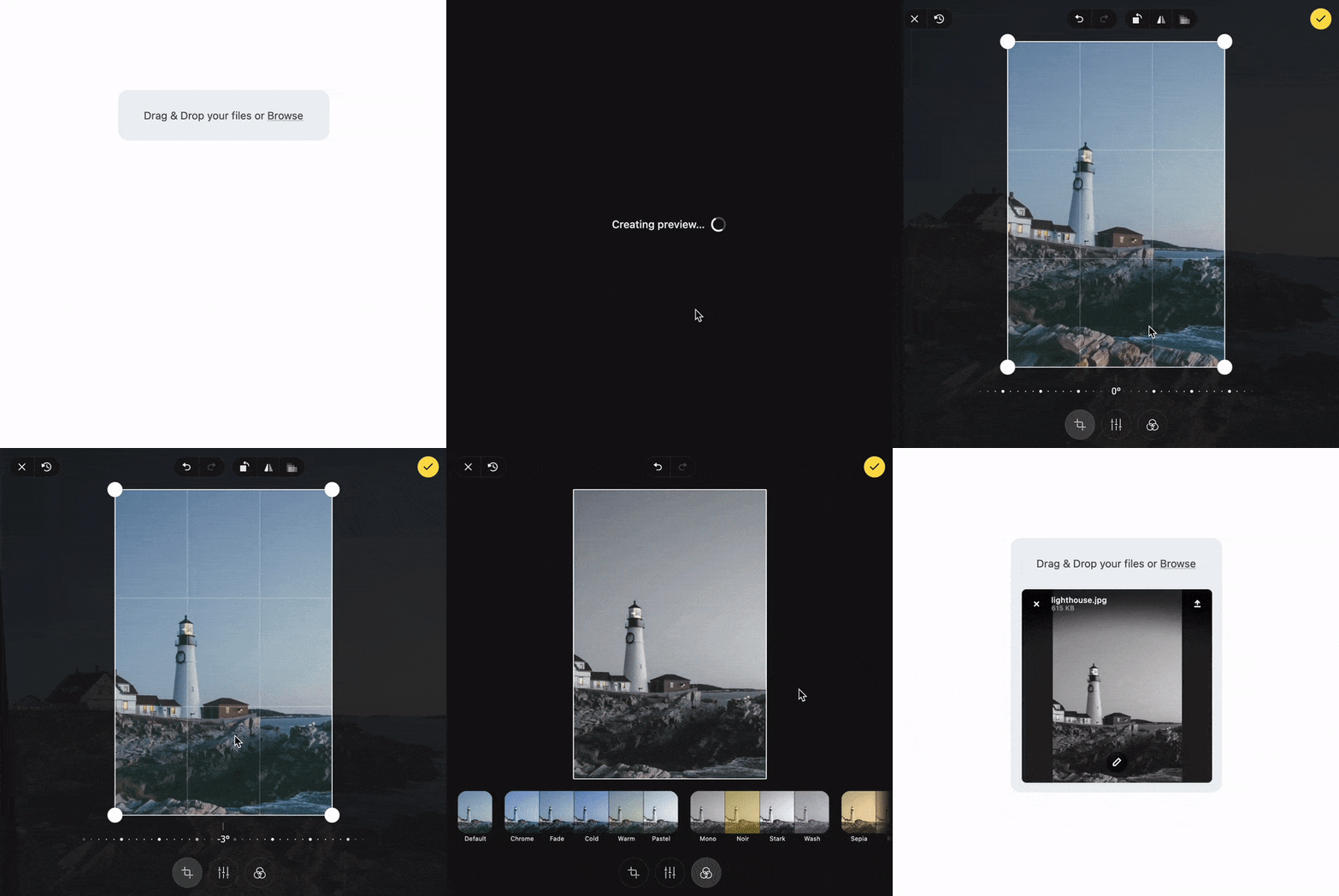
**Pintura the modern JavaScript Image Editor** is what you're looking for. Pintura supports setting **crop aspect ratios**, **resizing**, **rotating**, **cropping**, and **flipping** images. Above all, it integrates beautifully with FilePond.
[Learn more about Pintura](https://pqina.nl/pintura/?ref=github-react-filepond)
 ---
## Installation
```bash
npm install react-filepond filepond --save
```
Hooks:
```jsx
import React, { useState } from 'react'
import ReactDOM from 'react-dom'
// Import React FilePond
import { FilePond, registerPlugin } from 'react-filepond'
// Import FilePond styles
import 'filepond/dist/filepond.min.css'
// Import the Image EXIF Orientation and Image Preview plugins
// Note: These need to be installed separately
// `npm i filepond-plugin-image-preview filepond-plugin-image-exif-orientation --save`
import FilePondPluginImageExifOrientation from 'filepond-plugin-image-exif-orientation'
import FilePondPluginImagePreview from 'filepond-plugin-image-preview'
import 'filepond-plugin-image-preview/dist/filepond-plugin-image-preview.css'
// Register the plugins
registerPlugin(FilePondPluginImageExifOrientation, FilePondPluginImagePreview)
// Our app
function App() {
const [files, setFiles] = useState([])
return (
)
}
```
Component:
```jsx
import React, { useState } from 'react'
import ReactDOM from 'react-dom'
// Import React FilePond
import { FilePond, registerPlugin } from "react-filepond";
// Import FilePond styles
import "filepond/dist/filepond.min.css";
// Import the Image EXIF Orientation and Image Preview plugins
// Note: These need to be installed separately
import FilePondPluginImageExifOrientation from "filepond-plugin-image-exif-orientation";
import FilePondPluginImagePreview from "filepond-plugin-image-preview";
import "filepond-plugin-image-preview/dist/filepond-plugin-image-preview.css";
// Register the plugins
registerPlugin(FilePondPluginImageExifOrientation, FilePondPluginImagePreview);
// Our app
class App extends Component {
constructor(props) {
super(props);
this.state = {
// Set initial files, type 'local' means this is a file
// that has already been uploaded to the server (see docs)
files: [
{
source: "index.html",
options: {
type: "local"
}
}
]
};
}
handleInit() {
console.log("FilePond instance has initialised", this.pond);
}
render() {
return (
(this.pond = ref)}
files={this.state.files}
allowMultiple={true}
allowReorder={true}
maxFiles={3}
server="/api"
name="files" /* sets the file input name, it's filepond by default */
oninit={() => this.handleInit()}
onupdatefiles={fileItems => {
// Set currently active file objects to this.state
this.setState({
files: fileItems.map(fileItem => fileItem.file)
});
}}
/>
);
}
}
```
[Read the docs for more information](https://pqina.nl/filepond/docs/patterns/frameworks/react/)
[Live Demo on Code Sandbox](https://codesandbox.io/s/react-filepond-live-demo-iw9ri)
---
_Source: https://npm.io/package/react-filepond · Machine-readable twin of the npm.io package page. Health data is recomputed on every publish._