# react-native-cms-pages
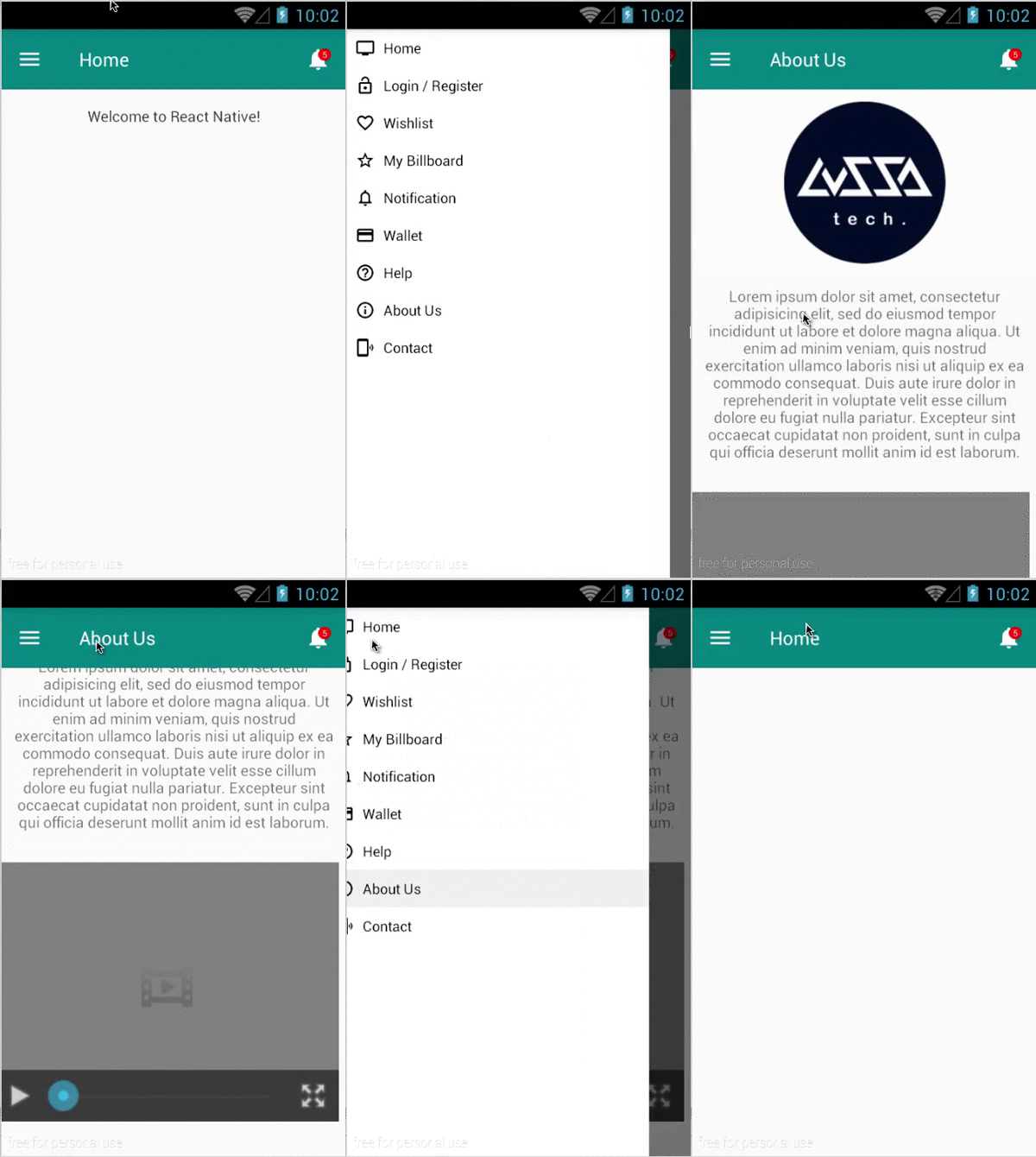
> 
Latest version **1.0.0** (published 2016-02-15) · ISC license · 0 weekly downloads
## Install
```sh
npm install react-native-cms-pages
pnpm add react-native-cms-pages
yarn add react-native-cms-pages
bun add react-native-cms-pages
```
## Health
**Score 15/100 (F)** — status: abandoned.
Positive: no vulnerabilities.
Warnings: low downloads; no types; no esm support.
Negative: abandoned; low maintenance score.
## Facts
| | |
|---|---|
| Version | 1.0.0 |
| Published | 2016-02-15 |
| First published | 2016-02-15 |
| Weekly downloads | 0 |
| License | ISC |
| TypeScript types | none |
| Module format | CommonJS |
| Dependencies | 0 |
| Known vulnerabilities | 0 |
| Install scripts | no |
| GitHub stars | 3 |
| Author | Lussa Teknologi |
| Maintainers | iman-syah |
## Links
- npm: https://www.npmjs.com/package/react-native-cms-pages
- Repository: https://github.com/lussatech/react-native-cms-pages
- Issues: https://github.com/lussatech/react-native-cms-pages/issues
- npm.io page: https://npm.io/package/react-native-cms-pages
## Recent versions
- 1.0.0 (latest) — 2016-02-15
## README

### Installation
npm i react-native-cms-pages
### Generate Files
Before generate library files to your react-native-project, make sure that `lussatech-cli` is installed globally in your machine, otherwise use this command to install it:
npm i lussatech-cli -g
If `lussatech-cli` have been installed, change directory to your react-native-project and run this command:
lussatech generate react-native-cms-pages
then the library files will be added automatically inside your react-native-project, e.g.
react-native-project
|_ ...
|_ lib
|_ react-native-cms-pages
|_ ...
|_ index.js
|_ ...
### Usage
```javascript
...
import CMSPages, { // sample app
/* available components */
About, // sample about view
Home // sample home view
} from './lib/react-native-cms-pages';
class Name extends Component {
render() {
return (
// sample calling component
);
}
}
...
```
###### Customize sidebar and navigation bar
To customize navigation bar, update `index.js` based on your need, e.g.
```javascript
# lib/react-native-cms-pages/index.js
...
const actions = [
...
{title: 'Help', icon: icons.help},
{title: 'About Us', icon: icons.info, component: About}, // add component key, when this menu is selected
{title: 'Contact', icon: icons.phonelink}, // the value of the component will be rendered
];
...
render() {
return (
{
return (
/* customize sidebar menu */
{
actions.map((val, key) => {
return (
this.onActionSelected(val)}>
{val.title}
)
})
}
)
}}>
{
return (
this.refs.sidebar.openDrawer()}>
)
},
Title: (route, navigator, index, navState) => {
return (
{this.state.scene && this.state.scene.title || `Home`}
)
},
RightButton: (route, navigator, index, navState) => {
return (
{`5`} // add notification counter
)
}
}}
/>
}
renderScene={(route, navigator) => {
return (
/* render the current component or view based on selected sidebar menu */
{(this.state.scene && this.state.scene.component) ? : }
)
}}
/>
)
}
...
```
#### Customize views
To customize views, update `Home.js` and `About.js` or create your own views based on your need, e.g.
```javascript
# lib/react-native-cms-pages/About.js
...
class Video extends Component {
...
render() {
let html = `
`;
return (
)
}
}
export default class extends Component {
...
render() {
return (
/* render image from url */
/* render text */
{``}
/* render video */
)
}
}
```
---
_Source: https://npm.io/package/react-native-cms-pages · Machine-readable twin of the npm.io package page. Health data is recomputed on every publish._