# react-native-contact-book
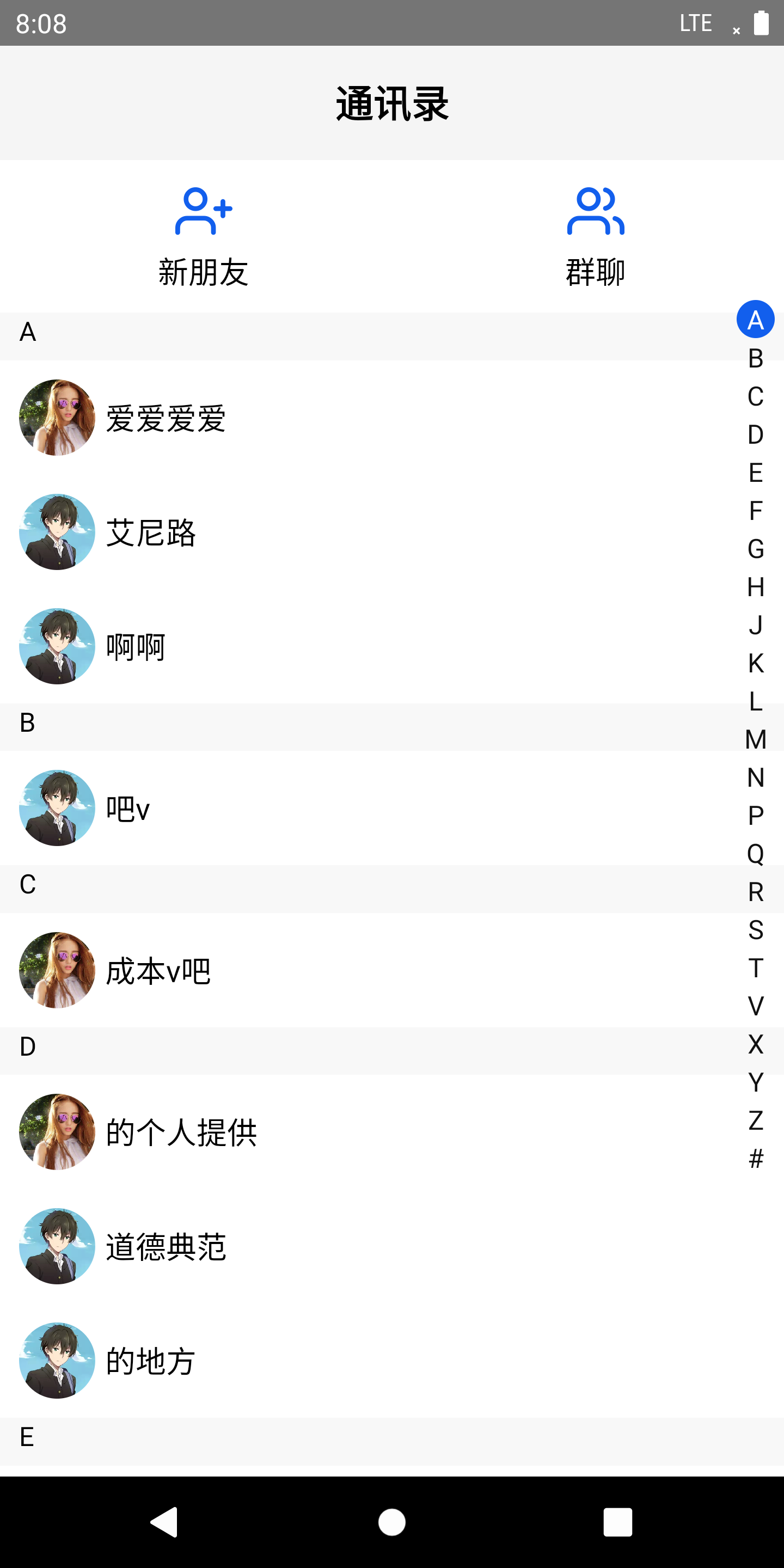
> 一个类似于微信通讯录插件,交互顺畅,拓展性高!
Latest version **1.0.4** (published 2021-05-27) · MIT license · 0 weekly downloads
## Install
```sh
npm install react-native-contact-book
pnpm add react-native-contact-book
yarn add react-native-contact-book
bun add react-native-contact-book
```
## Health
**Score 15/100 (F)** — status: abandoned.
Positive: no vulnerabilities.
Warnings: low downloads; no types; no esm support.
Negative: abandoned; low maintenance score.
## Facts
| | |
|---|---|
| Version | 1.0.4 |
| Published | 2021-05-27 |
| First published | 2021-05-26 |
| Weekly downloads | 0 |
| License | MIT |
| TypeScript types | none |
| Module format | CommonJS |
| Dependencies | 2 |
| Unpacked size | 45.5 KB |
| Known vulnerabilities | 0 |
| Install scripts | no |
| GitHub stars | 0 |
| Author | quacy |
| Maintainers | quacy |
| Keywords | react-native |
## Links
- npm: https://www.npmjs.com/package/react-native-contact-book
- Repository: https://github.com/Qua-cy/react-native-contact-book
- Homepage: https://github.com/Qua-cy/react-native-contact-book#readme
- Issues: https://github.com/Qua-cy/react-native-contact-book/issues
- npm.io page: https://npm.io/package/react-native-contact-book
## Dependencies (2)
- [pinyin](https://npm.io/package/pinyin.md) ^2.10.2
- [prop-types](https://npm.io/package/prop-types.md) ^15.7.2
## Recent versions
- 1.0.4 (latest) — 2021-05-27
- 1.0.3 — 2021-05-27
- 1.0.2 — 2021-05-27
- 1.0.1 — 2021-05-26
- 1.0.0 — 2021-05-26
## README
# react-native-contact-book
## Props
| props | type | default | desc |
| :-------: | :---: | :---: | :------------: |
| contactList | array | [] | 通讯录数据,必须有nickname |
| headerComponent | node | null | 用于传递顶部导航栏header |
| topComponent | node | null | 滚动列表头部扩展组件,要给定高度,否则影响滚动位置计算 |
| topComponentHeight | number | 0 | 如果传了头部扩展组件,则必须传该组件的高度 |
| titleHeight | number | 25 | 通讯录字母标题的高度 |
| itemHeight | number | 60 | 通讯录项的高度 |
| letterHeight | number | 20 | 侧边字母栏每个字母的高度 |
| activeLetterBg | string | '#125FED' | 侧边字母栏选中字母的背景色 |
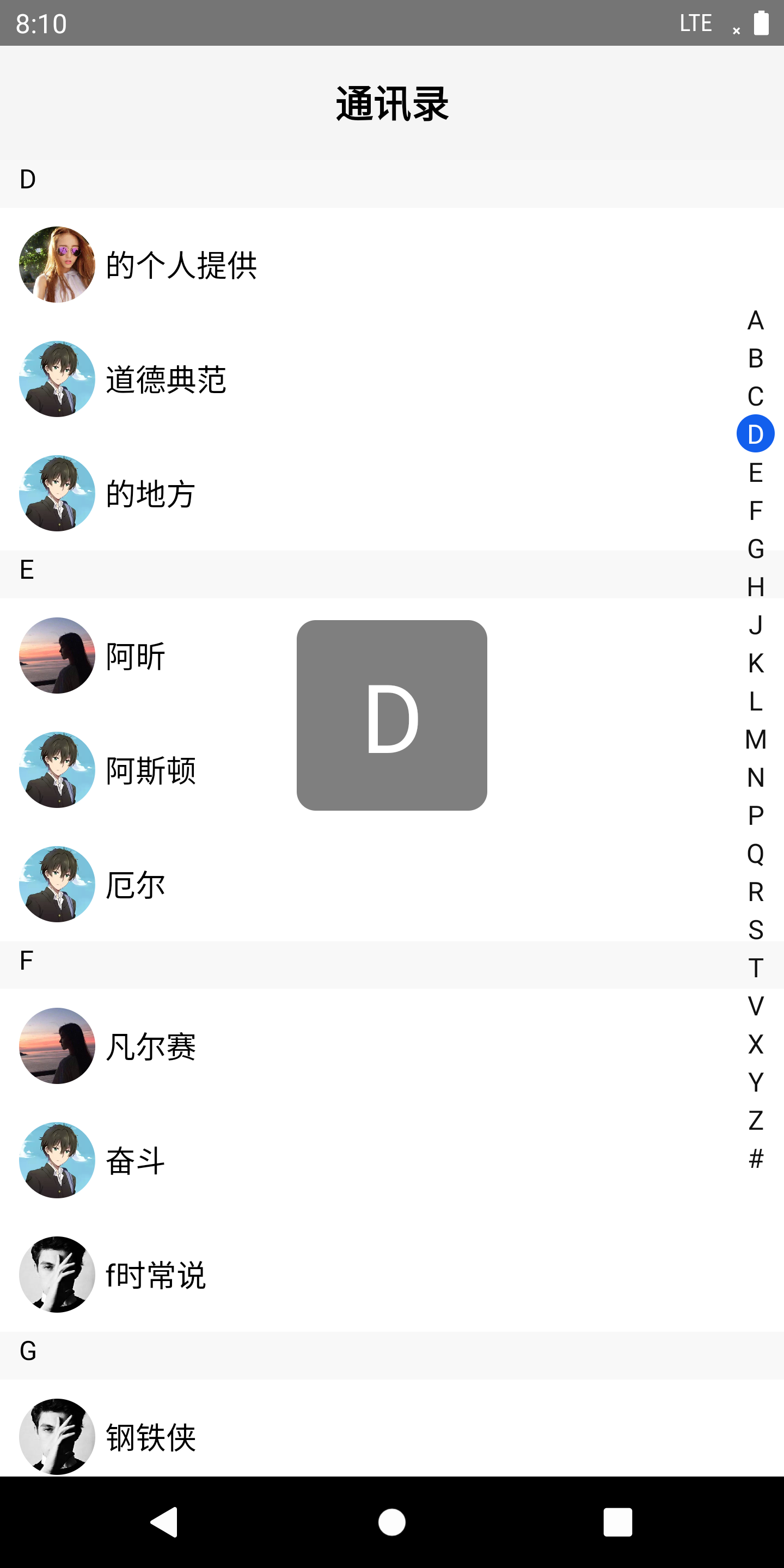
| activeLetterShowType | string | 'side' | 触摸侧边字母栏滚动时选中字母的显示方式,可选side和center |
| showAvatar | boolean | true | 是否显示头像 |
| titleStyle | object | {} | 自定义通讯录字母标题样式 |
| itemStyle | object | {} | 自定义通讯录项的样式 |
| onPressItem | function | ()=>{} | 点击通讯录项事件,返回item数据 |
## 用法
### 步骤 1 - 安装
`$ npm install react-native-contact-book --save`
or
`$ yarn add react-native-contact-book`
### 步骤 2 - 引入
```javascript
import React from 'react';
import {View, Text, TouchableOpacity} from 'react-native';
import Feather from 'react-native-vector-icons/Feather';
import ContactBook from 'react-native-contact-book';
import contactList from '@/assets/contactList.json';
export default function TestContactBookPlugin() {
const options = {
contactList: contactList,
headerComponent: header(),
topComponent: topEl(),
topComponentHeight: 80, //若传了topComponent,这个高度必传
activeLetterShowType: 'side',
};
function header() {
return (
通讯录
);
}
function topEl() {
return (
新朋友
群聊
);
}
return ;
}
```
## 注意
传入的数据`contactList` 是array类型,列表项必须要有nickname,如果有头像则添加avatar,格式如下:
```
[
{
"nickname": "路飞",
"avatar": "https://z3.ax1x.com/2021/05/07/g123h6.jpg",
"id": "openid1"
},
{
"nickname": "钢铁侠",
"avatar": "https://z3.ax1x.com/2021/05/07/g121tx.jpg",
"id": "openid2"
},
...
]
```
---
_Source: https://npm.io/package/react-native-contact-book · Machine-readable twin of the npm.io package page. Health data is recomputed on every publish._