# react-native-keyboard-aware-scroll-view
> A React Native ScrollView component that resizes when the keyboard appears.
Latest version **0.9.5** (published 2021-11-04) · MIT license · 0 weekly downloads
## Install
```sh
npm install react-native-keyboard-aware-scroll-view
pnpm add react-native-keyboard-aware-scroll-view
yarn add react-native-keyboard-aware-scroll-view
bun add react-native-keyboard-aware-scroll-view
```
## Health
**Score 25/100 (F)** — status: abandoned.
Positive: has types; no vulnerabilities; high quality score.
Warnings: low downloads; no esm support; pre 1.0.
Negative: abandoned; low maintenance score.
## Facts
| | |
|---|---|
| Version | 0.9.5 |
| Published | 2021-11-04 |
| First published | 2015-11-05 |
| Weekly downloads | 0 |
| License | MIT |
| TypeScript types | bundled |
| Module format | CommonJS |
| Dependencies | 2 |
| Unpacked size | 55.5 KB |
| Known vulnerabilities | 0 |
| Install scripts | no |
| GitHub stars | 5374 |
| Author | Alvaro Medina Ballester |
| Maintainers | slorber, alvaromb, apsl |
| Keywords | react, react-native, scrollview, keyboard, ios, android, react-component |
## Links
- npm: https://www.npmjs.com/package/react-native-keyboard-aware-scroll-view
- Repository: https://github.com/APSL/react-native-keyboard-aware-scroll-view
- Homepage: https://github.com/APSL/react-native-keyboard-aware-scroll-view#readme
- Issues: https://github.com/APSL/react-native-keyboard-aware-scroll-view/issues
- npm.io page: https://npm.io/package/react-native-keyboard-aware-scroll-view
## Dependencies (2)
- [prop-types](https://npm.io/package/prop-types.md) ^15.6.2
- [react-native-iphone-x-helper](https://npm.io/package/react-native-iphone-x-helper.md) ^1.0.3
## Alternatives
- [mobx-react](https://npm.io/package/mobx-react.md) — 2.8M weekly downloads
- [rc-tree](https://npm.io/package/rc-tree.md) — 2.6M weekly downloads
- [@react-oauth/google](https://npm.io/package/@react-oauth/google.md) — 1.3M weekly downloads
- [@wagmi/connectors](https://npm.io/package/@wagmi/connectors.md) — 877.0K weekly downloads
- [vee-validate](https://npm.io/package/vee-validate.md) — 836.4K weekly downloads
## Recent versions
- 0.9.5 (latest) — 2021-11-04
- 0.9.4 — 2021-04-29
- 0.9.3 — 2020-10-06
- 0.9.2 — 2020-07-30
- 0.9.1 — 2019-08-14
- 0.9.0 — 2019-08-14
- 0.8.0 — 2018-12-10
- 0.7.4 — 2018-10-18
- 0.7.3 — 2018-10-11
- 0.7.2 — 2018-08-27
- 0.7.1 — 2018-08-22
- 0.7.0 — 2018-08-12
- 0.6.0 — 2018-06-22
- 0.5.0 — 2018-03-19
- 0.4.4 — 2018-02-19
- … 25 more at https://npm.io/package/react-native-keyboard-aware-scroll-view/versions
## README
# react-native-keyboard-aware-scroll-view



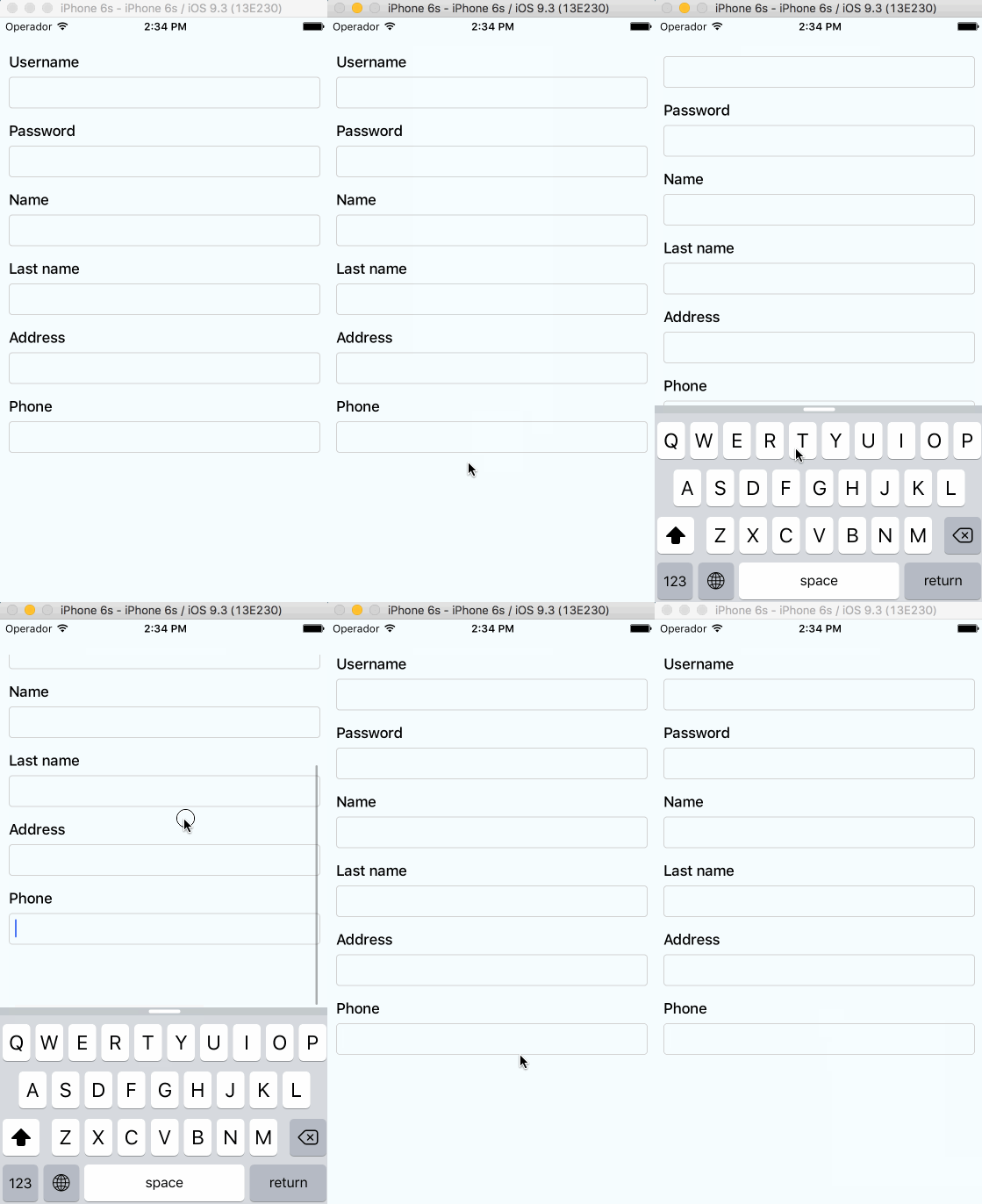
A ScrollView component that handles keyboard appearance and automatically scrolls to focused `TextInput`.
## Supported versions
- `v0.4.0` requires `RN>=0.48`
- `v0.2.0` requires `RN>=0.32.0`.
- `v0.1.2` requires `RN>=0.27.2` but you should use `0.2.0` in order to make it work with multiple scroll views.
- `v0.0.7` requires `react-native>=0.25.0`.
- Use `v0.0.6` for older RN versions.
## Installation
Installation can be done through `npm` or `yarn`:
```shell
npm i react-native-keyboard-aware-scroll-view --save
```
```shell
yarn add react-native-keyboard-aware-scroll-view
```
## Usage
You can use the `KeyboardAwareScrollView`, `KeyboardAwareSectionList` or the `KeyboardAwareFlatList`
components. They accept `ScrollView`, `SectionList` and `FlatList` default props respectively and
implement a custom high order component called `KeyboardAwareHOC` to handle keyboard appearance.
The high order component is also available if you want to use it in any other component.
Import `react-native-keyboard-aware-scroll-view` and wrap your content inside
it:
```js
import { KeyboardAwareScrollView } from 'react-native-keyboard-aware-scroll-view'
```
```jsx
```
## Auto-scroll in `TextInput` fields
As of `v0.1.0`, the component auto scrolls to the focused `TextInput` 😎. For versions `v0.0.7` and older you can do the following.
### Programatically scroll to any `TextInput`
In order to scroll to any `TextInput` field, you can use the built-in method `scrollToFocusedInput`. Example:
```js
_scrollToInput (reactNode: any) {
// Add a 'scroll' ref to your ScrollView
this.scroll.props.scrollToFocusedInput(reactNode)
}
```
```jsx
{
this.scroll = ref
}}>
{
// `bind` the function if you're using ES6 classes
this._scrollToInput(ReactNative.findNodeHandle(event.target))
}}
/>
```
### Programatically scroll to any position
There's another built-in function that lets you programatically scroll to any position of the scroll view:
```js
this.scroll.props.scrollToPosition(0, 0)
```
## Register to keyboard events
You can register to `ScrollViewResponder` events `onKeyboardWillShow` and `onKeyboardWillHide`:
```jsx
{
console.log('Keyboard event', frames)
}}>
```
## Android Support
First, Android natively has this feature, you can easily enable it by setting `windowSoftInputMode` in `AndroidManifest.xml`. Check [here](https://developer.android.com/guide/topics/manifest/activity-element.html#wsoft).
But if you want to use feature like `extraHeight`, you need to enable Android Support with the following steps:
- Make sure you are using react-native `0.46` or above.
- Set `windowSoftInputMode` to `adjustPan` in `AndroidManifest.xml`.
- Set `enableOnAndroid` property to `true`.
Android Support is not perfect, here is the supported list:
| **Prop** | **Android Support** |
| --------------------------- | ------------------- |
| `viewIsInsideTabBar` | Yes |
| `resetScrollToCoords` | Yes |
| `enableAutomaticScroll` | Yes |
| `extraHeight` | Yes |
| `extraScrollHeight` | Yes |
| `enableResetScrollToCoords` | Yes |
| `keyboardOpeningTime` | No |
## API
### Props
All the `ScrollView`/`FlatList` props will be passed.
| **Prop** | **Type** | **Description** |
| --------------------------- | -------------------------------- | ---------------------------------------------------------------------------------------------- |
| `innerRef` | `Function` | Catch the reference of the component. |
| `viewIsInsideTabBar` | `boolean` | Adds an extra offset that represents the `TabBarIOS` height. |
| `resetScrollToCoords` | `Object: {x: number, y: number}` | Coordinates that will be used to reset the scroll when the keyboard hides. |
| `enableAutomaticScroll` | `boolean` | When focus in `TextInput` will scroll the position, default is enabled. |
| `extraHeight` | `number` | Adds an extra offset when focusing the `TextInput`s. |
| `extraScrollHeight` | `number` | Adds an extra offset to the keyboard. Useful if you want to stick elements above the keyboard. |
| `enableResetScrollToCoords` | `boolean` | Lets the user enable or disable automatic resetScrollToCoords. |
| `keyboardOpeningTime` | `number` | Sets the delay time before scrolling to new position, default is 250 |
| `enableOnAndroid` | `boolean` | Enable Android Support |
### Methods
Use `innerRef` to get the component reference and use `this.scrollRef.props` to access these methods.
| **Method** | **Parameter** | **Description** |
| -------------------- | ------------------------------------------------------------------------------------------------------------------------------------------------------- | -------------------------------------------------------------- |
| `getScrollResponder` | `void` | Get `ScrollResponder` |
| `scrollToPosition` | `x: number, y: number, animated: bool = true` | Scroll to specific position with or without animation. |
| `scrollToEnd` | `animated?: bool = true` | Scroll to end with or without animation. |
| `scrollIntoView` | `element: React.Element<*>, options: { getScrollPosition: ?(parentLayout, childLayout, contentOffset) => { x: number, y: number, animated: boolean } }` | Scrolls an element inside a KeyboardAwareScrollView into view. |
### Using high order component
Enabling any component to be keyboard-aware is very easy. Take a look at the code of `KeyboardAwareFlatList`:
```js
/* @flow */
import { FlatList } from 'react-native'
import listenToKeyboardEvents from './KeyboardAwareHOC'
export default listenToKeyboardEvents(FlatList)
```
The HOC can also be configured. Sometimes it's more convenient to provide a static config than configuring the behavior with props. This HOC config can be overriden with props.
```js
/* @flow */
import { FlatList } from 'react-native'
import listenToKeyboardEvents from './KeyboardAwareHOC'
const config = {
enableOnAndroid: true,
enableAutomaticScroll: true
}
export default listenToKeyboardEvents(config)(FlatList)
```
The available config options are:
```js
{
enableOnAndroid: boolean,
contentContainerStyle: ?Object,
enableAutomaticScroll: boolean,
extraHeight: number,
extraScrollHeight: number,
enableResetScrollToCoords: boolean,
keyboardOpeningTime: number,
viewIsInsideTabBar: boolean,
refPropName: string,
extractNativeRef: Function
}
```
## License
MIT.
## Author
Álvaro Medina Ballester ``
Built with 💛 by [APSL](https://github.com/apsl).
---
_Source: https://npm.io/package/react-native-keyboard-aware-scroll-view · Machine-readable twin of the npm.io package page. Health data is recomputed on every publish._