# react-native-location-permission
> A react Native module to enable location based services on Android and IOS
Latest version **1.0.6** (published 2021-05-28) · MIT license · 0 weekly downloads
## Install
```sh
npm install react-native-location-permission
pnpm add react-native-location-permission
yarn add react-native-location-permission
bun add react-native-location-permission
```
## Health
**Score 15/100 (F)** — status: abandoned.
Positive: no vulnerabilities.
Warnings: low downloads; no types; no esm support.
Negative: abandoned; low maintenance score.
## Facts
| | |
|---|---|
| Version | 1.0.6 |
| Published | 2021-05-28 |
| First published | 2019-10-02 |
| Weekly downloads | 0 |
| License | MIT |
| TypeScript types | none |
| Module format | CommonJS |
| Dependencies | 0 |
| Unpacked size | 5.8 MB |
| Known vulnerabilities | 0 |
| Install scripts | no |
| GitHub stars | 1 |
| Author | Amenulhaq |
| Maintainers | aminulhaq |
| Keywords | npm, react, native, react, native, location, locations, react, native, permission, permissions, switch |
## Links
- npm: https://www.npmjs.com/package/react-native-location-permission
- Repository: https://github.com/Amenulhaq/react-native-location-permission
- Homepage: https://github.com/Amenulhaq/react-native-location-permission#readme
- Issues: https://github.com/Amenulhaq/react-native-location-permission/issues
- npm.io page: https://npm.io/package/react-native-location-permission
## Alternatives
- [mobx-react](https://npm.io/package/mobx-react.md) — 2.8M weekly downloads
- [rc-tree](https://npm.io/package/rc-tree.md) — 2.6M weekly downloads
- [@react-oauth/google](https://npm.io/package/@react-oauth/google.md) — 1.3M weekly downloads
- [@wagmi/connectors](https://npm.io/package/@wagmi/connectors.md) — 877.0K weekly downloads
- [vee-validate](https://npm.io/package/vee-validate.md) — 836.4K weekly downloads
## Recent versions
- 1.0.6 (latest) — 2021-05-28
- 1.0.5 — 2019-10-02
- 1.0.4 — 2019-10-02
- 1.0.3 — 2019-10-02
- 1.0.2 — 2019-10-02
- 1.0.0 — 2019-10-02
## README
# React Native Location Permission
A react Native module to enable location based services on Android and IOS.
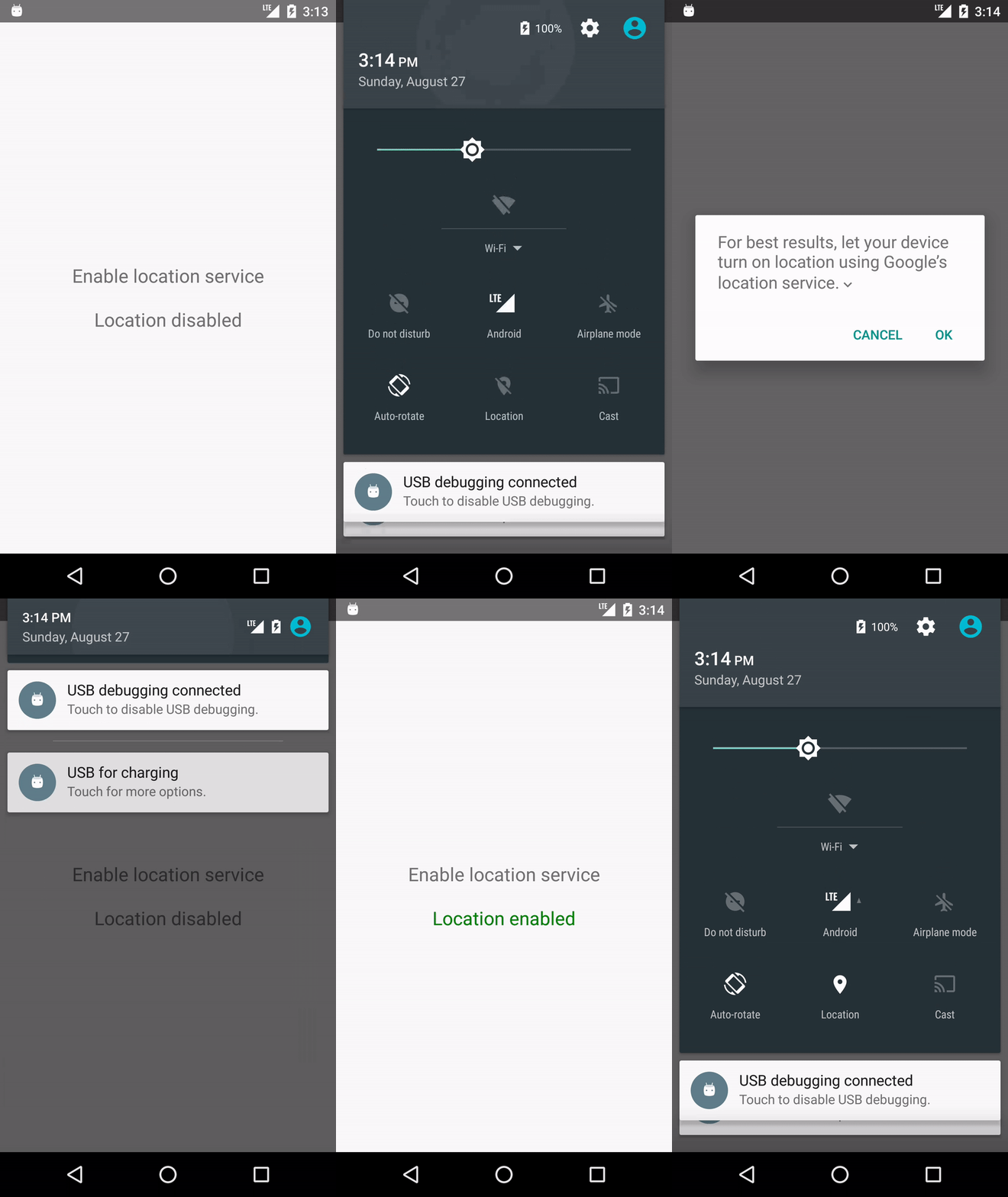
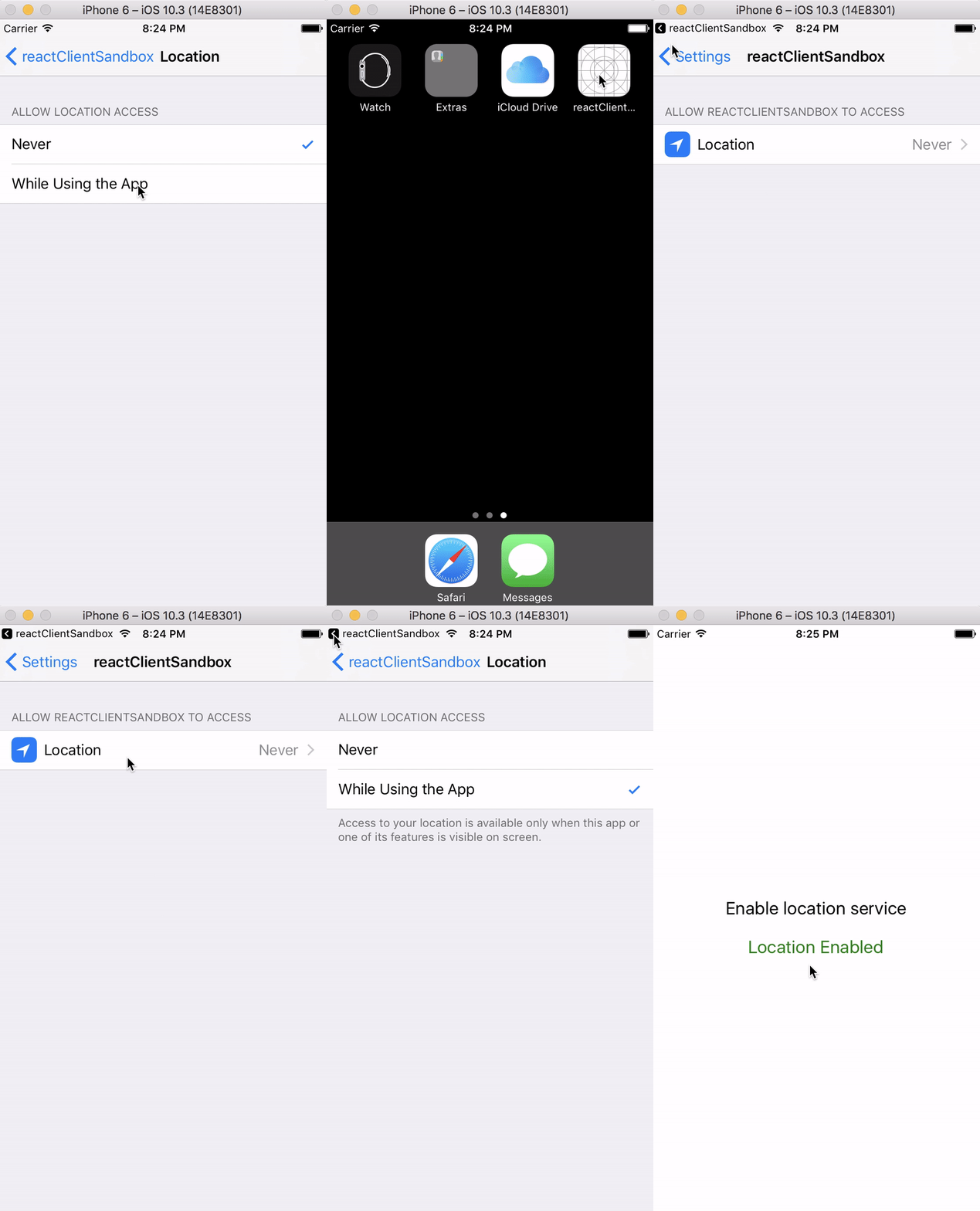 ## Requirements
- react-native >= 0.38.0
- android buildToolsVersion 26.0.1
- gradle build tools 2.3.3
## Installation Android
1. ```npm install react-native-location-permission```
2. add the following 2 lines to your /android/settings.gradle file
```
include ':react-native-location-permission'
project(':react-native-location-permission').projectDir = new File(settingsDir, '../node_modules/react-native-location-permission/android')
```
3. add the following line to your /android/app/build.gradle file
```
compile project(':react-native-location-permission')
```
4. add the "LocationSwitchPackage" import into your MainApplication.java file:
```java
import org.amen.reactnative.locationswitch.LocationSwitchPackage;
```
5. add the "LocationSwitchPackage" into your MainApplication.java file (getPackages method):
```java
@Override
protected List getPackages() {
return Arrays.asList(
new MainReactPackage(),
... // your other react native packages
new LocationSwitchPackage()
);
}
```
6. add the "LocationSwitch" import into your MainActivity.java file:
```java
import org.amen.reactnative.locationswitch.LocationSwitch;
```
7. add the following code into your MainActivity.java file:
```java
@Override
public void onActivityResult(int requestCode, int resultCode, Intent data) {
super.onActivityResult(requestCode, resultCode, data);
LocationSwitch.getInstance().onActivityResult(requestCode, resultCode);
}
```
## Installation IOS
Using Pods :
1. add the following into your podfile :
```
pod 'ReactNativeLocationSwitch', :path => '../node_modules/react-native-location-permission/ios'
```
Using xcode :
1. Open the project in xCode, left click on the Libraries folder -> Add files to ... and select
```
./node_modules/react-native-location-permission/ios/RNReactNativeLocationSwitch.xcodeproj
```
2. Open the project -> Build Phases -> Link Binary With Libraries and select libRNReactNativeLocationSwitch.a
## React Native Interface
```javascript
LocationSwitch.enableLocationService(
interval,
requestHighAccuracy,
successCallback,
errorCallback
);
```
```javascript
LocationSwitch.isLocationEnabled(
successCallback,
errorCallback
);
```
Option | Default | Info
------ | ------- | ----
interval | 1000 | Update interval in ms (ignored on IOS)
requestHighAccuracy | false | If true, highest accuracy is requested. If false, "block" level accuracy is requested (ignored on IOS)
successCallback | null | Is called when the user allows access to the location services or when the location services are already enabled
errorCallback | null | Is called when the user denies access to the location services
## Usage
```javascript
import React, { Component } from 'react';
import { AppRegistry, Text, View, TouchableOpacity, StyleSheet, Alert } from 'react-native';
import LocationSwitch from 'react-native-location-permission';
const style = StyleSheet.create({
container: {
flex: 1,
alignItems: 'center',
justifyContent: 'center',
},
button: {
padding: 20,
},
text: {
fontSize: 20,
},
textSuccess: {
fontSize: 20,
color: 'green',
},
});
export default class LocationSwitchApp extends Component {
constructor(props) {
super(props);
this.state = { locationEnabled: false };
this.onEnableLocationPress = this.onEnableLocationPress.bind(this);
}
componentDidMount() {
LocationSwitch.isLocationEnabled(
() => {
Alert.alert('Location is enabled');
this.setState({ locationEnabled: true });
},
() => { Alert.alert('Location is disabled'); },
);
}
onEnableLocationPress() {
LocationSwitch.enableLocationService(1000, true,
() => { this.setState({ locationEnabled: true }); },
() => { this.setState({ locationEnabled: false }); },
);
}
renderLocationStatus() {
if (this.state.locationEnabled) {
return Location enabled;
}
return Location disabled;
}
render() {
return (
Enable location service
{this.renderLocationStatus()}
);
}
}
AppRegistry.registerComponent('reactClientSandbox', () => LocationSwitchApp);
```
---
_Source: https://npm.io/package/react-native-location-permission · Machine-readable twin of the npm.io package page. Health data is recomputed on every publish._