# react-native-month-switch
> A React Native Month Switch
Latest version **0.3.2** (published 2022-08-19) · MIT license · 0 weekly downloads
## Install
```sh
npm install react-native-month-switch
pnpm add react-native-month-switch
yarn add react-native-month-switch
bun add react-native-month-switch
```
## Health
**Score 30/100 (F)** — status: abandoned.
Positive: has types; esm support; no vulnerabilities; high quality score.
Warnings: low downloads; pre 1.0.
Negative: abandoned; low maintenance score.
## Facts
| | |
|---|---|
| Version | 0.3.2 |
| Published | 2022-08-19 |
| First published | 2022-07-16 |
| Weekly downloads | 0 |
| License | MIT |
| TypeScript types | bundled |
| Module format | ESM + CommonJS |
| Dependencies | 5 |
| Unpacked size | 613.7 KB |
| Known vulnerabilities | 0 |
| Install scripts | no |
| GitHub stars | 7 |
| Author | Simon |
| Maintainers | simoonf |
| Keywords | react-native, ios, android |
## Links
- npm: https://www.npmjs.com/package/react-native-month-switch
- Repository: https://github.com/Simoon-F/react-native-month-switch
- Homepage: https://github.com/Simoon-F/react-native-month-switch#readme
- Issues: https://github.com/Simoon-F/react-native-month-switch/issues
- npm.io page: https://npm.io/package/react-native-month-switch
## Dependencies (5)
- [xdate](https://npm.io/package/xdate.md) ^0.8.2
- [@types/xdate](https://npm.io/package/@types/xdate.md) ^0.8.32
- [eslint-plugin-react](https://npm.io/package/eslint-plugin-react.md) ^7.30.1
- [@typescript-eslint/parser](https://npm.io/package/@typescript-eslint/parser.md) ^5.30.6
- [eslint-plugin-react-hooks](https://npm.io/package/eslint-plugin-react-hooks.md) ^4.6.0
## Alternatives
- [@sindresorhus/slugify](https://npm.io/package/@sindresorhus/slugify.md) — 3.7M weekly downloads
- [solid-js](https://npm.io/package/solid-js.md) — 2.7M weekly downloads
- [expo-glass-effect](https://npm.io/package/expo-glass-effect.md) — 2.5M weekly downloads
- [nanoassert](https://npm.io/package/nanoassert.md) — 780.8K weekly downloads
- [@ffmpeg/ffmpeg](https://npm.io/package/@ffmpeg/ffmpeg.md) — 529.5K weekly downloads
## Recent versions
- 0.3.2 (latest) — 2022-08-19
- 0.3.1 — 2022-08-19
- 0.3.0 — 2022-08-19
- 0.2.0 — 2022-07-18
- 0.1.2 — 2022-07-16
- 0.1.1 — 2022-07-16
## README
# :rainbow: react-native-month-switch
[](https://www.npmjs.com/package/react-native-month-switch)
[](https://www.npmjs.com/package/react-native-month-switch)
[](https://github.com/Simoon-F/react-native-month-switch/actions/workflows/preview.yml)
A React Native Month Switch Components
## Installation
```sh
yarn add react-native-month-switch
or
npm install react-native-month-switch
```
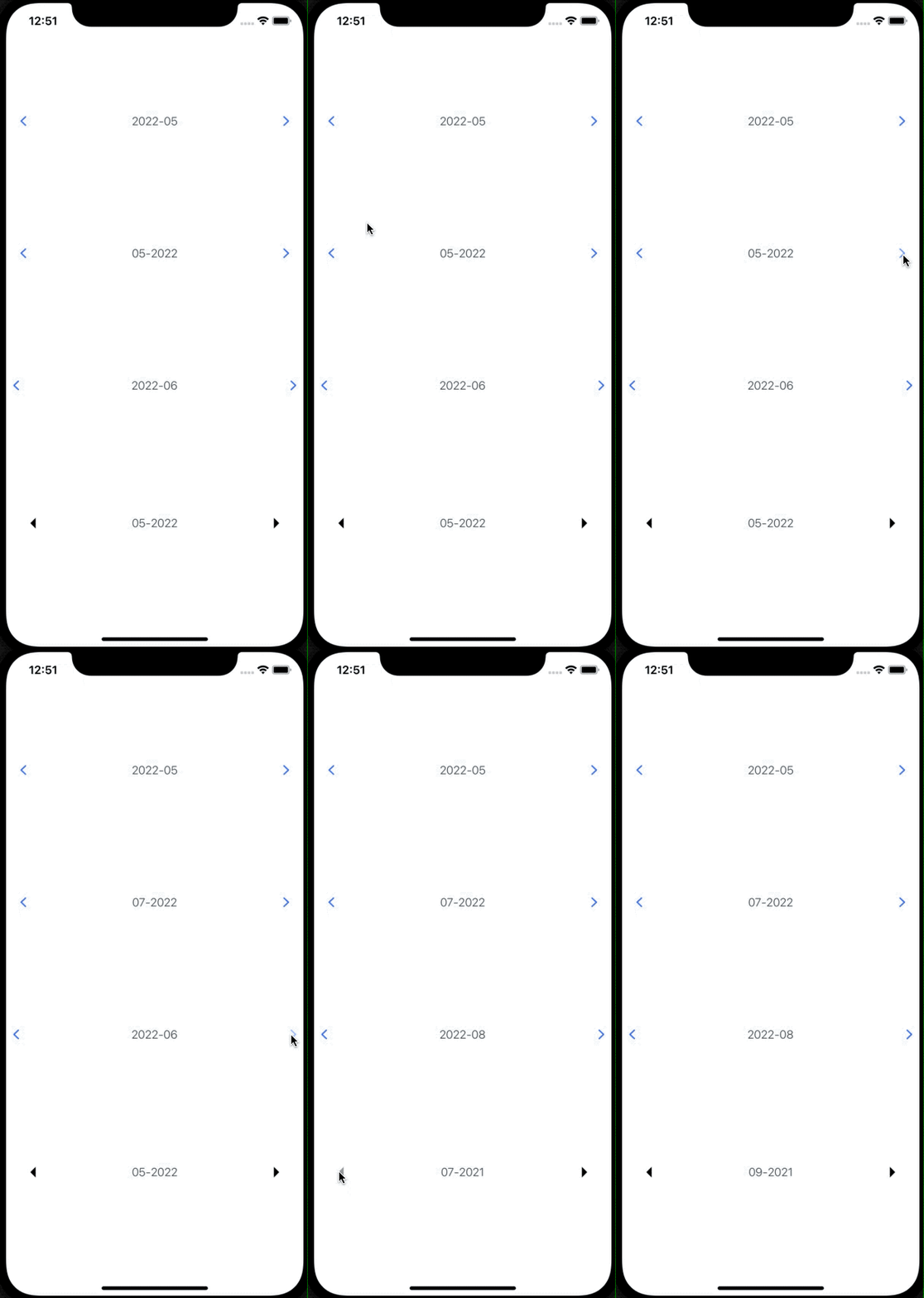
## Demo
 ## Usage
```ts
import React, { useRef } from 'react';
import { Button, Image, View } from 'react-native';
import { MonthSwitch, DateData } from 'react-native-month-switch';
import type { IMonthSwitchRef } from 'src/types';
export default function App() {
const monthSwitchRef = useRef(null);
return (
{/* Set max date */}
{
console.log(b, 'trigger');
}}
/>
{
/** {"dateString": "2022-05-18", "day": 18, "month": "05", "year": 2022} */
console.log(dataString);
}}
/>
);
}
```
## MonthSwitch Props
| Property | Type | Optional | Default | Description |
| ----------------- | ------------------------------------------------- | -------- | ------------- | --------------------------------------------------------------------------------------------- |
| ref | React.Ref | no | - | Ref |
| format | string | no | yyyy-MM | To set the date format,can refer to:[Formatting](http://arshaw.com/xdate/#Formatting) |
| initValue | string | no | current month | To set init value, default current month |
| maxDate | string | no | - | Max date that can be limit |
| arrowStyle | StyleProp | no | - | Style passed to the arrow, can refer to:[Viewstyle](https://reactnative.dev/docs/view#style) |
| maxDateTrigger | function(b:boolean) | no | - | Triggered when maxdate condition is met |
| onChange | function(dataString: DateData) | no | - | Callback function, can be executed when the month is changing |
| onLeftArrow | function(date:string) | no | - | Callback function, can be executed when the left arrow is click |
| onRightArrow | function(date:string) | no | - | Callback function, can be executed when the right arrow is click |
| renderCustomArrow | function(direction: Direction) => React.ReactNode | no | - | Custom arrow icon render method |
## MonthSwitch Ref
| function | Description |
| -------- | ---------------------------------- |
| reset | Reset to init date or today's date |
## Contributing
While developing, you can run the [example app](https://github.com/Simoon-F/react-native-month-switch/blob/master/example/README.md) to test your changes.
Make sure your code passes TypeScript and ESLint. Run the following to verify:
```
yarn typescript
yarn lint
```
To fix formatting errors, run the following:
```
yarn lint --fix
```
Remember to add tests for your change if possible.
## License
MIT
---
_Source: https://npm.io/package/react-native-month-switch · Machine-readable twin of the npm.io package page. Health data is recomputed on every publish._