# react-native-reanimated-material-menu
> Material Menu for React Native using Reanimated Library for 60FPS Animations
Latest version **2.3.0** (published 2023-06-10) · MIT license · 0 weekly downloads
## Install
```sh
npm install react-native-reanimated-material-menu
pnpm add react-native-reanimated-material-menu
yarn add react-native-reanimated-material-menu
bun add react-native-reanimated-material-menu
```
## Health
**Score 15/100 (F)** — status: abandoned.
Positive: no vulnerabilities.
Warnings: low downloads; no types; no esm support.
Negative: abandoned; low maintenance score.
## Facts
| | |
|---|---|
| Version | 2.3.0 |
| Published | 2023-06-10 |
| First published | 2020-11-03 |
| Weekly downloads | 0 |
| License | MIT |
| TypeScript types | none |
| Module format | CommonJS |
| Dependencies | 0 |
| Unpacked size | 16.6 KB |
| Known vulnerabilities | 0 |
| Install scripts | no |
| GitHub stars | 6 |
| Author | Maksim Milyutin |
| Maintainers | ammarahm-ed |
| Keywords | react-native, react, menu, material-menu, react-component, material, dropdown, dropdown-menu, reanimated, context-menu, react-native-menu, react-native-material-menu |
## Links
- npm: https://www.npmjs.com/package/react-native-reanimated-material-menu
- Repository: https://github.com/ammarahm-ed/react-native-reanimated-material-menu
- Homepage: https://github.com/ammarahm-ed/react-native-reanimated-material-menu#readme
- Issues: https://github.com/ammarahm-ed/react-native-reanimated-material-menu/issues
- npm.io page: https://npm.io/package/react-native-reanimated-material-menu
## Alternatives
- [mobx-react](https://npm.io/package/mobx-react.md) — 2.8M weekly downloads
- [rc-tree](https://npm.io/package/rc-tree.md) — 2.6M weekly downloads
- [@react-oauth/google](https://npm.io/package/@react-oauth/google.md) — 1.3M weekly downloads
- [@wagmi/connectors](https://npm.io/package/@wagmi/connectors.md) — 877.0K weekly downloads
- [vee-validate](https://npm.io/package/vee-validate.md) — 836.4K weekly downloads
## Recent versions
- 2.3.0 (latest) — 2023-06-10
- 2.2.0 — 2023-06-10
- 2.1.0 — 2023-06-10
- 2.0.0 — 2020-11-03
## README
# react-native-reanimated-material-menu · [](https://www.npmjs.com/package/react-native-reanimated-material-menu) [](https://github.com/mxck/react-native-material-menu/blob/master/LICENSE)
[Material
menu](https://material.io/guidelines/components/menus.html) component for React
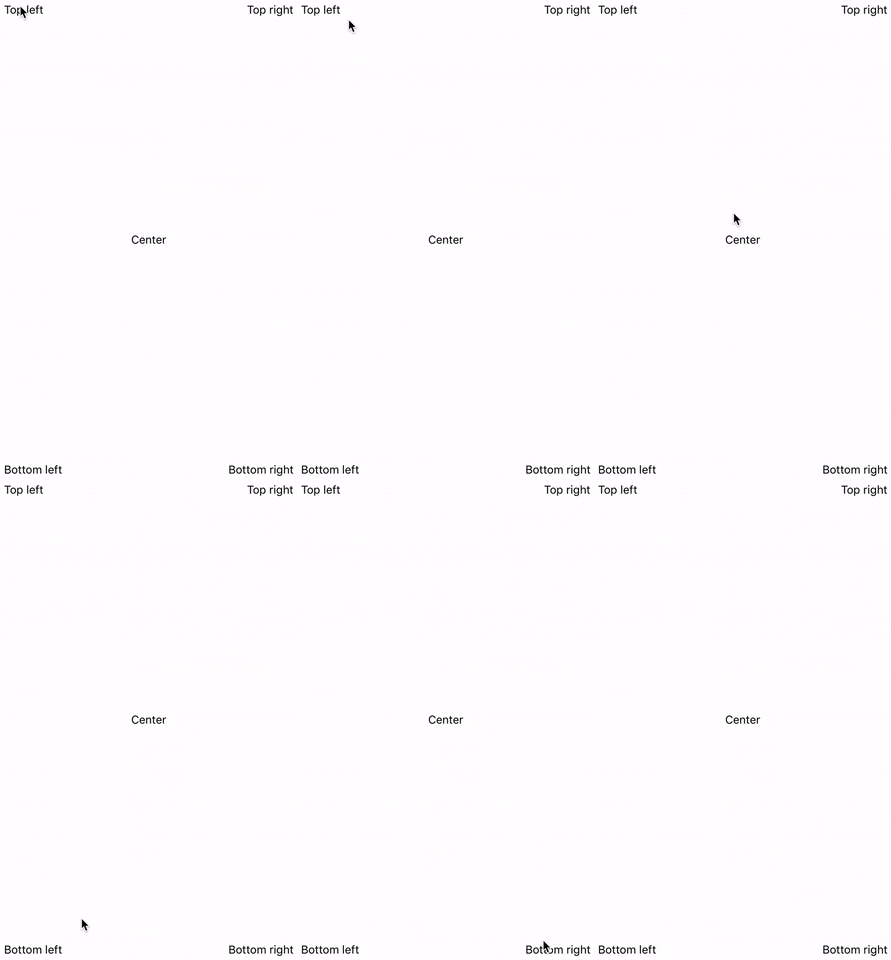
Native using **[Reanimated Library](https://github.com/software-mansion/react-native-reanimated) for 60FPS animations** with automatic RTL support. Forked from [react-native-material-menu](https://github.com/mxck/react-native-material-menu/)
 ## Install
Using yarn
```sh
yarn add react-native-reanimated-material-menu
```
or using npm
```sh
npm install --save react-native-reanimated-material-menu
```
You should also install react-native-reanimated library:
```sh
yarn add react-native-reanimated
```
For iOS, go to ios folder and run pod install:
```sh
cd ios
pod install
```
## Usage example ([expo demo](https://snack.expo.io/@mxck/react-native-material-menu-demo))
```jsx
import React from 'react';
import { View, Text } from 'react-native';
import Menu, { MenuItem, MenuDivider } from 'react-native-material-menu';
class App extends React.PureComponent {
_menu = null;
setMenuRef = ref => {
this._menu = ref;
};
hideMenu = () => {
this._menu.hide();
};
showMenu = () => {
this._menu.show();
};
render() {
return (
);
}
}
export default App;
```
## Menu
### Properties
| name | description | type | default |
| :---------------- | :------------------------------------- | -------: | :------ |
| children | Components rendered in menu (required) | Node | - |
| button | Button component (required) | Node | - |
| style | Menu style | Style | - |
| onHidden | Callback when menu has become hidden | Function | - |
| animationDuration | Changes show() and hide() duration | Number | 300 |
### Methods
| name | description |
| :----- | :---------- |
| show() | Shows menu |
| hide() | Hides menu |
## MenuItem
### Properties
| name | description | type | default |
| :---------------- | :--------------------------- | -----: | :------------------------------- |
| children | Rendered children (required) | Node | - |
| disabled | Disabled flag | Bool | `false` |
| disabledTextColor | Disabled text color | String | `'#bdbdbd'` |
| ellipsizeMode | Custom ellipsizeMode | String | iOS: `'clip'`, Android: `'tail'` |
| onPress | Called function on press | Func | - |
| style | Container style | Style | - |
| textStyle | Text style | Style | - |
| underlayColor | Pressed color | String | `'#e0e0e0'` |
> **Children** must be based on [``][text component] component (like **text** itself, strings, [react-native-vector-icons] or [expo icons]) otherwise you may get an error on a real device.
## MenuDivider
### Properties
| name | description | type | default |
| :---- | :---------- | -----: | :------------------- |
| color | Line color | String | `'rgba(0,0,0,0.12)'` |
## Pietile native kit
Also take a look at other our components for react-native - [pietile-native-kit](https://github.com/pietile/pietile-native-kit)
## License
MIT License. © Maksim Milyutin 2017-2019
[text component]: https://facebook.github.io/react-native/docs/text.html
[react-native-vector-icons]: https://github.com/oblador/react-native-vector-icons
[expo icons]: https://docs.expo.io/versions/latest/guides/icons/
---
_Source: https://npm.io/package/react-native-reanimated-material-menu · Machine-readable twin of the npm.io package page. Health data is recomputed on every publish._
## Install
Using yarn
```sh
yarn add react-native-reanimated-material-menu
```
or using npm
```sh
npm install --save react-native-reanimated-material-menu
```
You should also install react-native-reanimated library:
```sh
yarn add react-native-reanimated
```
For iOS, go to ios folder and run pod install:
```sh
cd ios
pod install
```
## Usage example ([expo demo](https://snack.expo.io/@mxck/react-native-material-menu-demo))
```jsx
import React from 'react';
import { View, Text } from 'react-native';
import Menu, { MenuItem, MenuDivider } from 'react-native-material-menu';
class App extends React.PureComponent {
_menu = null;
setMenuRef = ref => {
this._menu = ref;
};
hideMenu = () => {
this._menu.hide();
};
showMenu = () => {
this._menu.show();
};
render() {
return (
);
}
}
export default App;
```
## Menu
### Properties
| name | description | type | default |
| :---------------- | :------------------------------------- | -------: | :------ |
| children | Components rendered in menu (required) | Node | - |
| button | Button component (required) | Node | - |
| style | Menu style | Style | - |
| onHidden | Callback when menu has become hidden | Function | - |
| animationDuration | Changes show() and hide() duration | Number | 300 |
### Methods
| name | description |
| :----- | :---------- |
| show() | Shows menu |
| hide() | Hides menu |
## MenuItem
### Properties
| name | description | type | default |
| :---------------- | :--------------------------- | -----: | :------------------------------- |
| children | Rendered children (required) | Node | - |
| disabled | Disabled flag | Bool | `false` |
| disabledTextColor | Disabled text color | String | `'#bdbdbd'` |
| ellipsizeMode | Custom ellipsizeMode | String | iOS: `'clip'`, Android: `'tail'` |
| onPress | Called function on press | Func | - |
| style | Container style | Style | - |
| textStyle | Text style | Style | - |
| underlayColor | Pressed color | String | `'#e0e0e0'` |
> **Children** must be based on [``][text component] component (like **text** itself, strings, [react-native-vector-icons] or [expo icons]) otherwise you may get an error on a real device.
## MenuDivider
### Properties
| name | description | type | default |
| :---- | :---------- | -----: | :------------------- |
| color | Line color | String | `'rgba(0,0,0,0.12)'` |
## Pietile native kit
Also take a look at other our components for react-native - [pietile-native-kit](https://github.com/pietile/pietile-native-kit)
## License
MIT License. © Maksim Milyutin 2017-2019
[text component]: https://facebook.github.io/react-native/docs/text.html
[react-native-vector-icons]: https://github.com/oblador/react-native-vector-icons
[expo icons]: https://docs.expo.io/versions/latest/guides/icons/
---
_Source: https://npm.io/package/react-native-reanimated-material-menu · Machine-readable twin of the npm.io package page. Health data is recomputed on every publish._