# react-native-touchable-action
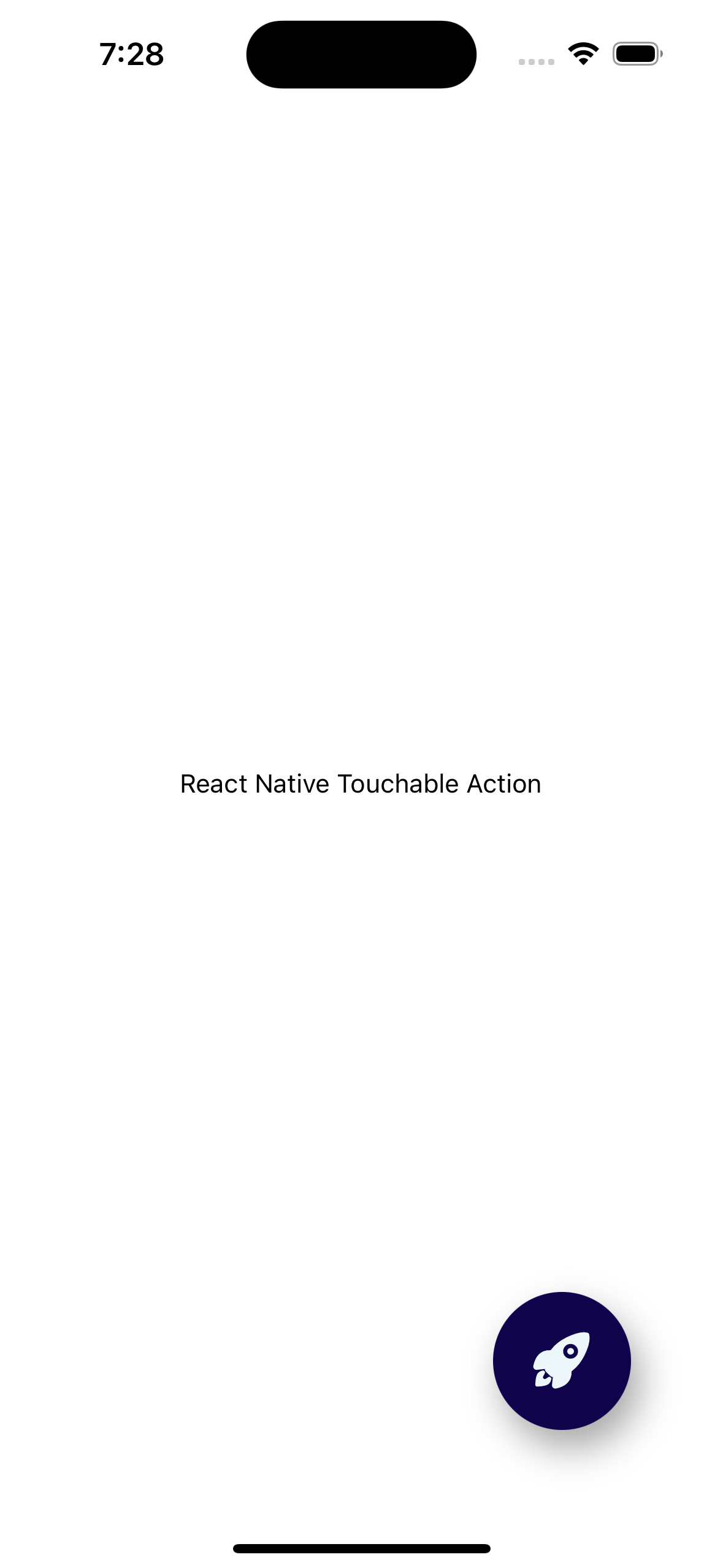
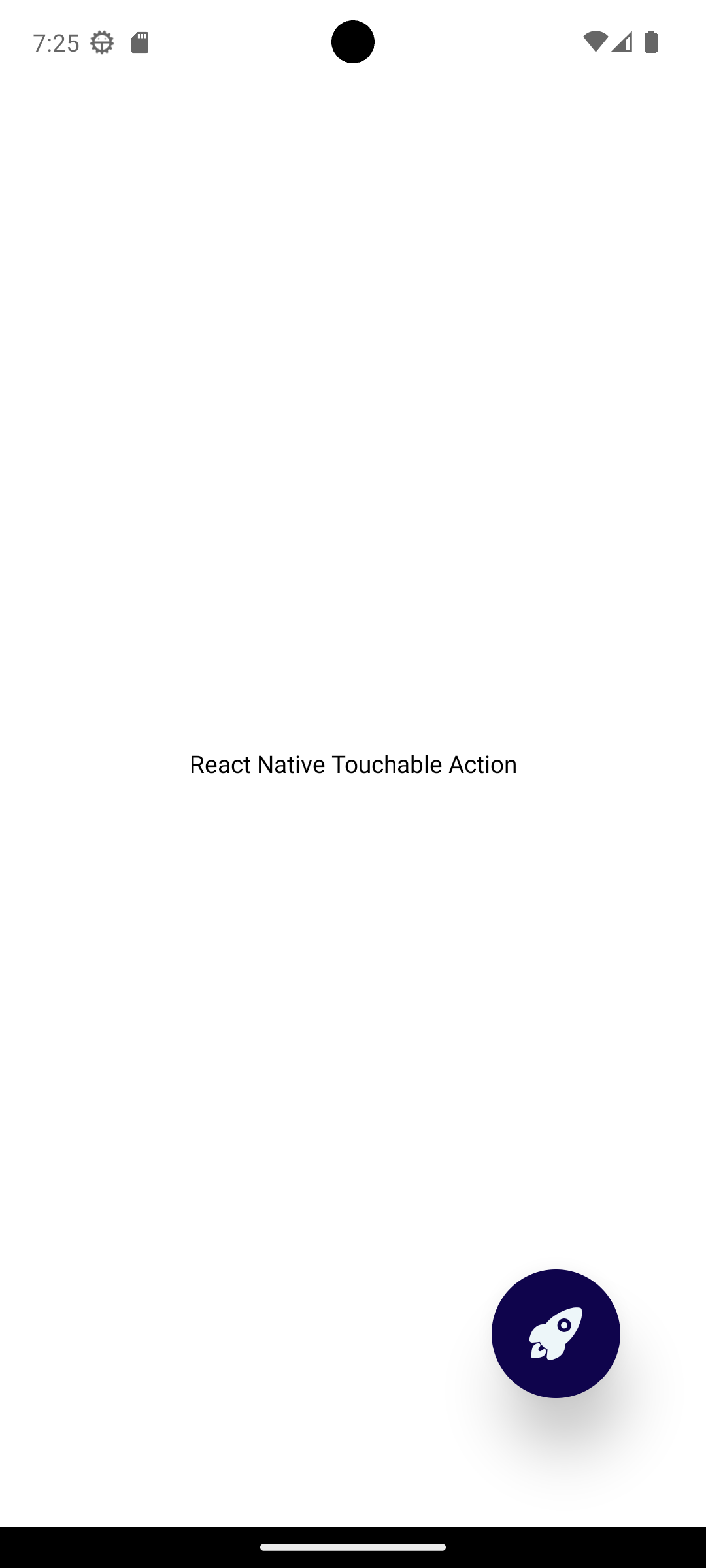
> A simple floating action button component for any React Native project using Expo
Latest version **1.0.15** (published 2026-09-06) · MIT license · 0 weekly downloads
## Install
```sh
npm install react-native-touchable-action
pnpm add react-native-touchable-action
yarn add react-native-touchable-action
bun add react-native-touchable-action
```
## Health
**Score 55/100 (C)** — status: active.
Positive: no vulnerabilities; recently updated; high maintenance score.
Warnings: low downloads; no types; no esm support.
## Facts
| | |
|---|---|
| Version | 1.0.15 |
| Published | 2026-09-06 |
| First published | 2023-09-23 |
| Weekly downloads | 0 |
| License | MIT |
| TypeScript types | none |
| Module format | CommonJS |
| Dependencies | 1 |
| Unpacked size | 17.3 KB |
| Known vulnerabilities | 0 |
| Install scripts | no |
| Author | Eric Cartagena |
| Maintainers | cartagenae |
| Keywords | react-native, react-native-component, react, mobile-ui, touchable, touchable-action, touchable-component, pressable, button, interactive, onPress, gesture, gesture-handler, touch-feedback, ios, android, cross-platform, custom-button, clickable |
## Links
- npm: https://www.npmjs.com/package/react-native-touchable-action
- npm.io page: https://npm.io/package/react-native-touchable-action
## Dependencies (1)
- [@expo/vector-icons](https://npm.io/package/@expo/vector-icons.md) ^15.1.1
## Alternatives
- [mobx-react](https://npm.io/package/mobx-react.md) — 2.8M weekly downloads
- [rc-tree](https://npm.io/package/rc-tree.md) — 2.6M weekly downloads
- [@react-oauth/google](https://npm.io/package/@react-oauth/google.md) — 1.3M weekly downloads
- [@wagmi/connectors](https://npm.io/package/@wagmi/connectors.md) — 877.0K weekly downloads
- [vee-validate](https://npm.io/package/vee-validate.md) — 836.4K weekly downloads
## Recent versions
- 1.0.15 (latest) — 2026-09-06
- 1.0.14 — 2026-09-06
- 1.0.13 — 2026-02-07
- 1.0.12 — 2025-12-24
- 1.0.11 — 2025-07-12
- 1.0.10 — 2024-07-27
- 1.0.9 — 2023-09-27
- 1.0.8 — 2023-09-23
- 1.0.7 — 2023-09-23
- 1.0.5 — 2023-09-23
- 1.0.4 — 2023-09-23
- 1.0.3 — 2023-09-23
- 1.0.2 — 2023-09-23
- 1.0.1 — 2023-09-23
- 1.0.0 — 2023-09-23
## README
# React Native Touchable Action
###### A simple floating action button component for any React Native project using Expo
iOS | Android
:------------------:|:------------------:
 | 
---
## Installation
```js
npm install --save react-native-touchable-action
```
or
```js
yarn add react-native-touchable-action
```
---
## Reference
> For a list of IconSources and iconNames, please refer to https://icons.expo.fyi
 ##
#### Import the FloatingActionButton component
```js
import FloatingActionButton from 'react-native-touchable-action';
```
#### Usage
```js
import React from 'react';
import {
Text,
View,
StyleSheet,
} from 'react-native';
import FloatingActionButton from 'react-native-touchable-action';
const App = () => {
return (
React Native Touchable Action
{
console.log('You pressed the rocket button');
}}
style={{
position: 'absolute',
bottom: 75,
right: 50,
}}
/>
)
}
const styles = StyleSheet.create({
container: {
flex: 1,
backgroundColor: '#fff',
alignItems: 'center',
justifyContent: 'center',
},
})
export default App;
```
##
### Props:
| Prop | Type | Required | Description
| :--- | :--- | :--- | :---
| IconSource | *String* | ***Yes*** | The source of the icon
| iconName | *String* | ***Yes*** | The name of the icon
| onPress | *Object({Function})* | No | The action when the user presses the button
| buttonColor | *String* - Default: #480ca8 | No | The color of the button
| buttonColorPressed | *String* - Default: #6a4c93 | No | The color of the button when pressed in
| buttonSize | *Object({Number})* - Default: 65 | No | The size of the button
| iconSize | *Object({Number})* - Default: 40 | No | The size of the icon inside the button
| iconColor | *String* - Default: #edf6f9 | No | The color of the icon inside the button
| iconColorPressed | *String* - Default: #e2eafc | No | The color of the icon color when the button is pressed
| shaded | *Object({Boolean})* - Default: false | No | The shadow underneath the button when not pressed in. Works best in Light Mode
##
#### IconSource (required)
> type: String
###### The source of the icon
```js
IconSource='Ionicons'
```
##
#### iconName (required)
> type: String
###### The name of the icon
```js
iconName='rocket'
```
##
#### onPress
> type: Object({Function})
###### The action when the user presses the button
```js
onPress={() => {
console.log('You pressed the rocket button');
}
```
##
#### buttonColor
> type: String - Default: #480ca8
###### The color of the button
```js
buttonColor='#0F044C'
```
```js
{
console.log('You pressed the rocket button');
}}
style={{
position: 'absolute',
bottom: 75,
right: 50,
}}
buttonColor='#0F044C'
/>
```
##
#### buttonColorPressed
> type: String - Default: #6a4c93
###### The color of the button when pressed in
##
#### Import the FloatingActionButton component
```js
import FloatingActionButton from 'react-native-touchable-action';
```
#### Usage
```js
import React from 'react';
import {
Text,
View,
StyleSheet,
} from 'react-native';
import FloatingActionButton from 'react-native-touchable-action';
const App = () => {
return (
React Native Touchable Action
{
console.log('You pressed the rocket button');
}}
style={{
position: 'absolute',
bottom: 75,
right: 50,
}}
/>
)
}
const styles = StyleSheet.create({
container: {
flex: 1,
backgroundColor: '#fff',
alignItems: 'center',
justifyContent: 'center',
},
})
export default App;
```
##
### Props:
| Prop | Type | Required | Description
| :--- | :--- | :--- | :---
| IconSource | *String* | ***Yes*** | The source of the icon
| iconName | *String* | ***Yes*** | The name of the icon
| onPress | *Object({Function})* | No | The action when the user presses the button
| buttonColor | *String* - Default: #480ca8 | No | The color of the button
| buttonColorPressed | *String* - Default: #6a4c93 | No | The color of the button when pressed in
| buttonSize | *Object({Number})* - Default: 65 | No | The size of the button
| iconSize | *Object({Number})* - Default: 40 | No | The size of the icon inside the button
| iconColor | *String* - Default: #edf6f9 | No | The color of the icon inside the button
| iconColorPressed | *String* - Default: #e2eafc | No | The color of the icon color when the button is pressed
| shaded | *Object({Boolean})* - Default: false | No | The shadow underneath the button when not pressed in. Works best in Light Mode
##
#### IconSource (required)
> type: String
###### The source of the icon
```js
IconSource='Ionicons'
```
##
#### iconName (required)
> type: String
###### The name of the icon
```js
iconName='rocket'
```
##
#### onPress
> type: Object({Function})
###### The action when the user presses the button
```js
onPress={() => {
console.log('You pressed the rocket button');
}
```
##
#### buttonColor
> type: String - Default: #480ca8
###### The color of the button
```js
buttonColor='#0F044C'
```
```js
{
console.log('You pressed the rocket button');
}}
style={{
position: 'absolute',
bottom: 75,
right: 50,
}}
buttonColor='#0F044C'
/>
```
##
#### buttonColorPressed
> type: String - Default: #6a4c93
###### The color of the button when pressed in
 |
|  :------------------:|:------------------:
ButtonColor | ButtonColorPressed
```js
buttonColorPressed='#693C72'
```
```js
{
console.log('You pressed the rocket button');
}}
style={{
position: 'absolute',
bottom: 75,
right: 50,
}}
buttonColor='#0F044C'
buttonColorPressed='#693C72'
/>
```
##
#### buttonSize
> type: Object({Number}) - Default: 65
###### The size of the button
:------------------:|:------------------:
ButtonColor | ButtonColorPressed
```js
buttonColorPressed='#693C72'
```
```js
{
console.log('You pressed the rocket button');
}}
style={{
position: 'absolute',
bottom: 75,
right: 50,
}}
buttonColor='#0F044C'
buttonColorPressed='#693C72'
/>
```
##
#### buttonSize
> type: Object({Number}) - Default: 65
###### The size of the button
 |
|  :--------------:|:--------------:
Button Size 75 | Button Size 55
```js
buttonSize={75}
```
```js
{
console.log('You pressed the rocket button');
}}
style={{
position: 'absolute',
bottom: 75,
right: 50,
}}
buttonColor='#0F044C'
buttonColorPressed='#693C72'
buttonSize={75}
/>
```
##
#### iconSize
> type: Object({Number}) - Default: 40
###### The size of the icon inside the button
###### This only changes the size of the icon inside the button, not the size of the button itself
:--------------:|:--------------:
Button Size 75 | Button Size 55
```js
buttonSize={75}
```
```js
{
console.log('You pressed the rocket button');
}}
style={{
position: 'absolute',
bottom: 75,
right: 50,
}}
buttonColor='#0F044C'
buttonColorPressed='#693C72'
buttonSize={75}
/>
```
##
#### iconSize
> type: Object({Number}) - Default: 40
###### The size of the icon inside the button
###### This only changes the size of the icon inside the button, not the size of the button itself
 |
|  :------------:|:------------:
Icon Size 50 | Icon Size 35
```js
iconSize={35}
```
```js
{
console.log('You pressed the rocket button');
}}
style={{
position: 'absolute',
bottom: 75,
right: 50,
}}
buttonColor='#0F044C'
buttonColorPressed='#693C72'
buttonSize={75}
iconSize={35}
/>
```
##
#### iconColor
> type: String - Default: #edf6f9
###### The color of the icon inside the button
```js
iconColor='#edf6f9'
```
```js
{
console.log('You pressed the rocket button');
}}
style={{
position: 'absolute',
bottom: 75,
right: 50,
}}
buttonColor='#0F044C'
buttonColorPressed='#693C72'
buttonSize={75}
iconSize={35}
iconColor='#edf6f9'
/>
```
##
#### iconColorPressed
> type: String - Default: #e2eafc
###### The color of the icon color when the button is pressed
:------------:|:------------:
Icon Size 50 | Icon Size 35
```js
iconSize={35}
```
```js
{
console.log('You pressed the rocket button');
}}
style={{
position: 'absolute',
bottom: 75,
right: 50,
}}
buttonColor='#0F044C'
buttonColorPressed='#693C72'
buttonSize={75}
iconSize={35}
/>
```
##
#### iconColor
> type: String - Default: #edf6f9
###### The color of the icon inside the button
```js
iconColor='#edf6f9'
```
```js
{
console.log('You pressed the rocket button');
}}
style={{
position: 'absolute',
bottom: 75,
right: 50,
}}
buttonColor='#0F044C'
buttonColorPressed='#693C72'
buttonSize={75}
iconSize={35}
iconColor='#edf6f9'
/>
```
##
#### iconColorPressed
> type: String - Default: #e2eafc
###### The color of the icon color when the button is pressed
 |
|  :------------------:|:------------------:
Icon color | Icon Color Pressed
```js
iconColorPressed='#c9ccd5'
```
```js
{
console.log('You pressed the rocket button');
}}
style={{
position: 'absolute',
bottom: 75,
right: 50,
}}
buttonColor='#0F044C'
buttonColorPressed='#693C72'
buttonSize={75}
iconSize={35}
iconColor='#edf6f9'
iconColorPressed='#c9ccd5'
/>
```
##
#### shaded
> type: Object({Boolean}) - Default: false
###### The shadow underneath the button when not pressed in. Works best in Light Mode
:------------------:|:------------------:
Icon color | Icon Color Pressed
```js
iconColorPressed='#c9ccd5'
```
```js
{
console.log('You pressed the rocket button');
}}
style={{
position: 'absolute',
bottom: 75,
right: 50,
}}
buttonColor='#0F044C'
buttonColorPressed='#693C72'
buttonSize={75}
iconSize={35}
iconColor='#edf6f9'
iconColorPressed='#c9ccd5'
/>
```
##
#### shaded
> type: Object({Boolean}) - Default: false
###### The shadow underneath the button when not pressed in. Works best in Light Mode
 |
|  :----------:|:----------:
Shaded | Not Shaded
```js
shaded={true}
```
```js
{
console.log('You pressed the rocket button');
}}
style={{
position: 'absolute',
bottom: 75,
right: 50,
}}
buttonColor='#0F044C'
buttonColorPressed='#693C72'
buttonSize={75}
iconSize={35}
iconColor='#edf6f9'
iconColorPressed='#c9ccd5'
shaded={true}
/>
```
---
## License
React Native Floating Action Button is under the **MIT License**. See bundled **LICENSE** file for details.
---
_Source: https://npm.io/package/react-native-touchable-action · Machine-readable twin of the npm.io package page. Health data is recomputed on every publish._
:----------:|:----------:
Shaded | Not Shaded
```js
shaded={true}
```
```js
{
console.log('You pressed the rocket button');
}}
style={{
position: 'absolute',
bottom: 75,
right: 50,
}}
buttonColor='#0F044C'
buttonColorPressed='#693C72'
buttonSize={75}
iconSize={35}
iconColor='#edf6f9'
iconColorPressed='#c9ccd5'
shaded={true}
/>
```
---
## License
React Native Floating Action Button is under the **MIT License**. See bundled **LICENSE** file for details.
---
_Source: https://npm.io/package/react-native-touchable-action · Machine-readable twin of the npm.io package page. Health data is recomputed on every publish._