# react-native-tree-band
> TreeView and DoubleChoce for react-native for tree structured data
Latest version **1.0.4** (published 2019-11-29) · ISC license · 0 weekly downloads
## Install
```sh
npm install react-native-tree-band
pnpm add react-native-tree-band
yarn add react-native-tree-band
bun add react-native-tree-band
```
## Health
**Score 15/100 (F)** — status: abandoned.
Positive: no vulnerabilities.
Warnings: low downloads; no types; no esm support.
Negative: abandoned; low maintenance score.
## Facts
| | |
|---|---|
| Version | 1.0.4 |
| Published | 2019-11-29 |
| First published | 2019-11-29 |
| Weekly downloads | 0 |
| License | ISC |
| TypeScript types | none |
| Module format | CommonJS |
| Dependencies | 0 |
| Unpacked size | 854.7 KB |
| Known vulnerabilities | 0 |
| Install scripts | no |
| GitHub stars | 0 |
| Author | Marson Lj |
| Maintainers | idjitjohn |
| Keywords | TreeView, band, tree, structure, data, react-native, tree-data, browser, file, browser |
## Links
- npm: https://www.npmjs.com/package/react-native-tree-band
- Repository: https://github.com/idjitjohn/react-native-tree-band
- Homepage: https://github.com/idjitjohn/react-native-tree-band#readme
- Issues: https://github.com/idjitjohn/react-native-tree-band/issues
- npm.io page: https://npm.io/package/react-native-tree-band
## Alternatives
- [unionfs](https://npm.io/package/unionfs.md) — 2.2M weekly downloads
- [path-starts-with](https://npm.io/package/path-starts-with.md) — 35.9K weekly downloads
- [redzip](https://npm.io/package/redzip.md) — 1.2K weekly downloads
- [vscode-anymatch](https://npm.io/package/vscode-anymatch.md) — 848 weekly downloads
- [@ledgerhq/coin-filecoin](https://npm.io/package/@ledgerhq/coin-filecoin.md) — 793 weekly downloads
## Recent versions
- 1.0.4 (latest) — 2019-11-29
- 1.0.3 — 2019-11-29
- 1.0.2 — 2019-11-29
- 1.0.1 — 2019-11-29
## README
# React Native Tree Band
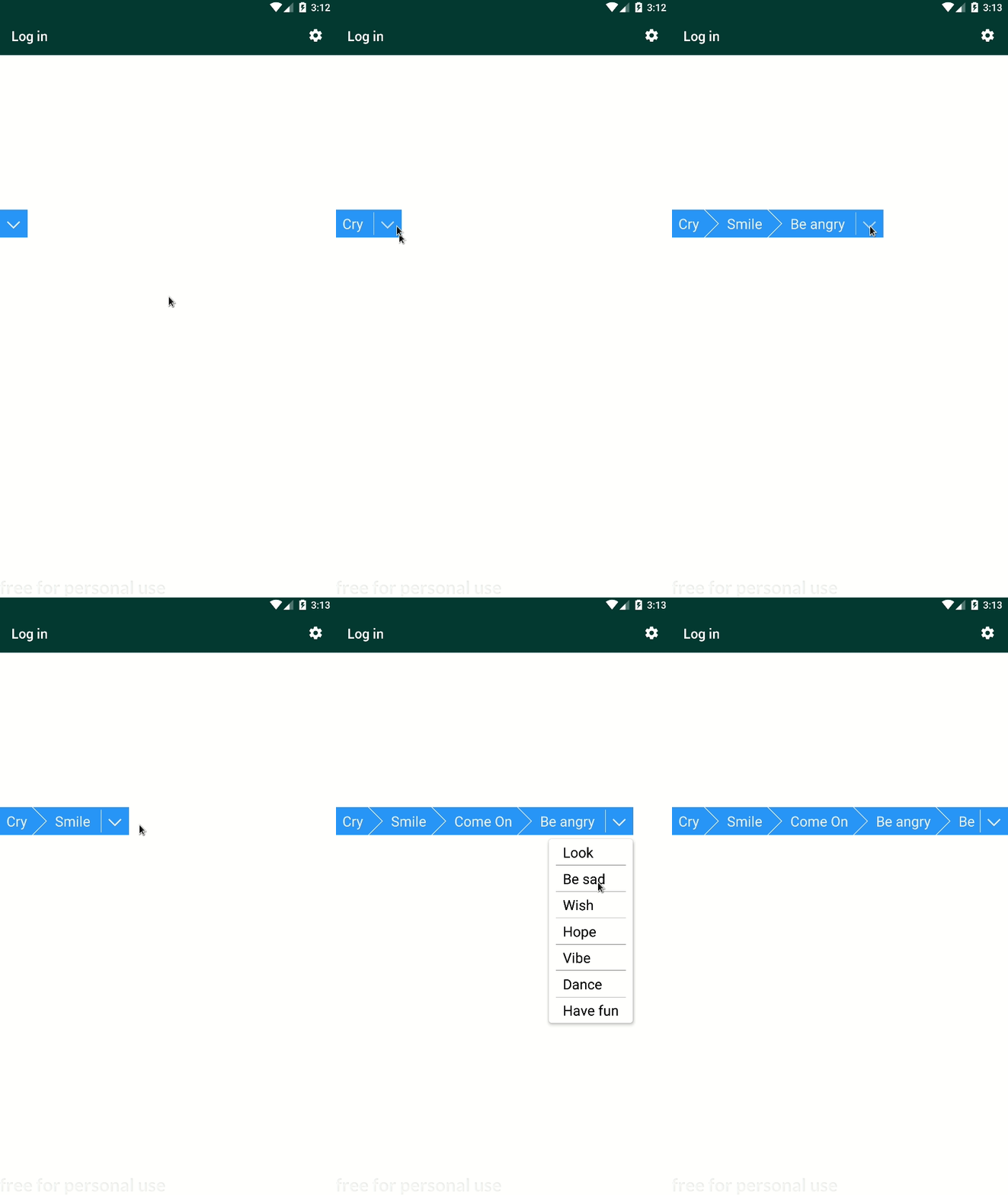
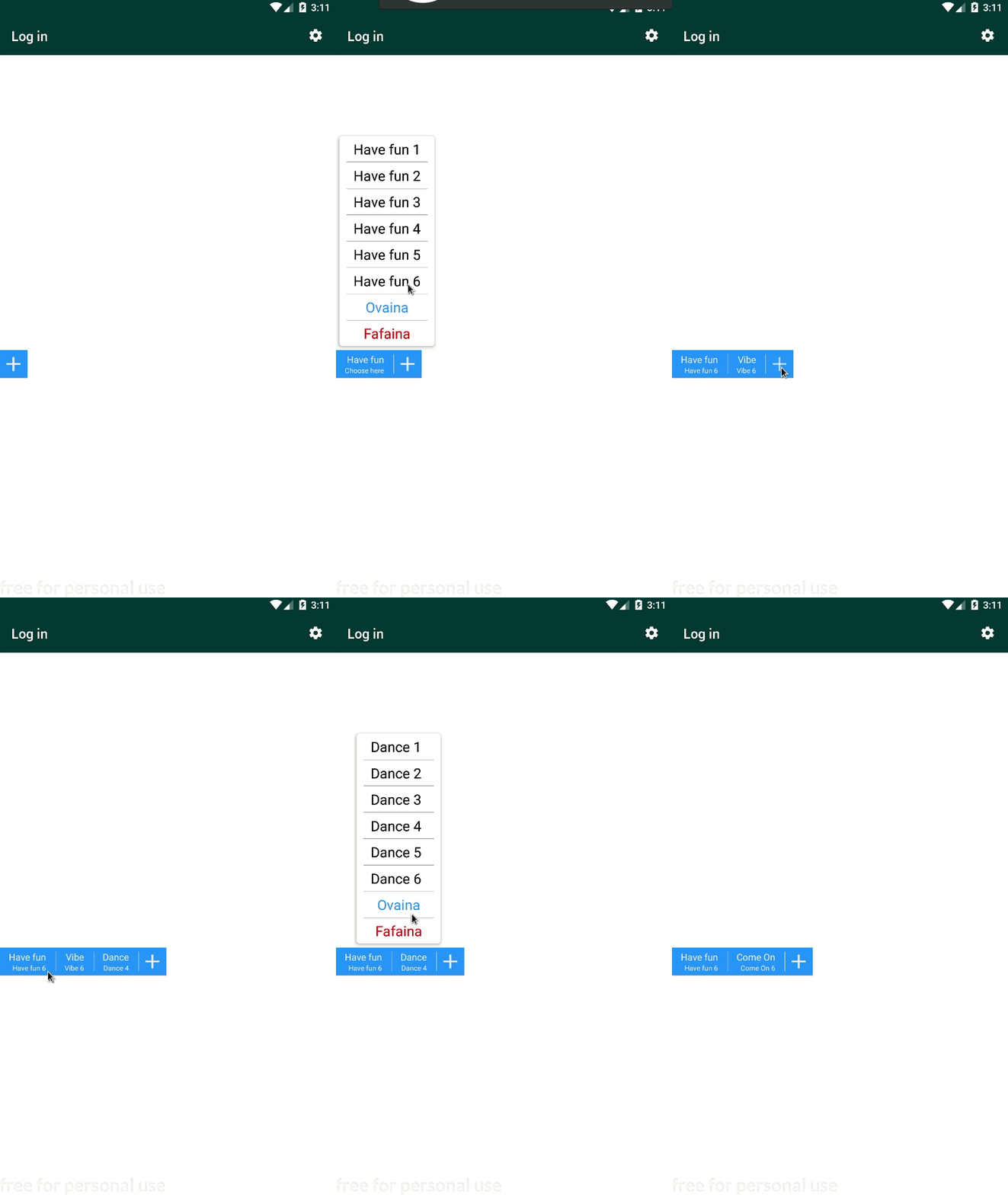
A Tree Band is a data lifeline for a tree structured data, The TreeBand Components will help you to easily navigate in your data. RNTreeBand uses Promises to move from a node to another one.
Want a Component to trace you tree line? You've got choice between `TreeView` band and `DoubleChoice` band
| TreeView |
DoubleChoice |
 |
 |
## Installation
To install run commands:
```sh
$ npm i -s react-native-tree-band
```
or
```sh
$ yarn add react-native-tree-band
```
## Tests
#### Default Test
```js
import {DoubleChoice, TreeView} from 'react-native-tree-band'
```
```js
render(){
return(
// ...
// ...
)
}
```
#### Simple Test
```js
const stuffs = {
'foods': [
{label: 'Donut'},
{label: 'Hot Dog'},
{label: 'Pizza'},
],
cars: [
{label: 'Mc Lauren'},
{label: 'Nissan', type: 'nissan'},
],
nissan: [
{label: 'FS 0004'},
{label: 'FS 008'},
],
}
const options = [
{label: 'Food', type: 'foods', key: 0},
{label: 'Cars', type: 'cars', key: 1},
{label: 'Pizza', type: 'pizzas', key: 2}
]
const getOptionsForDoubleChoice = async ({item, options, index}) => {
return item.type ? [] : (stuffs[item.type] || [])
}
const getOptionsForTreeView = async ({item, index}) => {
// maybe await for something
return item.type ? [] : (stuffs[item.type] || [])
}
class MyComponent extends Component {
render(){
return(
// ...
// ...
)
}
}
```
## Use of Components
RNTB was built as every part of the componennt can be stylized the way you want, just by passing some style props.
#### List Of props
| name | Type |default | Details | With |
|-|-|-|-|-|
|style|StyleSheet Object| none | Stylize the bandParent (see Component tructure) | Both
|bandHeight|number| 30 | Height of the band | Both
|bandStyle|StyleSheet Object| none | Band style `ex: {top:70, width: '100%'}` | Both
|initialOptions|Array of Option (see Option structure)| default | Array of main options show on start | Both
|dropdownCollapse|number|5|Margin around Dropdowns | Both
|getOptions|function|default| Function to call to determine subOptions (next Options) | Both
|dropdownStyle|Object | none | Main dropdown style (see dropdownStyle) | Both
|itemDropdownStyle|Object | none | Sub-item dropdown style (see dropdownStyle) | DoubleChoice
|optionLabels|Object | none | Labels for delete and Modify Buttons (see optionLabels)|DoubleChoice
| single | boolean (or just presence) | false | Make List of Choice unique for use | DoubleChoice
| autoPress | boolean (or just presence) | false | Make subchoice open after main choice is done | DoubleChoice
### Options (getOptions and initialOptions)
If you read the previous `Simple Test` section, you can see there are async functions that are called each time the tree changes, and the returned list are used in dropdown to compute the next tree level, these are **options** computed by the passed `getOption` function prop.
Thus, at the begining the Component needs a start point, the initial list of choice `initialOptions`.
Options is an array of object with `label` property, and eventualy with `key` property. Otherwise you can add any other properties as you want.
- `label` is used in for displaying on dropdown and others and is required,
- `key` is used only on `DoubleChoice` if you use `single` prop.
```js
const options = [
{label: 'Food', key: 0, ...},
{label: 'Cars', key: 1, ...},
{label: 'Pizza', key: 2, ...}
]
```
### dropdownStyle and itemDropdownStyle
These props are object with some keys used to stylize the dropdown.
There are ssseven keys
```js
render = () => ()
```
- `dropdown` : For the dropdown element View
- `item` : For the dropdown item View
- `itemText` : For the dropdown item Text
- `remove` : For **remove button** (only with DoubleChoice)
- `removeText` : For **remove button text** (only with DoubleChoice)
- `modify` : For **modify button** (only with DoubleChoice)
- `modifyText` : For **modify button** text (only with DoubleChoice)
### optionLabels (DoubleChoice only)
`optionLabels` is an Object label props for options in DoubleChoice.
```js
// ...
optionLabels = {{
remove: "Remove it bro 😣",
confirmRemove: "Please don't 😥",
modify: "Change it bro! 😆"
}}
```
---
_Source: https://npm.io/package/react-native-tree-band · Machine-readable twin of the npm.io package page. Health data is recomputed on every publish._