# react-nice-input-password
> React input password with builtin strength meter and Material UI support
Latest version **2.7.0** (published 2020-09-08) · MIT license · 0 weekly downloads
> **Deprecated.** This package is deprecated.
## Install
```sh
npm install react-nice-input-password
pnpm add react-nice-input-password
yarn add react-nice-input-password
bun add react-nice-input-password
```
## Health
**Score 10/100 (F)** — status: deprecated.
Negative: deprecated.
## Facts
| | |
|---|---|
| Version | 2.7.0 |
| Published | 2020-09-08 |
| First published | 2018-01-13 |
| Weekly downloads | 0 |
| License | MIT |
| TypeScript types | none |
| Module format | CommonJS |
| Dependencies | 3 |
| Unpacked size | 27.9 KB |
| Known vulnerabilities | 0 |
| Install scripts | no |
| Author | Renan Borges |
| Maintainers | renanborgez |
| Keywords | react, react-component, input, password, component |
## Links
- npm: https://www.npmjs.com/package/react-nice-input-password
- Repository: https://github.com/renanborgez/react-nice-input-password
- Homepage: https://github.com/renanborgez/react-nice-input-password#readme
- Issues: https://github.com/renanborgez/react-nice-input-password/issues
- npm.io page: https://npm.io/package/react-nice-input-password
## Dependencies (3)
- [react](https://npm.io/package/react.md) ^16.2.0
- [react-dom](https://npm.io/package/react-dom.md) ^16.2.0
- [prop-types](https://npm.io/package/prop-types.md) ^15.6.0
## Alternatives
- [mobx-react](https://npm.io/package/mobx-react.md) — 2.8M weekly downloads
- [rc-tree](https://npm.io/package/rc-tree.md) — 2.6M weekly downloads
- [@react-oauth/google](https://npm.io/package/@react-oauth/google.md) — 1.3M weekly downloads
- [@wagmi/connectors](https://npm.io/package/@wagmi/connectors.md) — 877.0K weekly downloads
- [vee-validate](https://npm.io/package/vee-validate.md) — 836.4K weekly downloads
## Recent versions
- 2.7.0 (latest) — 2020-09-08
- 2.6.1 — 2020-09-08
- 2.6.0 — 2020-09-07
- 2.5.1 — 2020-09-03
- 2.5.0 — 2020-09-03
- 2.4.0 — 2020-09-03
- 2.3.1 — 2019-09-27
- 2.3.0 — 2019-09-27
- 2.2.0 — 2019-09-27
- 2.1.5 — 2018-01-15
- 2.1.4 — 2018-01-15
- 2.1.3 — 2018-01-15
- 2.1.2 — 2018-01-15
- 2.1.1 — 2018-01-15
- 2.1.0 — 2018-01-15
- … 16 more at https://npm.io/package/react-nice-input-password/versions
## README
# React-Nice-Input-Password
[](https://travis-ci.org/renanborgez/react-nice-input-password)
[](https://coveralls.io/github/renanborgez/react-nice-input-password?branch=master)
[](https://app.fossa.io/projects/git%2Bgithub.com%2Frenanborgez%2Freact-nice-input-password?ref=badge_shield) [](https://snyk.io//test/github/renanborgez/react-nice-input-password?targetFile=package.json)
An input password built with and for [React](http://facebook.github.io/react/index.html)
and works nicely with [Material-UI](https://material-ui.com/)
## Demo
[https://codesandbox.io/s/o1v16rqqrz](https://codesandbox.io/s/o1v16rqqrz)
### Material UI Support
[](docs/material.png)
### And more ...
[](docs/andmore.png)
## Installation
```
npm install react-nice-input-password --save
```
## Usage
```js
import NiceInputPassword from 'react-nice-input-password';
import 'react-nice-input-password/dist/react-nice-input-password.css';
```
React-Nice-Input-Password uses the traditional input[type=password] behinde the cenes.
The strenght configuration can be passed as an `array` of `objects` to the prop `securityLevels`.
You can see a sample of code bellow:
```js
import React from 'react';
import NiceInputPassword from 'react-nice-input-password';
import 'react-nice-input-password/dist/react-nice-input-passord.css';
class App extends React.Component {
state = {}
handleChange = (data) => {
this.setState({
[data.name]: data.value,
});
}
render() {
const { passwordField } = this.state;
const value = passwordField && passwordField.value;
return (
);
}
}
```
### Usage with Material-UI
```js
import React from 'react';
import NiceInputPassword from 'react-nice-input-password';
import {TextField, InputLabel, Typography} from '@material-ui/core';
import LockIcon from '@material-ui/icons/Lock';
class App extends React.Component {
state = {}
handleChange = (data) => {
this.setState({
[data.name]: data.value,
});
}
render() {
const { passwordField } = this.state;
const value = passwordField && passwordField.value;
return (
,
}
}}
securityLevels={[
{
descriptionLabel: 1 number,
validator: /.*[0-9].*/,
},
{
descriptionLabel: 1 lowecase letter,
validator: /.*[a-z].*/,
},
{
descriptionLabel: 1 uppercase letter,
validator: /.*[A-Z].*/,
},
]}
/>
);
}
}
```
### Custom classNames
You can provide a custom `className` to the Nice Input Password and custom `className` to the color levels, which will be added to input, description and bullets level elements using `dangerClassName`, `warningClassName` and `successClassName`.
### Select Props
| Property | Type | Default | Description |
|:---|:---|:---|:---|
| label | string or function | undefined | The label showned on top of input element |
| name | string | undefined | The name used on input element `name={name}` |
| visible | boolean | false | Make the password visible by changing the input type to text |
| placeholder | string | (empty string) | The placeholder used on input element `placeholder={placeholder}` |
| className | string | (empty string) | Optional class to be passed to niceinputpassword context |
| style | object | undefined | Optional style to be passed to input field |
| LabelComponent | ReactComponent | input | Optional label component to be used
| InputComponent | ReactComponent | input | Optional input component to be used
| InputComponentProps | Object | null | Optional object to be passed to the custom `InputComponent`
| renderLevelBarComponent | Render function | null | Optional function to return a custom levelbar component
| normalClassName | string | 'none' | The className used on level color
| dangerClassName | string | 'danger' | The className used on level color
| warningClassName | string | 'warning' | The className used on level color
| successClassName | string | 'success' | The className used on level color
| startAdornment | ReactNode | undefined | Start adornment for this component
| endAdornment | ReactNode | undefined | End adornment for this component
| value | string | undefined | The value to be renderized on element
| showSecurityLevelBar | bool | false | Key to show or not the security level bullets of password
| showSecurityLevelDescription | bool | false | Key to show or not the security level description securityLevels object
| securityLevels | array of objects | [] | The array containing the objects to validate the password, see a sample of this object on after this table
| onChange | func | undefined | onChange handler: `@params: { name, value, isValid}`
## License
MIT Licensed. Copyright (c) Renan Borges.
[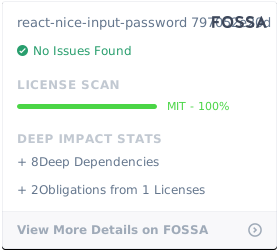](https://app.fossa.io/projects/git%2Bgithub.com%2Frenanborgez%2Freact-nice-input-password?ref=badge_large)
---
_Source: https://npm.io/package/react-nice-input-password · Machine-readable twin of the npm.io package page. Health data is recomputed on every publish._