# react-pdf-bidi-support
> This package is used to _create_ PDFs using React. If you wish to _display_ existing PDFs, you may be looking for [react-pdf](https://github.com/wojtekmaj/react-pdf).
Latest version **2.0.0** (published 2022-09-24) · MIT license · 0 weekly downloads
## Install
```sh
npm install react-pdf-bidi-support
pnpm add react-pdf-bidi-support
yarn add react-pdf-bidi-support
bun add react-pdf-bidi-support
```
## Health
**Score 15/100 (F)** — status: abandoned.
Positive: no vulnerabilities.
Warnings: low downloads; no types; no esm support; large bundle.
Negative: abandoned; low maintenance score.
## Facts
| | |
|---|---|
| Version | 2.0.0 |
| Published | 2022-09-24 |
| First published | 2022-09-24 |
| Weekly downloads | 0 |
| License | MIT |
| TypeScript types | none |
| Module format | CommonJS |
| Dependencies | 0 |
| Unpacked size | 14.8 MB |
| Known vulnerabilities | 0 |
| Install scripts | no |
| GitHub stars | 0 |
| Author | Diego Muracciole |
| Maintainers | wdil |
## Links
- npm: https://www.npmjs.com/package/react-pdf-bidi-support
- Repository: git@github.com:Levy-D/-react-pdf-bidi
- Homepage: https://github.com/Levy-D/-react-pdf-bidi
- npm.io page: https://npm.io/package/react-pdf-bidi-support
## Recent versions
- 2.0.0 (latest) — 2022-09-24
## README

React renderer for creating PDF files on the browser and server





> New react-pdf 2.0 was released. [Read about the announcement](http://react-pdf.org/blog/announcing-react-pdf-v2)
## Lost?
This package is used to _create_ PDFs using React. If you wish to _display_ existing PDFs, you may be looking for [react-pdf](https://github.com/wojtekmaj/react-pdf).
## How to install
```sh
yarn add @react-pdf/renderer
```
### Webpack 5
Webpack 5 doesn't include node shims automatically anymore and we must opt-in to all shims we want. To do this we have to add a few dependencies to our project:
```sh
yarn add process browserify-zlib stream-browserify util buffer assert
```
after the modules are installed, we need to adjust our `webpack.config` file:
```js
const webpack = require("webpack");
module.exports = {
/* ... */
resolve: {
fallback: {
process: require.resolve("process/browser"),
zlib: require.resolve("browserify-zlib"),
stream: require.resolve("stream-browserify"),
util: require.resolve("util"),
buffer: require.resolve("buffer"),
assert: require.resolve("assert"),
}
},
plugins: [
new webpack.ProvidePlugin({
Buffer: ["buffer", "Buffer"],
process: "process/browser",
}),
]
/* ... */
}
```
## How it works
```jsx
import React from 'react';
import { Document, Page, Text, View, StyleSheet } from '@react-pdf-bidi/renderer';
// Create styles
const styles = StyleSheet.create({
page: {
flexDirection: 'row',
backgroundColor: '#E4E4E4'
},
section: {
margin: 10,
padding: 10,
flexGrow: 1
}
});
// Create Document Component
const MyDocument = () => (
Section #1
Section #2
);
```
### `Web.` Render in DOM
```jsx
import React from 'react';
import ReactDOM from 'react-dom';
import { PDFViewer } from '@react-pdf-bidi/renderer';
const App = () => (
);
ReactDOM.render(, document.getElementById('root'));
```
### `Node.` Save in a file
```jsx
import React from 'react';
import ReactPDF from '@react-pdf-bidi/renderer';
ReactPDF.render(, `${__dirname}/example.pdf`);
```
## Contributors
This project exists thanks to all the people who contribute. Looking to contribute? Please check our [[contribute]](https://github.com/diegomura/react-pdf/blob/master/.github/CONTRIBUTING.md) document for more details about how to setup a development environment and submitting code.
 ## Sponsors
Thank you to all our sponsors! [[Become a sponsors](https://opencollective.com/react-pdf#sponsors)]
## Sponsors
Thank you to all our sponsors! [[Become a sponsors](https://opencollective.com/react-pdf#sponsors)]
 ## Backers
Thank you to all our backers! [[Become a backer](https://opencollective.com/react-pdf#backer)]
## Backers
Thank you to all our backers! [[Become a backer](https://opencollective.com/react-pdf#backer)]
 ## License
MIT © [Diego Muracciole](http://github.com/diegomura)
[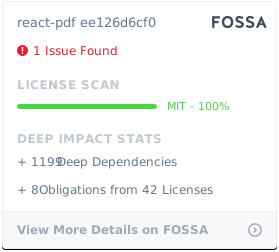](https://app.fossa.com/projects/git%2Bgithub.com%2Fdiegomura%2Freact-pdf?ref=badge_large)
---

---
_Source: https://npm.io/package/react-pdf-bidi-support · Machine-readable twin of the npm.io package page. Health data is recomputed on every publish._
## License
MIT © [Diego Muracciole](http://github.com/diegomura)
[](https://app.fossa.com/projects/git%2Bgithub.com%2Fdiegomura%2Freact-pdf?ref=badge_large)
---

---
_Source: https://npm.io/package/react-pdf-bidi-support · Machine-readable twin of the npm.io package page. Health data is recomputed on every publish._