# react-qmap
> react qqmap component
Latest version **0.1.9** (published 2020-06-17) · MIT license · 0 weekly downloads
## Install
```sh
npm install react-qmap
pnpm add react-qmap
yarn add react-qmap
bun add react-qmap
```
## Health
**Score 15/100 (F)** — status: abandoned.
Positive: no vulnerabilities.
Warnings: low downloads; no types; no esm support; pre 1.0.
Negative: abandoned; low maintenance score.
## Facts
| | |
|---|---|
| Version | 0.1.9 |
| Published | 2020-06-17 |
| First published | 2018-03-09 |
| Weekly downloads | 0 |
| License | MIT |
| TypeScript types | none |
| Module format | CommonJS |
| Dependencies | 1 |
| Unpacked size | 890.7 KB |
| Known vulnerabilities | 0 |
| Install scripts | no |
| GitHub stars | 77 |
| Author | chenghao |
| Maintainers | yezihaohao |
| Keywords | react, map, react-map |
## Links
- npm: https://www.npmjs.com/package/react-qmap
- Repository: https://github.com/yezihaohao/react-qmap
- Issues: https://github.com/yezihaohao/react-qmap/issues
- npm.io page: https://npm.io/package/react-qmap
## Dependencies (1)
- [prop-types](https://npm.io/package/prop-types.md) ^15.6.1
## Alternatives
- [mobx-react](https://npm.io/package/mobx-react.md) — 2.8M weekly downloads
- [rc-tree](https://npm.io/package/rc-tree.md) — 2.6M weekly downloads
- [@react-oauth/google](https://npm.io/package/@react-oauth/google.md) — 1.3M weekly downloads
- [@wagmi/connectors](https://npm.io/package/@wagmi/connectors.md) — 877.0K weekly downloads
- [vee-validate](https://npm.io/package/vee-validate.md) — 836.4K weekly downloads
## Recent versions
- 0.1.9 (latest) — 2020-06-17
- 0.1.8-beta (beta) — 2020-06-17
- 0.1.7-12855251s (=beta) — 2020-06-14
- 0.1.8 — 2020-06-16
- 0.1.7-12876251s — 2020-06-14
- 0.1.7-12351251s — 2020-06-14
- 0.1.7-beta — 2020-06-14
- 0.1.6 — 2019-07-21
- 0.1.5 — 2018-03-21
- 0.1.4 — 2018-03-20
- 0.1.3 — 2018-03-19
- 0.1.2 — 2018-03-10
- 0.1.1 — 2018-03-09
- 0.1.0 — 2018-03-09
## README
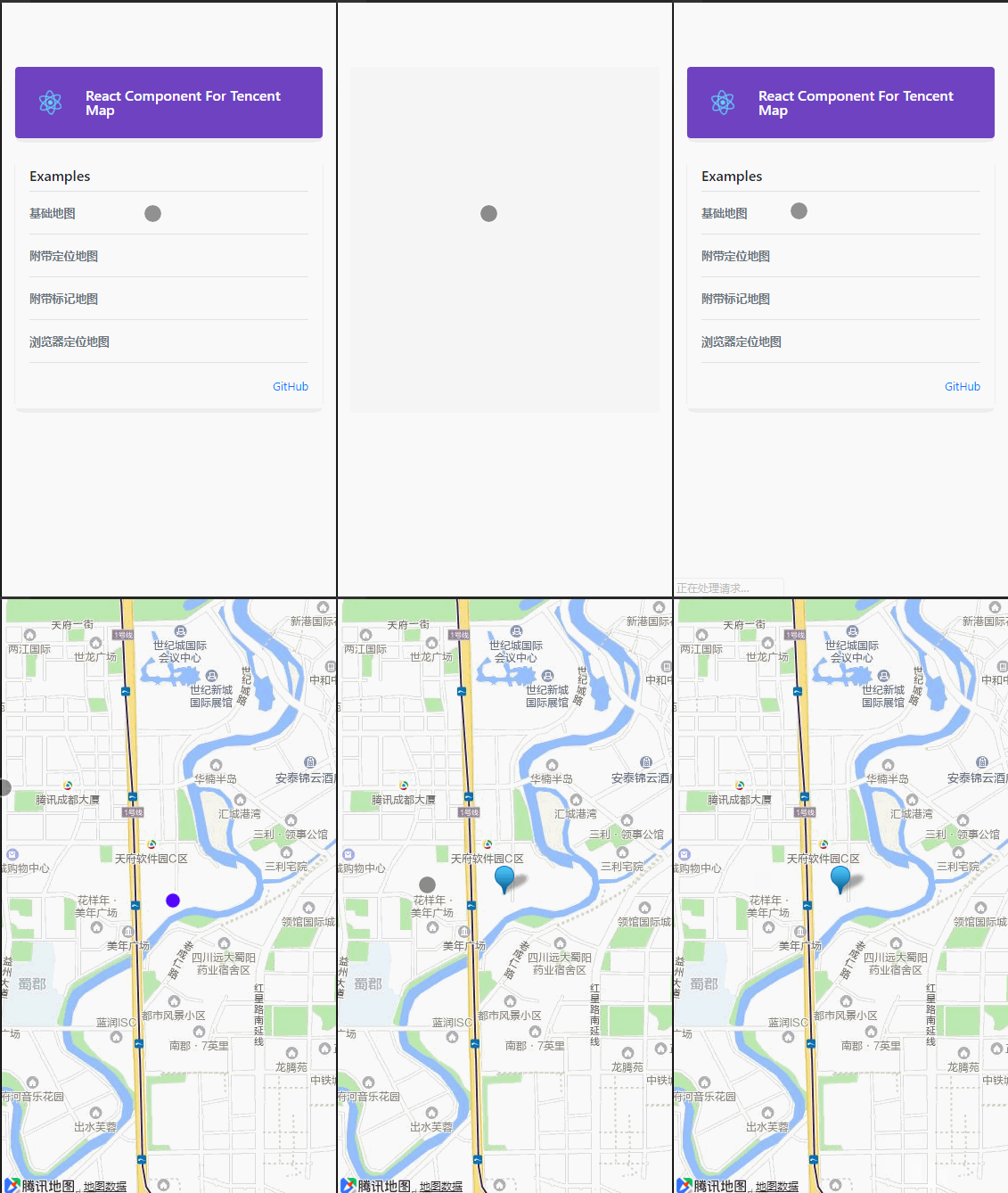
# react-qmap -- React腾讯地图组件
#### 一个对腾讯web地图简单封装的React组件
**GitHub源码地址:[戳我](https://github.com/yezihaohao/react-qmap)**
**栗子:[戳我](https://react-qmap-8meha15de.vercel.app/)**
**栗子源码:[戳我](https://github.com/yezihaohao/react-qmap/tree/master/examples/src/components/maps)**
**安装**
```
yarn add react-qmap
or npm install react-qmap
```
**基础用法**
```
import ReactQMap from 'react-qmap';
```
#### API
Method | Type | Optional | Default | Description
----------------- | -------- | -------- | --------| -----------
getMap | function | false | | 获取地图的对象和当前容器的map对象,第一个参数是new的当前map对象,第二个参数是全局map对象
style | object| false | | 设置组件的内联样式,默认样式width: '100%', height: '100%'
className | string| false | | 设置组件的class
mySpot | object| false | | 设置地图的定位坐标
initialOptions | object| false | zoom: 14,disableDefaultUI: true, zoomControl: false,mapTypeControl: false, | 初始化地图的参数,简单默认设置了几个,更多的初始化参数请参照[文档](http://lbs.qq.com/javascript_v2/doc/mapoptions.html)
apiKey | string| true | | 设置地图引用的key,为防止限制调用API,建议[官网](http://lbs.qq.com/index.html)申请自己的key
center | object| true | | 设置地图初始化的中心位置坐标
getContainer | function| false | | 获取地图的html dom元素的函数,参数是当前地图挂载的元素DOM
libraries | array| false | | 设置地图的libraries库,支持数组传多个库,[示例](https://react-qmap.yezihaohao.vercel.app/#/drawing),其他具体库的用法请参考官网
#### 其他框架和库的支持
##### [taro](https://github.com/NervJS/taro)
编译之后有问题,所以暂时采取复制文件到项目中的方式:
文件:[https://github.com/yezihaohao/react-qmap/blob/master/examples/src/components/maps/TaroQMap.js](https://github.com/yezihaohao/react-qmap/blob/master/examples/src/components/maps/TaroQMap.js)
```js
// 复制文件到相应的目录,例如当前文件目录
// taro对应的文件代码中使用
import TaroQMap from './TaroQMap';
{process.env.TARO_ENV === 'h5' && (
)}
```
#### 关于
有了初始化的地图,获取到地图对象之后,就可以按照官网提供的资料随心所欲了。
更多关于API的操作请查看腾讯地图官网([戳我](http://lbs.qq.com/javascript_v2/doc/index.html#g0))
封装还在继续,如果老铁有更好的方式或想法不妨PR走起一波~会给你双击666
如果有问题可加入前端交流群一起讨论:前端攻城狮②群:592688854
#### license
MIT
---
_Source: https://npm.io/package/react-qmap · Machine-readable twin of the npm.io package page. Health data is recomputed on every publish._