# rn-customize-avatar
> This package is inspired by whatsapp, instagram custom avatar. You can customize your own avatar and use as a profile in your project
Latest version **1.0.7** (published 2024-04-20) · MIT license · 0 weekly downloads
## Install
```sh
npm install rn-customize-avatar
pnpm add rn-customize-avatar
yarn add rn-customize-avatar
bun add rn-customize-avatar
```
## Health
**Score 25/100 (F)** — status: abandoned.
Positive: has types; no vulnerabilities; high quality score.
Warnings: low downloads; no esm support.
Negative: abandoned; low maintenance score.
## Facts
| | |
|---|---|
| Version | 1.0.7 |
| Published | 2024-04-20 |
| First published | 2023-03-01 |
| Weekly downloads | 0 |
| License | MIT |
| TypeScript types | bundled |
| Module format | CommonJS |
| Dependencies | 4 |
| Unpacked size | 205.6 KB |
| Known vulnerabilities | 0 (+1 in 1 direct dependencies) |
| Install scripts | no |
| GitHub stars | 10 |
| Author | Vishu Madaan |
| Maintainers | vishu25 |
| Keywords | react, react-native, react-component, native, component, Avatar, Custom Avatar, DiceBear, Whatsapp Avatar, SnapChat Avatar, react-native-customize-avatar, react-native-avatar, react-native-user-avatar, customize-avatar, custom-avatar, react-native-component, avatar component, native-component, IOS, Android, Dicebear, NPM avatar, Npm |
## Links
- npm: https://www.npmjs.com/package/rn-customize-avatar
- Repository: https://github.com/vishu25/rn-customize-avatar
- Homepage: https://github.com/vishu25/rn-customize-avatar#readme
- Issues: https://github.com/vishu25/rn-customize-avatar/issues
- npm.io page: https://npm.io/package/rn-customize-avatar
## Dependencies (4)
- [@dicebear/core](https://npm.io/package/@dicebear/core.md) ^5.3.4
- [@dicebear/collection](https://npm.io/package/@dicebear/collection.md) ^5.3.4
- [@dicebear/notionists](https://npm.io/package/@dicebear/notionists.md) ^8.0.0
- [@shopify/react-native-skia](https://npm.io/package/@shopify/react-native-skia.md) ^0.1.173
## Alternatives
- [mobx-react](https://npm.io/package/mobx-react.md) — 2.8M weekly downloads
- [rc-tree](https://npm.io/package/rc-tree.md) — 2.6M weekly downloads
- [@react-oauth/google](https://npm.io/package/@react-oauth/google.md) — 1.3M weekly downloads
- [@wagmi/connectors](https://npm.io/package/@wagmi/connectors.md) — 877.0K weekly downloads
- [vee-validate](https://npm.io/package/vee-validate.md) — 836.4K weekly downloads
## Recent versions
- 1.0.7 (latest) — 2024-04-20
- 1.0.6 — 2024-03-24
- 1.0.5 — 2024-03-17
- 1.0.4 — 2023-03-02
- 1.0.3 — 2023-03-01
- 1.0.2 — 2023-03-01
- 1.0.1 — 2023-03-01
- 1.0.0 — 2023-03-01
## README
rn-customize-avatar
react-native-customize-avatar is a customizable avatar builder for React Native, inspired by social media platforms like WhatsApp , Instagram and Snapchat. It allows you to create avatars with custom faces, hairstyles, accessories, beards, and colors.😎 Avatar Builder uses the Dicebear and Skia libraries to generate unique avatars for each user.😍


## Installation
Since the library is a JS-based solution, to install the latest version of `rn-customize-avatar`:
```bash
npm install --save rn-customize-avatar @shopify/react-native-skia
```
## Alert
You have to install any one of them npm according to your need.
Avataaars

```bash
npm i @dicebear/avataaars
```
Adventurer Neutral

```bash
npm i @dicebear/adventurer-neutral
```
BigEars

```bash
npm i @dicebear/bigEars
```
Lorelei
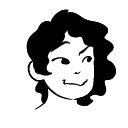
```bash
npm i @dicebear/lorelei
```
Micah

```bash
npm i @dicebear/micah
```
Croodles

```bash
npm i @dicebear/croodles
```
Notionists

```bash
npm i @dicebear/Notionists
```
## Rest Avatar Coming Soon... ♥️
## Try it out
You can try out the [DiceBear](https://dicebear.com/) website to get a tease of the functionalities in this lib.
## Basic Usage
The Basic use of Avataars container. That's Simple 😬
```jsx
import React from 'react';
import { View } from 'react-native';
import { Avataars } from 'rn-customize-avatar/avataaars';
function App() {
return (
);
}
```
## Common Props in all Avatars
| Property | Default | Optional | Description |
| --------------- | ---------------- | -------- | ------------------------------------------------------------------------------------------ |
| backgroundColor | `red` | Yes | Use to Change the Color of Avatar Background Container |
| svgWidth | `280` | Yes | `svgWidth` increase the width of Avatar |
| svgHeight | `280` | Yes | `svgHeight` increase the height of Avatar |
| defaultAvatar | `CustomAvatar` | Yes | If you want to change the look to default avatar use can use this props |
| listBgColor | `grey` | Yes | `listBgColor` Change the background color of list |
| cancelBtnStyle | `Style` | Yes | Change the style of cancel Button `cancelBtnStyle` time |
| doneBtnStyle | `Style` | Yes | `doneBtnStyle` Change the style of done Button |
| chipStyle | `Style` | Yes | Use to Change the container Style of slider option item`chipStyle` |
| chipText | `TextStyle` | Yes | Use this to change the style of text inside option chip container |
| onDone | `(base64) => {}` | Yes | The `onDone` \_prop is a callback it is used to get the final avatar in the form of base64 |
| onCancel | `() => {}` | Yes | The `onCancel` is a callback use to cancel go back |
| flatListProps | `FlatListStyle` | Yes | Apply a custom style object in Flatlist |
## Avataaars
These are some props that are related to Avataaars
| `Props` | `Usage` |
| ---------------------- | ----------------------------------------------- |
| `skinTonColorList` | Add custom colors in the `skinTonColorList` |
| `hairColorList` | Add custom colors in the `hairColorList` |
| `backgroundColorList` | Add custom colors in the `backgroundColorList` |
| `accessoriesColorList` | Add custom colors in the `accessoriesColorList` |
| `facialHairColorList` | Add custom colors in the `facialHairColorList` |
| `hatColorList` | Add custom colors in the `hatColorList` |
| `clothColorList` | Add custom colors in the `clothColorList` |
# Example
color should be add without `#` otherwise it's not visible in the list
```jsx
import React from 'react';
import { View } from 'react-native';
import { Avataars } from 'rn-customize-avatar/avataars';
function App() {
return (
);
}
```
## Adventurer Neutral
These are some props that are related to Adventurer Neutral
| `Props` | `Usage` |
| --------------------- | ---------------------------------------------- |
| `backgroundColorList` | Add custom colors in the `backgroundColorList` |
# Example
color should be add without `#` otherwise it's not visible in the list
```jsx
import React from 'react';
import { View } from 'react-native';
import { AdventureNeutral } from 'rn-customize-avatar/adventureNeutral';
function App() {
return (
);
}
```
## Rest of the Avatars have a similar props used to pass the custom colors in the list (If you find any issue in it please comment)
## Coming to Advance Options
If you want to make your own screen with different ui you can. 😎
Suppose you have to change the UI of Avataars Component. You can export the following functions to get the SVG's
These are some functions that are related to `Avataar`
| `Functions` | `Usage` |
| ------------------------ | -------------------------------------------------------------------------------------------------------------------------------------- |
| `createOwnAvatar` | `return the SkSVG `, by props you can change the style of avatar |
| `getListOfOptions` | `return the Array` list of category |
| `getSkinTon` | `return Array` list of default colors |
| `getMouthSvg` | `return Array- ` Item is basically object includes SkSVG and value use to get the list of SVG's and value |
| `getEyesSvg` | `return Array
- ` Item is basically object includes SkSVG and value use to get the list of eyes |
| `getClothingSvg` | `return Array
- ` Item is basically object includes SkSVG and value use to get the list of clothes |
| `getClothingGraphicsSvg` | `return Array
- ` Item is basically object includes SkSVG and value use to get the list of clothing graphics |
| `getAccessoriesSvg` | `return Array
- ` Item is basically object includes SkSVG and value use to get the list of accessories |
| `etc.` | `Please check other props it's same as following pros with same return type just return different SVG's according with there name.♥️ ` |
These are some functions that are related to `BigEars`
| `Functions` | `Usage` |
| ------------------ | -------------------------------------------------------------------------------------------------------------------------------------- |
| `createOwnAvatar` | `return the SkSVG `, by props you can change the style of BigEars |
| `getListOfOptions` | `return the Array` list of category |
| `getSkinTon` | `return Array` list of default colors |
| `getMouthSvg` | `return Array
- ` Item is basically object includes SkSVG and value use to get the list of SVG's and value |
| `getEyesSvg` | `return Array
- ` Item is basically object includes SkSVG and value use to get the list of eyes |
| `getEarsSvg` | `return Array
- ` Item is basically object includes SkSVG and value use to get the list of ears |
| `getFaceSvg` | `return Array
- ` Item is basically object includes SkSVG and value use to get the list of faces graphics |
| `getSideBurnSvg` | `return Array
- ` Item is basically object includes SkSVG and value use to get the list of side Burn |
| `etc.` | `Please check other props it's same as following pros with same return type just return different SVG's according with there name.♥️ ` |
## Rest of the avatar's have a similar type of function you can check in the codebase. If you are facing any issue please contact me in my email mention in the contact section. ✌️
## Example
```jsx
import React from "react";
import { View } from "react-native";
import {getListOfOptions, getSkinTon,getEyesSvg } from 'rn-customize-avatar/bigEars';
useEffect(() => {
const options = getListOfOptions() // synchronous function ♥️
const eyes = getEyesSvg() // same synchronous function ♥️ return Array
-
console.log("options",options)
console.log("eyes",eyes)
},[])
function App() {
return (
);
}
```
## IMPORTANT
What is the use case of SKSVG ?
SkSVG is like a svg basically generated by `Skia`. To render the SKSVG you can use the following component. I have create a custom component by this you can render SkSVG.
## Example
```jsx
import React from "react";
import { View } from "react-native";
import {SkSvgView} from 'rn-customize-avatar';
function App() {
return (
);
}
```
## Donation
If this project helped you to reduce your developing time, you can give me a cup of coffee :) ♥️
[](https://www.buymeacoffee.com/vishumadaaQ)
## Documentation
More details and use cases coming soon.
## :e-mail: Contact
If you have any question, please email `vishumadaan25@gmail.com`.
## License
[MIT](https://choosealicense.com/licenses/mit/)
---
_Source: https://npm.io/package/rn-customize-avatar · Machine-readable twin of the npm.io package page. Health data is recomputed on every publish._