# scrollable-view
> scrollable-view
Latest version **0.0.1** (published 2017-06-26) · ISC license · 0 weekly downloads
## Install
```sh
npm install scrollable-view
pnpm add scrollable-view
yarn add scrollable-view
bun add scrollable-view
```
## Health
**Score 15/100 (F)** — status: abandoned.
Positive: no vulnerabilities.
Warnings: low downloads; no types; no esm support; pre 1.0.
Negative: abandoned; low maintenance score.
## Facts
| | |
|---|---|
| Version | 0.0.1 |
| Published | 2017-06-26 |
| First published | 2017-06-26 |
| Weekly downloads | 0 |
| License | ISC |
| TypeScript types | none |
| Module format | CommonJS |
| Dependencies | 0 |
| Known vulnerabilities | 0 |
| Install scripts | no |
| GitHub stars | 0 |
| Author | qiuguohui |
| Maintainers | qiuguohui |
| Keywords | scrollable-view |
## Links
- npm: https://www.npmjs.com/package/scrollable-view
- Repository: https://github.com/qgh810/scrollable-view
- Homepage: https://github.com/qgh810/scrollable-view#readme
- Issues: https://github.com/qgh810/scrollable-view/issues
- npm.io page: https://npm.io/package/scrollable-view
## Recent versions
- 0.0.1 (latest) — 2017-06-26
## README
## scrollable-view
##### 文字动画和数字动画 animate text
[查看DEMO](http://qgh810.github.io/demo/animate-text/index.html)
轻巧的文字动画库, 使用简单, 文件大小4k
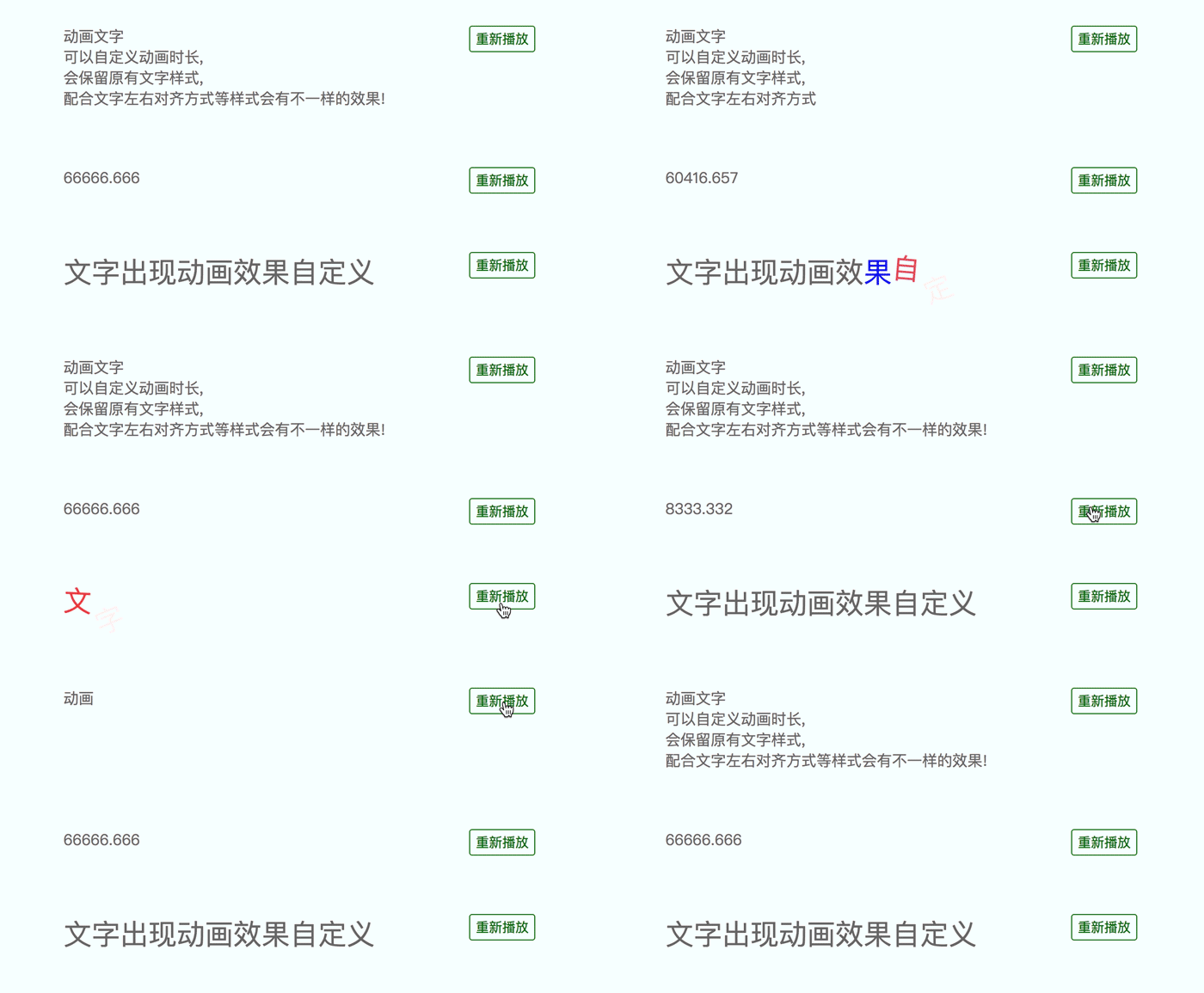
可以给文字添加出现动画, 支持字符串打字效果和数字变化效果, 支持监听动画结束事件[这里封装了vue组件](https://github.com/qgh810/animate-text/tree/master/vue)
项目持续更新和维护
### 安装方法
- 方式一
```bash
npm install animate-text --save
```
- 方式二
```bash
下载项目中的dist/animate-text.min.js, 然后用script标签插入到你的项目中, 如下
这种方式可以通过window.AnimateText访问
```
```html
```
### 使用方法
```js
import AnimateText from 'animate-text'
// 最简单的使用方法
new AnimateText('.text')
// 如果需要定义动画时间可以这样初始化
new AnimateText('.text', 1000)
// 如果还有其它设置 请这样写
new AnimateText('.text', {
time: 1000, // 动画时长
isNumber: true, // 是否渲染为数字动画
startNumber: 0, // 渲染为数字动画时 动画的开始数字
changeCount: 32, // 数字动画数字变化次数
onAnimated: function () {console.log('动画结束')} // 动画结束事件回调
})
```
###### 参数说明
AnimateText接收两个参数, 例如: new AnimateText(element, options)
| 参数 | 类型 | 是否必填 | 描述 |
| :---: | :--- | :---: | :--- |
| element | String or Object | 是 | 可以是选择器或者dom节点对象(请保证这个节点内只有文本而没有其它节点) |
| options | Number or Object | 否 | 如果第二个参数是数字, 则当作动画时间处理, 如果有其他参数, 以对象格式传递, 具体每个属性的描述请看下方的 options说明 |
###### options说明
第二个参数options详细说明
| 参数 | 类型 | 默认值 | 是否必填 | 描述 |
| :---: | :--- | :---: | :---: | :--- |
| time | Number | 500 | 否 | 动画持续的时间 |
| isNumber | Boolean | false | 否 | 是否渲染为数字动画 |
| startNumber | Number | 0 | 否 | 数字动画的开始数字 |
| changeCount | Number | 32 | 否 | 数字动画变化次数 也就是数字经过多少次跳动才变为最终数字 |
| onAnimated | Function | null | 否 | 动画结束监听函数 |
|spanClassName | String | null | 否 | 每个文字的类名, 可以通过这个类名给每个span添加出现动画 |
##### 实例对象方法说明
```js
// 实例化
var animateText = new AnimateText('.text')
// 实例化对象后 对象提供play方法重新播放动画
// 接受参数作为动画时间
// 不传递参数则使用实例化的时间
animateText.play(1000)
```
---
_Source: https://npm.io/package/scrollable-view · Machine-readable twin of the npm.io package page. Health data is recomputed on every publish._