# small-google-calendar

> Small google calendar

Latest version **1.0.10** (published 2021-07-18) · ISC license · 0 weekly downloads

## Install

```sh
npm install small-google-calendar
pnpm add small-google-calendar
yarn add small-google-calendar
bun add small-google-calendar
```

## Health

**Score 20/100 (F)** — status: abandoned.

Positive: has types; no vulnerabilities.

Warnings: low downloads; no esm support.

Negative: abandoned; low maintenance score.

## Facts

| | |
|---|---|
| Version | 1.0.10 |
| Published | 2021-07-18 |
| First published | 2021-07-17 |
| Weekly downloads | 0 |
| License | ISC |
| TypeScript types | bundled |
| Module format | CommonJS |
| Dependencies | 0 |
| Unpacked size | 24.9 KB |
| Known vulnerabilities | 0 |
| Install scripts | no |
| Author | Vova Potiichuk |
| Maintainers | exucounter777 |

## Links

- npm: https://www.npmjs.com/package/small-google-calendar
- npm.io page: https://npm.io/package/small-google-calendar

## Recent versions

- 1.0.10 (latest) — 2021-07-18
- 1.0.9 — 2021-07-18
- 1.0.8 — 2021-07-18
- 1.0.7 — 2021-07-17
- 1.0.6 — 2021-07-17
- 1.0.5 — 2021-07-17
- 1.0.4 — 2021-07-17

## README

## Small calendar for selecting the date in a convenient way

### Zero dependencies, lightweight library.

### `Import`

```js
import { Calendar } from 'small-google-calendar'
```

### `Simple usage with statefulness`

```js
import React, { useState } from 'react'
import { Calendar } from 'small-google-calendar'

function App() {
  const [date, setDate] = useState(new Date())

  return (
    <div>
      <Calendar onChange={(value) => setDate(value)} />
      <input value={`${date}`} />
    </div>
  )
}
```

### `Simple usage without state`

```js
import React from 'react'
import { Calendar } from 'small-google-calendar'

function App() {
  return (
    <Calendar>
      {(date) => {
        return <input value={`${date}`} />
      }}
    </Calendar>
  )
}
```

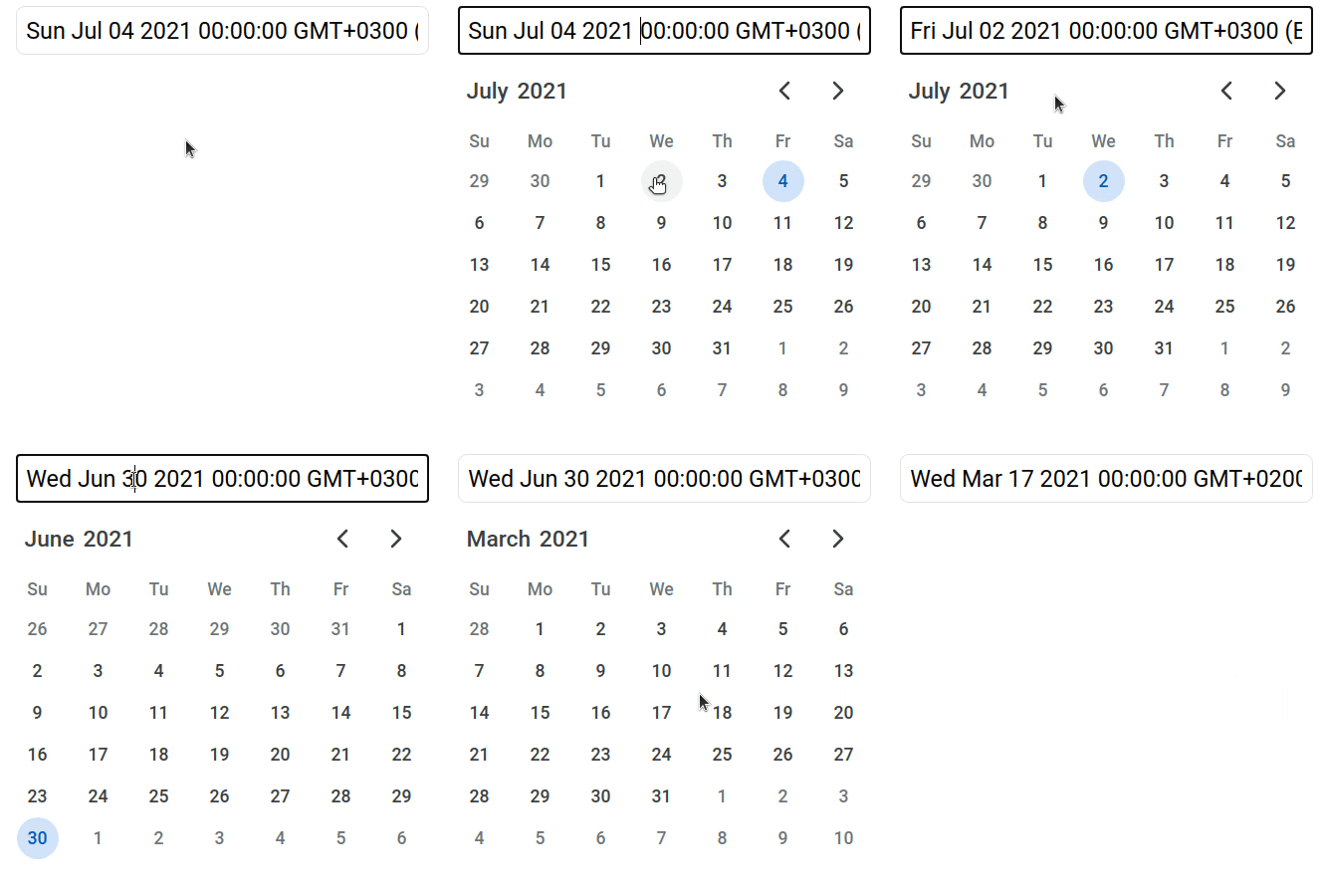
![Simple usage GIF](https://raw.githubusercontent.com/ExuCounter/calendar/master/packages/dev/example1.gif)

### `Open calendar only when you need it`

```js
import React, { useState } from 'react'
import { Calendar } from 'small-google-calendar'

function App() {
  const [show, setShow] = useState(false)
  const [date, setDate] = useState(new Date())

  return (
    <div>
      <input value={`${date}`} onClick={() => setShow(true)} />
      <Calendar
        show={show}
        onChange={(value) => {
          setDate(value)
          setShow(false)
        }}
      />
    </div>
  )
}
```

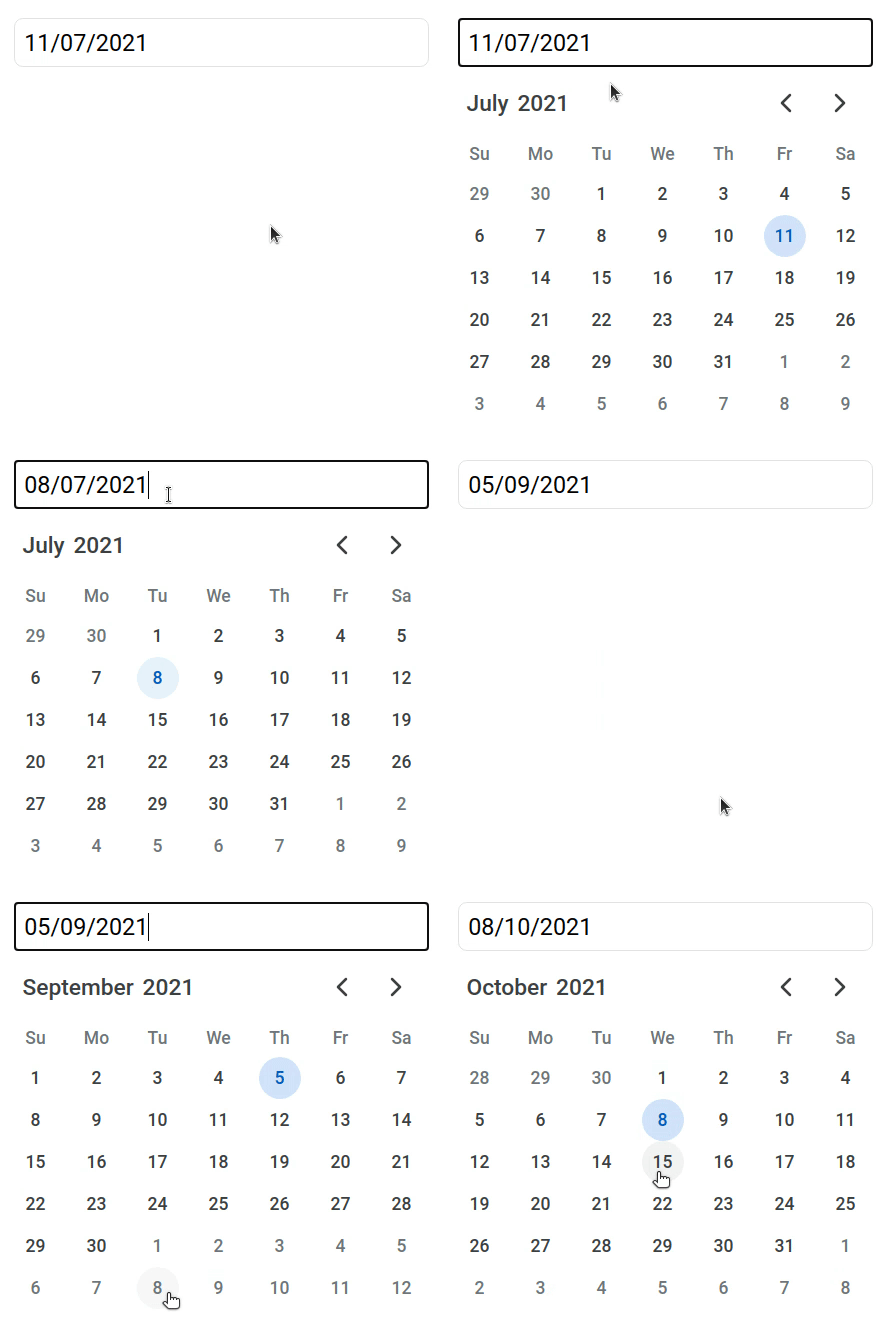
![Open calendar only when you need it GIF](https://raw.githubusercontent.com/ExuCounter/calendar/master/packages/dev/example2.gif)

### `Format your date with whatever you want`

```js
import React, { useState } from 'react'
import { Calendar } from 'small-google-calendar'
import { format } from 'date-fns'

function App() {
  const [show, setShow] = useState(false)
  const [date, setDate] = useState(new Date())

  return (
    <div>
      <input value={format(date, 'dd/MM/yyyy')} onClick={() => setShow(true)} />
      <Calendar
        show={show}
        onChange={(value) => {
          setDate(value)
          setShow(false)
        }}
      />
    </div>
  )
}
```

![Format your date with whatever you want GIF](https://raw.githubusercontent.com/ExuCounter/calendar/master/packages/dev/example3.gif)

### `Typescript support`

You can also import props by calendar

```js
import { Calendar, CalendarProps } from 'small-google-calendar'
```

```js
export declare type Sizing = 'sm' | 'md' | 'lg';
export declare type CalendarProps = PropsWithChildren<{
    show?: boolean;
    onChange?: (date: Date) => void;
    children?: ((date: Date) => React.ReactElement) | React.ReactNode;
    sizing?: Sizing;
}>;
```

### License

[MIT](https://choosealicense.com/licenses/mit/)

---
_Source: https://npm.io/package/small-google-calendar · Machine-readable twin of the npm.io package page. Health data is recomputed on every publish._