# thepeer-angular
> > Angular library for integrating Thepeer. Thepeer is a fast and secure way to send money accross businesses
Latest version **0.0.3** (published 2023-03-11) · 0 weekly downloads
## Install
```sh
npm install thepeer-angular
pnpm add thepeer-angular
yarn add thepeer-angular
bun add thepeer-angular
```
## Health
**Score 25/100 (F)** — status: abandoned.
Positive: has types; esm support; no vulnerabilities.
Warnings: low downloads; pre 1.0.
Negative: abandoned; low maintenance score.
## Facts
| | |
|---|---|
| Version | 0.0.3 |
| Published | 2023-03-11 |
| First published | 2023-03-11 |
| Weekly downloads | 0 |
| TypeScript types | bundled |
| Module format | ESM + CommonJS |
| Dependencies | 1 |
| Unpacked size | 90.4 KB |
| Known vulnerabilities | 0 |
| Install scripts | no |
| Author | Oluwatoyosi Oyelayo |
| Maintainers | toyosi |
| Keywords | angular, thepeer, transaction, payment, link |
## Links
- npm: https://www.npmjs.com/package/thepeer-angular
- npm.io page: https://npm.io/package/thepeer-angular
## Dependencies (1)
- [tslib](https://npm.io/package/tslib.md) ^2.3.0
## Recent versions
- 0.0.3 (latest) — 2023-03-11
- 0.0.2 — 2023-03-11
- 0.0.1 — 2023-03-11
## README
# thepeer-angular
> Angular library for integrating Thepeer.
Thepeer is a fast and secure way to send money accross businesses
## INSTALLATION
To install, simply run the command:
```sh
npm install thepeer-angular
```
## USAGE
### Import the module
```ts
import { ThepeerModule } from 'thepeer';
@NgModule({
declarations: [
AppComponent
],
imports: [
BrowserModule,
ThepeerModule.forRoot('--YOUR PUBLIC KEY HERE--')
],
providers: [],
bootstrap: [AppComponent]
})
export class AppModule { }
```
### Use in your project
There are two ways to implement this library in your project:
- You can use functions that can be called from a template within your project as shown below:
```ts
import { ThepeerService } from 'thepeer'
constructor(private thePeerService: ThepeerService){}
send(){
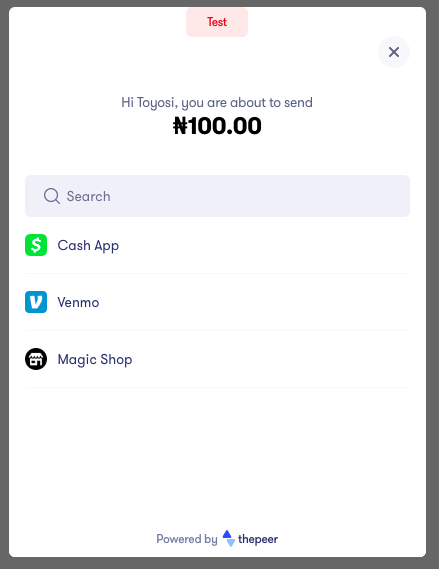
this.thePeerService.initiateSend(config);
}
directDebit(){
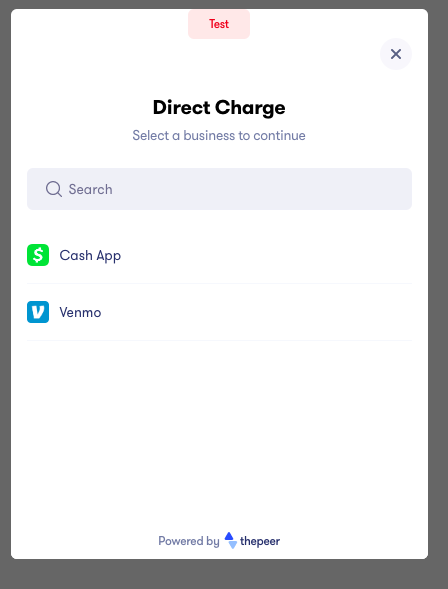
this.thePeerService.initiateDirectDebit(config);
}
checkout(){
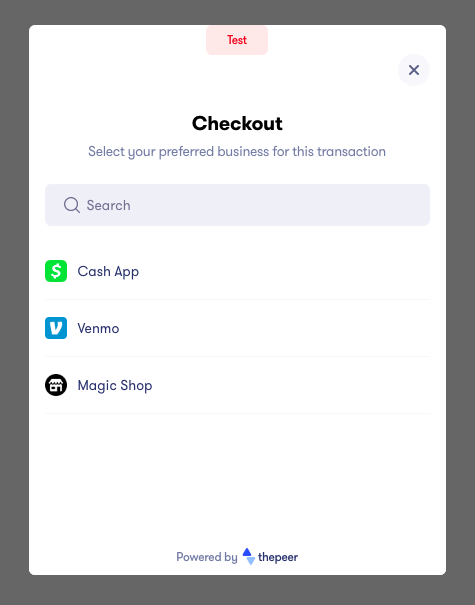
this.thePeerService.initiateCheckout(config);
}
```
```html
```
- You can use a couple of pre-built components:
```html
SendDirect DebitCheckout
```
### The Config Object
The config object allows you to set your configuration options. A sample config object is shown below:
```ts
import { IEventResponse } from 'thepeer'
config = {
publicKey: "--PUBLIC KEY HERE--",
amount: 10000,
email: "toyosi@example.com",
currency: "NGN",
meta: {
city: "Cupertino",
state: "California"
},
onSuccess: (data: IEventResponse) => {
console.log('success: ', data)
},
onError: (data: IEventResponse) => {
console.log('error: ', data)
},
onClose: (data: IEventResponse) => {
console.log('close: ', data)
}
}
```
NOTE: The PUBLIC_KEY here is optional. If it is provided, it overrides the one in the module.
| Option | Description | Required | Type |
|---------------|---------------------------------------------------------------------------------------------------------------------------------------------------------------------------------------------|----------|-----------|
| publicKey | Your public key can be found on your [dashboard](http://dashboard.thepeer.co). It can either be provided in the module or as part of the config object | true | string |
| amount | This is the amount to be sent and must be in kobo e.g N100 will be 10000 | true | integer |
| userReference | The user reference uniquely identifies a user. It is returned when a user is indexed by using the Thepeer API. It is required when initiating **send** or **direct debit** functionalities | true | string |
| meta | This contains optional values you will like to have with your transaction response. | false | object |
| email | Your customer's email. It is required for **checkout** | true | string |
| onSuccess | It is called when a transaction is successful. | true | function |
| onError | It is called when an error occurs. | true | function |
| onClose | It is called when a user clicks the close button | true | function |
## THEPEER API REFERENCES
[Thepeer API docs](https://docs.thepeer.co)
[Thepeer Dashboard](https://dashboard.thepeer.co)
## SUPPORT
Please reach out to me at if you have any issues
## CONTRIBUTING
Please feel free to fork this library and contribute by submitting a pull request to enhance the functionalities.
## License
The MIT License (MIT). Please see [License File](LICENSE.md) for more information.
---
_Source: https://npm.io/package/thepeer-angular · Machine-readable twin of the npm.io package page. Health data is recomputed on every publish._
 ## INSTALLATION
To install, simply run the command:
```sh
npm install thepeer-angular
```
## USAGE
### Import the module
```ts
import { ThepeerModule } from 'thepeer';
@NgModule({
declarations: [
AppComponent
],
imports: [
BrowserModule,
ThepeerModule.forRoot('--YOUR PUBLIC KEY HERE--')
],
providers: [],
bootstrap: [AppComponent]
})
export class AppModule { }
```
### Use in your project
There are two ways to implement this library in your project:
- You can use functions that can be called from a template within your project as shown below:
```ts
import { ThepeerService } from 'thepeer'
constructor(private thePeerService: ThepeerService){}
send(){
this.thePeerService.initiateSend(config);
}
directDebit(){
this.thePeerService.initiateDirectDebit(config);
}
checkout(){
this.thePeerService.initiateCheckout(config);
}
```
```html
```
- You can use a couple of pre-built components:
```html
## INSTALLATION
To install, simply run the command:
```sh
npm install thepeer-angular
```
## USAGE
### Import the module
```ts
import { ThepeerModule } from 'thepeer';
@NgModule({
declarations: [
AppComponent
],
imports: [
BrowserModule,
ThepeerModule.forRoot('--YOUR PUBLIC KEY HERE--')
],
providers: [],
bootstrap: [AppComponent]
})
export class AppModule { }
```
### Use in your project
There are two ways to implement this library in your project:
- You can use functions that can be called from a template within your project as shown below:
```ts
import { ThepeerService } from 'thepeer'
constructor(private thePeerService: ThepeerService){}
send(){
this.thePeerService.initiateSend(config);
}
directDebit(){
this.thePeerService.initiateDirectDebit(config);
}
checkout(){
this.thePeerService.initiateCheckout(config);
}
```
```html
```
- You can use a couple of pre-built components:
```html