# three-custom-shader-material
> Extend Three.js standard materials with your own shaders!
Latest version **6.4.0** (published 2025-10-12) · MIT license · 0 weekly downloads
## Install
```sh
npm install three-custom-shader-material
pnpm add three-custom-shader-material
yarn add three-custom-shader-material
bun add three-custom-shader-material
```
## Health
**Score 55/100 (C)** — status: stable.
Positive: has types; esm support; no vulnerabilities.
Warnings: low downloads.
## Facts
| | |
|---|---|
| Version | 6.4.0 |
| Published | 2025-10-12 |
| First published | 2020-08-17 |
| Weekly downloads | 0 |
| License | MIT |
| TypeScript types | bundled |
| Module format | ESM + CommonJS |
| Dependencies | 0 |
| Unpacked size | 141.7 KB |
| Known vulnerabilities | 0 |
| Install scripts | no |
| Maintainers | farazshaikh |
## Links
- npm: https://www.npmjs.com/package/three-custom-shader-material
- Homepage: https://github.com/FarazzShaikh/THREE-CustomShaderMaterial
- npm.io page: https://npm.io/package/three-custom-shader-material
## Recent versions
- 6.4.0 (latest) — 2025-10-12
- 6.0.0-rc.12 (next) — 2024-09-21
- 6.3.7 — 2025-05-23
- 6.3.6 — 2025-05-08
- 6.3.5 — 2025-04-14
- 6.3.4 — 2025-04-14
- 6.3.3 — 2025-04-14
- 6.3.2 — 2025-04-14
- 6.3.1 — 2025-02-23
- 6.3.0 — 2025-01-31
- 6.2.1 — 2024-12-22
- 6.2.0 — 2024-11-21
- 6.1.1 — 2024-11-01
- 6.1.0 — 2024-11-01
- 6.0.13 — 2024-10-06
- … 95 more at https://npm.io/package/three-custom-shader-material/versions
## README
Custom Shader Material
Extend Three.js standard materials with your own shaders!
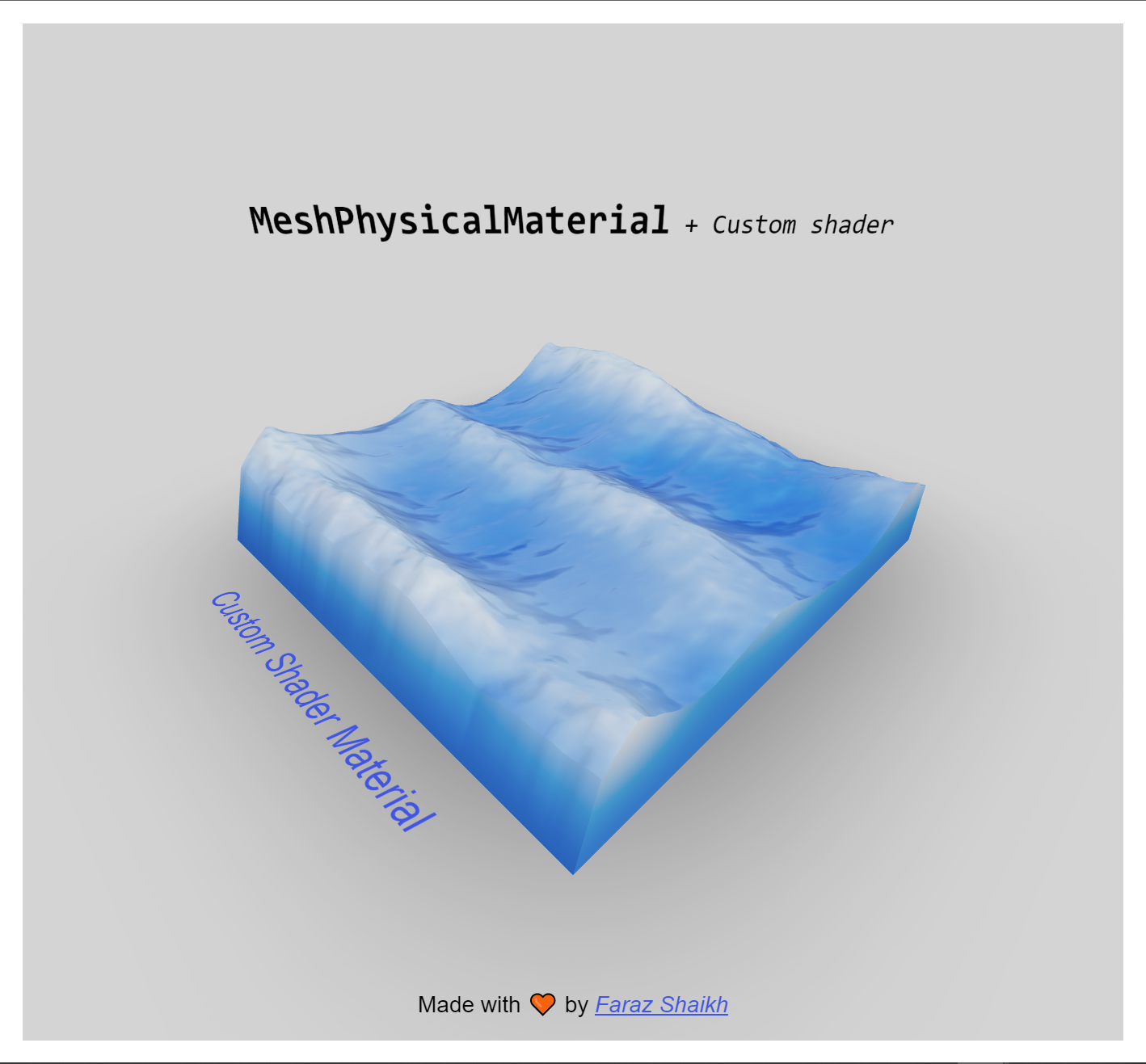
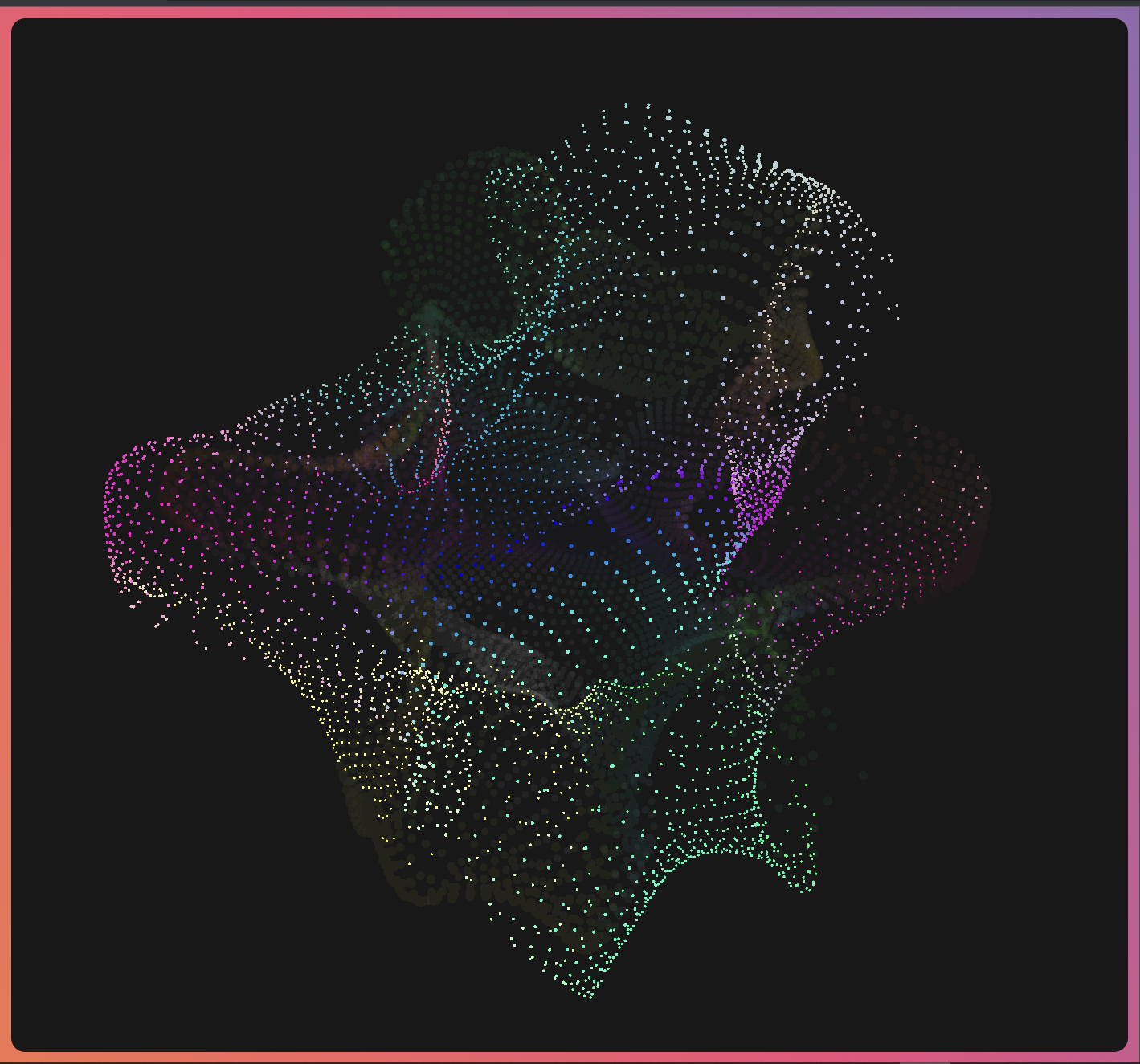
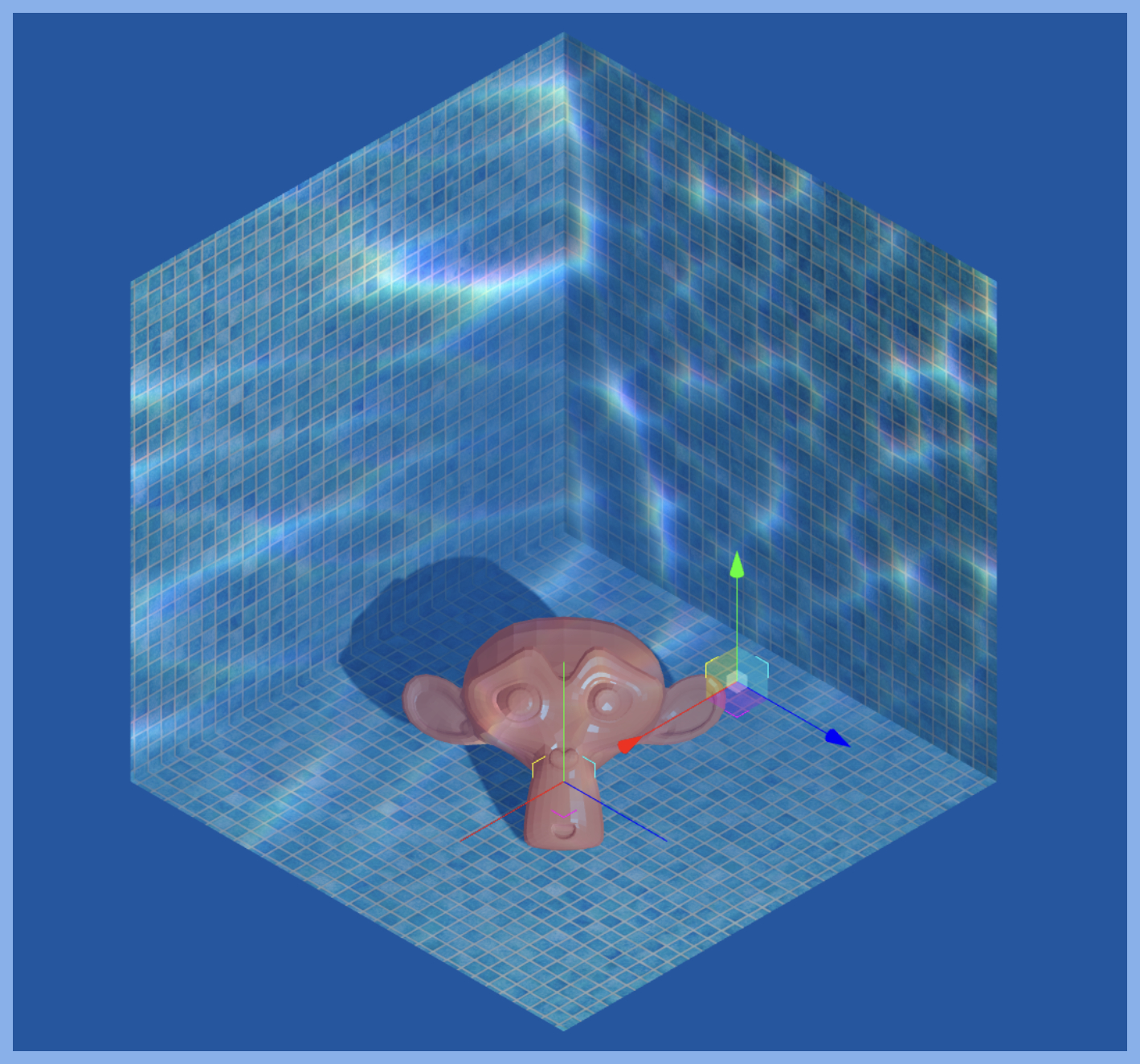
These demos are real, you can click them! They contains full code, too.
More demos here! 📦




Custom Shader Material (CSM) lets you extend Three.js' material library with your own Vertex and Fragment shaders. **_It Supports both Vanilla and React!_**
Show Vanilla example
```js
import CustomShaderMaterial from "three-custom-shader-material/vanilla";
function Box() {
const geometry = new THREE.BoxGeometry();
const material = new CustomShaderMaterial({
baseMaterial: THREE.MeshPhysicalMaterial,
vertexShader: /* glsl */ ` ... `, // Your vertex Shader
fragmentShader: /* glsl */ ` ... `, // Your fragment Shader
// Your Uniforms
uniforms: {
uTime: { value: 0 },
...
},
// Base material properties
flatShading: true,
color: 0xff00ff,
...
});
return new THREE.Mesh(geometry, material);
}
```
Show React example
```jsx
import CustomShaderMaterial from 'three-custom-shader-material'
function Cube() {
const materialRef = useRef()
useFrame((state) => {
if (materialRef.current) {
materialRef.current.uniforms.uTime.value = state.clock.elapsedTime
}
})
return (
)
}
```
Show Vue (Tresjs) example
> Moved to [Cientos' Docs](https://cientos.tresjs.org/guide/materials/custom-shader-material.html#trescustomshadermaterial)
## Installation
```bash
npm install three-custom-shader-material
yarn add three-custom-shader-material
```
## Output Variables
CSM provides the following output variables, all of them are optional but you MUST use these variables like you would use standard GLSL output variables to see results.
| Variable | Type | Description | Available In | Notes |
| --------------------------------- | ------- | ---------------------------------------------------------- | ----------------------------------------------- | -------------------------------------------------------------------------------------------------------------------------------------------------------------- |
| Vertex Shader
| - | - | - | - |
| csm_Position | `vec3` | Custom vertex position. | Vertex Shader | csm_Position will be projected furthur down the line. Thus, no projection is needed here. |
| csm_PositionRaw | `vec4` | Direct equivalent of `gl_Position`. | Vertex Shader | |
| csm_Normal | `vec3` | Custom vertex normals. | Vertex Shader |
| csm_PointSize | `float` | Direct equivalent of `gl_PointSize`. | Vertex Shader | Only available in `PointsMaterial` |
| Fragmet Shader
| - | - | - | - |
| csm_DiffuseColor | `vec4` | Custom diffuse color. | Fragment Shader | Base material's shading will be applied to this color. |
| csm_FragColor | `vec4` | Direct equivalent of `gl_FragColor`. | Fragment Shader | csm_FragColor will override any shading applied by a base material. To preserve shading and other effects like roughness and metalness, use `csm_DiffuseColor` |
| csm_Roughness | `float` | Custom roughness. | Fragment Shader | Only available in materials with an `roughnessMap`. |
| csm_Metalness | `float` | Custom metalness. | Fragment Shader | Only available in materials with an `metalnessMap`. |
| csm_AO | `float` | Custom AO. | Fragment Shader | Only available in materials with an `aoMap`. |
| csm_Clearcoat | `float` | Custom clearcoat factor. | Fragment Shader | Only available in materials with a `clearcoat`. |
| csm_ClearcoatRoughness | `float` | Custom clearcoat roughenss factor. | Fragment Shader | Only available in materials with a `clearcoat`. |
| csm_ClearcoatNormal | `vec3` | Custom clearcoat normal. | Fragment Shader | Only available in materials with a `clearcoat`. |
| csm_Transmission | `float` | Custom transmission factor. | Fragment Shader | Only available in materials with a `transmission`. |
| csm_Thickness | `float` | Custom transmission thickness. | Fragment Shader | Only available in materials with a `transmission`. |
| csm_Iridescence | `float` | Custom iridescence factor. | Fragment Shader | Only available in materials with a `iridescence`. |
| csm_Emissive | `vec3` | Custom emissive color. | Fragment Shader | Only available in materials with a `emissive`. |
| csm_FragNormal | `float` | Custom fragment normal. | Only available in materials with a `normalMap`. |
| Fragmet Shader (Special)
| - | - | - | - |
| csm_DepthAlpha | `float` | Custom alpha for `MeshDepthMaterial`. | Fragment Shader | Useful for controlling `customDepthMaterial` with same shader as the shader material. |
| csm_UnlitFac | `float` | Custom mix between `csm_DiffuseColor` and `csm_FragColor`. | Fragment Shader | Can be used to mix lit and unlit materials. Set to `1.0` by default if `csm_FragColor` is found in shader string. |
## Bump mapping
Bump mapping was removed in v6.4.0. This is becasue it cannot be implimented with a singular clean output variable. You can still impliment bump mapping by using `csm_FragNormal` output variable. See the [Bump example](https://farazzshaikh.github.io/THREE-CustomShaderMaterial/#/bump) for a full working example.
## Typing
CSM infers prop types based on the `baseMaterial` prop. However, if this does not work for what ever reason, you can pass your base material type as a generic to `CustomShaderMaterial`.
```ts
// Vanilla
const material = new CustomShaderMaterial({
baseMaterial: THREE.MeshPhysicalMaterial,
//...Any props
});
// React
baseMaterial={THREE.MeshPhysicalMaterial}
//...Any props
```
### Typing React Refs
You can type the ref of `CustomShaderMaterial` as follows:
```tsx
// NOTE: import from /vanilla module
import CSM from "three-custom-shader-material/vanilla";
import { MeshPhysicalMaterial } from "three";
const ref = useRef>(null!);
```
## Custom overrides
You can define any custom overrides you'd like using the `patchMap` prop. The prop is used as shown below.
```js
const material = new CustomShaderMaterial({
baseMaterial: THREE.MeshPhysicalMaterial,
vertexShader: ` ... `,
fragmentShader: ... `,
uniforms: {...},
patchMap={{
"": { // The keyword you will assign to in your custom shader
"TO_REPLACE": // The chunk you'd like to replace.
"REPLACED_WITH" // The chunk you'd like put in place of `TO_REPLACE`
}
}}
})
```
> Note: If `` is not found in shader string, the patch map will not be applied. To ALWAYS apply a patch map, use the special keyword - `*` (star).
>
> ```js
> patchMap={{
> "*": { "TO_REPLACE": "REPLACED_WITH" }
> }}
> ```
## Extending already extended materials
CSM allows you to extend other CSM instances. Values set in the first shader will affect the next.
> Note: Extending of other materials that use `onBeforeCompile` may or may not work depending on if the default `#includes` are mangled.
Show Vanilla example
```js
import CustomShaderMaterial from "three-custom-shader-material/vanilla";
function Box() {
const material1 = new CustomShaderMaterial({
baseMaterial: THREE.MeshPhysicalMaterial,
//...Any props
});
const material2 = new CustomShaderMaterial({
baseMaterial: material1,
//...Any props
});
}
```
Show React example
```jsx
import CustomShaderMaterial from "three-custom-shader-material";
import CustomShaderMaterialImpl from "three-custom-shader-material/vanilla";
function Cube() {
const [materialRef, setMaterialRef] = useState();
return (
<>
{materialRef && (
)}
);
}
```
### Gotchas
- `csm_Position` **MUST** be a non-projected vector. i.e., no need to multiply `projectionMatrix` or `modelViewPosition` with it. If you require projection, use `csm_PositionRaw`.
- Instancing must be handled manually when using `csm_PositionRaw` by multiplying in `instanceMatrix` into your projection math.
- When extending already extended material, variables, uniforms, attributes, varyings and functions are **NOT** scoped to the material they are defined in. Thus, you **WILL** get redefinition errors if you do not manually scope these identifiers.
- Extending of other materials that use `onBeforeCompile` may or may not work depending on if the default `#includes` are mangled.
- When using an instance of CSM as the baseMaterial, or chining multiple CSM instances, or when extending any material that uses `onBeforeCompile` the injection order is as follows:
```glsl
void main() {
// shader A
// shader B
// shader C
// shader D
// original shader
}
```
Where A was the first in the chain.
- Cache key calculation takes into account base material's cache key. Useful for propagating changes across multiple chained CSM instances.
- If you find yourself lost in a patchMap, it's often simpler to just make a `ShaderMaterial` with the necessary `#includes`.
## Performance
With v6, CSM's initialization cost is now negligible 🥳 Still, a couple important notes about performance:
- Changing these props will rebuild the material
- `baseMaterial`
- `fragmentShader`
- `vertexShader`
- `uniforms`
- `cacheKey`
- CSM uses ThreeJS's default shader program caching system. Materials with the same cache key, will use the the same shader program.
- `` and `` are the same, and will use the same cached shader program. The default cache key is such:
```js
(cacheKey?.() || hash((vertexShader || "") + (fragmentShader || ""))) +
baseMaterialCacheKey?.();
```
You can provide your own cache key function via the `cacheKey` prop.
> Note: CSM will only rebuild if the **reference** to the above props change, for example, in React, doing `uniforms={{...}}` means that the uniforms object is unstable, i.e. it is re-created, with a **new** reference every render. Instead, condsider memoizing the uniforms prop `const uniforms = useMemo(() -> ({...}));`. The uniforms object will then have the same refrence on every render.
> If the uniforms are memoized, changing their value by doing `uniforms.foo.value = ...` will not cause CSM to rebuild, as the refrence of `uniforms` does not change.
## License
```
MIT License
Copyright (c) 2024 Faraz Shaikh
Permission is hereby granted, free of charge, to any person obtaining a copy
of this software and associated documentation files (the "Software"), to deal
in the Software without restriction, including without limitation the rights
to use, copy, modify, merge, publish, distribute, sublicense, and/or sell
copies of the Software, and to permit persons to whom the Software is
furnished to do so, subject to the following conditions:
The above copyright notice and this permission notice shall be included in all
copies or substantial portions of the Software.
THE SOFTWARE IS PROVIDED "AS IS", WITHOUT WARRANTY OF ANY KIND, EXPRESS OR
IMPLIED, INCLUDING BUT NOT LIMITED TO THE WARRANTIES OF MERCHANTABILITY,
FITNESS FOR A PARTICULAR PURPOSE AND NONINFRINGEMENT. IN NO EVENT SHALL THE
AUTHORS OR COPYRIGHT HOLDERS BE LIABLE FOR ANY CLAIM, DAMAGES OR OTHER
LIABILITY, WHETHER IN AN ACTION OF CONTRACT, TORT OR OTHERWISE, ARISING FROM,
OUT OF OR IN CONNECTION WITH THE SOFTWARE OR THE USE OR OTHER DEALINGS IN THE
SOFTWARE.
```
---
_Source: https://npm.io/package/three-custom-shader-material · Machine-readable twin of the npm.io package page. Health data is recomputed on every publish._