# vect-js
> Mathematical animation engine for the web.
Latest version **1.0.21** (published 2020-02-05) · ISC license · 0 weekly downloads
## Install
```sh
npm install vect-js
pnpm add vect-js
yarn add vect-js
bun add vect-js
```
## Health
**Score 25/100 (F)** — status: abandoned.
Positive: has types; no vulnerabilities; high quality score.
Warnings: low downloads; no esm support.
Negative: abandoned; low maintenance score.
## Facts
| | |
|---|---|
| Version | 1.0.21 |
| Published | 2020-02-05 |
| First published | 2020-01-26 |
| Weekly downloads | 0 |
| License | ISC |
| TypeScript types | bundled |
| Module format | CommonJS |
| Dependencies | 5 |
| Unpacked size | 103.1 KB |
| Known vulnerabilities | 0 (+1 in 1 direct dependencies) |
| Install scripts | no |
| GitHub stars | 0 |
| Author | Bartolomej Kozorog |
| Maintainers | bartolomej |
| Keywords | mathematics, animation, graphics, canvas |
## Links
- npm: https://www.npmjs.com/package/vect-js
- Repository: https://github.com/bartolomej/vect-js
- Homepage: https://bartolomej.github.io/vect-js/
- Issues: https://github.com/bartolomej/vect-js/issues
- npm.io page: https://npm.io/package/vect-js
## Dependencies (5)
- [uuid](https://npm.io/package/uuid.md) ^3.4.0
- [bezier-js](https://npm.io/package/bezier-js.md) ^2.5.1
- [chroma-js](https://npm.io/package/chroma-js.md) ^2.1.0
- [@types/uuid](https://npm.io/package/@types/uuid.md) ^3.4.7
- [core-js-compat](https://npm.io/package/core-js-compat.md) ^3.4.7
## Alternatives
- [exif-parser](https://npm.io/package/exif-parser.md) — 3.8M weekly downloads
- [vite-plugin-compression](https://npm.io/package/vite-plugin-compression.md) — 569.5K weekly downloads
- [pica](https://npm.io/package/pica.md) — 442.4K weekly downloads
- [@reportportal/client-javascript](https://npm.io/package/@reportportal/client-javascript.md) — 408.8K weekly downloads
- [@tldraw/state](https://npm.io/package/@tldraw/state.md) — 316.0K weekly downloads
## Recent versions
- 1.0.21 (latest) — 2020-02-05
- 1.0.20 — 2020-02-02
- 1.0.19 — 2020-02-01
- 1.0.18 — 2020-02-01
- 1.0.17 — 2020-02-01
- 1.0.16 — 2020-02-01
- 1.0.15 — 2020-02-01
- 1.0.14 — 2020-01-30
- 1.0.13 — 2020-01-30
- 1.0.12 — 2020-01-30
- 1.0.11 — 2020-01-28
- 1.0.10 — 2020-01-28
- 1.0.9 — 2020-01-28
- 1.0.8 — 2020-01-27
- 1.0.7 — 2020-01-26
- … 7 more at https://npm.io/package/vect-js/versions
## README
# vect-js

[](https://codesandbox.io/s/empty-glade-v6r37?fontsize=14&hidenavigation=1&theme=dark)
Easily create interactive mathematical simulation or animations for the web.
⚠️ WARNING! ⚠️
This library is still in early development and is not only for experimental and testing usage. Documentation is still of poor quality, because API is still forming.
**First stable and better documented release will be `v1.1.0`**
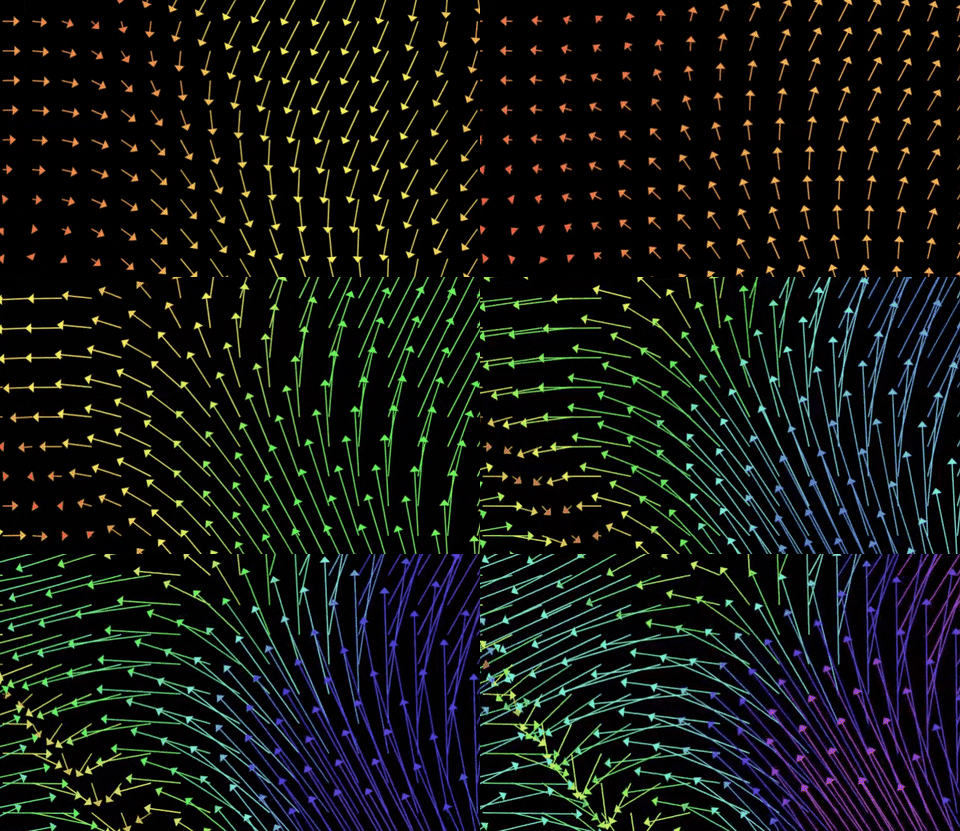
## Examples
- [Vector operations on CodeSandbox](https://codesandbox.io/s/clever-fast-3q4jo?fontsize=14&hidenavigation=1&theme=dark)
- [Vector field on CodeSandbox](https://codesandbox.io/s/empty-glade-v6r37?fontsize=14&hidenavigation=1&theme=dark)
- [Vector field](https://bartolomej.github.io/vector-field/)
- more code examples available in `examples/` folder
## Installing
```bash
npm i vect-js
```
## Usage
Minimal example rendering two vectors and their sum.
```typescript
import Vect, { Context, Shape, Vector } from "vect-js";
// tell vect where to render ui
const vectContainer = document.body;
const vect = Vect(Context.CANVAS_2D, {
// renders canvas inside container
container: vectContainer,
// sets canvas backgkround color
backgroundColor: "#000000",
// draws coordinate numbers
displayNumbers: false,
// draws emphasized basis coordinates (x=0, y=0)
displayBasis: false,
// draws coordinate grid
displayGrid: false,
// space between grid coordinate lines
coordinatesDelta: 100,
// render canvas in high pixel density
highPixelDensity: true,
// enable drag around with mouse
enableMouseMove: true
});
// starting position of vector arrow (default 0,0)
const p0 = new Shape.Arrow([0,0]);
const v1 = new Shape.Arrow(p0, new Vector([100,50]), '#FFFFFF');
const v2 = new Shape.Arrow(p0, new Vector([50,100]), '#FFFFFF');
const sum1 = new Shape.Arrow(p0, v1.vector.add(v2.vector), '#db002f');
// add shapes to render
vect.addShapes([v1,v2,sum1]);
```
#### Updating shapes
```typescript
import { Shape, Vector } from 'vect-js';
// initialize with position and radius
let circle = new Shape.Circle(new Vector([0, 0]), 10);
// state update callback called by renderer (60 times per sec)
circle.onUpdate = function () {
// update position with velocity vector
// NOTE: math object (Vector, Matrix) are immutable
this.position = this.position.add(new Vector([10,10]));
}
```
#### Mouse events on shapes
```typescript
const c = new Shape.Circle(new Vector([0, 0]), 10);
// called when shape intersects with mouse position
c.onHover = function (m: MouseState) {
// update state variables
this.position = new Vector([0,0]);
// you can also return ShapeStyles object that updates shape
return {
fillColor: '#FFFFFF',
strokeColor: '#FFFFFF',
size: 2
}
};
// called when pressed mouse intersects with shape
c.onDrag = function (m: MouseState) {
// update state variables or/and return styles
};
// called when mouse clicks on shape
c.onClick = function (m: MouseState) {
// update state variables or/and return styles
};
```
#### Updating coordinate system
```typescript
vect.onUpdate = function () {
// translate coordinates
this.translate(new Vector([10, 100]));
// transform coordinates (zoom, skew)
this.transform(new Matrix([[0.9999, 0], [0, 0.9999]]));
}
```
## Development
1. clone repo `git clone https://github.com/bartolomej/vect && cd vect`
2. install dependencies `npm i`
3. run tests `npm test`
4. run example apps `npm position`
### Building
There are 4 build configurations:
- *empty* - main library
- *test* - builds live library tests in the browser
- *docs* - builds library documentation with examples
- *examples* - builds library usage examples
#### Scripts
1. Run live hot-reloading `npm run start:`
2. Builds for production `npm run build:`
---
_Source: https://npm.io/package/vect-js · Machine-readable twin of the npm.io package page. Health data is recomputed on every publish._