# vuc3-element-form
> 一个基于 [`vuc3`](https://github.com/yuexing91/vuc3) `ant-design-vue` 的可视化表单设计器,3分钟即可将自己的组件加入到 `vuc3-ant-form` 之中。
Latest version **0.1.1** (published 2022-02-23) · 0 weekly downloads
## Install
```sh
npm install vuc3-element-form
pnpm add vuc3-element-form
yarn add vuc3-element-form
bun add vuc3-element-form
```
## Health
**Score 10/100 (F)** — status: abandoned.
Positive: no vulnerabilities.
Warnings: low downloads; no types; no esm support; low quality score; pre 1.0.
Negative: abandoned; low maintenance score.
## Facts
| | |
|---|---|
| Version | 0.1.1 |
| Published | 2022-02-23 |
| First published | 2022-02-23 |
| Weekly downloads | 0 |
| TypeScript types | none |
| Module format | CommonJS |
| Dependencies | 4 |
| Unpacked size | 596 KB |
| Known vulnerabilities | 0 |
| Install scripts | no |
| Maintainers | yuexing91 |
## Links
- npm: https://www.npmjs.com/package/vuc3-element-form
- npm.io page: https://npm.io/package/vuc3-element-form
## Dependencies (4)
- [vue](https://npm.io/package/vue.md) ^3.2.24
- [vuc3](https://npm.io/package/vuc3.md) ^0.1.2
- [core-js](https://npm.io/package/core-js.md) ^3.6.5
- [element-plus](https://npm.io/package/element-plus.md) *
## Recent versions
- 0.1.1 (latest) — 2022-02-23
- 0.1.0 — 2022-02-23
## README
# vuc3-ant-form
一个基于 [`vuc3`](https://github.com/yuexing91/vuc3) `ant-design-vue` 的可视化表单设计器,3分钟即可将自己的组件加入到 `vuc3-ant-form` 之中。
[Demo](https://yuexing91.gitee.io/yuexing91.github.io/vuc3-ant-form/)
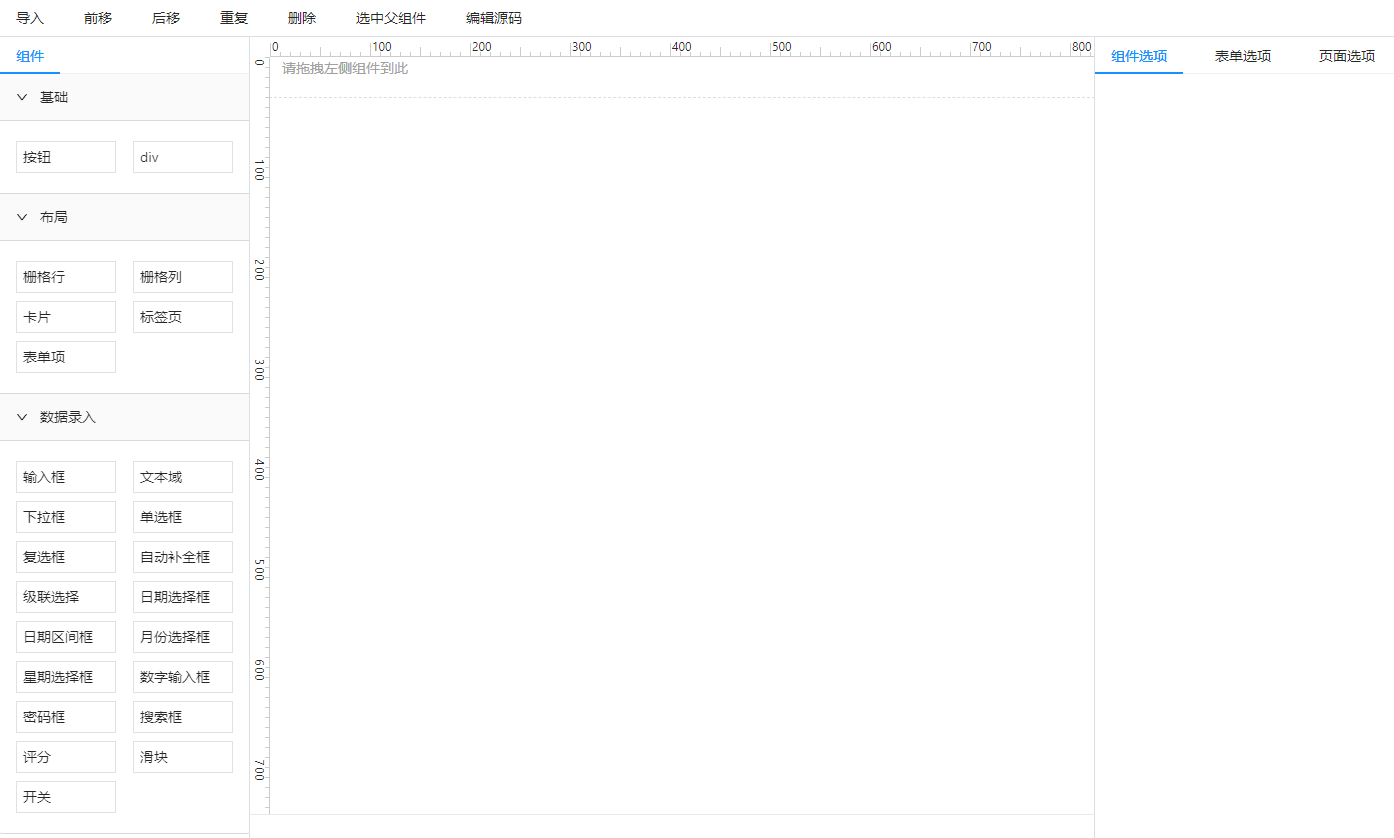
## 预览
## 使用
### 安装
```
npm install vuc3-ant-form --save
```
### 示例
#### 空白的设计器
```vue
```
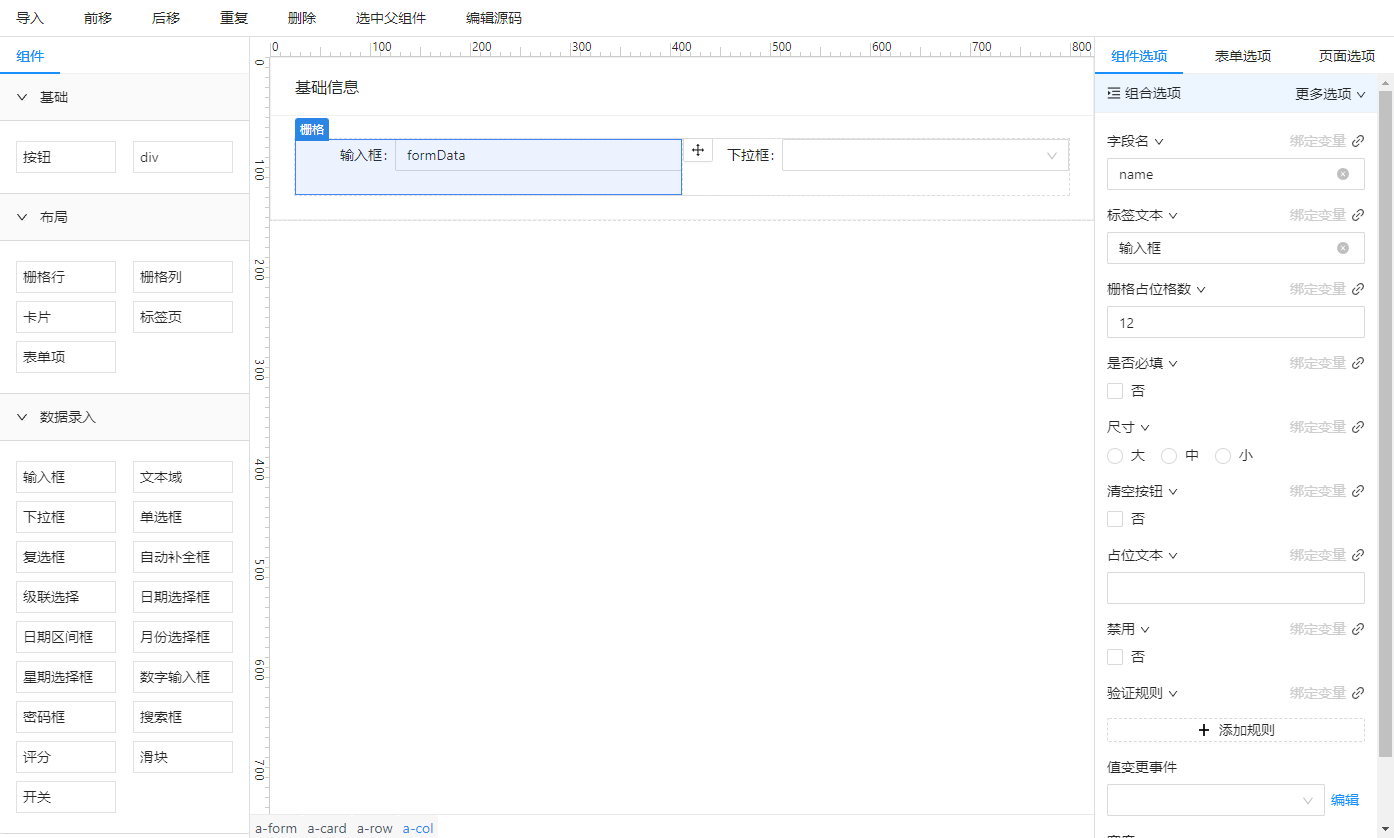
#### 加载 Vue SFC
```vue
```
`vueContent` 的内容
```javascript
export const vueContent = `
`;
```
效果
### 将自己的组件加入到 vuc3-and-desing中
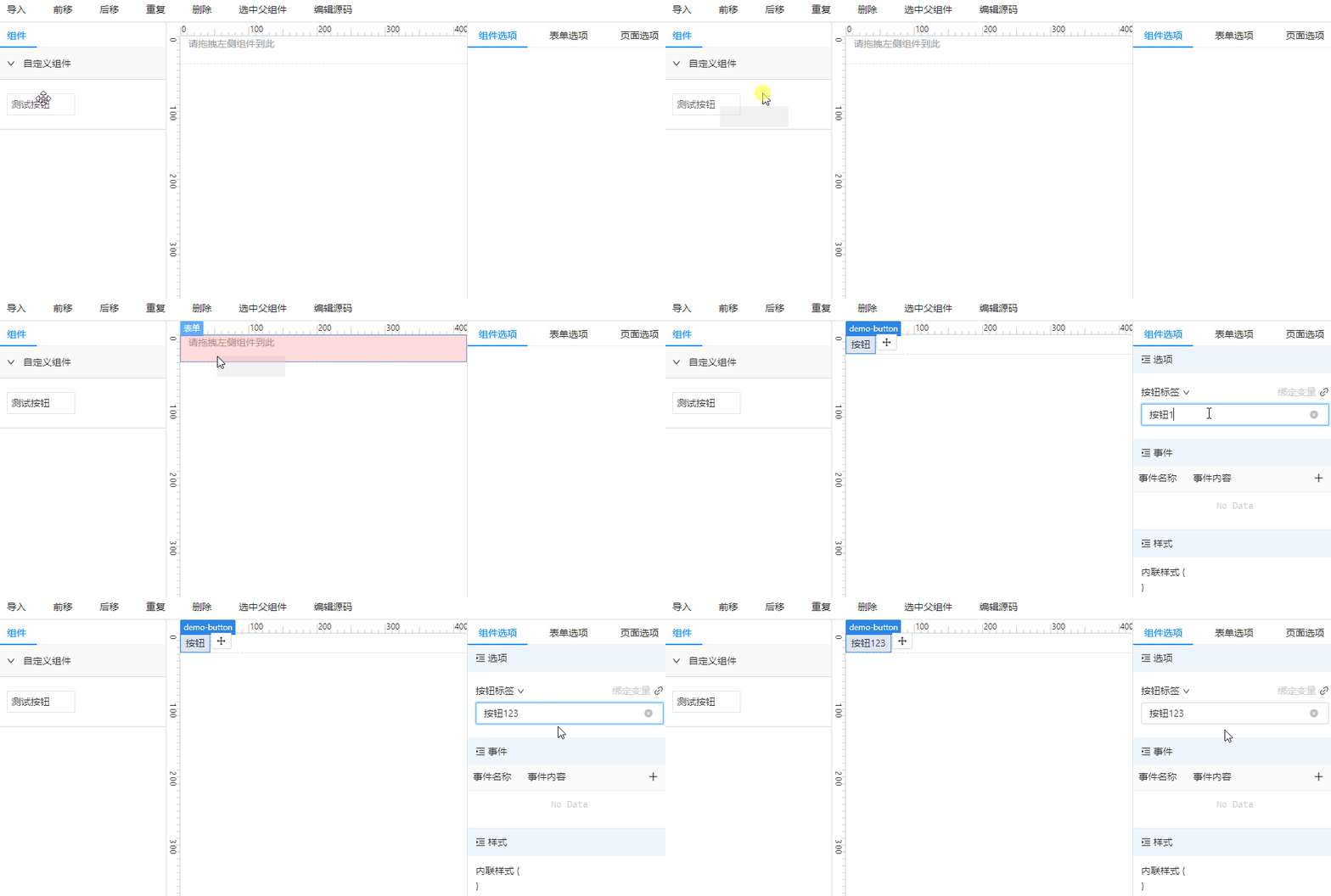
假设我们现在有一个简单的按钮组件 `DemoButton.vue`,只需简单3步即可将其加入到设计器中
```vue
```
1. 给组件注册配置
```js
Configurator.setVucConfig({
id: 'demo-button',
props: {
text: {
label: '按钮标签',
editors: 'string',
},
},
});
```
2. 加入到组件资源管理器中
```js
const formExplorerComponents = [
{
title: '自定义组件',
children: [
{
title: '测试按钮',
node: ''
}
]
}
]
```
3. 将 `DemoButton` 组件注册到 `Vue app` 之中
```js
import DemoButton from './DemoButton.vue';
Configurator.setVucProxyHooks('onCreatedApp', (app) => {
return app.component('DemoButton', DemoButton);
});
```
将组件注入到组件资源管理器中
```vue
```
大功告成,你现在可以在 vuc3-ant-from 中使用 DemoButton 组件了。效果:
## 文档
### FormDesigner
表单设计器。
#### props
* `vueContent` `string` 编辑器内容
* `formExplorerComponents` `Array>` 表单组件资源管理器
* `editorOptions` `object` 编辑器选项
### Configurator
同 `vuc3.Configurator`
## 更多功能
请查看 `vuc3` [文档](http://yuexing91.gitee.io/yuexing91.github.io/vuc3-docs/)。
---
_Source: https://npm.io/package/vuc3-element-form · Machine-readable twin of the npm.io package page. Health data is recomputed on every publish._