# vue-gallery

> VueJS responsive and customizable image and video gallery, carousel and lightbox, optimized for both mobile and desktop web browsers.

Latest version **2.0.5** (published 2023-08-06) · MIT license · 0 weekly downloads

## Install

```sh
npm install vue-gallery
pnpm add vue-gallery
yarn add vue-gallery
bun add vue-gallery
```

## Health

**Score 25/100 (F)** — status: abandoned.

Positive: no vulnerabilities.

Warnings: low downloads; no types; no esm support.

Negative: abandoned.

## Facts

| | |
|---|---|
| Version | 2.0.5 |
| Published | 2023-08-06 |
| First published | 2017-06-07 |
| Weekly downloads | 0 |
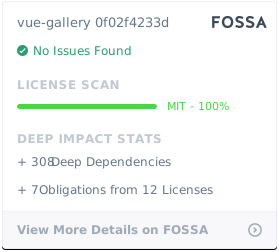
| License | MIT |
| TypeScript types | none |
| Module format | CommonJS |
| Dependencies | 2 |
| Unpacked size | 32.7 KB |
| Known vulnerabilities | 0 |
| Install scripts | yes |
| GitHub stars | 469 |
| Author | Igor Ognichenko |
| Maintainers | robinck |
| Keywords | vue-gallery, vuejs-gallery, vue, vuejs, gallery, images, pictures, carousel, slider, mobile, touch, vue-plugin, vue-component |

## Links

- npm: https://www.npmjs.com/package/vue-gallery
- Repository: https://github.com/RobinCK/vue-gallery
- Homepage: https://github.com/RobinCK/vue-gallery#readme
- Issues: https://github.com/RobinCK/vue-gallery/issues
- npm.io page: https://npm.io/package/vue-gallery

## Dependencies (2)

- [blueimp-gallery](https://npm.io/package/blueimp-gallery.md) ^2.33.0
- [opencollective-postinstall](https://npm.io/package/opencollective-postinstall.md) ^2.0.2

## Alternatives

- [adhdev](https://npm.io/package/adhdev.md) — 11.1K weekly downloads
- [react-slide-button](https://npm.io/package/react-slide-button.md) — 310 weekly downloads
- [better](https://npm.io/package/better.md) — 42 weekly downloads
- [react-native-swipe-image](https://npm.io/package/react-native-swipe-image.md) — 22 weekly downloads
- [nl.fokkezb.pulltorefresh](https://npm.io/package/nl.fokkezb.pulltorefresh.md) — 11 weekly downloads

## Recent versions

- 2.0.5 (latest) — 2023-08-06
- 2.0.4 — 2023-05-06
- 2.0.3 — 2023-04-17
- 2.0.2 — 2023-04-16
- 2.0.1 — 2019-10-10
- 2.0.0 — 2019-02-06
- 1.5.0 — 2018-10-20
- 1.4.2 — 2018-10-06
- 1.4.1 — 2018-10-06
- 1.4.0 — 2018-06-12
- 1.3.5 — 2018-05-14
- 1.3.2 — 2018-03-31
- 1.3.1 — 2018-03-17
- 1.3.0 — 2018-02-09
- 1.2.5 — 2018-01-05
- … 13 more at https://npm.io/package/vue-gallery/versions

## README

<p align="center">
<img src="https://cdn.rawgit.com/RobinCK/vue-gallery/a08dae25/doc/gallery.png">
</p>

<p align="center">
  <a href="https://opencollective.com/vue-gallery" alt="Financial Contributors on Open Collective"><img src="https://opencollective.com/vue-gallery/all/badge.svg?label=financial+contributors" /></a>
  <a href="https://github.com/RobinCK/vue-gallery"><img src="https://img.shields.io/badge/vuejs-2.x-brightgreen.svg?style=flat-square"></a>
  <a href="https://www.npmjs.com/package/vue-gallery"><img src="https://img.shields.io/npm/dt/vue-gallery.svg?style=flat-square"></a>
</p>  
  
<p align="center">
  <a href="https://david-dm.org/RobinCK/vue-gallery"><img src="https://david-dm.org/RobinCK/vue-gallery.svg?style=flat-square"></a>
  <a href="https://david-dm.org/RobinCK/vue-gallery?type=dev"><img src="https://david-dm.org/RobinCK/vue-gallery/dev-status.svg?style=flat-square"></a>
  <a href="https://github.com/RobinCK/vue-gallery"><img src="https://img.shields.io/npm/v/vue-gallery.svg?style=flat-square"></a>
  <a href="https://github.com/RobinCK/vue-gallery/blob/master/LICENSE"><img src="https://img.shields.io/npm/l/vue-gallery.svg?style=flat-square"></a>

</p>

# vue-gallery

[![Greenkeeper badge](https://badges.greenkeeper.io/RobinCK/vue-gallery.svg)](https://greenkeeper.io/)
:camera: VueJS responsive and customizable image and video gallery, carousel and lightbox, optimized for both mobile and desktop web browsers.

## Example

[jsFiddle - image](https://fiddle.jshell.net/Robin_ck/LffrLb2k/show/light/)

[jsFiddle - video](https://fiddle.jshell.net/Robin_ck/djqcrm8m/show/light/)

## Install
#### CDN

Recommended: https://unpkg.com/vue-gallery, which will reflect the latest version as soon as it is published to npm. You can also browse the source of the npm package at https://unpkg.com/vue-gallery/

#### npm

``` bash
npm install vue-gallery

```

#### Yarn

``` bash
yarn add vue-gallery

```

### Nuxt

1. Add a new file named `vue-gallery.client.js` to your nuxt plugins folder. It is important that your filename ends in `.client.js` ([more info on this convention](https://nuxtjs.org/guide/plugins/#name-conventional-plugin), only works from Nuxt v.2.4.0).
2. Copy paste the following content in it:
```js
import Vue from 'vue'
import VueGallery from 'vue-gallery'

Vue.component('VGallery', VueGallery)
```
3. Add it to your list of plugins in `nuxt.config.js`:
```js
plugins: ['~plugins/vue-gallery.client.js']
```
4. You can now use the component globally:
```js
<v-gallery :images="images"
           :index="index"
           @close="index = null" />
```

## Usage

### VueJS single file (ECMAScript 2015)
```html
<template>
  <div>
    <gallery :images="images" :index="index" @close="index = null"></gallery>
    <div
      class="image"
      v-for="(image, imageIndex) in images"
      :key="imageIndex"
      @click="index = imageIndex"
      :style="{ backgroundImage: 'url(' + image + ')', width: '300px', height: '200px' }"
    ></div>
  </div>
</template>

<script>
  import VueGallery from 'vue-gallery';
  
  export default {
    data: function () {
      return {
        images: [
          'https://dummyimage.com/800/ffffff/000000',
          'https://dummyimage.com/1600/ffffff/000000',
          'https://dummyimage.com/1280/000000/ffffff',
          'https://dummyimage.com/400/000000/ffffff',
        ],
        index: null
      };
    },

    components: {
      'gallery': VueGallery
    },
  }
</script> 

<style scoped>
  .image {
    float: left;
    background-size: cover;
    background-repeat: no-repeat;
    background-position: center center;
    border: 1px solid #ebebeb;
    margin: 5px;
  }
</style>

```

### Browser (ES5)
```html
  <script type="text/javascript" src="https://unpkg.com/vue@2.4.3/dist/vue.js"></script>
  <script type="text/javascript" src="https://unpkg.com/blueimp-gallery@2.27.0/js/blueimp-helper.js"></script>
  <script type="text/javascript" src="https://unpkg.com/blueimp-gallery@2.27.0/js/blueimp-gallery.js"></script>
  <script type="text/javascript" src="https://unpkg.com/blueimp-gallery@2.27.0/js/blueimp-gallery-fullscreen.js"></script>
  <script type="text/javascript" src="vue-gallery.js"></script>
  <link rel="stylesheet" type="text/css" href="https://unpkg.com/blueimp-gallery@2.27.0/css/blueimp-gallery.min.css">
  

<div id="app">
  <gallery :images="images" :index="index" @close="index = null"></gallery>
  <div
    class="image"
    v-for="image, imageIndex in images"
    @click="index = imageIndex"
    :style="{ backgroundImage: 'url(' + image + ')', width: '300px', height: '200px' }"
  ></div>
</div>

<script type="text/javascript">
  new Vue({
    el: '#app',
    data: function () {
      return {
        images: [
          'https://dummyimage.com/800/ffffff/000000',
          'https://dummyimage.com/1600/ffffff/000000',
          'https://dummyimage.com/1280/000000/ffffff',
          'https://dummyimage.com/400/000000/ffffff'
        ],
        index: null
      };
    },

    components: {
      'gallery': VueGallery
    }
  });
</script>
```

## Props

| Props               | Type      | Default                                         | Description  |
| --------------------|:----------| ------------------------------------------------|--------------|
| images              | Array     | []                                              | Urls list  |
| index               | Number    | null                                            | Opened image index  |
| options             | Object    |                                                 | [blueimp-gallery](https://github.com/blueimp/Gallery) options |


## Events
| Name             | Params                  | Description  |
| -----------------|:------------------------|--------------|
| onopen           |                         |         |
| onopened         |                         |         |
| onslide          |                         |         |
| onslideend       |                         |         |
| onslidecomplete  |                         |         |
| onclose          |                         |         |
| onclosed         |                         |         |


## Known Issues

### 1. Multiple VueGallery components in same page breaks functionalities

**Fix:** Give each gallery a unique id. [jsFiddle Example](https://jsfiddle.net/sam_saama/nzjp13ec/)

### 2. Images not oriented correctly.

It's because the image isn't in the "correct" orientation and the exif orientation data is what "fixes" the orientation when you view the images. Browsers don't fix the image orientation based on the exif data. Some browsers show it "correctly" when you open the image in a new tab by itself but don't fix it if you use the image link in a src attribute. [Relevant stackoverflow](https://stackoverflow.com/questions/24658365/img-tag-displays-wrong-orientation).

**Fix:** Use the `onslide` callback to read the exif data and "correct" the orientation based of the exif orientation. [More info on blueimp-gallery](https://github.com/blueimp/Gallery#event-callbacks).

[jsFiddle Example](https://jsfiddle.net/sam_saama/72k0xr3n/)

Code excerpt:

```html
<gallery :options="options" :images="images" :index="index" @close="index = null"/>
```

```js
data() {
  //...
  options: {
    onslide: function(index, slide) {
      const rotation = {
        1: 'rotate(0deg)',
        3: 'rotate(180deg)',
        6: 'rotate(90deg)',
        8: 'rotate(270deg)'
      }

    //Conditionally change rotation of image based on the image orientation data. Example jsfiddle --> https://jsfiddle.net/orotemo/obvna6qn/ Or use something like https://github.com/mattiasw/ExifReader
    //But for this example, the fix has been hardcoded. 
      slide.getElementsByTagName(
        'img'
      )[0].style = `transform: ${rotation['3']};`
    }
  }
}

```

## Other my Vue JS plugins

| Project | Status | Description |
|---------|--------|-------------|
| [vue-ls](https://github.com/RobinCK/vue-ls)    | ![npm](https://img.shields.io/npm/v/vue-ls.svg)  | Vue plugin for work with local storage, session storage and memory storage from Vue context |
| [vue-popper](https://github.com/RobinCK/vue-popper)      | ![npm](https://img.shields.io/npm/v/vue-popperjs.svg) | VueJS popover component based on <a href="https://popper.js.org/">popper.js</a> |


## Development Setup

``` bash
# install dependencies
npm install

# build dist files
npm run build
```

## Contributors

### Code Contributors

This project exists thanks to all the people who contribute. [[Contribute](CONTRIBUTING.md)].

<a href="https://github.com/RobinCK/vue-gallery/graphs/contributors"><img src="https://opencollective.com/vue-gallery/contributors.svg?width=890&button=false" /></a>

### Financial Contributors

Become a financial contributor and help us sustain our community. [[Contribute](https://opencollective.com/vue-gallery/contribute)]

#### Individuals

<a href="https://opencollective.com/vue-gallery"><img src="https://opencollective.com/vue-gallery/individuals.svg?width=890"></a>

#### Organizations

Support this project with your organization. Your logo will show up here with a link to your website. [[Contribute](https://opencollective.com/vue-gallery/contribute)]

<a href="https://opencollective.com/vue-gallery/organization/0/website"><img src="https://opencollective.com/vue-gallery/organization/0/avatar.svg"></a>
<a href="https://opencollective.com/vue-gallery/organization/1/website"><img src="https://opencollective.com/vue-gallery/organization/1/avatar.svg"></a>
<a href="https://opencollective.com/vue-gallery/organization/2/website"><img src="https://opencollective.com/vue-gallery/organization/2/avatar.svg"></a>
<a href="https://opencollective.com/vue-gallery/organization/3/website"><img src="https://opencollective.com/vue-gallery/organization/3/avatar.svg"></a>
<a href="https://opencollective.com/vue-gallery/organization/4/website"><img src="https://opencollective.com/vue-gallery/organization/4/avatar.svg"></a>
<a href="https://opencollective.com/vue-gallery/organization/5/website"><img src="https://opencollective.com/vue-gallery/organization/5/avatar.svg"></a>
<a href="https://opencollective.com/vue-gallery/organization/6/website"><img src="https://opencollective.com/vue-gallery/organization/6/avatar.svg"></a>
<a href="https://opencollective.com/vue-gallery/organization/7/website"><img src="https://opencollective.com/vue-gallery/organization/7/avatar.svg"></a>
<a href="https://opencollective.com/vue-gallery/organization/8/website"><img src="https://opencollective.com/vue-gallery/organization/8/avatar.svg"></a>
<a href="https://opencollective.com/vue-gallery/organization/9/website"><img src="https://opencollective.com/vue-gallery/organization/9/avatar.svg"></a>

## License
[![FOSSA Status](https://app.fossa.io/api/projects/git%2Bhttps%3A%2F%2Fgithub.com%2FRobinCK%2Fvue-gallery.svg?type=large)](https://app.fossa.io/projects/git%2Bhttps%3A%2F%2Fgithub.com%2FRobinCK%2Fvue-gallery?ref=badge_large)

MIT © [Igor Ognichenko](https://github.com/RobinCK)

---
_Source: https://npm.io/package/vue-gallery · Machine-readable twin of the npm.io package page. Health data is recomputed on every publish._