# vue-hero
> A Vue.js project
Latest version **0.0.5** (published 2019-04-28) · MIT license · 0 weekly downloads
## Install
```sh
npm install vue-hero
pnpm add vue-hero
yarn add vue-hero
bun add vue-hero
```
## Health
**Score 15/100 (F)** — status: abandoned.
Positive: no vulnerabilities.
Warnings: low downloads; no types; no esm support; pre 1.0.
Negative: abandoned; low maintenance score.
## Facts
| | |
|---|---|
| Version | 0.0.5 |
| Published | 2019-04-28 |
| First published | 2019-04-09 |
| Weekly downloads | 0 |
| License | MIT |
| TypeScript types | none |
| Module format | CommonJS |
| Dependencies | 1 |
| Unpacked size | 28.8 KB |
| Known vulnerabilities | 0 |
| Install scripts | no |
| Author | Lukáš Zátek |
| Maintainers | fragileqt |
## Links
- npm: https://www.npmjs.com/package/vue-hero
- npm.io page: https://npm.io/package/vue-hero
## Dependencies (1)
- [vue](https://npm.io/package/vue.md) latest
## Recent versions
- 0.0.5 (latest) — 2019-04-28
- 0.0.4 — 2019-04-20
- 0.0.3 — 2019-04-19
- 0.0.2 — 2019-04-14
- 0.0.1 — 2019-04-09
## README
# vue-hero
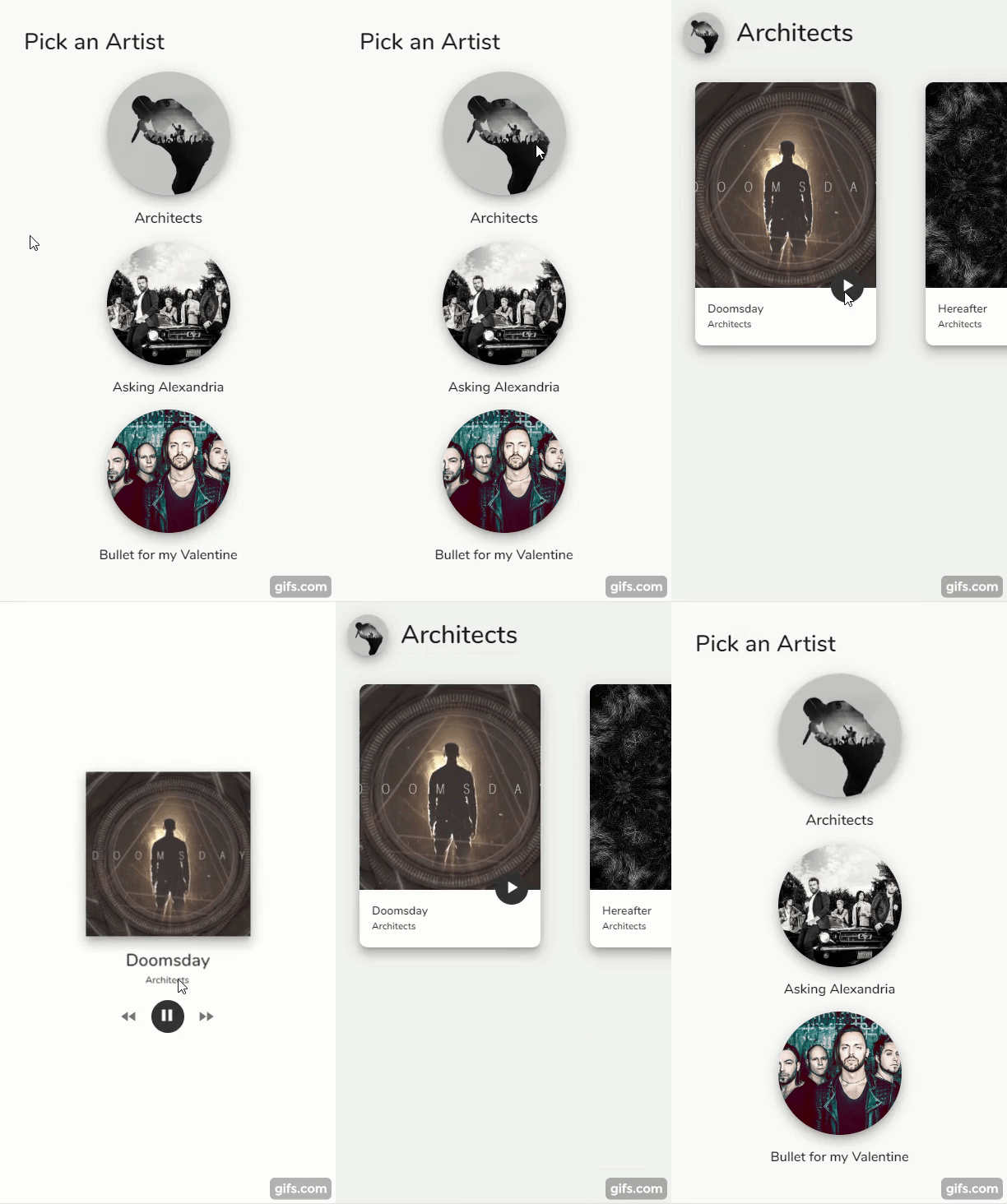
A Vue.js project for "Hero" transition based on styles


### Preview
### Installation
```
npm install --save vue-hero
```
or
```
yarn add vue-hero
```
## Usage
First of all, import vue-hero and use it with Vue
```javascript
import Hero from "vue-hero";
Vue.use(Hero);
```
This registers Hero component globally in your Vue project.
Hero component accepts following properties:
```javascript
props:{
tag:{
type:[String,Number] // Unique tag of the component
},
styles:{
type: Array // JS representations of CSS properties, f.e. ["borderRadius"] etc
},
duration:{
type: Number // in miliseconds
},
easing:{
type: String // css transition representation, f.e. "ease" or "cubic-bezier(0,.77,.9,.04)"
}
}
```
Use this component to wrap the element you wish to use in transition. Mark shared elements with hero-tag attribute, which is the same as vue-tag in your Hero component.
```
hero-deep="true" // copies element with it's children if true
hero-index="1" // z-index of copied elements
hero-tag="0" // If you've got multiple Hero components in single component, please use same hero-tag as wrapping tag in Hero component
ref = "unique" // Unique identifier of component, you wish to share
```
### Usage in single component
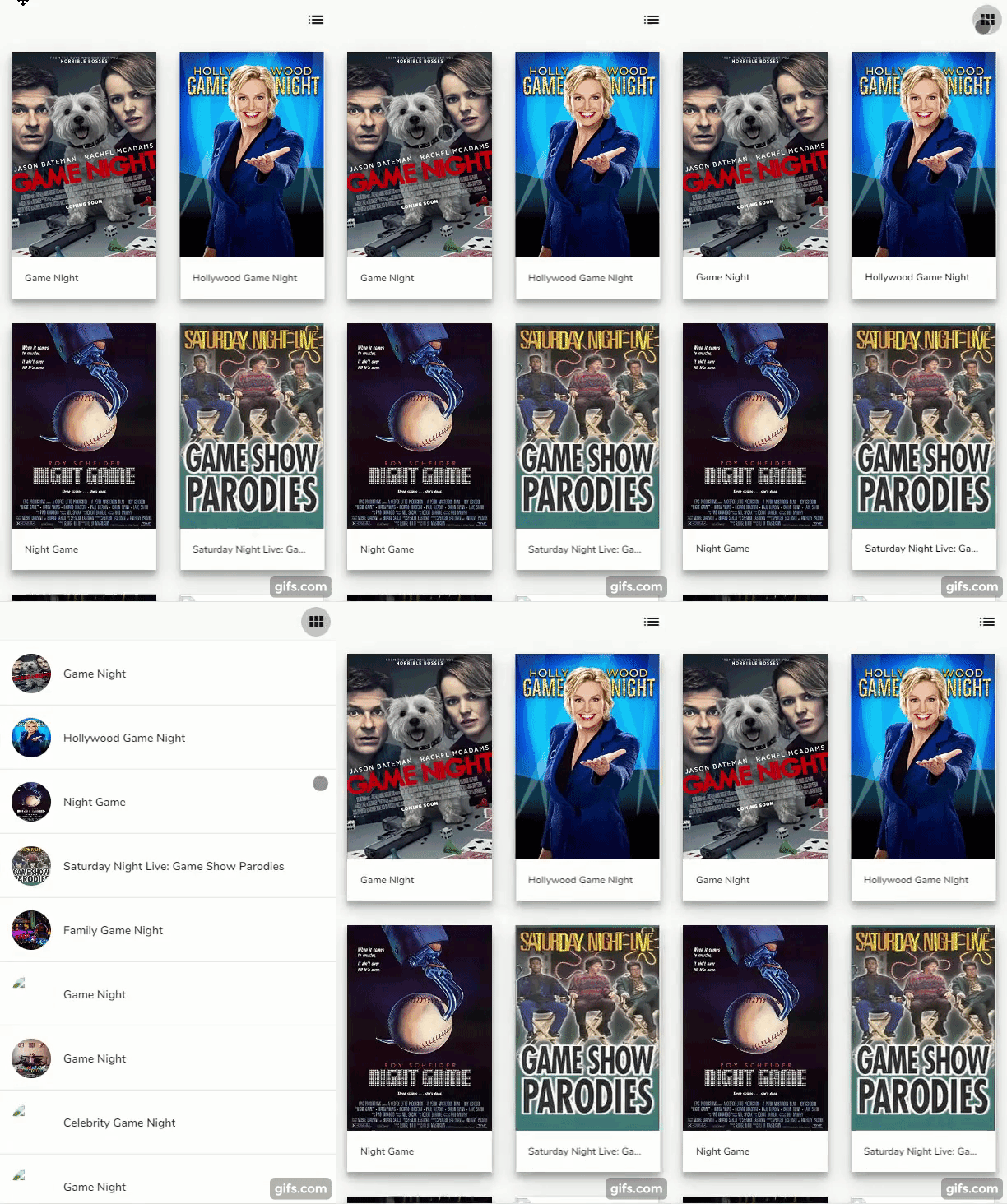
It can be used with `v-if` and `v-else`, but keep in mind using different `key` in order to get it working. Animation happens in mounted() method, which fires, if the two Hero components have different key, but the same tag.
```vue
```
This result piece of code results in this
### Usage with VueRouter
Same goes to usage with VueRouter. Just keep in mind to use the same `ref` for each component you want to share.
## Change log
Please see [CHANGELOG](CHANGELOG.md) for more information what has changed recently.
## Contributing
Please see [CONTRIBUTING](CONTRIBUTING.md) and [CONDUCT](CONDUCT.md) for details.
## Issues
Feel free to file an Issue if you find a bug at [Issue tracker](https://gitlab.com/zateklukas/vue-hero/issues)
## Credits
- [Lukáš Zátek][link-author]
## License
The MIT License (MIT). Please see [License File](LICENSE.md) for more information.
[link-author]: https://github.com/fragileqt
---
_Source: https://npm.io/package/vue-hero · Machine-readable twin of the npm.io package page. Health data is recomputed on every publish._