# vue-lzt-calendar
> vue 周 月 时间选择器
Latest version **1.0.6** (published 2020-03-29) · MIT license · 0 weekly downloads
## Install
```sh
npm install vue-lzt-calendar
pnpm add vue-lzt-calendar
yarn add vue-lzt-calendar
bun add vue-lzt-calendar
```
## Health
**Score 15/100 (F)** — status: abandoned.
Positive: no vulnerabilities.
Warnings: low downloads; no types; no esm support.
Negative: abandoned; low maintenance score.
## Facts
| | |
|---|---|
| Version | 1.0.6 |
| Published | 2020-03-29 |
| First published | 2020-03-28 |
| Weekly downloads | 0 |
| License | MIT |
| TypeScript types | none |
| Module format | CommonJS |
| Dependencies | 2 |
| Unpacked size | 382.4 KB |
| Known vulnerabilities | 0 (+1 in 1 direct dependencies) |
| Install scripts | no |
| GitHub stars | 0 |
| Author | lvzitong |
| Maintainers | zitong |
## Links
- npm: https://www.npmjs.com/package/vue-lzt-calendar
- Repository: https://github.com/lzt9977/vue-hash-calendar
- Homepage: https://github.com/lzt9977/vue-hash-calendar#readme
- npm.io page: https://npm.io/package/vue-lzt-calendar
## Dependencies (2)
- [vue](https://npm.io/package/vue.md) ^2.5.17
- [vue-ba](https://npm.io/package/vue-ba.md) ^1.2.5
## Recent versions
- 1.0.6 (latest) — 2020-03-29
- 1.0.4 — 2020-03-29
- 1.0.2 — 2020-03-28
- 1.0.1 — 2020-03-28
- 1.0.0 — 2020-03-28
## README
[](https://travis-ci.org/TangSY/vue-hash-calendar)
[](https://www.npmjs.com/package/vue-hash-calendar)
[](https://www.npmjs.com/package/vue-hash-calendar)

[](https://www.hxkj.vip)
# 按照惯例,先上效果图
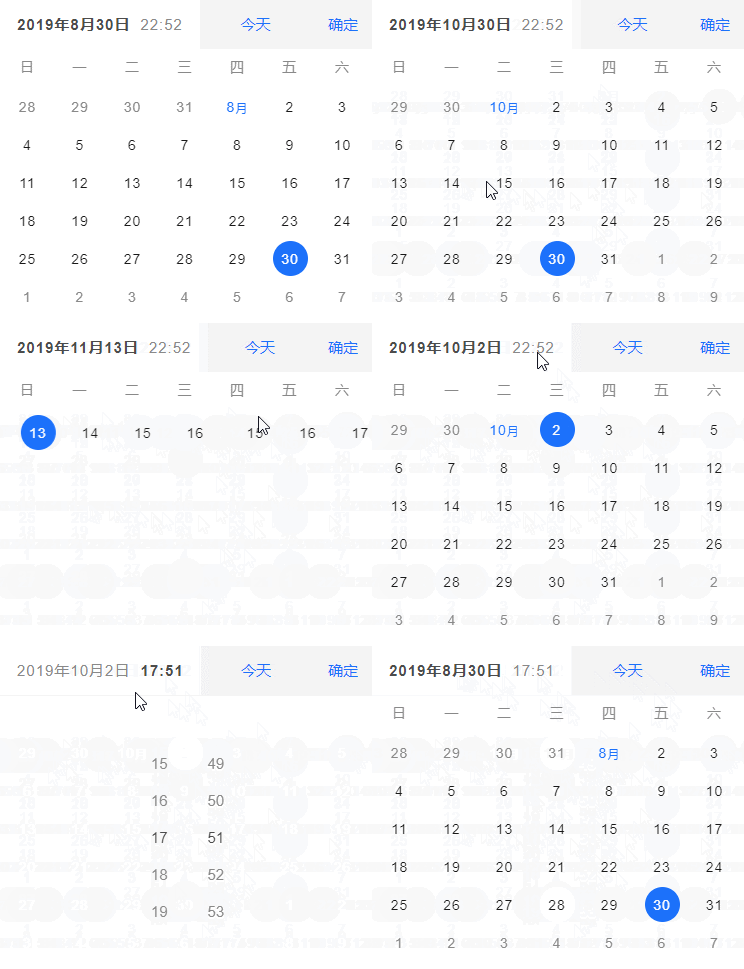
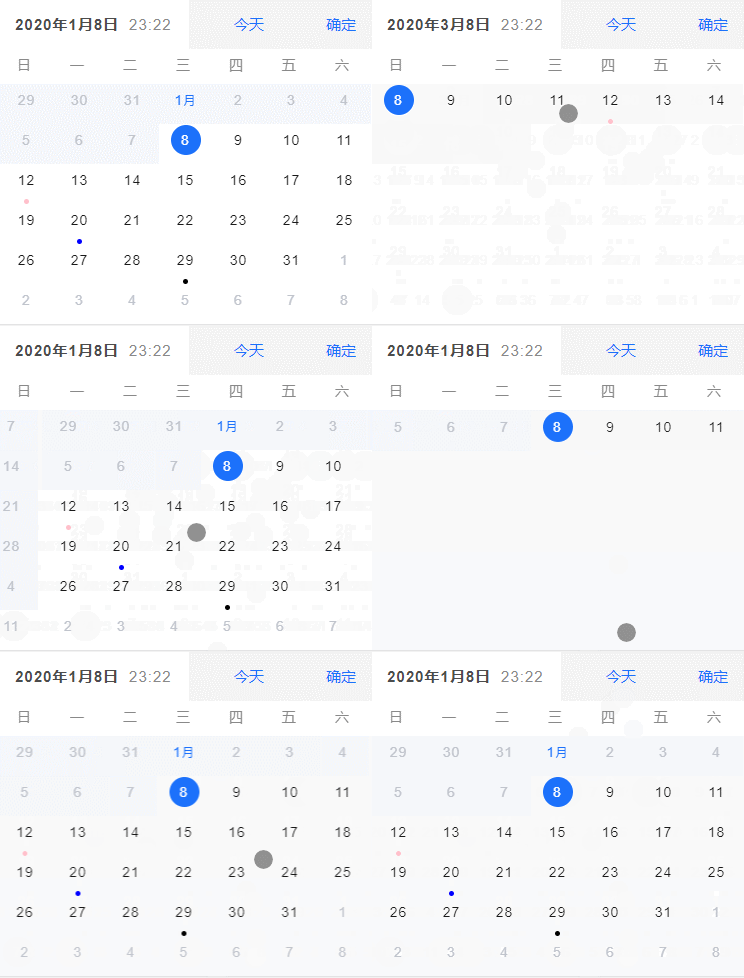
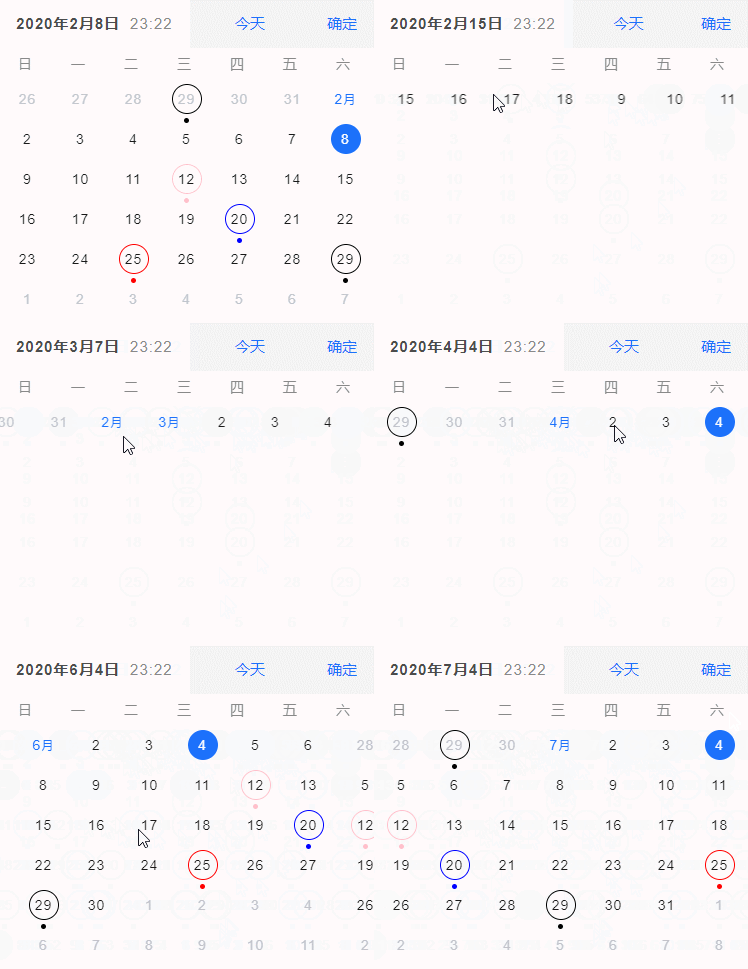
# vue-hash-calendar
- 基于 vue 2.X 开发的日历组件
- 支持手势滑动操作
- 原生 js 开发,没引入第三方库
- 上下滑动 切换 周/月 模式
> 【周模式中】 左右滑动可切换 上一周/下一周
> 【月模式中】 左右滑动可切换 上一月/下一月
# 安装使用说明
```
npm i vue-hash-calendar
```
```
// 在入口文件中(main.js),导入组件库
import vueHashCalendar from 'vue-hash-calendar'
// 引入组件CSS样式
import 'vue-hash-calendar/lib/vue-hash-calendar.css'
// 注册组件库
Vue.use(vueHashCalendar)
```
```
// 在VUE文件中引入组件
```
# Demo

或者请用浏览器的手机模式查看:[https://www.hxkj.vip/demo/calendar/](https://www.hxkj.vip/demo/calendar/)
- 🎉 觉得好用可以给一个 star 哦~~ 🎉
## github 地址:[https://github.com/TangSY/vue-hash-calendar](https://github.com/TangSY/vue-hash-calendar)
# API
| 属性 | 说明 | 类型 | 默认 | 是否必传 |
| :--------------- | :---------------------------------------------------------------------------------------------------------------------------------------------------- | :------: | :------------: | :------: |
| visible | 控制日历组件的显示或隐藏,需使用 `.sync` 修饰符 | Boolean | false | 否 |
| scrollChangeDate | 控制滑动的时候是否修改选中的日期 | Boolean | true | 否 |
| model | 日历组件以哪种形式展示。inline:内联的方式。dialog:弹窗的方式 | String | inline | 否 |
| defaultDatetime | 指定默认时间。 | Date | 当前时间 | 否 |
| format | 确认日期时,回调事件返回的日期格式。如“YY/MM/DD hh:mm” 、“YY 年 MM 月第 DD 天,当前时间 hh 时 mm 分”、“MM DD,YY at hh:mm F” | String | YY/MM/DD hh:mm | 否 |
| weekStart | 以星期几作为日历每一周的起始星期。可选['sunday', 'monday', 'tuesday', 'wednesday', 'thursday', 'friday', 'saturday'] | String | sunday | 否 |
| pickerType | 选择器类型 datetime:日期+时间 date:日期 time:时间 | String | datetime | 否 |
| showTodayButton | 是否显示返回今日按钮 | Boolean | true | 否 |
| isShowWeekView | 是否以周视图展示组件 | Boolean | false | 否 |
| disabledWeekView | 禁用周视图(设置为 true 后,无法上下滑动进行周/月切换) | Boolean | false | 否 |
| disabledDate | 设置日期的禁用状态,参数为当前日期,要求返回 Boolean (禁用该日期需返回 true) | Function | --- | 否 |
| markDate | 需要被标记的日期,可按不同颜色分组标记(不分组默认蓝色)。如:[{color: 'red',date: ['2019/02/25']},{color: 'blue',date: ['2019/01/20']},'2019/03/20'] | Array | [] | 否 |
| markType | 标记图案类型 dot:小圆点(日期下方小圆点标记) circle:小圆圈(日期被小圆圈包围) dot+circle:同时使用小圆点与圆圈标记 | String | dot | 否 |
| minuteStep | 间隔时间。(分钟的步长) | Number | 1 | 否 |
| lang | 选择的语言版本。可选值:['CN', 'EN'] | String | CN | 否 |
# 事件
| 事件名称 | 说明 | 参数 |
| :---------- | :---------------------------------------------------------------------------------------- | :--------------------------------- |
| change | 日期改变时,触发该事件。(返回的日期格式取决于 format 属性) | (date: 日期改变时,选中的日期) |
| confirm | 点击确认按钮时,触发该事件,dialog 模式中才有该按钮。(返回的日期格式取决于 format 属性) | (date: 点击确认按钮时,选中的日期) |
| click | 点击日期时,触发该事件。(返回的日期格式取决于 format 属性) | (date: 当前点击的日期) |
| touchstart | 日历滑动 start 事件,同于原生该事件。 | (event: touch 事件) |
| touchmove | 日历滑动 move 事件,同于原生该事件。 | (event: touch 事件) |
| touchend | 日历滑动 end 事件,同于原生该事件。 | (event: touch 事件) |
| slidechange | 日历滑动的方向。返回值:right、left、up、down 。 | (direction: 滑动的方向) |
## 版本记录
[changelog](https://github.com/TangSY/vue-hash-calendar/blob/travis_build/CHANGELOG.md)
## Other
- 在 dialog 模式中,如何显示日历组件?注意使用 `.sync` 修饰符
```
//设置为true
this.isShowCalendar = true;
```
- 想要返回标准的英文格式日期,format 属性应该怎样写? `MM DD,YY at hh:mm F`
```
```
- 想要返回 12 小时制的日期,format 属性应该怎样写? 在格式化字符串后面加上大写 `F`
```
```
- 如何设置禁用日期? 可参考源码中 `App.vue` 文件
```
// 例如禁用今日之后的所有日期
/** vue模板文件 **/
/** vue methods 中的方法 **/
disabledDate(date) {
let timestamp = date.getTime();
if (timestamp > new Date().getTime()) {
return true
}
return false
}
```
- 如果有其他问题, 或者功能上不兼容的。可以邮件沟通 t@tsy6.com,或者 github 提交 issue。
## 赞助

---
_Source: https://npm.io/package/vue-lzt-calendar · Machine-readable twin of the npm.io package page. Health data is recomputed on every publish._