# vue-next-directive
> ## introduction
Latest version **1.0.1** (published 2023-02-26) · 0 weekly downloads
## Install
```sh
npm install vue-next-directive
pnpm add vue-next-directive
yarn add vue-next-directive
bun add vue-next-directive
```
## Health
**Score 25/100 (F)** — status: abandoned.
Positive: has types; esm support; no vulnerabilities.
Warnings: low downloads.
Negative: abandoned; low maintenance score.
## Facts
| | |
|---|---|
| Version | 1.0.1 |
| Published | 2023-02-26 |
| First published | 2022-06-30 |
| Weekly downloads | 0 |
| TypeScript types | bundled |
| Module format | ESM + CommonJS |
| Dependencies | 0 |
| Unpacked size | 65.9 KB |
| Known vulnerabilities | 0 |
| Install scripts | no |
| GitHub stars | 3 |
| Author | lvzl |
| Maintainers | lvzl |
| Keywords | vue3指令, vue3自定义指令, 图片懒加载, loading, 加载中, lazy, debounce, input搜索防抖, 处理中文输入, compositionstart, compositionend, loading directive, lazy directive |
## Links
- npm: https://www.npmjs.com/package/vue-next-directive
- Repository: https://github.com/lv-z-l/vue-next-directives
- Homepage: https://github.com/lv-z-l/vue-next-directives#readme
- Issues: https://github.com/lv-z-l/vue-next-directives/issues
- npm.io page: https://npm.io/package/vue-next-directive
## Alternatives
- [lodash.startswith](https://npm.io/package/lodash.startswith.md) — 769.7K weekly downloads
- [@tarojs/service](https://npm.io/package/@tarojs/service.md) — 33.9K weekly downloads
- [io.extendreality.tilia.indicators.spatialtargets.unity](https://npm.io/package/io.extendreality.tilia.indicators.spatialtargets.unity.md) — 131 weekly downloads
- [@rtarojs/taro](https://npm.io/package/@rtarojs/taro.md) — 90 weekly downloads
- [node-branch-io](https://npm.io/package/node-branch-io.md) — 50 weekly downloads
## Recent versions
- 1.0.1 (latest) — 2023-02-26
- 1.0.0 — 2022-10-19
- 0.0.5 — 2022-07-15
- 0.0.4 — 2022-07-04
- 0.0.3 — 2022-06-30
## README
# vue-next-directive
## 介绍
基于 Vue3 的自定义指令库,目前包含的指令:
- loading (加载中...)
- lazy (图片懒加载)
- debounceInput (防抖输入指令,处理中文输入)
## 安装
- yarn add vue-next-directive
- npm i vue-next-directive
- ...
## 使用说明
### 简单使用(全局引用)
1. 项目入口文件
```js
// ...
import v3Directives from 'vue-next-directive'
// ...
createApp(App).use(v3Directives)
// ...
```
然后就可以在任何一个vue组件中使用
### 按需使用
1. 简单粗暴
```js
// loading
import Loading from 'vue-next-directive/lib/directives/loading/index'
createApp(App)..directive('loading', Loading)
// lazy
import Lazy from 'vue-next-directive/lib/directives/lazy/index'
createApp(App).use(Lazy, { name: 'lazy' })
```
2. 借助 vite-plugin-importer 插件
- 安装插件
- npm install vite-plugin-importer -D
- yarn add vite-plugin-importer -D
- vite.config.js
```js
import usePluginImport from 'vite-plugin-importer'
export default defineConfig({
// ...
plugin: [
// ...
usePluginImport({
libraryName: 'vue-next-directive',
customName: (name, file) => `vue-next-directive/lib/directives/${name.toLowerCase()}/index`,
style: name => {
const needcss = ['loading']
const names = name.split('/')
const fileName = names[names.length - 2]
return needcss.includes(fileName) ? `vue-next-directive/lib/assets/${fileName}.css` : ''
}, // 会自动引入组件的css
// style: () => '' 不会自动引入组件的css
})
// ...
]
// ...
})
```
- 然后你就可以这样使用
```js
import { Loading } from 'vue-next-directive'
import { Lazy } from 'vue-next-directive'
```
## 效果
### loading, lazy
```vue
```
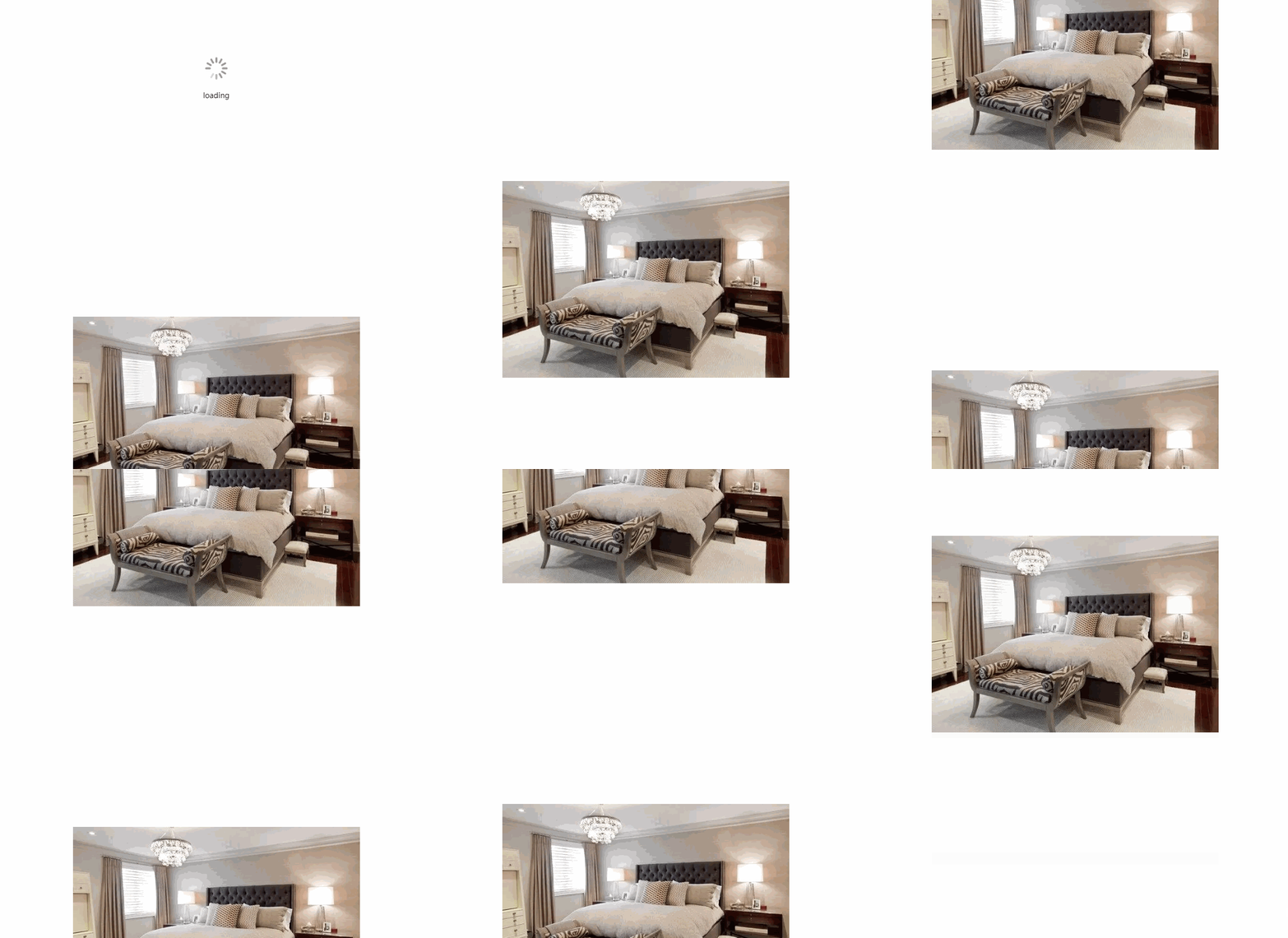
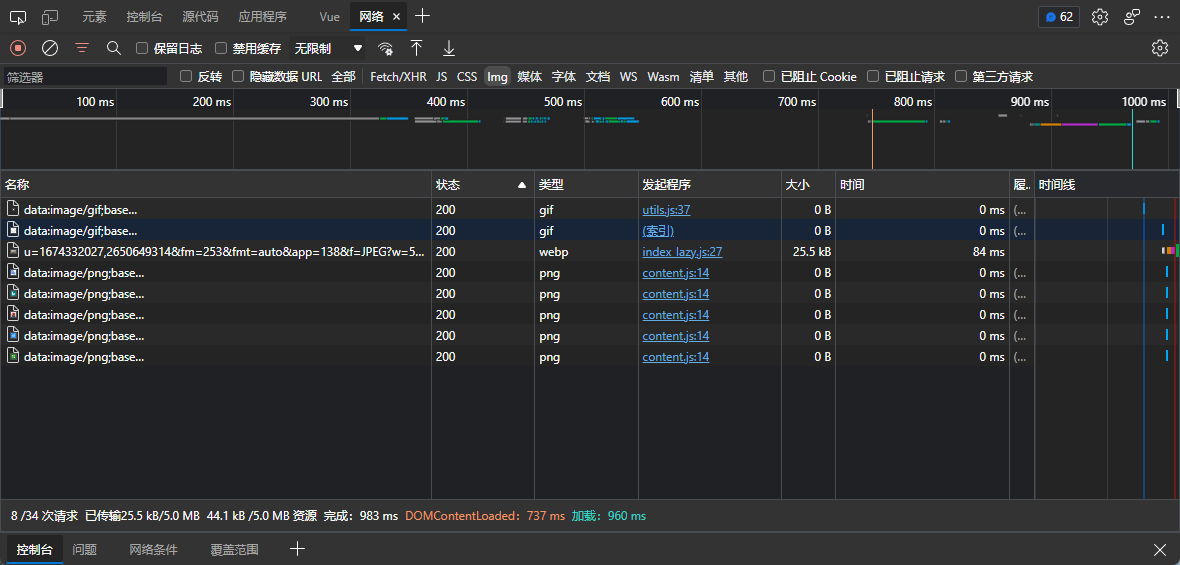
network 中图片请求只有一次,因为四张图片url都一样,因此后面都读缓存
[](https://imgtu.com/i/jVtMAe)
### debounceInput
```vue
```
- 普通的input效果:

- 使用防抖指令效果:

## 属性
### loading
- [vue3指令](https://staging-cn.vuejs.org/guide/reusability/custom-directives.html)
- v-loading:loading="loading" :后面的loading(指令参数),将作为图标下方的文字展示
- v-loading.doublesize="loading" 'doublesize'修饰符将loading图标的宽高都 * 2
- v-loading:aaa.doublesize="loading" 自定义文字为aaa, 图标宽高 * 2展示
### lazy
#### 自定义lazy的配置
```js
// ...
import { Lazyplugin } from 'vue-next-directive'
// ...
createApp(App).use(Lazyplugin, { name: 'lazy', loading: '默认不加载时显示的图片链接', error: '加载失败时显示的图片链接' })
```
```js
export interface LazyOption {
name?: string // 自定义指令名, v-后面的, 默认lazy
loading?: string // 不加载时显示的图片链接 可选
error?: string // 加载失败时显示的图片链接 可选
}
```
### debounceInput
- v-debounceInput:600="onInput" 600将作为防抖时长(默认600,单位ms),onInput是input事件执行函数
## 参考
---
_Source: https://npm.io/package/vue-next-directive · Machine-readable twin of the npm.io package page. Health data is recomputed on every publish._