# vue-scrolly
> Overlay scrollbar for Vue.js.
Latest version **0.9.3** (published 2017-12-01) · MIT license · 0 weekly downloads
## Install
```sh
npm install vue-scrolly
pnpm add vue-scrolly
yarn add vue-scrolly
bun add vue-scrolly
```
## Health
**Score 20/100 (F)** — status: abandoned.
Positive: esm support; no vulnerabilities.
Warnings: low downloads; no types; pre 1.0.
Negative: abandoned; low maintenance score.
## Facts
| | |
|---|---|
| Version | 0.9.3 |
| Published | 2017-12-01 |
| First published | 2017-09-29 |
| Weekly downloads | 0 |
| License | MIT |
| TypeScript types | none |
| Module format | ESM + CommonJS |
| Node | >=6.0.0 |
| Dependencies | 1 |
| Known vulnerabilities | 0 |
| Install scripts | no |
| GitHub stars | 27 |
| Author | Yan Sern |
| Maintainers | yansern |
| Keywords | vue, vue components, ui, scrollbar, overlay scrollbar |
## Links
- npm: https://www.npmjs.com/package/vue-scrolly
- Repository: https://github.com/yansern/vue-scrolly
- Homepage: https://github.com/yansern/vue-scrolly/index.html
- Issues: https://github.com/yansern/vue-scrolly/issues
- npm.io page: https://npm.io/package/vue-scrolly
## Dependencies (1)
- [normalize-wheel](https://npm.io/package/normalize-wheel.md) ^1.0.1
## Alternatives
- [@progress/kendo-ooxml](https://npm.io/package/@progress/kendo-ooxml.md) — 152.1K weekly downloads
- [@progress/kendo-react-ripple](https://npm.io/package/@progress/kendo-react-ripple.md) — 8.0K weekly downloads
- [@progress/kendo-react-orgchart](https://npm.io/package/@progress/kendo-react-orgchart.md) — 4.3K weekly downloads
- [@praxisui/dynamic-fields](https://npm.io/package/@praxisui/dynamic-fields.md) — 2.4K weekly downloads
- [@progress/kendo-vue-listbox](https://npm.io/package/@progress/kendo-vue-listbox.md) — 932 weekly downloads
## Recent versions
- 0.9.3 (latest) — 2017-12-01
- 0.9.2 — 2017-10-03
- 0.9.1 — 2017-09-30
- 0.9.0 — 2017-09-29
- 0.8.0 — 2017-09-29
## README
# vue-scrolly 
> Overlay scrollbar for [Vue.js](http://vuejs.org).
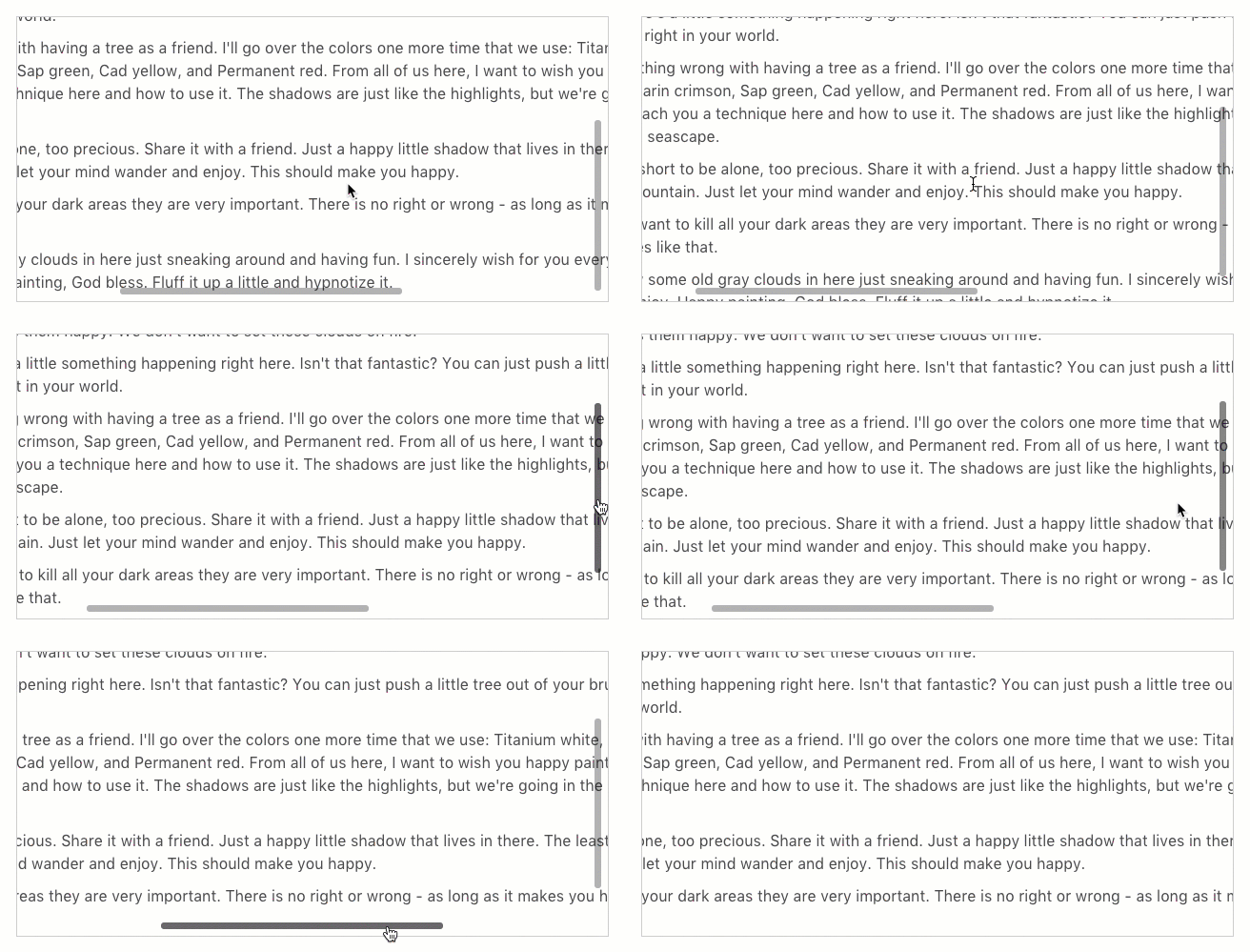
Check out the live demo.
## Features
* Supports vertical & horizontal scrollbars.
* Easy scrollbar configration - everything using CSS!
* Uses MutationObserver to update scrollbar size & position.
* Supports min-height (default 20% of viewport) to ensure scrollbar remains draggable on very long content.
* When user has scrolled to the beginning or the end of content, Scrolly seamlessly activates scrolling of parent body by detecting if user scrolled with greater scroll inertia.
## Installation
```bash
$ npm install vue-scrolly
```
## Using vue-scrolly
First, import `vue-scrolly` into your Vue component.
```js
import { Scrolly, ScrollyViewport, ScrollyBar } from 'vue-scrolly';
export default {
// ...
components: {
Scrolly,
ScrollyViewport,
ScrollyBar
}
}
```
Then, construct your div block with overlay scrollbar using scrolly component.
```html
```
## Customizing overlay scrollbar
You can customize the appearance of the overlay scrollbar using CSS overrides.
This simple example below creates custom blue overlay scrollbar:
```css
.scrolly.foo .scrolly-bar:before {
background: blue;
}
```
For complete reference, you can look at [vue-scrolly's default CSS stylesheet](https://github.com/yansern/vue-scrolly/blob/master/src/Scrolly.vue) from the main Scrolly.vue component file.
## Options
**Scrolly**
| Property | Description | Type | Default |
| ----------------- | ---------------- | :--------: | :----------: |
| parentScroll | Scroll parent when user has completed scrolling to the beginning or the end of the viewport. | Boolean | true |
| passiveScroll | When true, mousewheel event is attached as a non-blocking passive listener for improved scrolling performance. Disabling parentScroll will not be possible. See: [https://www.chromestatus.com/feature/5745543795965952](https://www.chromestatus.com/feature/5745543795965952)| Boolean | false |
**ScrollyBar**
| Property | Description | Type | Default |
| ----------------- | ---------------- | :--------: | :----------: |
| axis | Displays horizontal or vertical scrollbar. |String [x, y] | y |
## Events
| Event | Description | Parameters |
| ----- | ----------- | :---------: |
| scrollchange | Triggers when user scrolls the viewport | scrollLayout: object |
## License
**[vue-scrolly](https://github.com/yansern/vue-scrolly)** by [Yan Sern](https://twitter.com/yansernio) licensed under the [MIT+BSD](LICENSE). This project also uses [normalizeWheel](https://www.npmjs.com/package/normalize-wheel) packaged by [basilfx](https://www.npmjs.com/~basilfx) which contains codes extracted from BSD-licensed [Fixed Data Table](https://github.com/facebook/fixed-data-table) project by Facebook.
> PS: I would love to know if you're using vue-scrolly. Tweet to me at [@yansernio](https://twitter.com/yansernio).
---
_Source: https://npm.io/package/vue-scrolly · Machine-readable twin of the npm.io package page. Health data is recomputed on every publish._