# vue-style-transfer
> Easily use Style Transfer in your Vue Application
Latest version **0.2.1** (published 2020-04-11) · Apache-2.0 license · 0 weekly downloads
## Install
```sh
npm install vue-style-transfer
pnpm add vue-style-transfer
yarn add vue-style-transfer
bun add vue-style-transfer
```
## Health
**Score 20/100 (F)** — status: abandoned.
Positive: esm support; no vulnerabilities.
Warnings: low downloads; no types; pre 1.0.
Negative: abandoned; low maintenance score.
## Facts
| | |
|---|---|
| Version | 0.2.1 |
| Published | 2020-04-11 |
| First published | 2020-04-10 |
| Weekly downloads | 0 |
| License | Apache-2.0 |
| TypeScript types | none |
| Module format | ESM + CommonJS |
| Dependencies | 3 |
| Unpacked size | 8.4 MB |
| Known vulnerabilities | 0 (+1 in 1 direct dependencies) |
| Install scripts | no |
| GitHub stars | 4 |
| Author | Bakz T. Future |
| Maintainers | bakztfuture |
| Keywords | vue, style transfer, arbitrary style transfer, image stylization |
## Links
- npm: https://www.npmjs.com/package/vue-style-transfer
- Repository: https://github.com/bakztfuture/vue-style-transfer
- Homepage: https://github.com/bakztfuture/vue-style-transfer#readme
- Issues: https://github.com/bakztfuture/vue-style-transfer/issues
- npm.io page: https://npm.io/package/vue-style-transfer
## Dependencies (3)
- [vue](https://npm.io/package/vue.md) ^2.6.11
- [core-js](https://npm.io/package/core-js.md) ^3.6.4
- [@tensorflow/tfjs](https://npm.io/package/@tensorflow/tfjs.md) ^1.7.2
## Alternatives
- [exif-parser](https://npm.io/package/exif-parser.md) — 3.8M weekly downloads
- [vite-plugin-compression](https://npm.io/package/vite-plugin-compression.md) — 569.5K weekly downloads
- [pica](https://npm.io/package/pica.md) — 442.4K weekly downloads
- [@reportportal/client-javascript](https://npm.io/package/@reportportal/client-javascript.md) — 408.8K weekly downloads
- [@tldraw/state](https://npm.io/package/@tldraw/state.md) — 316.0K weekly downloads
## Recent versions
- 0.2.1 (latest) — 2020-04-11
- 0.2.0 — 2020-04-11
- 0.1.8 — 2020-04-10
- 0.1.7 — 2020-04-10
- 0.1.6 — 2020-04-10
- 0.1.5 — 2020-04-10
- 0.1.4 — 2020-04-10
- 0.1.3 — 2020-04-10
- 0.1.2 — 2020-04-10
- 0.1.1 — 2020-04-10
- 0.1.0 — 2020-04-10
## README
# Vue Style Transfer :art:
Easily use Style Transfer in your Vue Application
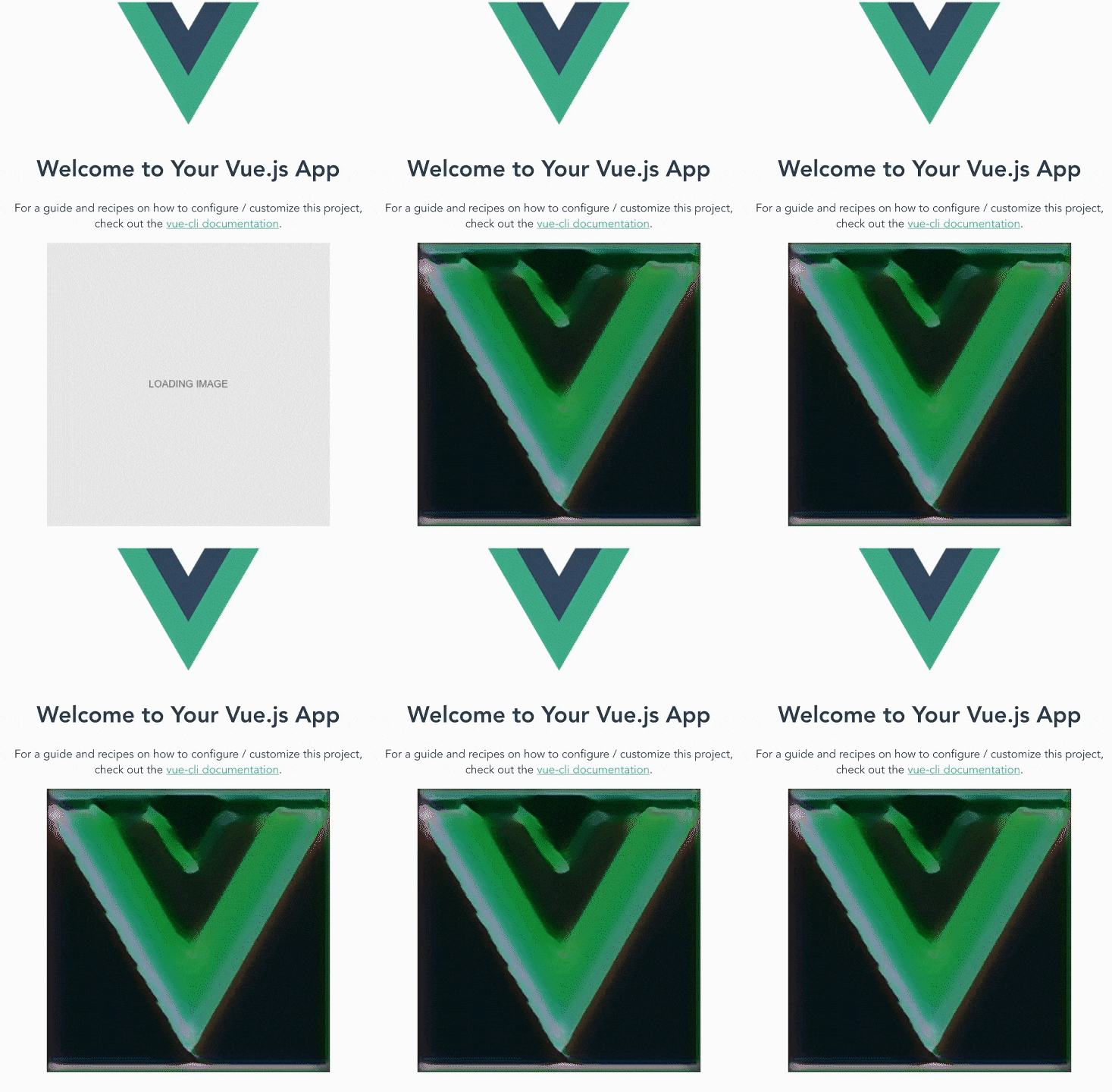
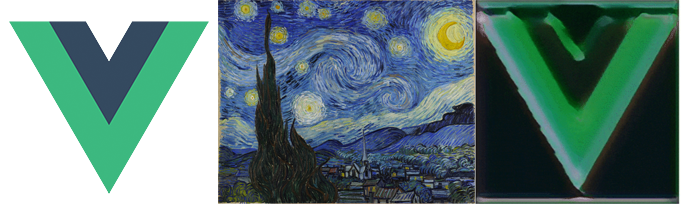
Style transfer demo - Vue logo crossed with Starry Night by Vincent van Gogh
## Philosophy
Lately, Style Transfer models have improved in their results and also decreased in size (down to a few KB). At the same time, users' machines and devices have also become more powerful, and for the first time, able to perform style transfer computations on-the-fly.
Vue Style Transfer was created with the goal of allowing you to seamlessly integrate state of the art style transfer neural network models in your website application. This creates an opportunity to delight your users with new kinds of, refreshing, image graphics which are uniquely generated client-side every page visit.
Using Vue Style Transfer should be as simple as using any other HTML element like `![]() ` or `
`.
## Features
- Transform images with a state-of-the-art arbitrary style transfer model
- Use local images or images from direct URL's
- "loading image" screen is shown on the page until style transfer is completed
- Specify loading message text and background colors
- Set the "strength" of the style transfer
- Basic accessibility support via `aria-label`
## Setup/Installation :floppy_disk:
Install via NPM:
```bash
npm install --save vue-style-transfer
```
Configure your application entry point (typically `main.js`) and tell vue to use it:
```javascript
import Vue from 'vue'
import App from './App.vue'
import VueStyleTransfer from 'vue-style-transfer'
Vue.use(VueStyleTransfer)
new Vue({
render: h => h(App),
}).$mount('#app')
```
## Usage :beginner:
**Background**
`originURL` or `local-origin-image` - the original image you want to add styling to. Either from a URL or a local image.
`styleURL` or `local-style-image` - the image you want to copy the style from. Either from a URL or a local image.
**Examples**
Basic example (using direct URL's only):
```html
```
Basic example (using a local origin image + URL for the style image):
```html
```
## Configuration Properties :wrench:
`:strength` - the strength of the style you want to apply to the origin image
`alt-text` - provide an alt text value for accessibility support. Note: the final image is outputted in a canvas, which does not support alt tags. Instead `aria-label` is used.
`width` and `height` - specify the dimensions of the style transfer output. Please note, currently, larger sizes (eg. > 400px) can seriously slow down your application and even crash the user's browser.
`loading-background-color` - specify a hex value for the background (by default it's grey `#e8e8e8`)
`loading-text-message` - specify a custom string message to show to the user while the style transfer is working (by default it says, 'LOADING IMAGE')
`loading-text-color` - specify a hex value for the loading (by default it's dark grey `#666666`)
## About the Arbitrary Style Transfer Neural Network Model
Tensorflow.js Model taken from the [arbitrary-image-stylization-tfjs](https://github.com/reiinakano/arbitrary-image-stylization-tfjs) project.
Parts of the model which are called:
separableTransformNet (151 KB) - [Link](https://raw.githubusercontent.com/reiinakano/arbitrary-image-stylization-tfjs/master/saved_model_transformer_js/model.json)
mobileStyleNet (168 KB) - [Link](https://raw.githubusercontent.com/reiinakano/arbitrary-image-stylization-tfjs/master/saved_model_style_js/model.json)
## Warning :warning:
Please avoid using very large images as they have the potential to dramatically slow down your website or even crash the user's browser. Also, please note, this library still has the potential to crash older machines (especially those without a GPU).
It is **not recommended** to use this library in the main areas of critical, production website applications.
It is **not recommended** to use multiple style transfer elements on the same page.
## Credits
Please note the code is **very** heavily inspired from the original [Arbitrary Style Transfer code](https://github.com/reiinakano/arbitrary-image-stylization-tfjs) using Tensorflow.js by Reiichiro Nakano. It's worth noting `vue-style-transfer` is more of a Vue wrapper for the original code by Reiichiro Nakano, than its own library.
Arbitrary Style Transfer itself would not have been possible without the following:
* Authors of the [arbitrary style transfer](https://arxiv.org/abs/1705.06830) paper.
* The Magenta repository for [arbitrary style transfer](https://github.com/tensorflow/magenta/tree/master/magenta/models/arbitrary_image_stylization).
* Authors of [the MobileNet-v2 paper](https://arxiv.org/abs/1801.04381).
* Authors of the paper describing [neural network knowledge distillation](https://arxiv.org/abs/1503.02531).
* The [TensorFlow.js library](https://js.tensorflow.org).
* [Google Colaboratory](https://colab.research.google.com/), with which I was able
to do all necessary training using a free(!) GPU.
---
_Source: https://npm.io/package/vue-style-transfer · Machine-readable twin of the npm.io package page. Health data is recomputed on every publish._