# vue-sweetalert2

> Simple Vue sweetalert2 package

Latest version **5.0.11** (published 2024-06-04) · MIT license · 0 weekly downloads

## Install

```sh
npm install vue-sweetalert2
pnpm add vue-sweetalert2
yarn add vue-sweetalert2
bun add vue-sweetalert2
```

## Health

**Score 30/100 (F)** — status: abandoned.

Positive: has types; esm support; no vulnerabilities; high quality score.

Warnings: low downloads.

Negative: abandoned; low maintenance score.

## Facts

| | |
|---|---|
| Version | 5.0.11 |
| Published | 2024-06-04 |
| First published | 2017-07-15 |
| Weekly downloads | 0 |
| License | MIT |
| TypeScript types | bundled |
| Module format | ESM + CommonJS |
| Dependencies | 1 |
| Unpacked size | 157.1 KB |
| Known vulnerabilities | 0 (+3 in 1 direct dependencies) |
| Install scripts | no |
| GitHub stars | 664 |
| Author | Aleksey Pivkin @avil13 |
| Maintainers | avil13 |
| Keywords | sweetalert, sweetalert2, alert, prompt, ssr |

## Links

- npm: https://www.npmjs.com/package/vue-sweetalert2
- Repository: https://github.com/avil13/vue-sweetalert2
- Homepage: https://avil13.github.io/vue-sweetalert2/
- Issues: https://github.com/avil13/vue-sweetalert2/issues
- npm.io page: https://npm.io/package/vue-sweetalert2

## Dependencies (1)

- [sweetalert2](https://npm.io/package/sweetalert2.md) 11.4.4

## Alternatives

- [update-check](https://npm.io/package/update-check.md) — 4.0M weekly downloads
- [react-native-onesignal](https://npm.io/package/react-native-onesignal.md) — 134.5K weekly downloads
- [react-redux-toastr](https://npm.io/package/react-redux-toastr.md) — 33.7K weekly downloads
- [@nocobase/plugin-notification-manager](https://npm.io/package/@nocobase/plugin-notification-manager.md) — 2.0K weekly downloads
- [react-simple-toasts](https://npm.io/package/react-simple-toasts.md) — 1.9K weekly downloads

## Recent versions

- 5.0.11 (latest) — 2024-06-04
- 2.0.4 (beta) — 2019-05-14
- 5.0.10 — 2024-05-15
- 5.0.9 — 2024-05-13
- 5.0.7 — 2024-05-13
- 5.0.5 — 2022-05-10
- 5.0.2 — 2021-06-30
- 5.0.1 — 2021-06-30
- 5.0.0 — 2021-06-30
- 4.3.1 — 2021-04-14
- 4.3.0 — 2021-04-14
- 4.2.1 — 2021-03-18
- 4.2.0 — 2021-01-28
- 4.1.1 — 2020-10-25
- 4.0.1 — 2020-10-22
- … 57 more at https://npm.io/package/vue-sweetalert2/versions

## README

# vue-sweetalert2

[![npm](https://img.shields.io/npm/v/vue-sweetalert2.svg)](https://www.npmjs.com/package/vue-sweetalert2)

[![Coverage Status](https://coveralls.io/repos/github/avil13/vue-sweetalert2/badge.svg?branch=master)](https://coveralls.io/github/avil13/vue-sweetalert2?branch=master)

Vue.js wrapper for SweetAlert2. With support SSR.

[changelog](https://github.com/avil13/vue-sweetalert2/blob/master/packages/vue-sweetalert2/CHANGELOG.md)

---

## Attention:

When using "Vue3: Composition API" it is better **not to use** this wrapper.
It is more practical to call sweetalert2 directly.

Also, it is better to do it to get feedback faster, and be closer to the documentation.

---


![VueSweetalert2](https://raw.githubusercontent.com/avil13/vue-sweetalert2/master/packages/vue-sweetalert2/assets/logo.png)

<div align="center">

  # [Demo](https://avil13.github.io/vue-sweetalert2/)

</div>

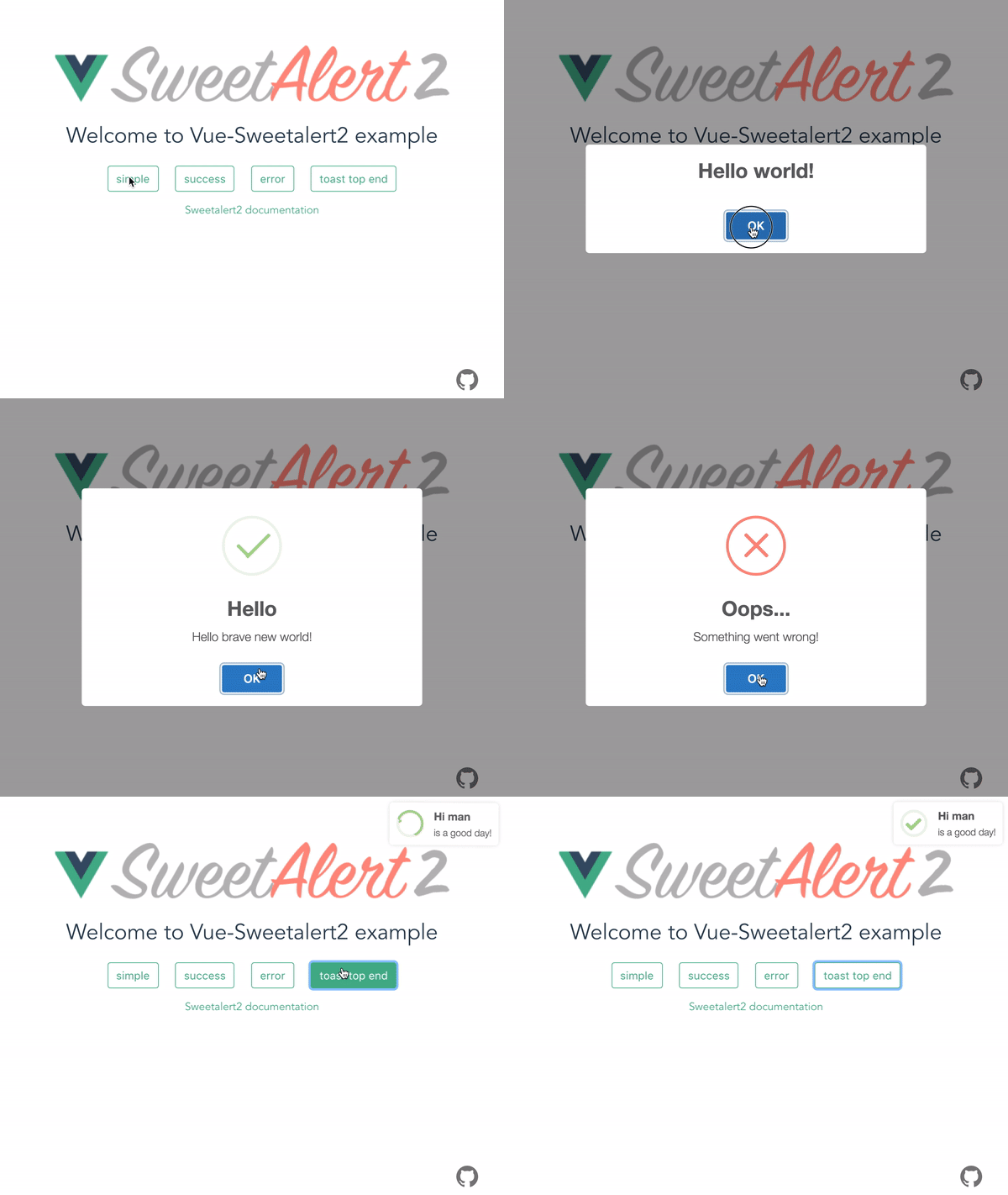
![vue-sweetalert2 demo](https://raw.githubusercontent.com/avil13/vue-sweetalert2/master/packages/vue-sweetalert2/assets/vue-sweetalert2.gif)

---

## Get started

### Basics

#### Bash
```bash
npm install -S vue-sweetalert2
```

### Add types to TypeScript project

```js
{
  //...tsconfig.json
  "types": [
    "vue-sweetalert2"
  ],
}
```

## vue 2

```js
// main.js
import Vue from 'vue';
import VueSweetalert2 from 'vue-sweetalert2';

// If you don't need the styles, do not connect
import 'sweetalert2/dist/sweetalert2.min.css';

Vue.use(VueSweetalert2);
```

## vue 3

```js
// main.js
import { createApp } from 'vue'
import App from './App.vue'
import './index.css'

import VueSweetalert2 from 'vue-sweetalert2';
import 'sweetalert2/dist/sweetalert2.min.css';

const app = createApp(App)

app.use(VueSweetalert2);

app.mount('#app');
```

Now in the global object, you can access all the methods of [sweetalert2](https://github.com/limonte/sweetalert2).

```html
// example-vue-component.vue
<template>
  <button @click="showAlert">Hello world</button>
</template>

<script>
export default {
  methods: {
    showAlert() {
      // Use sweetalert2
      this.$swal('Hello Vue world!!!');
    },
  },
};
</script>
```

// Or

```js
Vue.swal('Hello Vue world!!!');
```

### Global options

If you want to add global options like button colors, do something like this:

```js
// main.js
import Vue from 'vue';
import VueSweetalert2 from 'vue-sweetalert2';

const options = {
  confirmButtonColor: '#41b882',
  cancelButtonColor: '#ff7674',
};

Vue.use(VueSweetalert2, options);
```

### Custom styling

Using scss styles are loaded so

```js
// main.js
import Vue from 'vue';
import VueSweetalert2 from 'vue-sweetalert2';

Vue.use(VueSweetalert2);
```

```scss
// style.scss
@import '~sweetalert2/src/variables';

$swal2-background: #990000;

@import '~sweetalert2/src/sweetalert2';
```

## Nuxt.js

Install dependencies:

```bash
npm install -S vue-sweetalert2
```

Add `vue-sweetalert2/nuxt` to modules section of `nuxt.config.js`

```js
{
  modules: ['vue-sweetalert2/nuxt'];
}
```

Or pass in global options like this:

```js
{
  modules: [
    'vue-sweetalert2/nuxt',
  ],
  sweetalert: {
    confirmButtonColor: '#41b882',
    cancelButtonColor: '#ff7674'
  }
}
```

### Using a different theme in Nuxt

Add `vue-sweetalert2/nuxt` to modules section of `nuxt.config.js`

```js
{
  // Before doing so, install the "@sweetalert2/theme-dark"
  css:     [ '@sweetalert2/theme-dark' ],
  modules: ['vue-sweetalert2/nuxt/no-css'];
}
```


## The documentation for `sweetalert2`, you can find [here](https://sweetalert2.github.io/).

---
_Source: https://npm.io/package/vue-sweetalert2 · Machine-readable twin of the npm.io package page. Health data is recomputed on every publish._
