# vue2-viewer
> vue ui工具集合,包含移动端提示Toast,全局加载Indicator,六位密码数据等
Latest version **1.0.5** (published 2024-01-03) · 0 weekly downloads
## Install
```sh
npm install vue2-viewer
pnpm add vue2-viewer
yarn add vue2-viewer
bun add vue2-viewer
```
## Health
**Score 15/100 (F)** — status: abandoned.
Positive: no vulnerabilities.
Warnings: low downloads; no types; no esm support.
Negative: abandoned; low maintenance score.
## Facts
| | |
|---|---|
| Version | 1.0.5 |
| Published | 2024-01-03 |
| First published | 2019-03-01 |
| Weekly downloads | 0 |
| TypeScript types | none |
| Module format | CommonJS |
| Dependencies | 3 |
| Unpacked size | 560.9 KB |
| Known vulnerabilities | 0 (+1 in 1 direct dependencies) |
| Install scripts | no |
| GitHub stars | 14 |
| Maintainers | marvengong |
| Keywords | viewer, vue2-viewer, vue图片预览 |
## Links
- npm: https://www.npmjs.com/package/vue2-viewer
- Repository: https://github.com/MarvenGong/vue2-viewer
- Homepage: https://marvengong.github.io/vue2-viewer/dist/
- Issues: https://github.com/MarvenGong/vue2-viewer/issues
- npm.io page: https://npm.io/package/vue2-viewer
## Dependencies (3)
- [vue](https://npm.io/package/vue.md) ^2.6.10
- [core-js](https://npm.io/package/core-js.md) ^3.4.3
- [vue2-animate](https://npm.io/package/vue2-animate.md) ^2.1.0
## Recent versions
- 1.0.5 (latest) — 2024-01-03
- 1.0.3 — 2019-12-26
- 1.0.2 — 2019-12-17
- 1.0.1 — 2019-12-16
- 0.1.2 — 2019-12-16
- 0.1.1 — 2019-04-25
- 0.1.0 — 2019-04-12
- 0.0.5 — 2019-04-03
- 0.0.4 — 2019-03-01
- 0.0.3 — 2019-03-01
- 0.0.2 — 2019-03-01
- 0.0.1 — 2019-03-01
## README
# vue2-viewer
## github 仓库地址
[点击前往 vue2-viewer github 地址](https://github.com/MarvenGong/vue2-viewer)
> vue2-viewer 是一款强大的图像浏览插件,可以实现图像的放大预览,旋转,任意比例放大和缩小等功能
vue2-viewer 是 viewer.js vue 的实现,效果以及样式完全移植自 viewer.js 关于 viewer.js 可以参考链接
[http://fengyuanchen.github.io/viewer/]
插件中所有的效果均大量地使用了 css3 的新特性替换了 viewer.js 中的 js 动画,所以 vue2-viewer 主要实用场景是现代浏览器中。
## 演示地址
[戳这里前往 view2-viewer 演示地址>>](https://marvengong.github.io/vue2-viewer/dist/)
## 版本说明
- 1.0.3 处理列表数据问题
- 1.0.2 解决样式未生效问题
- 1.0.1 更换脚手架,修改图片切换后状态没重置的问题
- 0.1.0 正式上线版本
- 0.0.1 修改了放大后图片的标题无法显示的问题,新增 title 组件属性
## 使用文档
#### 安装
```javascript
npm install --save vue2-viewer
```
#### 在 main.js 中引入并使用插件
```javascript
import ImageViewer from "vue2-viewer";
Vue.use(ImageViewer);
```
插件会在全局注册 vue-viewer 组件
#### 使用组件
vue2-viewer 提供两种使用模式,单图片模式和多图列表模式。
##### 单图片模式
props
| 参数 | 说明 | 类型 | 必须 |
| :---: | :--------------------------------: | :----: | :---: |
| thumb | 要显示的小图的链接 | string | true |
| full | 点击放大后的大图链接 | string | true |
| title | 点击放大后大图下面要展示的图片说明 | string | false |
示例:
```html
```
效果展示:
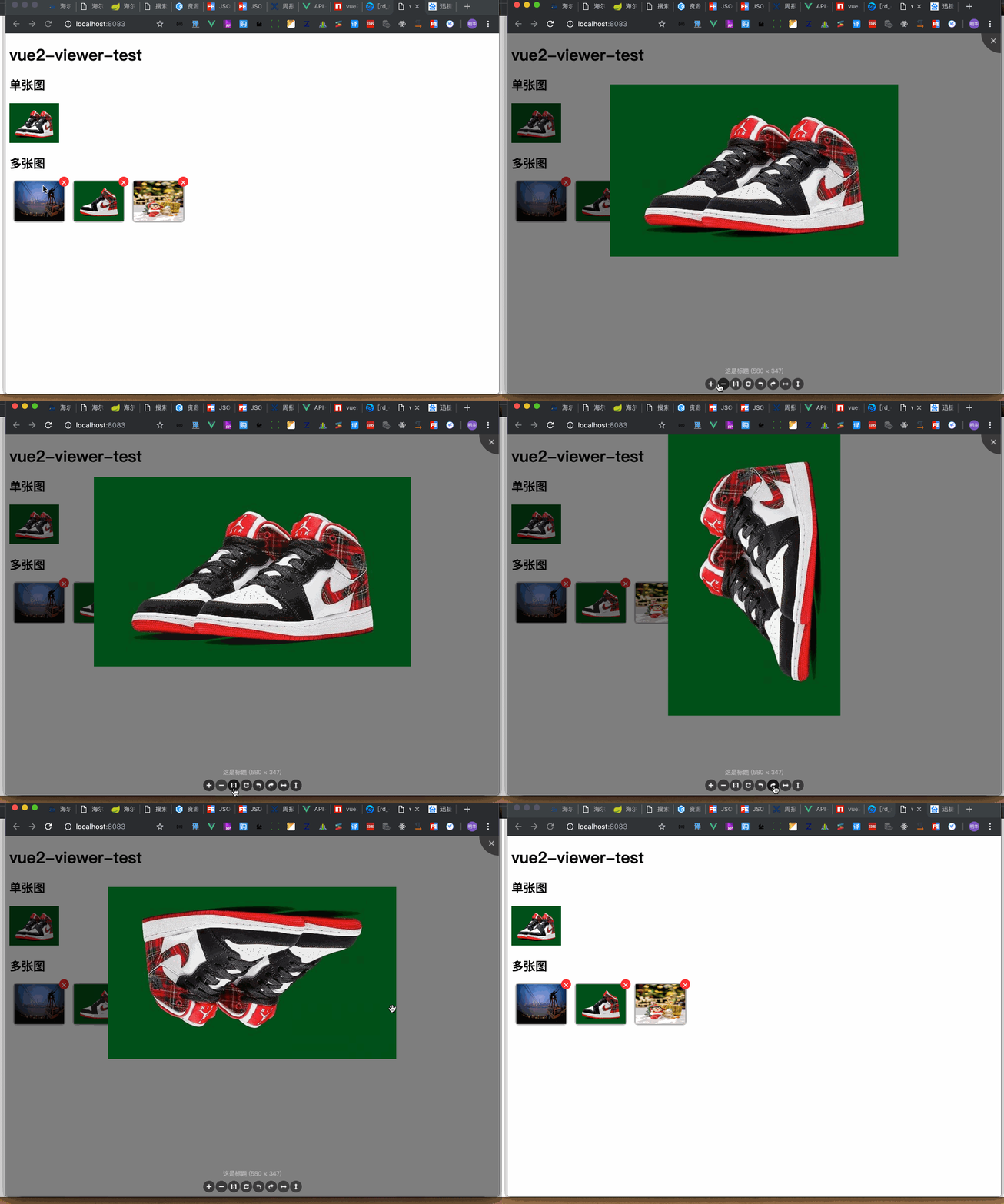
##### 多图片模式
props
| 参数 | 说明 | 类型 | 必须 |
| :-----------: | :-----------------------------------------------------------------------------------------------------------------: | :----: | :---: |
| thumb | 要显示的小图列表的链接数组 | array | true |
| full | 点击放大后的大图的链接数组 | array | true |
| title | 点击放大后大图下面要展示的图片说明数组,与图片一一对应 | array | false |
| list-ul-class | 默认小图的列表外层 ul 的自定义 class 用于自定义列表的样式,包括 ul 内部的 slot 的内容的样式都可以通过这个方式自定义 | string | false |
Scoped Slot
| name | 说明 |
| :--: | :--------------------------------------: |
| ~ | 列表中的每一个元素中除了默认图以外的内容 |
示例:
```html
×
```
效果展示:

---
_Source: https://npm.io/package/vue2-viewer · Machine-readable twin of the npm.io package page. Health data is recomputed on every publish._