@anakinyuen/progressive-image v0.0.1
progressive-image

The customized build-in element that enriches the native img element by using multiple Progressive Image Rendering strategies.
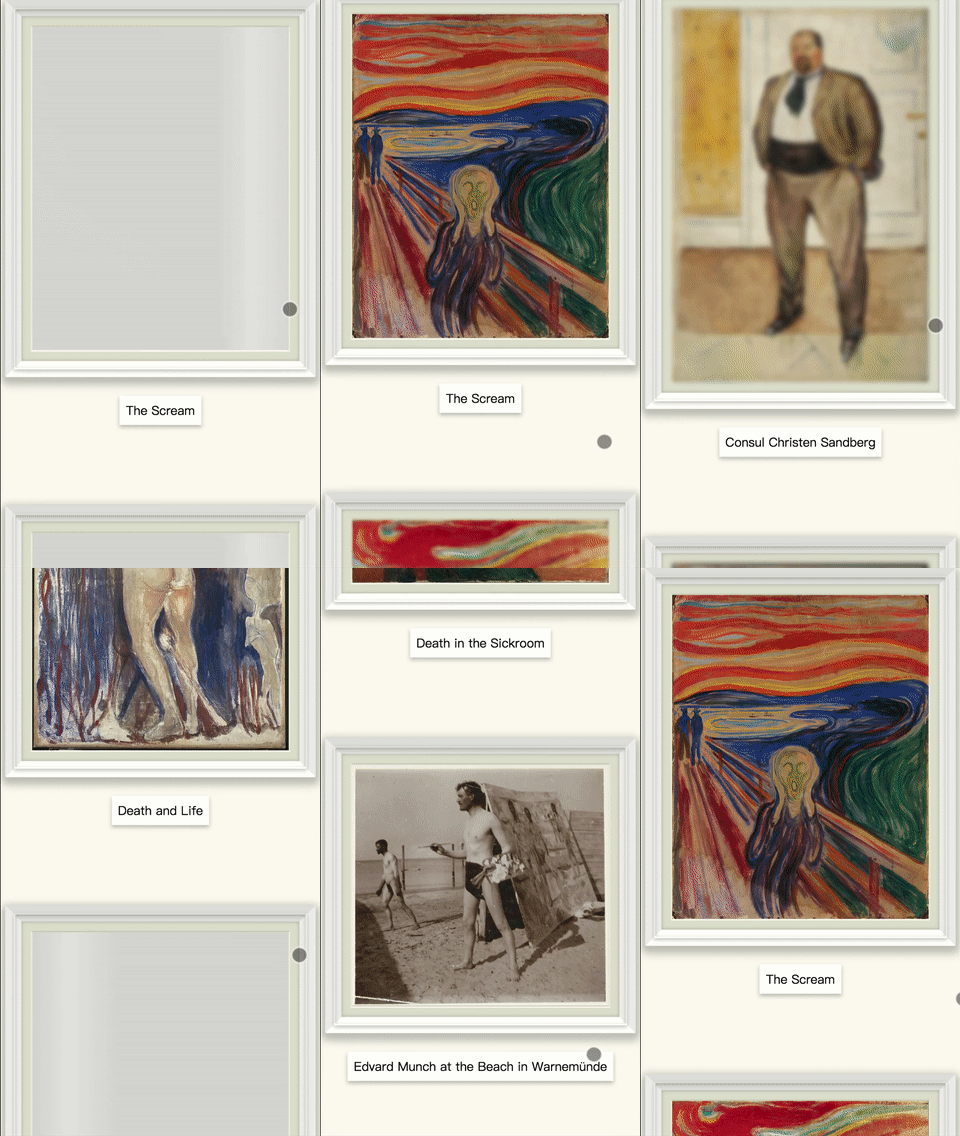
progressive-image example in Chrome with Fast 3G throttling
Installation
npm
$ npm install progressive-imageDirect include
Simply download and include with a script tag and a link tag inside the head tag.
<head>
  <link rel="stylesheet" type="text/css" href="progressive-image.css" />
  <script src="progressive-image.js"></script>
</head>
or
Using import statement
You may also import progressive-image directly to your source code
import 'progressive-image';<head>
<link rel="stylesheet" type="text/css" href="progressive-image.css" />
<!-- <script src="progressive-image.js"></script> -->
</head>Usage
Create img in html
<img
  is="progressive-image"
  width="474"
  height="600"
  src="The_Scream.jpg"
  alt="The Scream"
  data-blurry-src="The_Scream-189px.jpg"
  sizes="(min-width: 415px) 50vw, 80vw"
  srcset="
    The_Scream-474px.jpg     474w,
    The_Scream-606px.jpg     606w,
    The_Scream-808px.jpg     808w,
    The_Scream-10025px.jpg 10025w
  "
/>
Create img in js
const progressiveImage = document.createElement('img', {
  is: 'progressive-image',
});
progressiveImage.width = 474;
progressiveImage.height = 600;
progressiveImage.src = 'The_Scream.jpg';
progressiveImage.alt = 'The Scream';
progressiveImage.dataset.blurrySrc = 'The_Scream-189px.jpg';
progressiveImage.sizes = '(min-width: 415px) 50vw, 80vw';
progressiveImage.srcset = `
  The_Scream-474px.jpg     474w,
  The_Scream-606px.jpg     606w,
  The_Scream-808px.jpg     808w,
  The_Scream-10025px.jpg 10025w
`;
Key Features
- no dependency
- minimal size: weighing
1.8KBonly - multiple Progressive Image Rendering strategies: support CSS Placeholder Shimmer and Low quality image placeholder (LQIP)
- lazy load images: Intersection Observer is used to trigger image loads
- you may want to include Intersection Observer polyfill for browsers which not natively support
Intersection Observer
- you may want to include Intersection Observer polyfill for browsers which not natively support
- auto fallback: work exactly the same as
imgdo if Custom elements is not supported
Attributes
is (is="progressive-image")
Specify that a standard HTML element (img) should behave like a registered custom built-in element (progressive-image).
See Using custom elements for more details
src
Same as src attribute on the img tag.
srcset
Same as srcset attribute on the img tag.
sizes
Same as sizes attribute on the img tag.
See Responsive Images for usage of sizes and srcset.
alt
Same as alt attribute on the img tag.
data-blurry-src
Optional attribute
The data-blurry-src attribute defined the source for Low quality image placeholder(LQIP) of the img element. By default, the image of data-blurry-src is immediately downloaded and shown in blurry form. The final image will start download after LQIP is shown. Once ready, the LQIP will fade out and show the final image.
height and width
An explicit size of the image, which is used by the progressive-image to determine the aspect ratio without fetching the image.
Compatibility
Requires ES2015 classes. IE11 and below not supported.
If targeting browsers that natively support ES2015, but not native Web Components:
You will also need the Custom Elements V1 Polyfill.
See caniuse.com for support on Custom Elements v1.
If targeting browsers that does not support ES2015:
You might want to reconsider since you'll be better off not using Web Components in this case.
Licensing
7 years ago