@evnydd0sf/react-native-amap3d-fix v3.2.4-fix.1
react-native-amap3d 

这是 react-native-amap3d 的 fork 版本,仅为 react-native-amap3d 修复 Xcode 编译问题而创建。
修复内容
- 修复了 iOS 编译时的链接错误问题
- 问题描述:在正式编译时出现
ld: pointer not aligned in '_dbl_lnds_data_TileDataRespMsg_fields'错误 - 根本原因:AMap3DMap SDK 版本兼容性问题,原 podspec 中的版本依赖导致链接器错误
- 解决方案:将
react-native-amap3d.podspec中的 AMap3DMap 依赖版本固定为10.0.1000 - 测试状态:✅ 开发调试正常 ✅ 正式编译通过
- 问题描述:在正式编译时出现
功能
- 地图模式切换(常规、卫星、导航、夜间)
- 3D 建筑、路况、室内地图
- 内置地图控件的显示隐藏(指南针、比例尺、定位按钮、缩放按钮)
- 手势交互控制(平移、缩放、旋转、倾斜)
- 中心坐标、缩放级别、倾斜度的设置,支持动画过渡
- 地图事件(onPress、onLongPress、onLocation、onCameraMove、onCameraIdle 等)
- 地图标记(Marker)
- 折线绘制(Polyline)
- 多边形绘制(Polygon)
- 圆形绘制(Circle)
- 热力图(HeatMap)
- 海量点(MultiPoint)
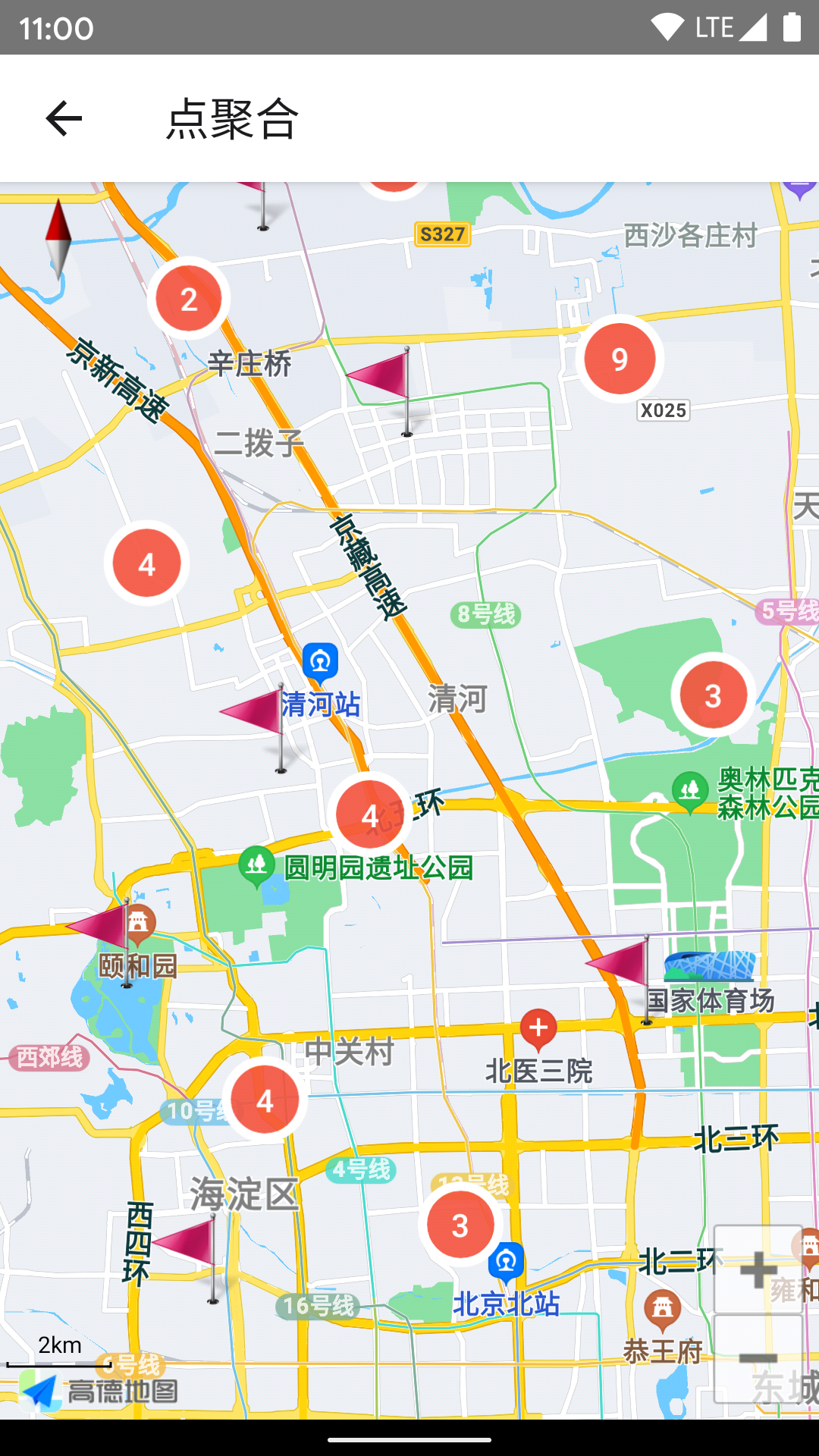
- 点聚合(Cluster)
接口文档
https://qiuxiang.github.io/react-native-amap3d/api/
安装
npm i @evnydd0sf/react-native-amap3d添加高德 API Key
首先你需要获取高德地图 API Key:
然后你需要在显示地图前调用接口设置 API key:
import { AMapSdk } from "@evnydd0sf/react-native-amap3d";
import { Platform } from "react-native";

AMapSdk.init(
  Platform.select({
    android: "c52c7169e6df23490e3114330098aaac",
    ios: "186d3464209b74effa4d8391f441f14d",
  })
);
用法
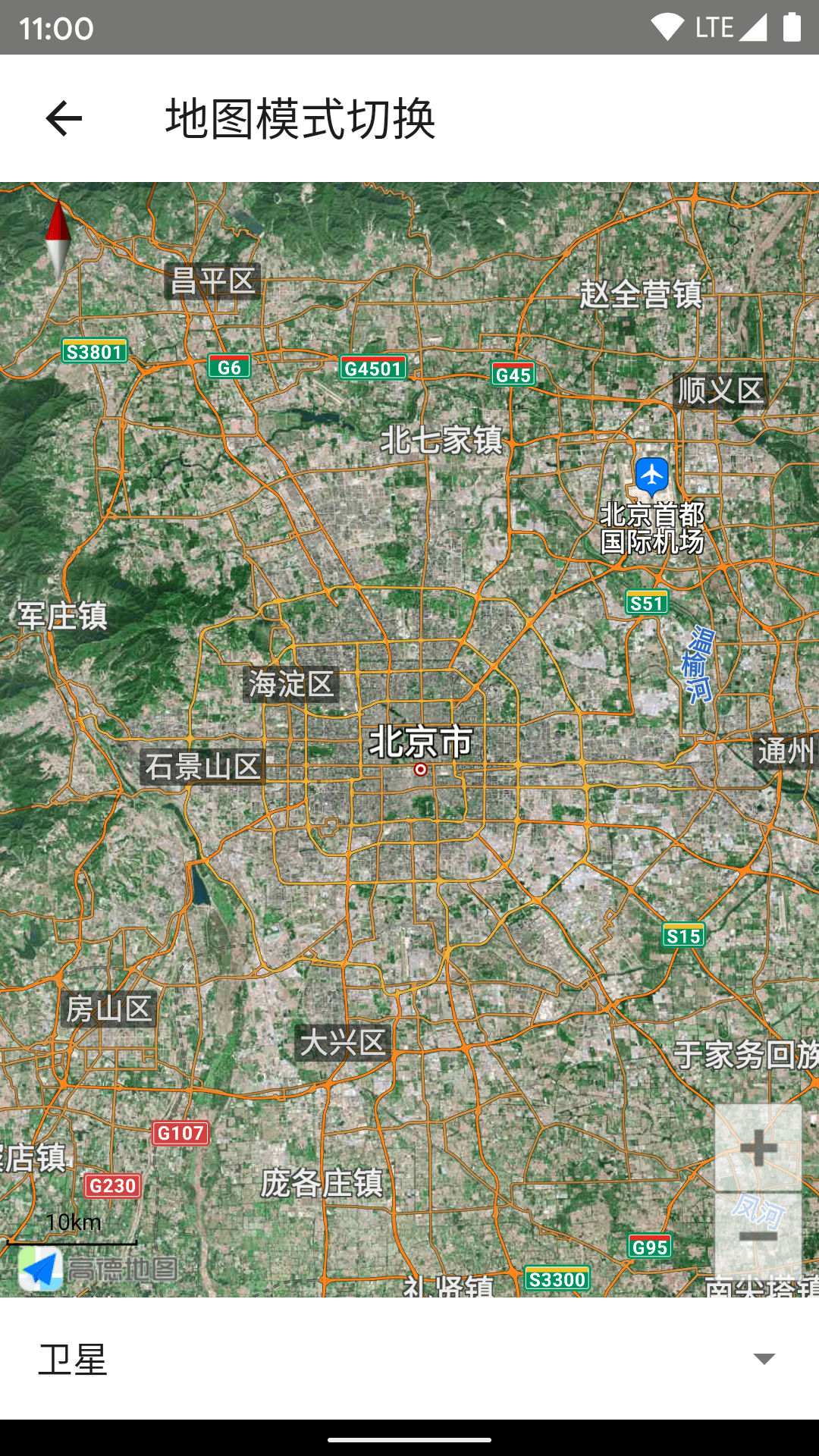
显示地图
import { MapView, MapType } from "@evnydd0sf/react-native-amap3d";

<MapView
  mapType={MapType.Satellite}
  initialCameraPosition={{
    target: {
      latitude: 39.91095,
      longitude: 116.37296,
    },
    zoom: 8,
  }}
/>;
<img src=https://user-images.githubusercontent.com/1709072/140698774-bdbfee64-d403-4e49-9a85-716d44783cfd.png height=500> <img src=https://user-images.githubusercontent.com/1709072/140849895-dada3f51-74c0-4685-b5d6-c1b69a4d06bb.PNG height=500>

监听地图事件
import { MapView } from "@evnydd0sf/react-native-amap3d";

<MapView
  onLoad={() => console.log("onLoad")}
  onPress={({ nativeEvent }) => console.log(nativeEvent)}
  onCameraIdle={({ nativeEvent }) => console.log(nativeEvent)}
/>;
<img src=https://user-images.githubusercontent.com/1709072/140705501-9ed3e038-e52a-48c2-a98a-235c5c890549.png height=500> <img src=https://user-images.githubusercontent.com/1709072/140849894-3add3858-fc7f-47cd-9786-94aeef399ebc.PNG height=500>


添加标记
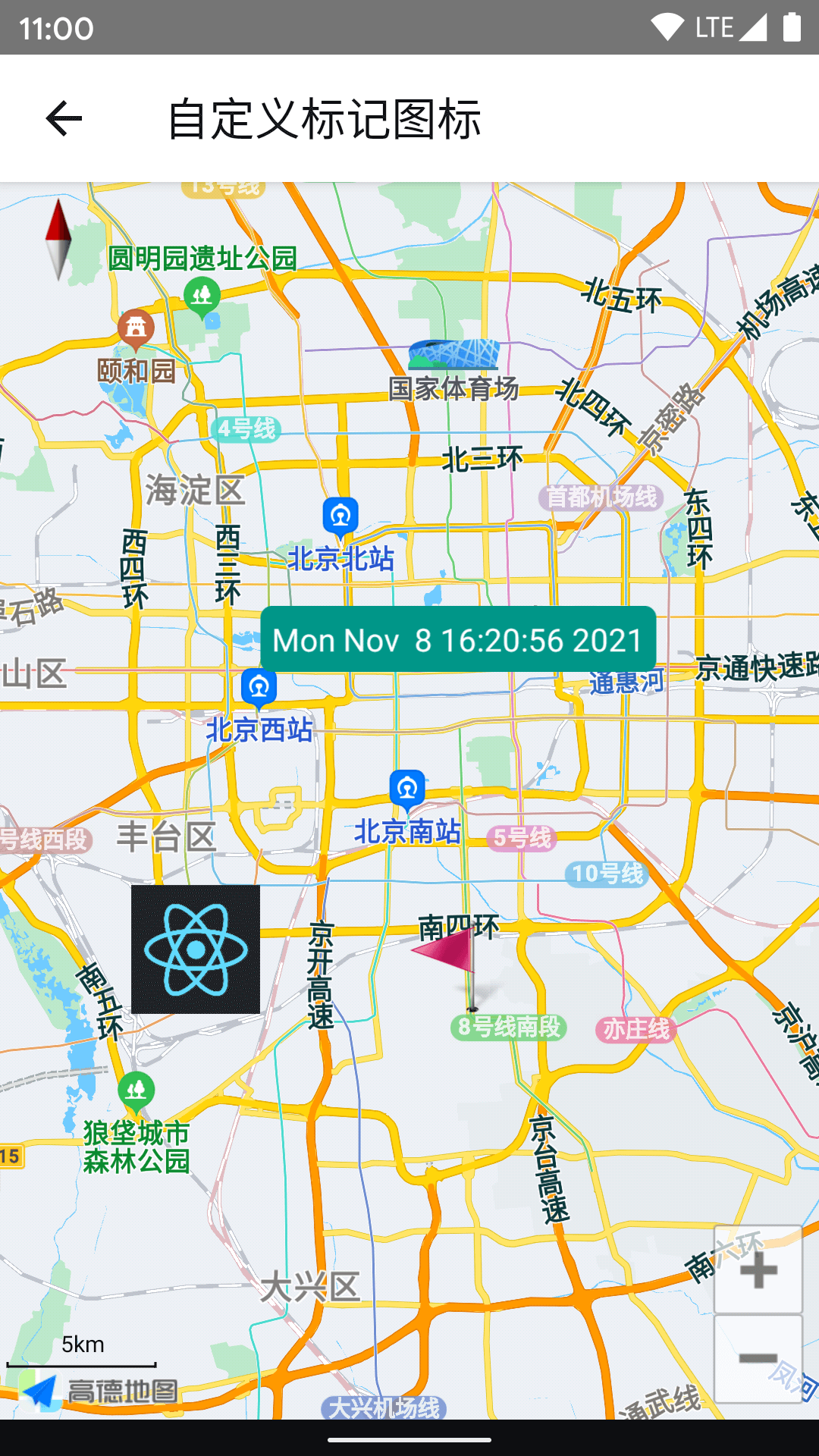
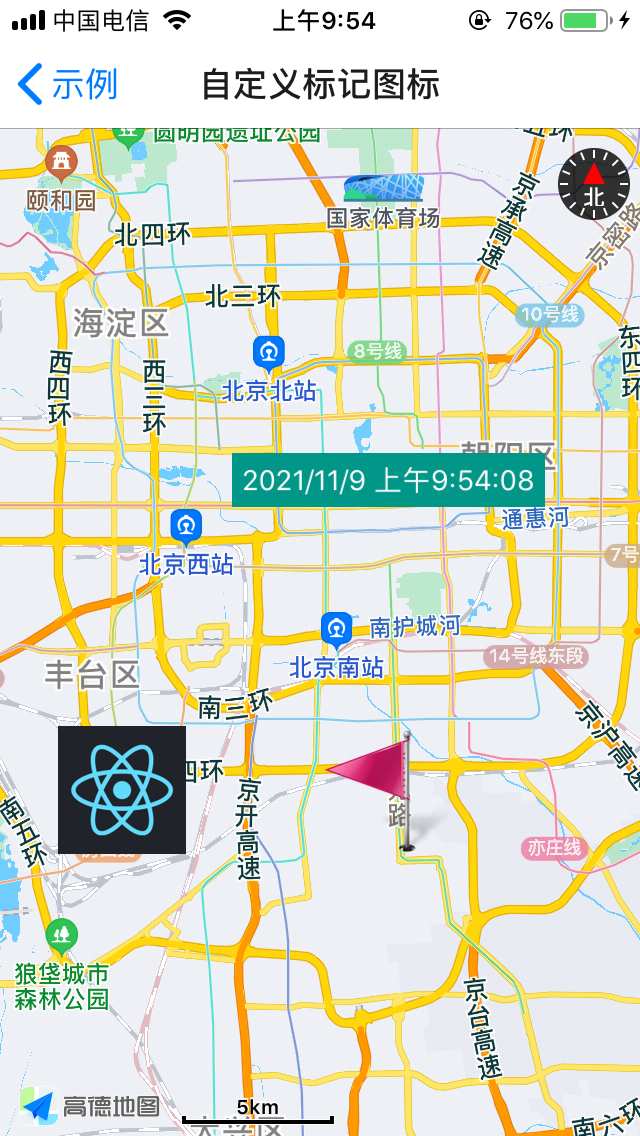
其中 icon 支持 ImageSource。
同时支持 children 作为标记图标。
import { MapView, Marker } from "@evnydd0sf/react-native-amap3d";

<MapView>
  <Marker
    position={{ latitude: 39.806901, longitude: 116.397972 }}
    icon={require("../images/flag.png")}
    onPress={() => alert("onPress")}
  />
  <Marker
    position={{ latitude: 39.806901, longitude: 116.297972 }}
    icon={{
      uri: "https://reactnative.dev/img/pwa/manifest-icon-512.png",
      width: 64,
      height: 64,
    }}
  />
  <Marker position={{ latitude: 39.906901, longitude: 116.397972 }}>
    <Text
      style={{
        color: "#fff",
        backgroundColor: "#009688",
        alignItems: "center",
        borderRadius: 5,
        padding: 5,
      }}
    >
      {new Date().toLocaleString()}
    </Text>
  </Marker>
</MapView>;
<img src=https://user-images.githubusercontent.com/1709072/140707579-4abe070a-3fc1-481d-8a2e-91ac2ad8bdc7.png height=500> <img src=https://user-images.githubusercontent.com/1709072/140849886-7eb9322b-8fa8-4049-a7b0-3eb36d006992.PNG height=500>
点聚合
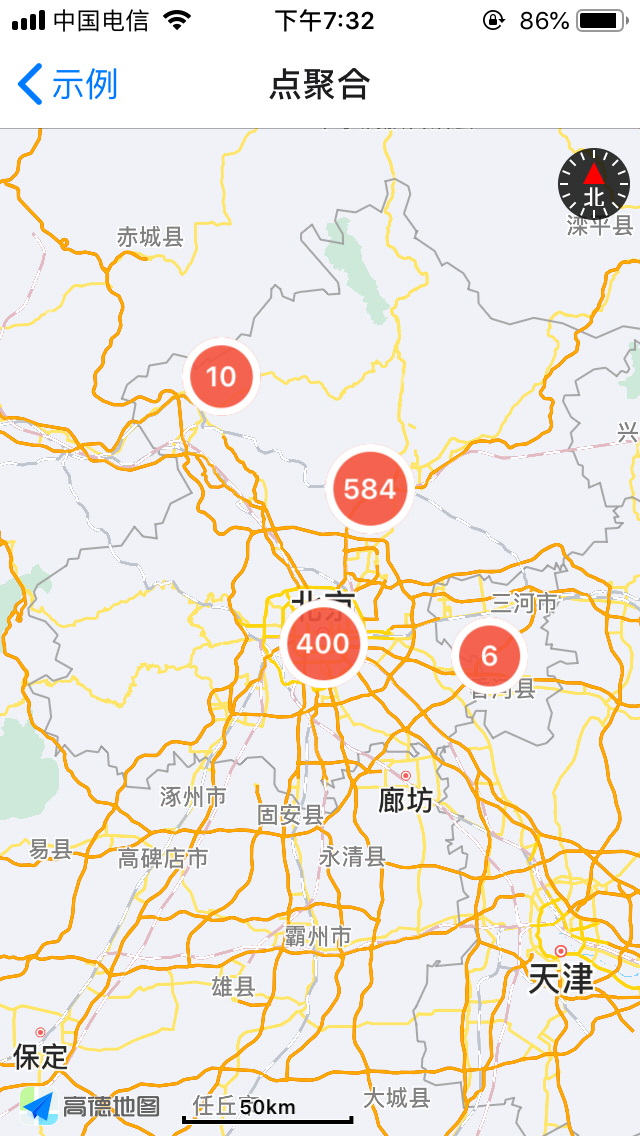
Marker 数量过多(尤其是使用自定义 View 的情况下)会导致性能问题,而且显示过于密集,这时候可以用点聚合改善。
import { Cluster, MapView, Marker } from "@evnydd0sf/react-native-amap3d";

const markers = Array(1000)
  .fill(0)
  .map((_, i) => ({
    position: { latitude: 39.5 + Math.random(), longitude: 116 + Math.random() },
    properties: { key: `Marker${i}` },
  }));

<MapView
  ref={(ref) => (this.mapView = ref)}
  onLoad={() => this.mapView?.moveCamera({ zoom: 8 }, 100)}
  onCameraIdle={({ nativeEvent }) => {
    this.status = nativeEvent;
    this.cluster?.update(nativeEvent);
  }}
>
  <Cluster
    ref={(ref) => (this.cluster = ref)}
    points={markers}
    renderMarker={(item) => (
      <Marker
        key={item.properties.key}
        icon={require("../images/flag.png")}
        position={item.position}
      />
    )}
  />
</MapView>;
<img src=https://user-images.githubusercontent.com/1709072/140710764-40f767cd-74fd-47ca-8310-897bbf58fbbd.png height=500> <img src=https://user-images.githubusercontent.com/1709072/140849888-6b6609c1-2e55-41c2-bdc3-f9d3fcc7a112.PNG height=500>

<img src=https://user-images.githubusercontent.com/1709072/140710758-63e81ade-2635-4412-a5fa-b6948605fe75.png height=500> <img src=https://user-images.githubusercontent.com/1709072/140849880-9eb7609d-55a7-43be-8b6a-bac725fb0a82.PNG height=500>

更多示例
参考 example。
常见问题
- 尽量使用真实设备进行测试,在模拟器可能存在一些问题(常见的是 Android 模拟器因为缺少 GPU 加速而导致闪退)。
- onLocation 没有返回定位数据通常是因为 key 不正确,或没有申请 PermissionsAndroid.PERMISSIONS.ACCESS_FINE_LOCATION 权限
1 year ago