
@futurejj/react-native-checkbox
A papery checkbox for react native






A beautiful, customizable, and animated checkbox component for React Native applications. This component works across iOS, Android, and Web platforms with smooth animations and accessibility support.
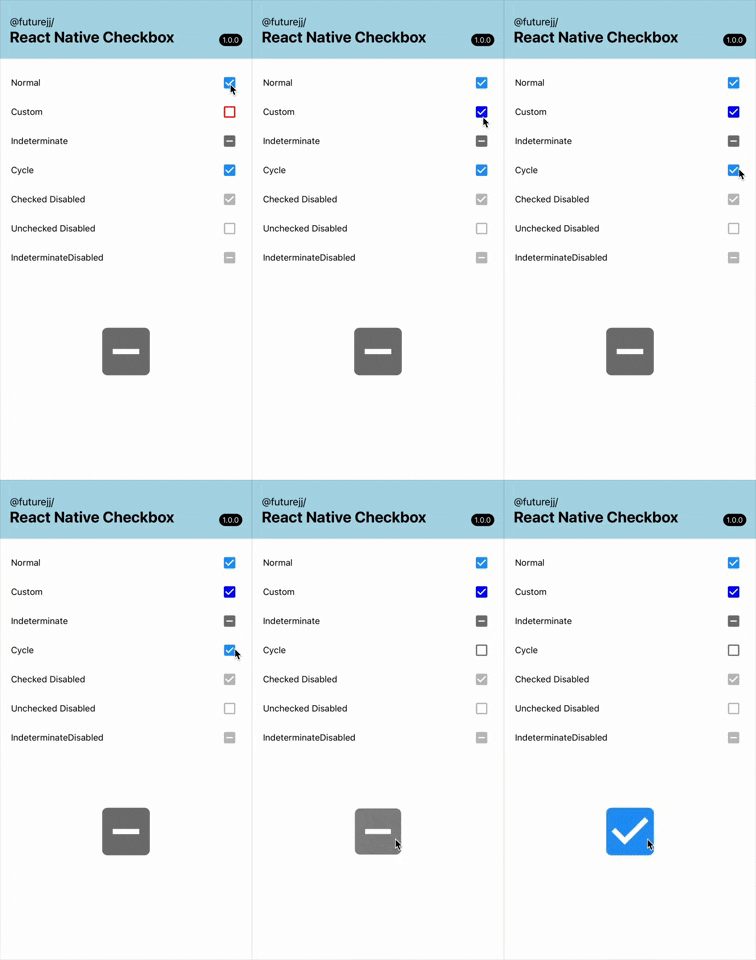
Features
- Beautiful animations on state changes
- Fully customizable colors and styling
- Cross-platform (iOS, Android, Web)
- Three states: checked, unchecked, and indeterminate
- Accessibility support built-in
- Customizable size for various design needs
- Works with Expo and standard React Native
- TypeScript support with full type definitions
Installation
yarn add @futurejj/react-native-checkbox
# or
npm install @futurejj/react-native-checkbox
Icon Dependencies
This component uses Material Community Icons. You'll need to install either:
@expo/vector-icons(if using Expo - built-in)react-native-vector-icons(if using React Native CLI - follow the installation instructions forreact-native-vector-icons)
Usage
Basic Example
import React, { useState } from 'react';
import { View } from 'react-native';
import { Checkbox } from '@futurejj/react-native-checkbox';

export default function CheckboxExample() {
  const [checked, setChecked] = useState(false);

  const toggleCheckbox = () => {
    setChecked(!checked);
  };

  return (
    <View style={{ padding: 20 }}>
      <Checkbox
        status={checked ? 'checked' : 'unchecked'}
        onPress={toggleCheckbox}
      />
    </View>
  );
}
Customization
<Checkbox
  status="checked" // 'checked', 'unchecked', or 'indeterminate'
  disabled={false} // disable the checkbox
  onPress={() => {}} // handle press events
  color="#6200ee" // color when checked
  uncheckedColor="#757575" // color when unchecked
  size={32} // customize size (default: 24)
  style={{ marginRight: 8 }} // additional styles for the container
/>
API Reference
Props
| Prop | Type | Default | Description |
|---|---|---|---|
status |
'checked' OR 'unchecked' OR 'indeterminate' |
Required | Current status of the checkbox |
disabled |
boolean |
false |
Whether the checkbox is disabled |
onPress |
(e: GestureResponderEvent) => void |
Required | Callback when checkbox is pressed |
color |
string |
'#2196F3' |
Color of the checkbox when checked |
uncheckedColor |
string |
'#757575' |
Color of the checkbox when unchecked |
size |
number |
24 |
Size of the checkbox icon |
testID |
string |
- | Test ID for testing frameworks |
style |
StyleProp<ViewStyle> |
- | Additional styles for container |
Animation
The checkbox includes smooth animations:
- Scale animation when transitioning between states
- Custom border animation for a more engaging interaction
Accessibility
This component is built with accessibility in mind:
- Proper role assignment (
checkbox) - Correct states reported to screen readers
- Live region updates for dynamic changes
Contributing
See the contributing guide to learn how to contribute to the repository and the development workflow.
License
MIT
Support the project



Thanks to
- Module built using create-react-native-library
- Heavily Inspired by React Native Paper's Checkbox.Android component
- Readme is edited using Typora