

Inquirer


A collection of common interactive command line user interfaces.
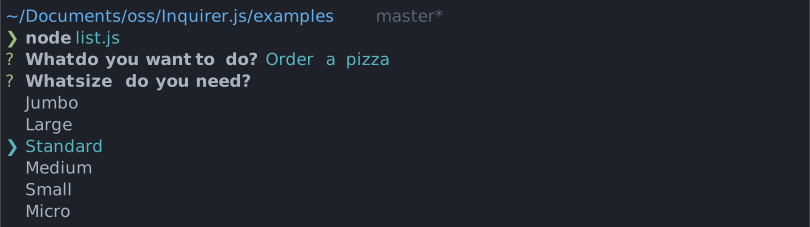
Give it a try in your own terminal!
npx @inquirer/demo@latestInstallation
| yarn | pnpm |
|---|---|
|
|
| bun | deno |
|
|
| npm | |
|
|
On Deno, prompts detect the terminal's unicode and color support from the environment, so run your script with --allow-env.
Inquirer recently underwent a rewrite from the ground up to reduce the package size and improve performance. The previous version of the package is still maintained (though not actively developed), and offered hundreds of community contributed prompts that might not have been migrated to the latest API. If this is what you're looking for, the previous package is over here.
Usage
import { input } from '@inquirer/prompts';

const answer = await input({ message: 'Enter your name' });
Prompts
Input
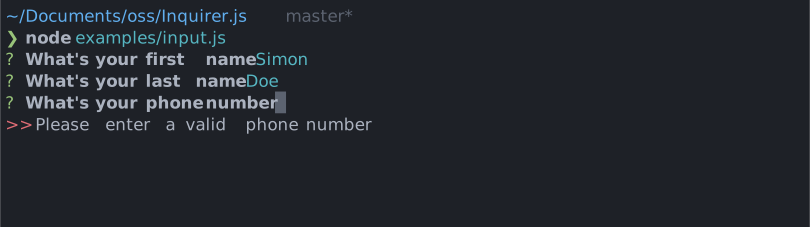
import { input } from '@inquirer/prompts';See documentation for usage example and options documentation.
Select
import { select } from '@inquirer/prompts';See documentation for usage example and options documentation.
Checkbox
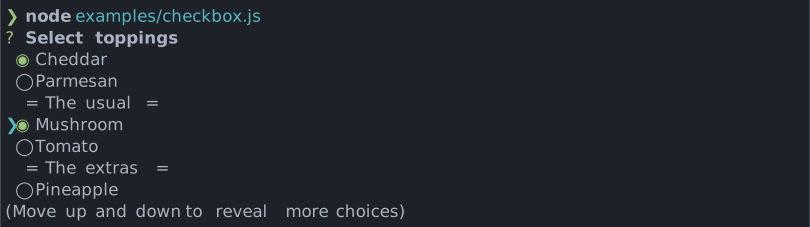
import { checkbox } from '@inquirer/prompts';See documentation for usage example and options documentation.
Confirm
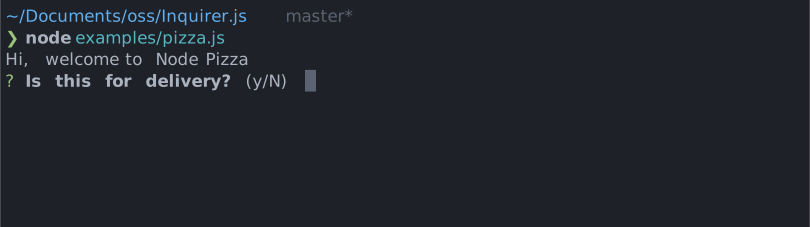
import { confirm } from '@inquirer/prompts';See documentation for usage example and options documentation.
Search

import { search } from '@inquirer/prompts';See documentation for usage example and options documentation.
Password
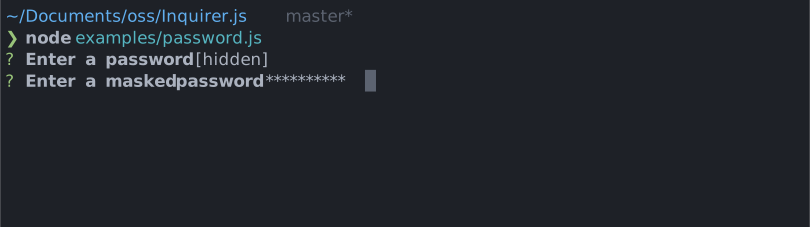
import { password } from '@inquirer/prompts';See documentation for usage example and options documentation.
Expand
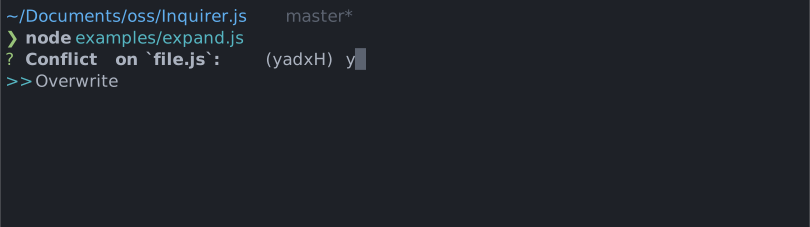
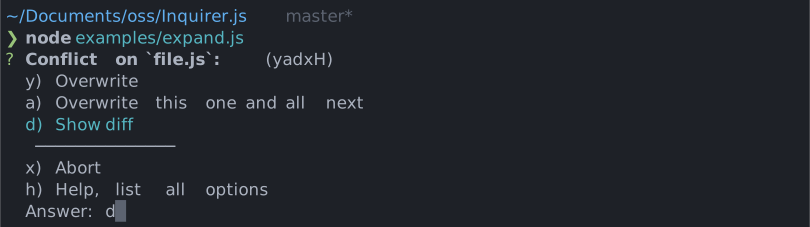
import { expand } from '@inquirer/prompts';See documentation for usage example and options documentation.
Editor
Launches an instance of the users preferred editor on a temporary file. Once the user exits their editor, the content of the temporary file is read as the answer. The editor used is determined by reading the $VISUAL or $EDITOR environment variables. If neither of those are present, the OS default is used (notepad on Windows, vim on Mac or Linux.)
import { editor } from '@inquirer/prompts';See documentation for usage example and options documentation.
Number
Very similar to the input prompt, but with built-in number validation configuration option.
import { number } from '@inquirer/prompts';See documentation for usage example and options documentation.
Raw List
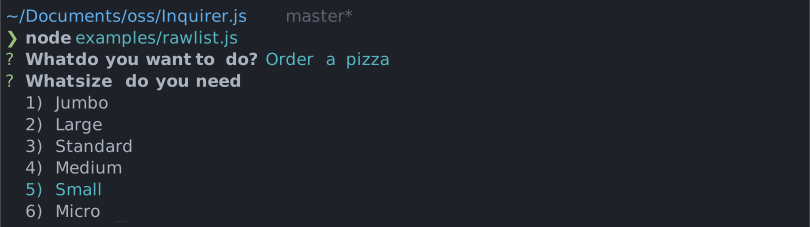
import { rawlist } from '@inquirer/prompts';See documentation for usage example and options documentation.
Internationalization (i18n)
Need prompts in a language other than English? The @inquirer/i18n package is a drop-in replacement for @inquirer/prompts with built-in localization.
The root import automatically detects your locale from the LANGUAGE, LC_ALL, LC_MESSAGES, and LANG environment variables (falling back to the Intl API). If no supported locale is found, English is used.
// Drop-in replacement — locale is auto-detected from environment variables
import { input, select, confirm } from '@inquirer/i18n';
Built-in locales include English, French, Spanish, Chinese (Simplified), and Portuguese. You can also pin to a specific language via sub-path imports (e.g. @inquirer/i18n/fr), or use the createLocalizedPrompts and registerLocale APIs to add your own.
See the full documentation for available languages and how to create a custom locale.
Create your own prompts
The API documentation is over here, and our testing utilities here.
Advanced usage
All inquirer prompts are a function taking 2 arguments. The first argument is the prompt configuration (unique to each prompt). The second is providing contextual or runtime configuration.
The context options are:
| Property | Type | Required | Description |
|---|---|---|---|
| input | NodeJS.ReadableStream |
no | The stdin stream (defaults to process.stdin) |
| output | NodeJS.WritableStream |
no | The stdout stream (defaults to process.stdout) |
| clearPromptOnDone | boolean |
no | If true, we'll clear the screen after the prompt is answered |
| signal | AbortSignal |
no | An AbortSignal to cancel prompts asynchronously |
When providing an input stream or piping
process.stdin, it's very likely you need to callprocess.stdin.setRawMode(true)before calling inquirer functions. Node.js usually does it automatically, but when we shadow the stdin, Node can loss track and not know it has to. If the prompt isn't interactive (arrows don't work, etc), it's likely due to this.
When running Inquirer from an existing node:readline interface, pause the readline instance before starting the prompt, then resume it after the prompt settles. This makes the handoff of process.stdin ownership explicit and prevents the parent readline loop from losing control of the input stream.
const answer = await rl.question('Command: ');

if (answer === 'configure') {
  rl.pause();

  try {
    const value = await input({ message: 'Configuration value' });
  } finally {
    rl.resume();
  }
}
Example:
import { confirm } from '@inquirer/prompts';

const allowEmail = await confirm(
  { message: 'Do you allow us to send you email?' },
  {
    output: new Stream.Writable({
      write(chunk, _encoding, next) {
        // Do something
        next();
      },
    }),
    clearPromptOnDone: true,
  },
);
Canceling prompt
This can be done with either an AbortController or AbortSignal.
// Example 1: using built-in AbortSignal utilities
import { confirm } from '@inquirer/prompts';

const answer = await confirm({ ... }, { signal: AbortSignal.timeout(5000) });
// Example 2: implementing custom cancellation with an AbortController
import { confirm } from '@inquirer/prompts';
const controller = new AbortController();
setTimeout(() => {
controller.abort(); // This will reject the promise
}, 5000);
const answer = await confirm({ ... }, { signal: controller.signal });Recipes
Handling ctrl+c gracefully
When a user press ctrl+c to exit a prompt, Inquirer rejects the prompt promise. This is the expected behavior in order to allow your program to teardown/cleanup its environment. When using async/await, rejected promises throw their error. When unhandled, those errors print their stack trace in your user's terminal.
ExitPromptError: User force closed the prompt with 0 null
  at file://example/packages/core/dist/esm/lib/create-prompt.js:55:20
  at Emitter.emit (file://example/node_modules/signal-exit/dist/mjs/index.js:67:19)
  at #processEmit (file://example/node_modules/signal-exit/dist/mjs/index.js:236:27)
  at #process.emit (file://example/node_modules/signal-exit/dist/mjs/index.js:187:37)
  at process.callbackTrampoline (node:internal/async_hooks:130:17)
This isn't a great UX, which is why we highly recommend you to handle those errors gracefully.
First option is to wrap your scripts in try/catch; like we do in our demo program. Or handle the error in your CLI framework mechanism; for example Clipanion catch method.
Lastly, you could handle the error globally with an event listener and silence it.
process.on('uncaughtException', (error) => {
  if (error instanceof Error && error.name === 'ExitPromptError') {
    console.log('👋 until next time!');
  } else {
    // Rethrow unknown errors
    throw error;
  }
});
Get answers in an object
When asking many questions, you might not want to keep one variable per answer everywhere. In which case, you can put the answer inside an object.
import { input, confirm } from '@inquirer/prompts';

const answers = {
  firstName: await input({ message: "What's your first name?" }),
  allowEmail: await confirm({ message: 'Do you allow us to send you email?' }),
};

console.log(answers.firstName);
Ask a question conditionally
Maybe some questions depend on some other question's answer.
import { input, confirm } from '@inquirer/prompts';

const allowEmail = await confirm({ message: 'Do you allow us to send you email?' });

let email;
if (allowEmail) {
  email = await input({ message: 'What is your email address' });
}
Get default value after timeout
import { input } from '@inquirer/prompts';

const controller = new AbortController();
const timeout = setTimeout(() => {
  controller.abort();
}, 5000);
const clearInputTimeout = () => clearTimeout(timeout);

process.stdin.once('keypress', clearInputTimeout);

const answer = await input(
  { message: 'Enter a value (timing out in 5 seconds)' },
  { signal: controller.signal },
)
  .catch((error) => {
    if (error.name === 'AbortPromptError') {
      return 'Default value';
    }

    throw error;
  })
  .finally(() => {
    clearInputTimeout();
    process.stdin.off('keypress', clearInputTimeout);
  });
Using as pre-commit/git hooks, or scripts
By default scripts ran from tools like husky/lint-staged might not run inside an interactive shell. In non-interactive shell, Inquirer cannot run, and users cannot send keypress events to the process.
For it to work, you must make sure you start a tty (or "interactive" input stream.)
If those scripts are set within your package.json, you can define the stream like so:
"precommit": "my-script < /dev/tty"Or if in a shell script file, you'll do it like so: (on Windows that's likely your only option)
#!/bin/sh
exec < /dev/tty

node my-script.js
Using with nodemon
When using inquirer prompts with nodemon, you need to pass the --no-stdin flag for everything to work as expected.
npx nodemon ./packages/demo/demos/password.mjs --no-stdinNote that for most of you, you'll be able to use the new watch-mode built-in Node. This mode works out of the box with inquirer.
# One of depending on your need
node --watch script.js
node --watch-path=packages/ packages/demo/
Wait for config
Maybe some question configuration require to await a value.
import { confirm } from '@inquirer/prompts';

const answer = await confirm({ message: await getMessage() });
Usage with npx within bash scripts
You can use Inquirer prompts directly in the shell via npx, which is useful for quick scripts or package.json commands.
A community library, @inquirer-cli, exposes each prompt as a standalone CLI.
For example, to prompt for input:
name=$(npx -y @inquirer-cli/input -r "What is your name?")
echo "Hello, $name!"
Or to create an interactive version bump:
$ npm version $(npx -y @inquirer-cli/select -c patch -c minor -c major 'Select Version')Find out more: @inquirer-cli.
Community prompts
If you created a cool prompt, send us a PR adding it to the list below!
Interactive List Prompt
Select a choice either with arrow keys + Enter or by pressing a key associated with a choice.
? Choose an option:
>   Run command (D)
    Quit (Q)
Action Select Prompt
Choose an item from a list and choose an action to take by pressing a key.
? Choose a file Open <O> Edit <E> Delete <X>
❯ image.png
  audio.mp3
  code.py
Table Multiple Prompt
Select multiple answer from a table display.
Choose between choices? (Press <space> to select, <Up and Down> to move rows,
<Left and Right> to move columns)

┌──────────┬───────┬───────┐
│ 1-2 of 2 │ Yes?  │ No?   |
├──────────┼───────┼───────┤
│ Choice 1 │ [ ◯ ] │   ◯   |
├──────────┼───────┼───────┤
│ Choice 2 │   ◯   │   ◯   |
└──────────┴───────┴───────┘
Toggle Prompt
Confirm with a toggle. Select a choice with arrow keys + Enter.
? Do you want to continue? no / yesSortable Checkbox Prompt
The same as built-in checkbox prompt, but also allowing to reorder choices using ctrl+up/down.
? Which PRs and in what order would you like to merge? (Press <space> to select, <a> to toggle all, <i> to invert selection, <ctrl+up> to move item up, <ctrl+down> to move item down, and <enter> to proceed)
❯ ◯ PR 1
  ◯ PR 2
◯ PR 3An inquirer select that supports multiple selections and filtering/searching.
? Choose your OS, IDE, PL, etc. (Press <tab> to select/deselect, <backspace> to remove selected
option, <enter> to select option)
>>  vue
>[ ] vue
 [ ] vuejs
 [ ] fuelphp
 [ ] venv
 [ ] vercel
 (Use arrow keys to reveal more options)
File Selector Prompt
A file selector, you can navigate freely between directories, choose what type of files you want to allow and it is fully customizable.
? Select a file:
/main/path/
├── folder1/
├── folder2/
├── folder3/
├── file1.txt
├── file2.pdf
└── file3.jpg (not allowed)
━━━━━━━━━━━━━━━━━━━━━━━━━━━━━━━━━━━━━━━━━━━━━━━━━━━━━━━━━
Use ↑↓ to navigate through the list
Press <esc> to navigate to the parent directory
Press <enter> to select a file or navigate to a directory
Select Prompt with Stateful Banner
The same as built-in select prompt, but it also displays a banner above the prompt which can be updated with a setState function. For example, it can display the results of a long-running command without making the user wait to see the prompt.
Initial display:
Directory size: loading...
? Choose an option
❯ Rename
  Copy
  Delete
A moment later:
Directory size: 123M
? Choose an option
❯ Rename
  Copy
  Delete
Ordered Checkbox Prompt
A sortable checkbox prompt that maintains the order of selection. Perfect for prioritizing tasks or ranking options.
? Configure your development workflow:
  [1] Set up CI/CD pipeline
❯ [3] Code quality tools
  [ ] Documentation
  [2] Performance monitoring
 ──────────────
- Legacy system (disabled)
(Linting, formatting, and analysis)
Checkbox Plus Plus Prompt
A modern multiselect checkbox prompt with search and filter capabilities, highlighting, autocomplete, and improved UX. Supports both ESM and CommonJS and is compatible with @inquirer/core v10+.
? Select colors [searching: "re"]
❯ ◉ The red color
  ◯ The green color
  ◉ The purple color
  ◯ The orange color

↑↓ navigate • space de/select • type search • 2 selected  • ⏎ submit
Tree Prompt
Navigate a tree of choices, expanding and collapsing branches with the arrow keys. Children can be loaded lazily, and single or multiple items can be selected.
? Where is my phone?
  ▼ in the house
    ▼ in the living room
      ❯ on the sofa
        on the TV cabinet
    ▶ in the bedroom
      in the bathroom
  ▶ in the car
----------------
Grouped Checkbox Prompt
Checkboxes organized into labeled groups. Selecting a group header toggles every item in that group, each group shows its own running total, and typing filters across all the groups at once.
? Which languages do you work in? (3/6)
❯ ◉ 🖥️ Frontend (3/3)
    ◉ TypeScript
    ◉ JavaScript
    ◉ CSS
  ◯ ⚙️ Backend (0/3)
    ◯ Go
    ◯ Python
    ◯ Rust
(Select: space • Toggle all: a • Invert: i)
License
Copyright (c) 2023 Simon Boudrias (twitter: @vaxilart)
Licensed under the MIT license.