@ixnode/geo-sphere v0.1.47
@ixnode/geo-sphere







@ixnode/geo-sphere is a powerful and flexible Node.js package for rendering interactive maps. It supports various
projections (currently only Mercator projection - more are planned), languages, and advanced interactivity, allowing
you to display geographical points and create a fully interactive mapping experience.
🚀 Features
- Map Display: Render world maps or other geographical maps in Mercator projection.
- Point Rendering: Display geographical points using latitude and longitude.
- Resizable: Dynamically adjust the map size to fit different screen dimensions.
- Integrated Country Database: Includes all countries with multiple resolution levels by default.
- Interactive Countries: Countries can be clicked, triggering a customizable callback function. Hover and title effects are also supported.
- Multi-language Support: Available in multiple languages:
cz|de|en|es|fr|hr|it|pl|sv. - Mouse and Touch Interaction: The map supports zooming and panning via mouse and touch gestures.
- Lightweight and built with TypeScript
- Build on top with storybook
📦 Installation
npm install @ixnode/geo-sphereor
yarn add @ixnode/geo-sphere🔧 Usage
Display example
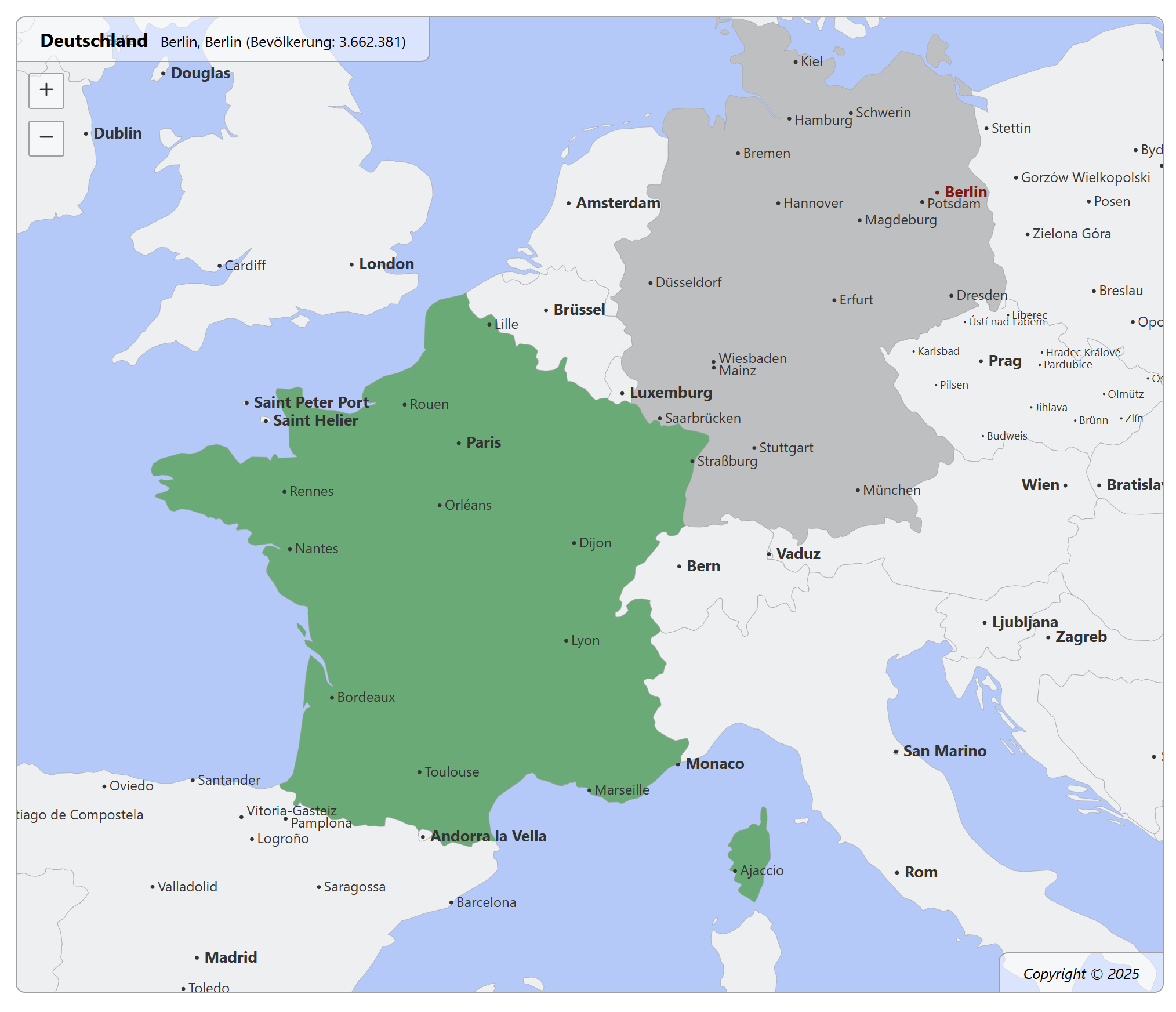
Example: France is selected, but the mouse is hovering over Berlin, Germany.
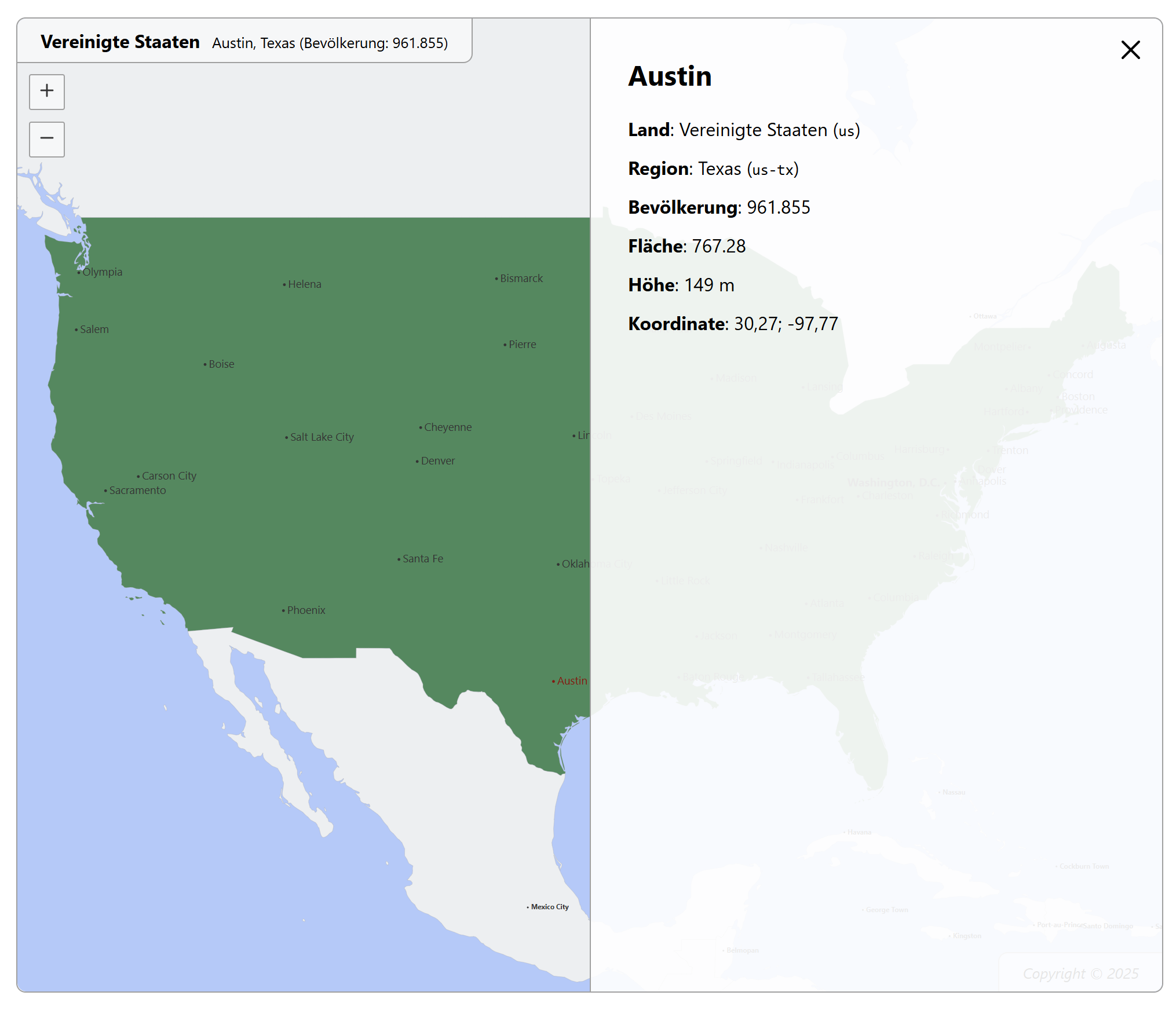
Example: The United States are selected. The city Austin was clicked.
Basic Usage
import React from 'react';
import { WorldMap } from '@ixnode/geo-sphere';
import '@ixnode/geo-sphere/dist/styles.css';

const App = () => (
    <WorldMap
        height={500}
        width={1000}
        country="de"
        language="en"
    />
);

export default App;
Usage with country callback function
import React from 'react';
import { WorldMap, CountryData } from '@ixnode/geo-sphere';
import '@ixnode/geo-sphere/dist/styles.css';

const App = () => (
    <WorldMap
        height={500}
        width={1000}
        country="de"
        language="en"
        dataSource="medium"
        onClickCountry={(data: CountryData) => { console.log(data); }}
    />
);

export default App;
The callback function logs something like (according to the clicked country and the given language):
{
    "id": "de",
    "name": "Germany",
    "latitude": 50.304018990688554,
    "longitude": 7.5794992771470975,
    "screenPosition": {
        "x": 401,
        "y": 333
    },
    "svgPosition": {
        "x": 843746,
        "y": 6499094
    }
}| Property | Description |
|---|---|
id | The id of clicked element. |
name | The translated name of clicked element. |
latitude | The latitude value. Clicked on the map. |
longitude | The longitude value. Clicked on the map. |
screenPosition.x | The x position of the last click. Related to the screen. |
screenPosition.y | The y position of the last click. Related to the screen. |
svgPosition.x | The x position of the last click. Related to the whole svg map. |
svgPosition.y | The x position of the last click. Related to the whole svg map. |
Usage with place callback function
import React from 'react';
import { WorldMap, PlaceData } from '@ixnode/geo-sphere';
import '@ixnode/geo-sphere/dist/styles.css';

const App = () => (
    <WorldMap
        height={500}
        width={1000}
        country="de"
        language="en"
        dataSource="medium"
        onClickPlace={(data: PlaceData) => { console.log(data); }}
    />
);

export default App;
The callback function logs something like (according to the clicked place and the given language):
{
    "id": "place-berlin",
    "latitude": 52.5235,
    "longitude": 13.4115,
    "name": "Berlin",
    "population": 3662381,
    "country": {
        "id": "de",
        "name": "Germany"
    },
    "state": {
        "id": "de-be",
        "name": "Berlin",
        "area": 891.1,
        "population": 3662381
    },
    "screenPosition": {
        "x": 629,
        "y": 295
    },
    "svgPosition": {
        "x": 1580.7000732421875,
        "y": 6909.73095703125
    }
}| Property | Description |
|---|---|
id | The id of clicked element. |
name | The translated name of clicked element. |
population | The population of clicked element. |
latitude | The latitude value. Clicked on the map. |
longitude | The longitude value. Clicked on the map. |
screenPosition.x | The x position of the last click. Related to the screen. |
screenPosition.y | The y position of the last click. Related to the screen. |
svgPosition.x | The x position of the last click. Related to the whole svg map. |
svgPosition.y | The x position of the last click. Related to the whole svg map. |
🔧 Properties
| Property | Type | Default | Description |
|---|---|---|---|
dataSource | 'tiny'\|'low'\|'medium' | 'low' | The data source to be used. |
country | string\|null | null | The country that is marked. |
width | number | 1000 | The width of the map in pixels. Only used for ratio. The svg is always 100% of parent element. |
height | number | 500 | The height of the map in pixels. Only used for ratio. The svg is always 100% of parent element. |
language | 'cz'|'de'|'en'|'es'|'fr'|'hr'|'it'|'pl'|'sv' | 'en' | The language to be used. |
onClickCountry | (data: CountryData) => void\|null | null | An optional country click handler. |
onClickPlace | (data: PlaceData) => void\|null | null | An optional place click handler. |
onHoverCountry | (data: CountryData) => void\|null | null | An optional country hover handler. |
onHoverPlace | (data: PlaceData) => void\|null | null | An optional place hover handler. |
debug | boolean | false | Flag to enable or disable the debug mode. |
logo | boolean | true | Flag to enable or disable the logo. |
Common countries (country)
Use ISO 3166-1 alpha-2 code to select a country. Examples:
| Country | ISO code |
|---|---|
| United Kingdom of Great Britain and Northern Ireland | gb |
| United States of America | us |
| Germany | de |
| Sweden | se |
| etc. |
See https://en.wikipedia.org/wiki/ISO_3166-1_alpha-2 for more information.
Common languages (language)
Currently supported languages:
| Language | Description |
|---|---|
cz | Czech |
de | German |
en | English |
es | Spanish |
fr | French |
hr | Croatian |
it | Italian |
pl | Polish |
sv | Swedish |
🛠 Development
Building the Project
To build the project locally:
npm run buildRunning Storybook
View and develop components in isolation:
npm run storybookOpen: http://localhost:6006/
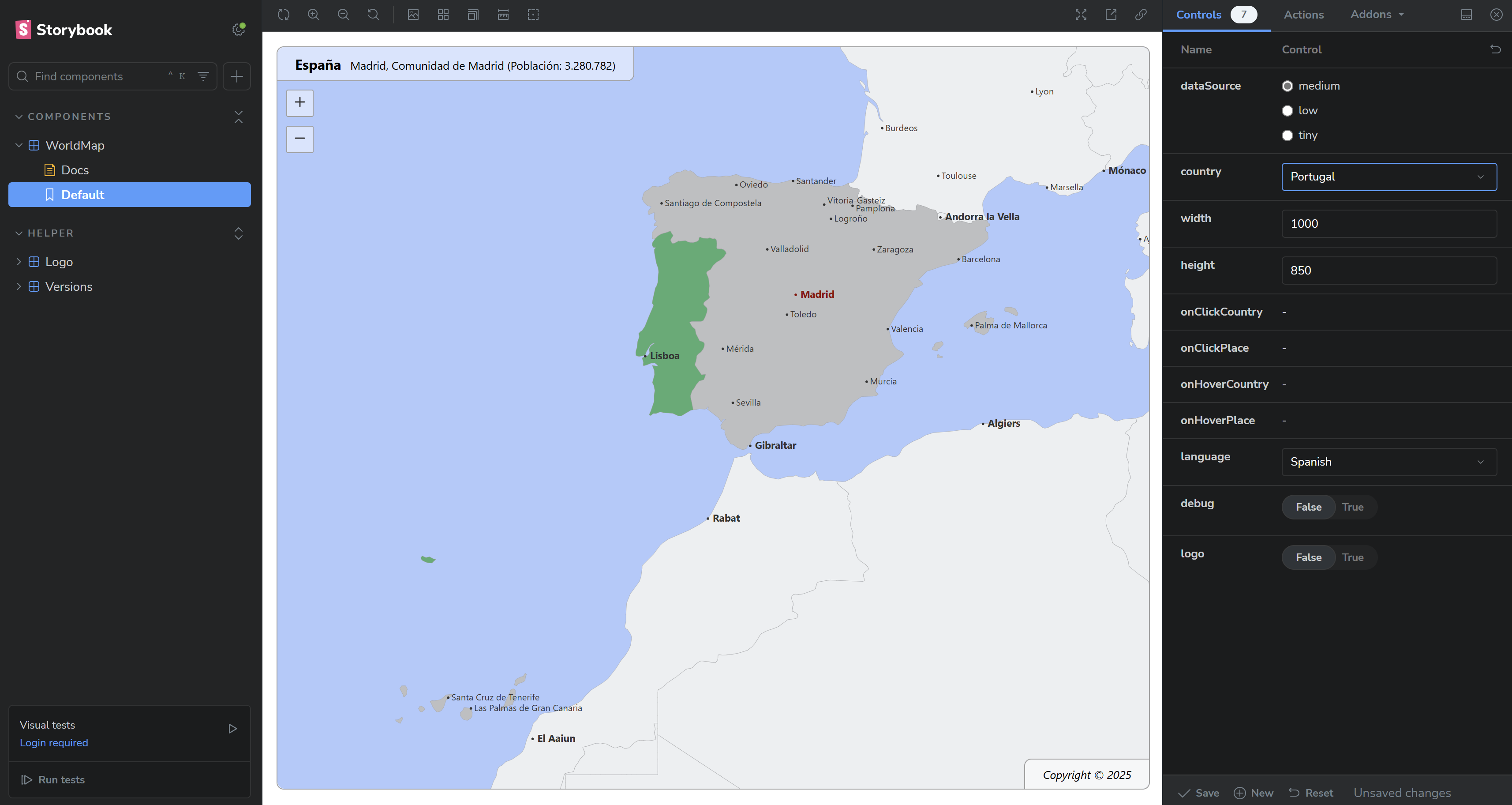
Example: The country Portugal and language spanisch is selected, but the mouse is hovering over Madrid, Spain.
📦 Publishing to npm
Check TypeScript Code
- Runs the TypeScript compiler to detect errors without generating any JavaScript output
- Should not throw an error
npx tsc --noEmitBuild the project
- Runs the build process to produce production-ready artifacts
- Test build for a future release process to npmjs.org
- Should not throw an error
npm run buildVerify the build
- Checks that the compiled code runs as expected
- Should not throw an error
ES Modules build
node dist/index.jsor to ignore possible warnings:
node --no-warnings dist/index.jsCommonJS build
node dist/index.cjsBump the version
Update the version in the package.json, e.g., from 1.0.0 to 1.0.1, to create a new release:
npm version patchAlternatively:
- Use
npm version minorfor new features. - Use
npm version majorfor breaking changes.
Publish the package
npm publish --access publicVerify the publication
Check the package on npm: https://www.npmjs.com/package/@ixnode/geo-sphere.
📄 License
This project is licensed under the MIT License. See the LICENSE file for details.
Authors
- Björn Hempel bjoern@hempel.li - Initial work - https://github.com/bjoern-hempel
🌟 Contributing
Contributions are welcome! Feel free to submit issues or pull requests to improve this project.
🤝 Acknowledgments
Special thanks to the open-source community for providing amazing tools like React, TypeScript, and Storybook.
1 year ago
1 year ago
1 year ago
1 year ago
1 year ago
1 year ago
1 year ago
1 year ago
1 year ago
1 year ago
1 year ago
1 year ago
1 year ago
1 year ago
1 year ago
1 year ago
1 year ago
1 year ago
1 year ago
1 year ago
1 year ago
1 year ago
1 year ago
1 year ago
1 year ago
1 year ago
1 year ago
1 year ago
1 year ago
1 year ago
1 year ago
1 year ago
1 year ago
1 year ago
1 year ago
1 year ago
1 year ago
1 year ago
1 year ago
1 year ago
1 year ago
1 year ago
1 year ago
1 year ago