@jedidiah/game-of-life-wc v0.0.5
Game of Life Web Component
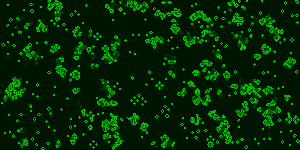
A web component to render Conway's Game of Life in an offscreen canvas.
Installation
You can install with npm install @jedidiah/game-of-life-wc --save or download the game-of-life.js JavaScript file manually and add it to your site’s JavaScript assets.
Usage
Basic:
<game-of-life></game-of-life>Custom:
<game-of-life
  cellSize="4"
  color1="rgba(255,255,255,1)"
  color1Tick="rgba(255,255,255,0.3)"
  color2="red"
  width="800"
  height="600"
>
</game-of-life>
See demo.html for more examples.
Attributes
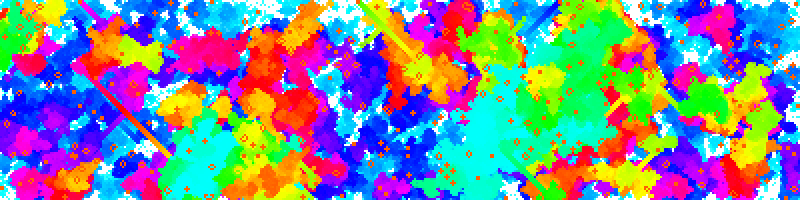
fps- The game can run a bit too quickly, this attribute will limit the max speed to a given fps (frames per second). Note if prefers reduced motion is set on the users device then this attribute is ignored and the fps is limited to 1.Default:fps="12"cellSize- How many pixels wide should each cell be drawn. Default:cellSize="1"color1- This is the colour of the background and dead cells Default:color1="rgba(0, 20, 0, 1)"color1Tick- To allow cells to fade out when they die this colour is overlayed each tick/frame of the animation. If you want dead cells to disappear straight away then set this to the same value as color1Default:color1Tick="rgba(0, 20, 0, 0.3)"color2- This is the colour the live cells will be drawn in Default:cellSize="rgba(0, 200, 0, 1)"width- The width of the canvas (not the width it will be rendered)Default:width="300"height- The height of the canvas (not the width it will be rendered)Default:height="150"hueRotate- Instead of setting color2 you can just have all the colours Default:hueRotate="false"
License
This license requires that reusers give credit to the creator. It allows reusers to distribute, remix, adapt, and build upon the material in any medium or format, even for commercial purposes. If others remix, adapt, or build upon the material, they must license the modified material under identical terms. This includes use in training AI models as the resulting model must be released under identical terms.
Contributing/Developing
npm installto install vite and vitestnpm run devto see the demo at http://localhost:5173/demo.htmlnpm run testto run the unit testsnpm run buildto build the component to./dist