1.0.0 • Published 2 years ago
@jignesh119/termtodo v1.0.0
TermTodo
TermTodo is a CLI-based to-do list manager built using the Ink library, which allows you to manage your tasks directly from the terminal
Features
- Navigate Todos: Use
k/up arrowto move up andj/down arrowto move down through your list of todos. - Add New Todo: Press the
akey to open a popup and add a new task. - Update Todo: Select a todo using navigation keys, press the
ukey, and update your task in the popup. - Delete Todo: Navigate to a todo and press the
dkey to remove it from your list. - Color Customization: Highlight your todos with your preferred color using the
--colorflag.
Installation
You can install TermTodo globally via npm or run it using Docker.
NPM Installation
npm install -g @jignesh119/termtodoDocker
To run TermTodo using Docker, ensure you have Docker installed and run the following command:
docker run --rm -it --name termtodo <image_name>Note: The -it flag is necessary as the CLI requires tty, stdin, and stdout streams for interaction.
Demo
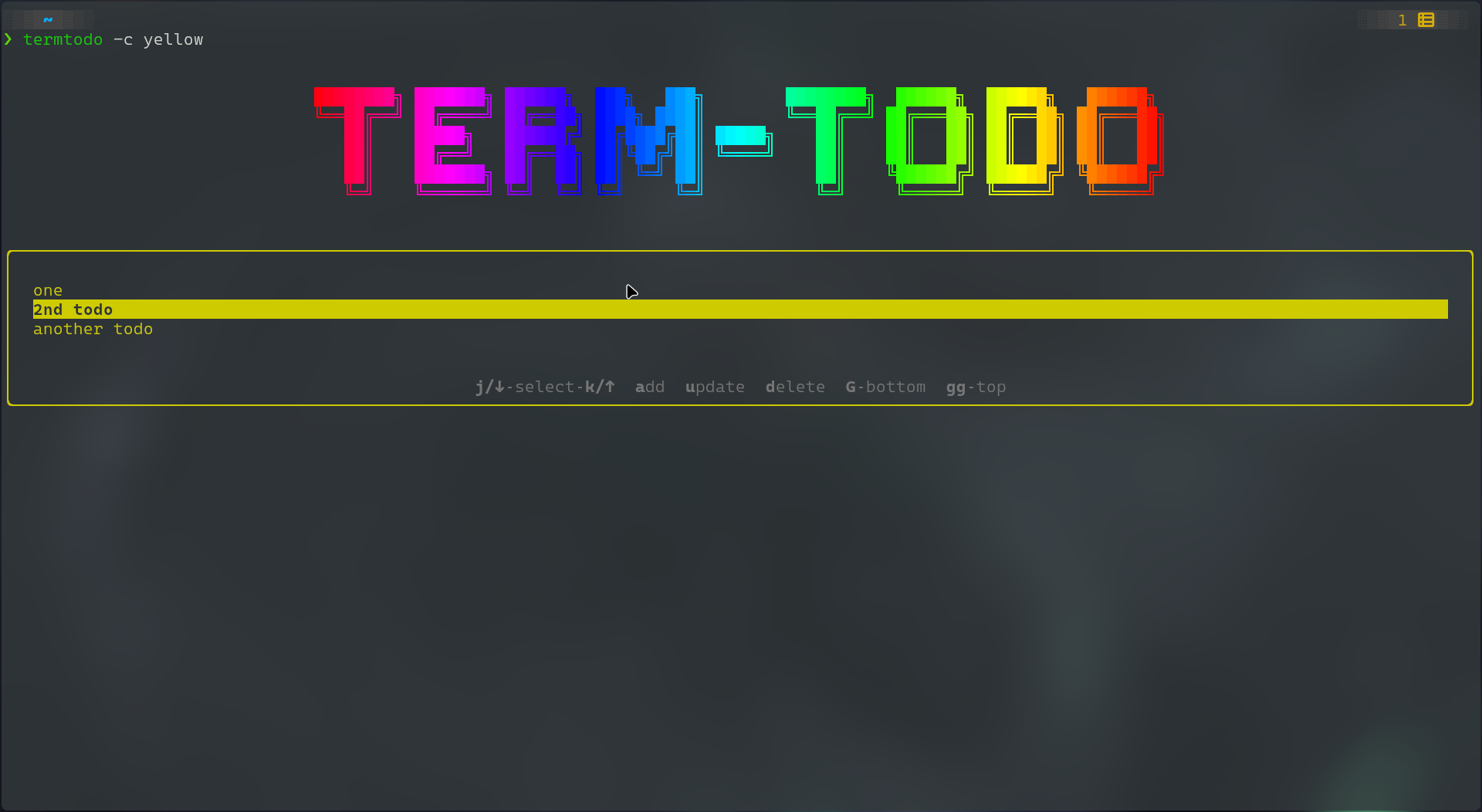
Usage
TermTodo - cli based todolist manager

Usage: termtodo [options] [value]
    $ termtodo
    $ termtodo --color <color>
    $ termtodo --help
    $ termtodo --version

Options:
    -c --color    Set color of highlighting
    -h --help     Show this screen
    -v --version  Show version

Examples:
    $ termtodo --help
    $ termtodo --color magenta
Supported Colors for --color flag
yellowredbluecyangreymagentagreen
Keyboard Shortcuts
- Navigate Todos:
k/up arrowandj/down arrow - Add Todo:
a - Update Todo:
u - Delete Todo:
d
Contributing
Contributions are welcome! Feel free to open an issue or submit a pull request on GitHub.
1.0.0
2 years ago