1.2.7 • Published 2 years ago
@nguyenviet3057/react-native-code-highlighter v1.2.7
react-native-code-highlighter



Code/Syntax highlighter for React Native. Inspired by react-native-syntax-highlighter, using react-syntax-highlighter
This is a fork of react-native-code-highlighter, which uses View wrapper instead of ScrollView if you don't need scrolling, includes a small bug fix for line number sections.
Installation
NPM
npm install @nguyenviet3057/react-native-code-highlighter react-syntax-highlighterYarn
yarn add @nguyenviet3057/react-native-code-highlighter react-syntax-highlighterAdditional for typescript
NPM
npm install --save-dev @types/react-syntax-highlighterYarn
yarn add -D @types/react-syntax-highlighterUsage
Props
| Prop | Description | Type | Optional |
|---|---|---|---|
| hljsStyle | Highlight.js style imported from react-syntax-highlighter/dist/esm/styles/hljs | { [key: string]: React.CSSProperties } | false |
| textStyle | Style for the text text components. Note: color property will be overridden | StyleProp<TextStyle> | true |
| viewProps | Props for the underlying view. | ViewProps | true |
| containerStyle | Deprecated. containerStyle for the underlying ScrollView. Use scrollViewProps.contentContainerStyle instead | StyleProp<ViewStyle> | true |
| react-syntax-highlighter Props | Props supported by react-syntax-highlighter. i.e. language, showLineNumbers, lineNumberStyle,... |
*Note: You should use lineNumberStyle prop to override react-syntax-highlighter default style, because it uses em unit which React Native does not support.
Example
import React from "react";
import { StyleSheet } from "react-native";
import CodeHighlighter from "@nguyenviet3057/react-native-code-highlighter";
import { atomOneDarkReasonable } from "react-syntax-highlighter/dist/esm/styles/hljs";

const CODE_STR = `var hello = "world"`;

export default function HighlightComponent() {
	return (
		<CodeHighlighter
			hljsStyle={atomOneDarkReasonable}
			containerStyle={styles.codeContainer}
			textStyle={styles.text}
			language="typescript"
		>
			{CODE_STR}
		</CodeHighlighter>
	);
}

const styles = StyleSheet.create({
	codeContainer: {
		padding: 16,
		minWidth: "100%",
	},
	text: {
		fontSize: 16,
	},
});
CodeSandbox: https://codesandbox.io/s/react-native-code-highligher-knfsyx?file=/src/App.js (For original repository)
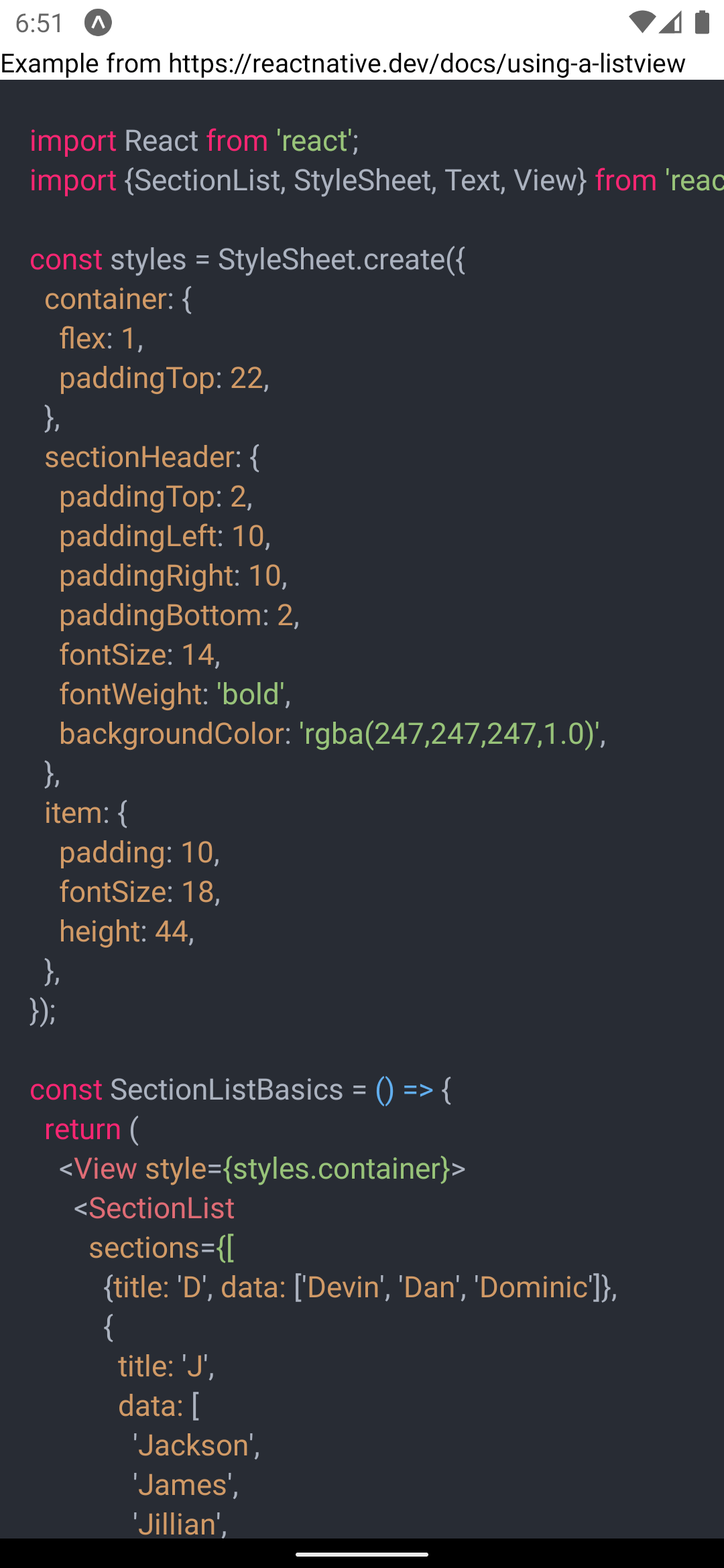
Screenshots
Contributing
See the contributing guide to learn how to contribute to the repository and the development workflow.
License
MIT