
@nicodoggie/kingraph
kingraph

Plots family trees using JavaScript and Graphviz
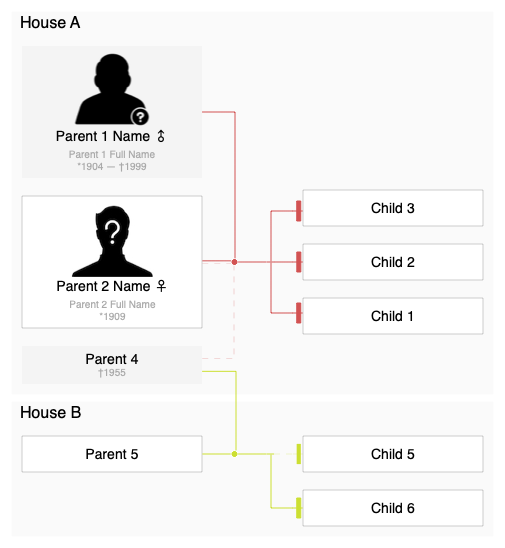
A family tree plotter with a very simple syntax. It probably doesn't cover everything bigger tools do, but covers 90% of it for the sake of simplicity.
Installation
This fork requires Node.js 24 or newer and ships native ESM JavaScript with
TypeScript declarations. CommonJS require() and private lib/* imports are no
longer supported entry points.
For a published release:
npm install -g @nicodoggie/kingraphFor this checkout:
npm ci
npm run build
./bin/kingraph --help
The global install adds kingraph to your shell; in a checkout, use
./bin/kingraph after building. Run kingraph --help for usage information.
Getting started
A family tree is a YAML file. To get started, store the following text in a file called family.yaml:
families:
    - parents: [Marge, Homer]
      children: [Bart, Lisa, Maggie]
    - parents: [Lisa, Milhouse]
      children: [Zia]

people:
    Marge:
        fullname: Marjorie Bouvier Simpson
kingraph family.yaml -F dot | dot -Tpdf -o family.pdf
open family.pdfSVG is the default; PNG now uses resvg rather than the deprecated PhantomJS stack:
kingraph family.yaml > family.svg
kingraph family.yaml -F png > family.png
cat family.yaml | kingraph -F dot > family.dot
Use - to explicitly read stdin. Multiple filenames are rendered in argument
order and their outputs are concatenated; use one input for a standalone image.
JavaScript and TypeScript API
import render, { parseFamilyYaml, renderDot } from '@nicodoggie/kingraph';
import type { FamilyTree } from '@nicodoggie/kingraph';

const family: FamilyTree = {
    families: [{ parents: ['Marge', 'Homer'], children: ['Lisa'] }],
};

const dot = renderDot(family); // Synchronous string; no Graphviz initialization.
const svg = await render(family); // SVG string by default.
const png = await render(family, { format: 'png' }); // Node Buffer.
const parsed = parseFamilyYaml('families: []', 'family.yml');
Rendering accepts parsed family data, not filenames. File access and output
writing belong to the caller. render() always returns a Promise; the old
async: true option is no longer needed. renderDot() is the synchronous route.
Unsupported formats reject with an error rather than returning undefined.
The YAML parser preserves merge keys and timestamps. Four-digit birth/death years, including unquoted numeric YAML years, are rendered as years rather than milliseconds since 1970. Full dates use UTC for consistent year/date labels. Family colors restart for each render, making repeated builds deterministic.
Browser API
Use the explicit browser entry with an ESM-capable bundler. Bundlers that honor
the browser export condition also select this entry from the package root.
It does not import Node filesystem APIs, Meow, or the native resvg package.
import render, { parseFamilyYaml } from '@nicodoggie/kingraph/browser';

const family = parseFamilyYaml(yamlText);
const svg = await render(family); // String; no DOM needed for DOT/SVG.
const bytes = await render(family, { format: 'png', scale: 2 }); // Uint8Array.
const image = await render(family, { format: 'png-image' }); // Loaded HTMLImageElement.
document.body.append(image);
Browser PNG conversion requires native image/canvas APIs. It waits for loading
and conversion, rejects failures, and releases temporary SVG object URLs. PNG
scale defaults to devicePixelRatio; pass a positive finite value to override.
Browser conversion has unit coverage only in this modernization; real-browser
rendering and visual fidelity have not been qualified.
Rendering limits and trusted input
The WASM Graphviz path does not automatically load local picture files.
For existing picture-bearing trees, emit DOT and use native Graphviz (dot)
with access to those paths, as in the PDF example above. The resvg replacement
does not remove this existing Graphviz image-layout limitation. Installed fonts
and Graphviz versions can affect output, so PNG bytes are not a stable snapshot.
Family data and Graphviz style/HTML-label values are trusted authoring input, not a sanitization boundary. Do not inject untrusted rendered SVG into a page without an appropriate sanitization policy.
Vite plugin
The plugin lives in the same package under @nicodoggie/kingraph/vite; the regular
Node/browser imports and CLI do not load Vite. Vite is an optional peer
dependency, so non-Vite consumers do not need to install it.
The plugin supports Vite 8.3.4 or newer within Vite 8. Install kingraph and Vite in your project:
npm install -D @nicodoggie/kingraph 'vite@^8.3.4'Configure vite.config.ts:
import { defineConfig } from 'vite';
import kingraph from '@nicodoggie/kingraph/vite';

export default defineConfig({
    plugins: [kingraph()],
});
Import a family tree as an image URL
import familyUrl, { width, height } from './family.yaml?kingraph';

const image = new Image();
image.src = familyUrl;
image.alt = 'Family tree';
image.width = width;
image.height = height;
document.body.append(image);
Only .yaml/.yml imports with ?kingraph opt in. Other YAML files are left
to your existing loaders. YAML parsing and Graphviz rendering happen in Node,
not in the browser bundle.
In development the URL is a self-contained SVG data URL. Production application
builds emit an SVG asset through Vite's native pipeline, including content hashing
and configured base handling. Library builds follow their configured asset
naming rules. Source edits use Vite's native module invalidation/HMR; no generated
SVG needs to be checked into your source tree.
The named width and height exports are the SVG's viewBox dimensions, useful
for aspect ratios and initial layout. They are not physical pixel measurements
or Astro ImageMetadata.
Import the SVG string
import familySvg from './family.yml?kingraph&raw';The raw variant returns the rendered SVG string instead of a URL and also
exports width and height. It does not emit a separate asset. This is useful
for inline SVG; apply the trusted-input/sanitization guidance above. Links inside
an SVG are usable when it is inline, not when the diagram is displayed in an
image element.
TypeScript import declarations
Add these references to your project's vite-env.d.ts (or env.d.ts):
/// <reference types="vite/client" />
/// <reference types="@nicodoggie/kingraph/vite/client" />
Use the query order shown above so the opt-in module declarations match.
Astro and standalone SSR builds
For an Astro project, register the same plugin under vite.plugins. URL imports
consumed only on the server also need SVG assets in the deployed output. For
standalone Vite SSR builds, enable Vite's build.ssrEmitAssets option; frameworks
may coordinate server/client assets themselves.
import { defineConfig } from 'astro/config';
import kingraph from '@nicodoggie/kingraph/vite';

export default defineConfig({
    vite: {
        plugins: [kingraph()],
        build: { ssrEmitAssets: true },
    },
});
An Astro component can use the URL and dimensions directly rather than passing
the string to getImage() as if it were imported SVG metadata:
---
import familyUrl, { width, height } from './family.yaml?kingraph';
---

<img src={familyUrl} width={width} height={height} alt="Family tree" />
The plugin currently targets SVG output. Local picture loading has the same
WASM limitation as the core renderer; use the native Graphviz workflow for those
trees. This plugin does not install an Astro integration or migrate an existing
site's CLI/build scripts automatically.
Development
npm ci
npm run build          # ESM JavaScript and declarations in dist/
npm test               # Build, unit tests and Node/CLI integration tests
npm run test:watch
npm run test:coverage  # Vitest V8 coverage; no percentage gate
npm run typecheck     # Source/tests plus a DOM-only browser import graph
npm run lint
npm run format:check
make test and make lint delegate to local npm scripts; they never install
global tools. GitHub Actions runs checks on Node 24 and 26. The lockfile is
tracked for reproducible development installs. TypeScript stays on the 6.0
release line while typescript-eslint's supported peer range excludes 7.x.
Vite integration tests exercise production/SSR output and development source updates through Vite's native APIs, without browser automation.
Further Examples
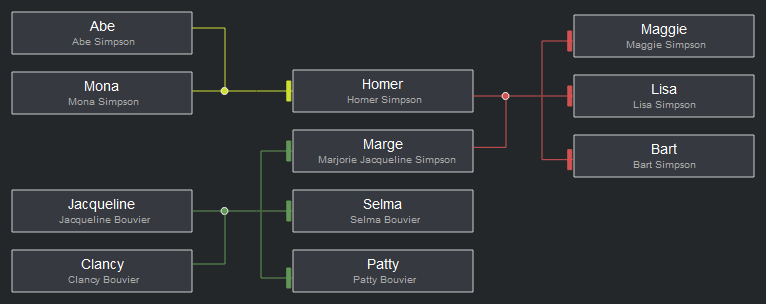
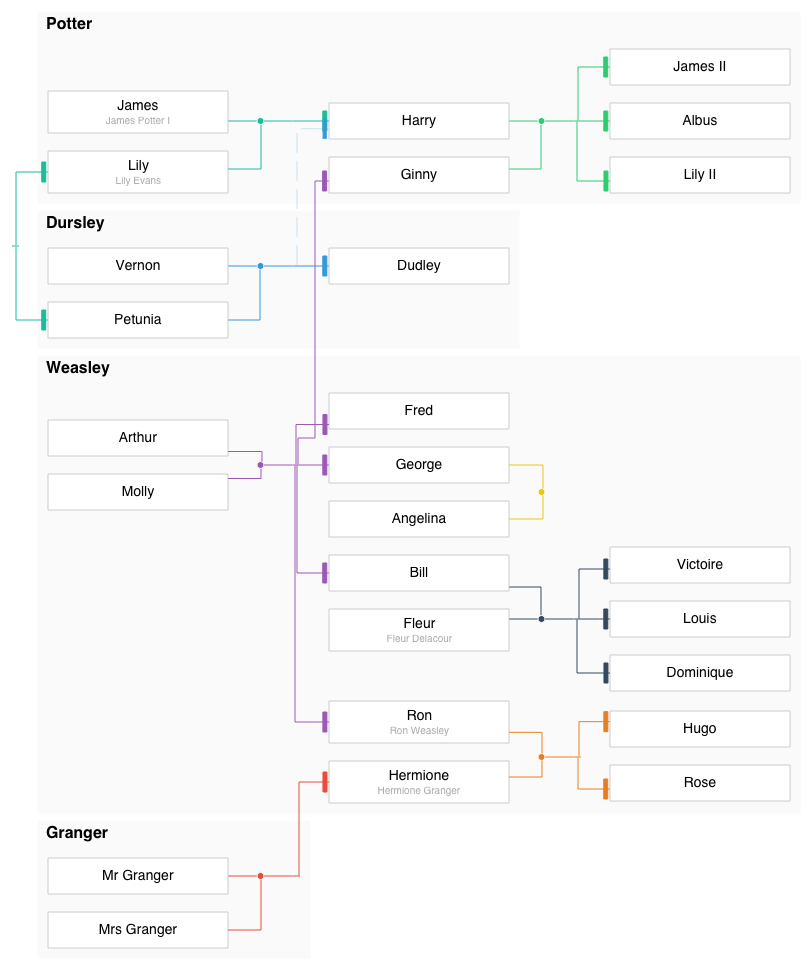
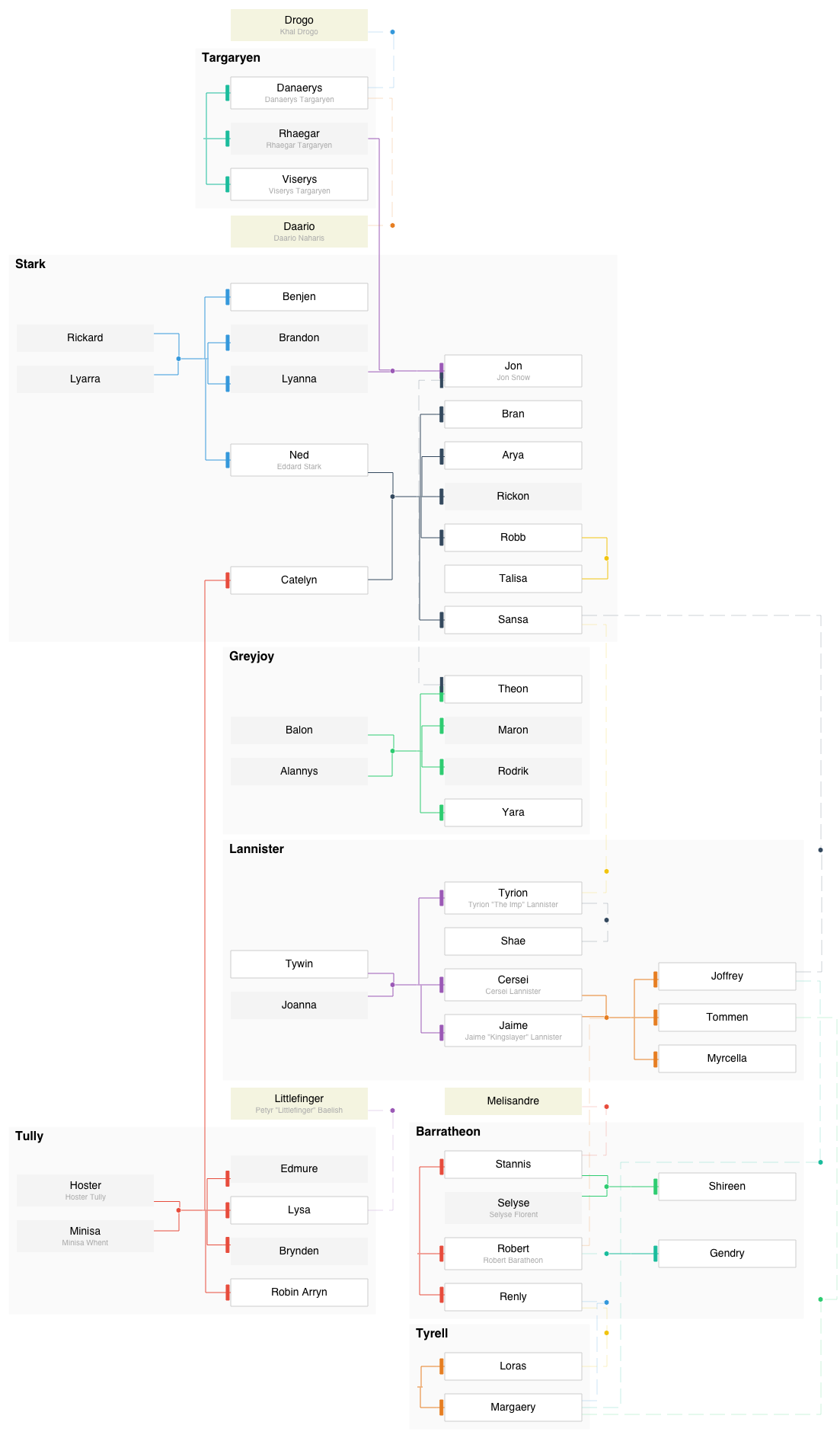
Spoiler alerts, view at your own risk :)

Documentation
For further reading:
Thanks
Authored and initially maintained by Rico Sta. Cruz with help from contributors (list).
ricostacruz.com · GitHub @rstacruz · Twitter @rstacruz