@node-red-contrib-themes/cobalt2 v0.1.0
Node-RED Contrib Theme: Cobalt2
A dark theme for Node-RED based on the Cobalt2 Theme for VS Code by Wes Bos.
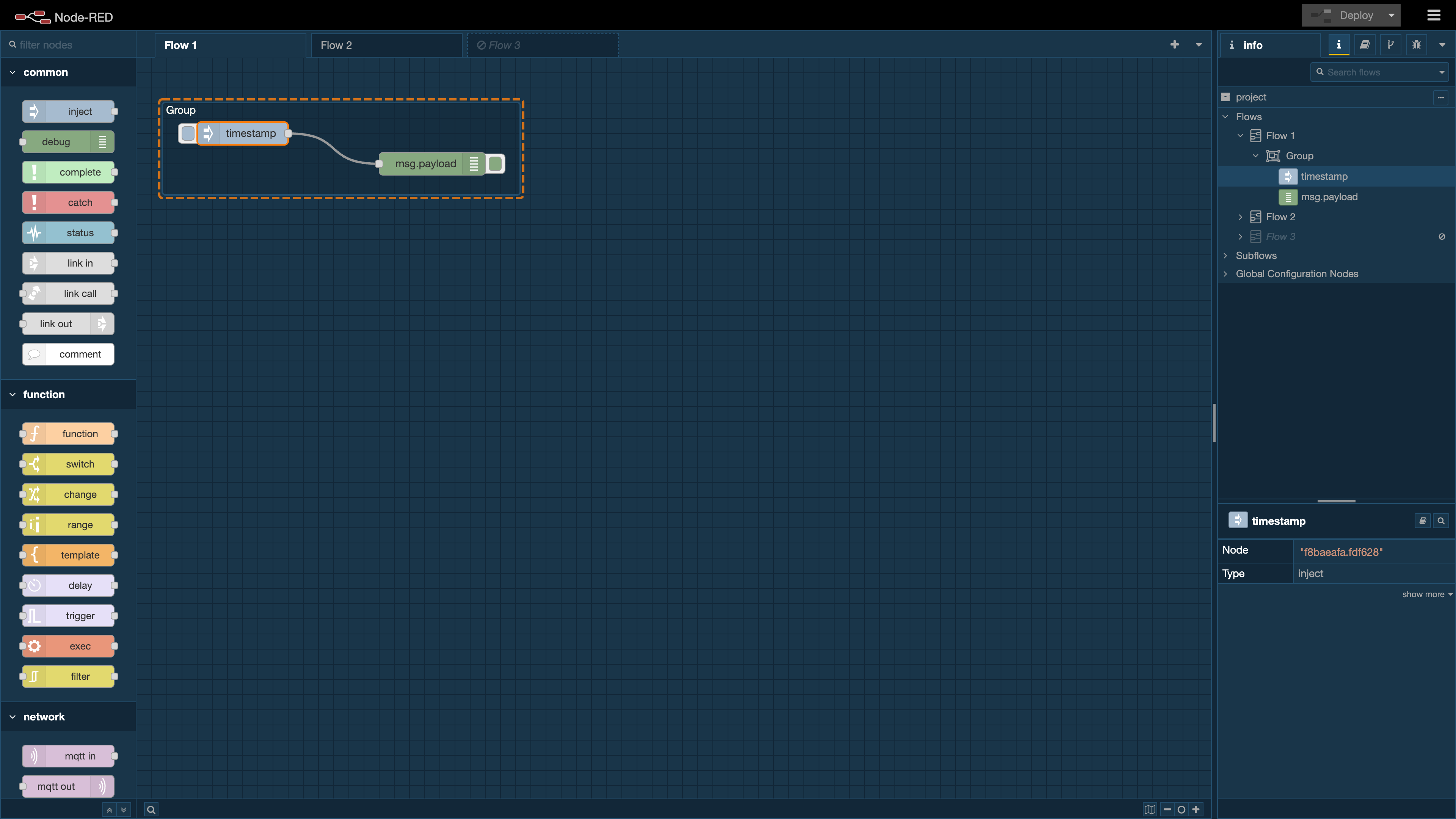
Install
Install with npm
Run the following command from within the Node-RED user data directory (by default, $HOME/.node-red).
npm install @node-red-contrib-themes/cobalt2Usage
Add theme: "cobalt2" to the editorTheme object in your settings.js and then restart Node-RED.
editorTheme: {
    theme: "cobalt2",
},
For details on the Node-RED's configuration file and its structure, please refer to the Node-RED official documentation.
Themed Scrollbars (EXPERIMENTAL)
Includes the theme and changes the scrollbars to make them better fit the theme.
NOTE: This is EXPERIMENTAL and may not work on all browsers.
Add theme: "cobalt2-scroll" to the editorTheme object in your settings.js and then restart Node-RED.
editorTheme: {
    theme: "cobalt2-scroll",
},
Monaco Editor Theme
This package comes with a pre-configured theme for the Monaco editor.
Just leave theme under codeEditor commented out in your settings.js and then restart Node-RED.
editorTheme: {
    theme: cobalt2,
    codeEditor: {
        lib: "monaco",
        options: {
            // theme: "",
        },
    },
},
License
This project is licensed under the MIT license.
Like my work?
If you like my work please give it a GitHub ⭐️.
Also, consider supporting me with a coffee ☕.
4 years ago