1.1.9 • Published 6 years ago
@obelmont/sanity-plugin-tabs v1.1.9
Sanity Tabs Plugin
Input component for rendering fieldsets as tabs


How does it look?
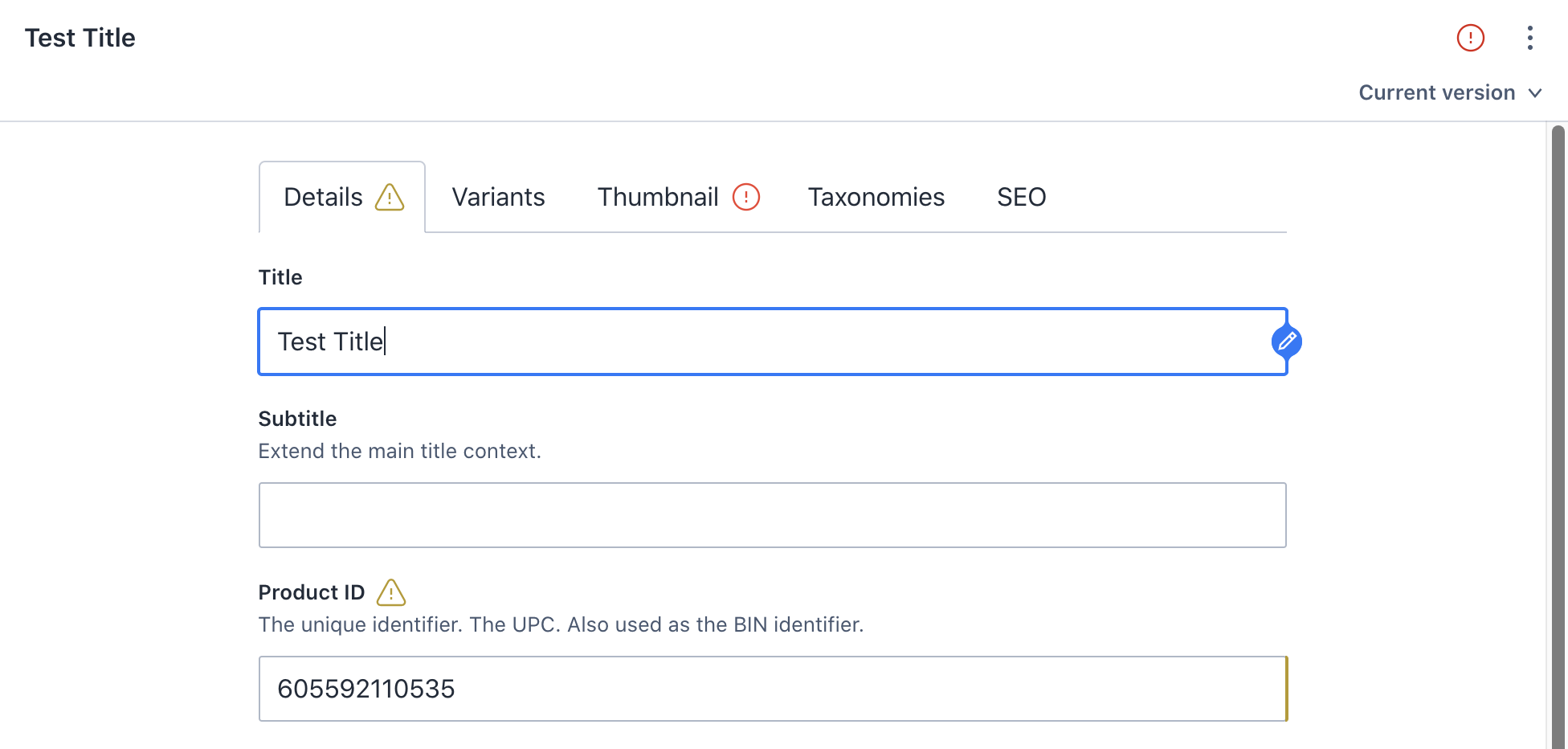
How do I use it?
Just add inputComponent: Tabs to your field. Please note that the field type must be object.
import Tabs from "sanity-plugin-tabs"

export default {
  type: "document",
  title: `Frontpage`,
  name: `frontpage`,
  fields: [
    {
      name: "content",
      type: "object",
      inputComponent: Tabs,

      fieldsets: [
        { name: "main", title: "Main" },
        { name: "aside", title: "Aside" },
        { name: "meta", title: "Meta" },
      ],
      options: {
        // setting layout to object will group the tab content in an object fieldset border.
        // ... Useful for when your tab is in between other fields inside a document.
        layout: "object"
      },

      fields: [
        {
          type: "object",
          name: "mainTitle",
          title: "Main Title",
          fieldset: "main",

          fieldsets: [
            { name: "ingress", title: "Ingress" },
          ],

          fields: [
            {
              type: "string",
              name: "header",
              title: "Header"
            },
            {
              type: "string",
              name: "ingressText",
              title: "Text",
              fieldset: "ingress"
            },
          ]
        },
        {
          type: "string",
          name: "info",
          title: "Information",
          fieldset: "aside"
        },
        {
          type: "object",
          name: "aside",
          fieldset: "meta",
          inputComponent: Tabs,

          fieldsets: [
            { name: "tags", title: "Tags" },
            { name: "categories", title: "Categories" },
          ],

          fields: [
            {
              type: "string",
              name: "contentType",
              title: "Content Type",
              fieldset: "tags"
            },
            {
              type: "string",
              name: "category",
              title: "Category",
              fieldset: "categories"
            },
          ]
        },
      ]
    }
  ]
};
Development
Run the following commands at the root of this repository.
npm i
npm link
Now you can start developing the plugin.
To include it in your Sanity test site, navigate to the root folder of your cms project and run npm link sanity-plugin-tabs. You will now reference the local version of the when using import Tabs from "sanity-plugin-tabs" in your files.
To debug the original files in VSCode you need to add the following settings to your debug settings:
"runtimeArgs": [
  "--preserve-symlinks"
]