@oscbco/block-select v0.0.7
@oscbco-select
A React select control
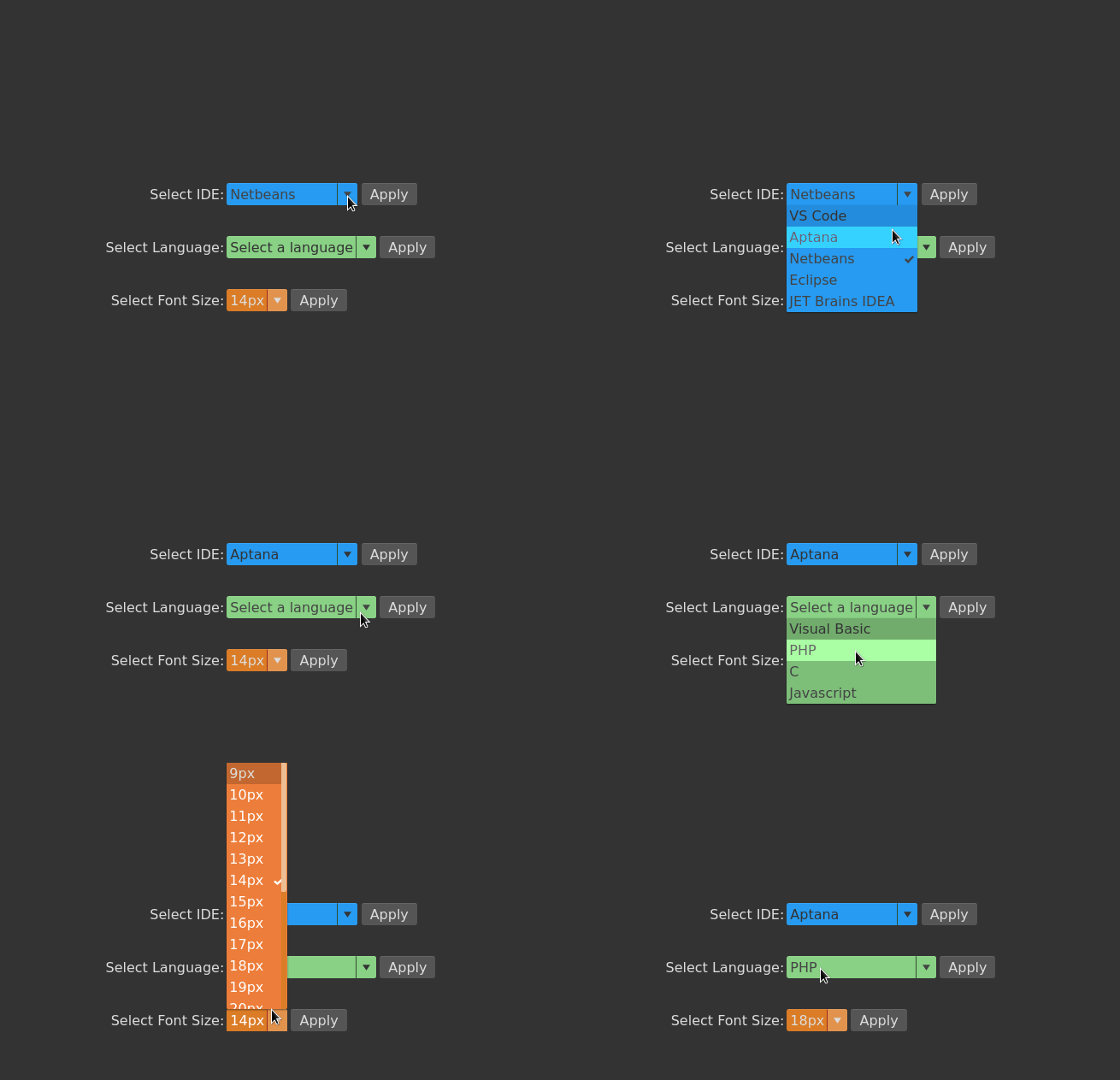
If you need a multi-select (or tag select) please check out @oscbco/multi-select
Installation
npm install @oscbco/block-selectProps
items: This is an array of items available to select, it consists of objects with at least the property:value. Additionally an item object can have the following property:label: This is the text presented to the user, if it's not present then thevalueis title cased and used instead.
defaultItem: This is the item that the control will mark as selectedplaceholder: Text that will be presented to the user when no item has been selected yetonChange: Callback that will be executed every time the user selects an item. It is passed thevalueproperty of the selected item. This is meant for side-effects such as storing the selected item to local storage for exampleclasses: This is an object containing the css classes that will be assigned to the various elements of the control. They are as follows:select: Outermost element that contains the control. Defaults to "oscbco-block-select"title: Contains the placeholder or the selected item label (or value as previously discussed). Defaults to "oscbco-block-select-title"itemContainer: This is the element that provides the curtain effect of growing and shrinking when the control is opened or closed respectively. Defaults to "oscbco-block-select-item-container"items: The actual element holding the items, this element does not change size. Defaults to "oscbco-block-select-items"item: The element holding an individual item. Defaults to "oscbco-block-select-item"
Justification for the classes prop
Note that passing css classes like this fits very well with the css modules technique where a file containing classes is imported and assigned to a variable, in this case it's ok to just pass the imported variable to the classes prop (Extra classes will be ignored).
Also, classes are very powerful, for example you can add a hover effect on the items or extra padding to the first and last items only. It is possible to change even the duration of the growing and shrinking transition
Example
  <div>
    Select Font Size:
  </div>
  <div className={css.flexRow}>
    <BlockSelect placeholder=' ' items={data.fontSizes} onChange={onChange}
      defaultItem={{
        value: '14',
        label: '14px'
      }} classes={{
        select: 'green-select',
        title: 'green-title',
        arrow: 'green-arrow',
        menuWrapper: 'green-menu-wrapper',
        option: 'green-option'
      }} />
    <div className={css.button}>
      Apply
    </div>
  </div>
To run the examples:
  $ git clone https://github.com/oscbco/block-select.git
  $ cd block-select
  $ npm install
  $ npm start
Visit http://localhost:9000 to see and edit the examples. The development server is set up to be available from everywhere even your mobile phone in your LAN.
Features:
- Opens dropdown with the down key
- Opens dropdown upwards if there is not space up
- Select item with the enter key
- Close dropdown with the escape key
- Can receive focus but can't be reached with tab,
- Completely customizable with the classes prop.
- It can be inlined with sibling elements and even used multiple times inside a paragraph
Tests
npm test