@pipedream/python v0.6.0
Overview
Develop, run and deploy your Python code in Pipedream workflows. Integrate seamlessly between no-code steps, with connected accounts, or integrate Data Stores and manipulate files within a workflow.
This includes installing PyPI packages, within your code without having to manage a requirements.txt file or running pip.
Below is an example of using Python to access data from the trigger of the workflow, and sharing it with subsequent workflow steps:
Example Use Cases
Here are three practical uses for incorporating Python code in Pipedream workflows:
- Automated Data Processing:
- Python can be utilized within Pipedream to automate the processing of incoming data from various sources such as webhooks, APIs, or even scheduled events. You can transform, sanitize, and aggregate this data before passing it to subsequent steps or storing it in databases or data stores provided by Pipedream. This is particularly useful for workflows involving data analytics, where Python’s extensive library ecosystem (e.g., Pandas for data manipulation) can be leveraged.
- Integration and API Interactions:
- Use Python to orchestrate complex API interactions that require custom logic beyond simple HTTP requests. This can include handling authentication flows, error processing, or managing pagination. Python’s robust support for network and protocol management makes it ideal for integrating disparate systems, performing API health checks, or even creating composite APIs that aggregate data from multiple sources into a unified response.
- Machine Learning and AI:
- Implement machine learning models directly within your workflows to perform real-time predictions, analyses, or automated decision-making based on the incoming data streams. Python’s compatibility with machine learning frameworks like TensorFlow or scikit-learn allows you to import pre-trained models or train them on-the-fly using workflow data. This can be applied in scenarios such as image recognition, predictive maintenance, or customer sentiment analysis.
These applications of Python in Pipedream workflows enable sophisticated data operations, extend functionality with external APIs, and incorporate advanced analytics and machine learning directly into your automated processes.
Getting Started
To add a Python code step, open a new workflow and include a step.
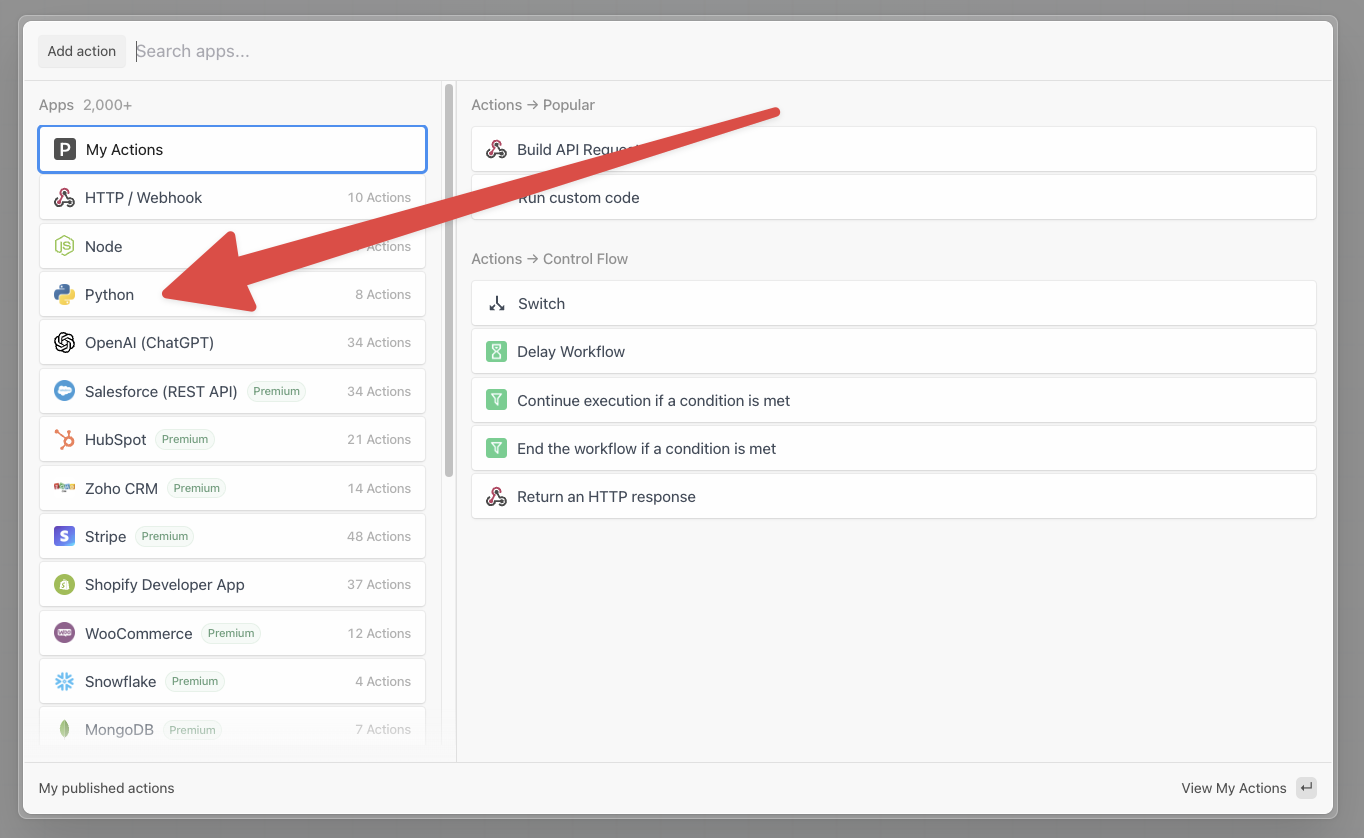
- Select the Python app:
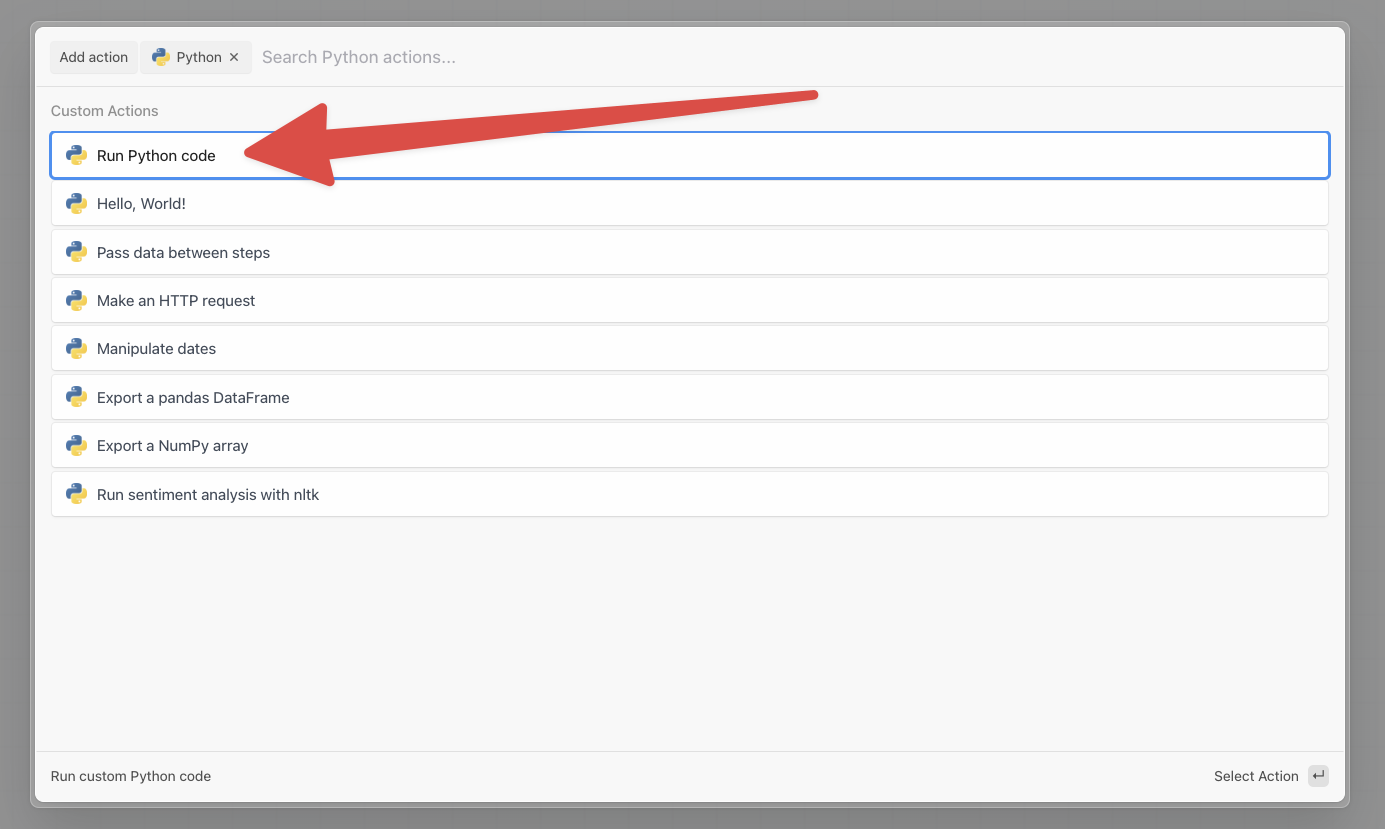
- Then select the Run Python Code action:
Now you’re ready to write some code!
On the right, you'll see the default code provided by Pipedream:
def handler(pd: "pipedream"):
    # Reference data from previous steps
    print(pd.steps["trigger"]["context"]["id"])
    # Return data for use in future steps
    return {"foo": {"test": True}}
You can write your custom code within the handler function. handler is called when this step executes in your workflow. The pd argument contains the workflow's context and data.
When you click Test on the Python code step, it will display the event data from your trigger step. For instance, if your trigger is an HTTP request, then the HTTP request data will be returned.
This step can execute any Python code. However, the handler function, a special Pipedream callback, must be set up correctly to return data. Otherwise, you can run arbitrary code that:
- Send HTTP requests
- Return an HTTP response
- End the entire workflow
- Use your connected accounts to make authenticated HTTP requests
- Reference environment variables
- Retrieve or update data within Data Stores
- Download, upload and manipulate files
- Pausing, resuming and rerunning Python code steps
Troubleshooting
Pipedream will show your error traces within your individual steps, under the Logs section.
Traces across all of your workflows are also available within the Event History in your Pipedream workspace. This gives a global view of all failed executions, and gives you the tools to filter by workflow, time occurred and more.
11 months ago